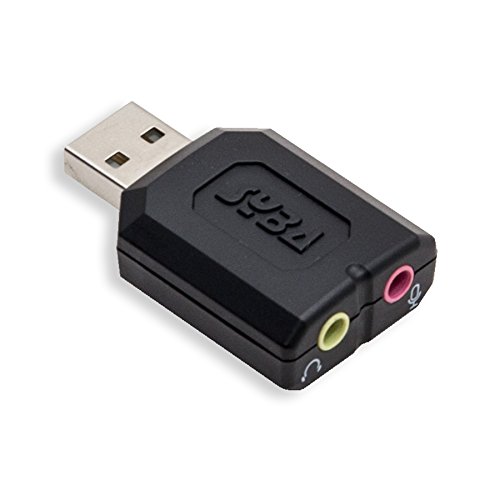

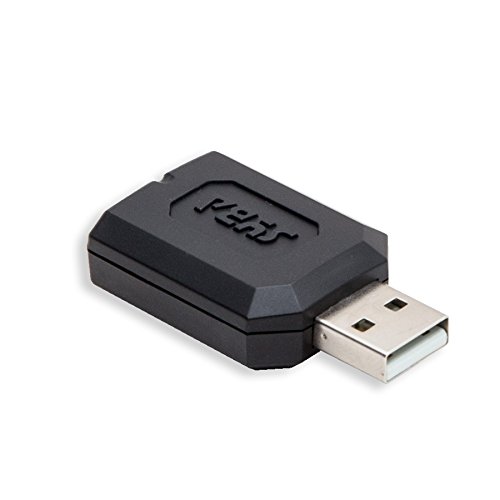

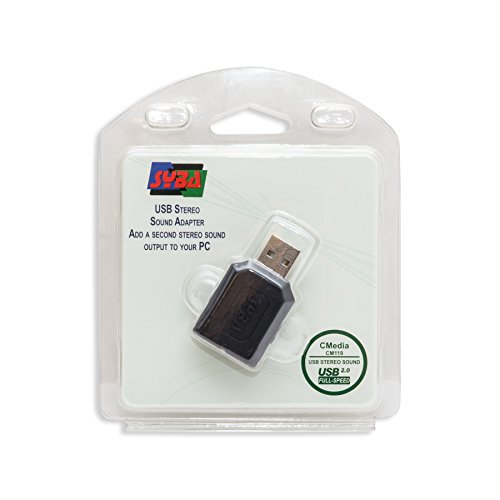
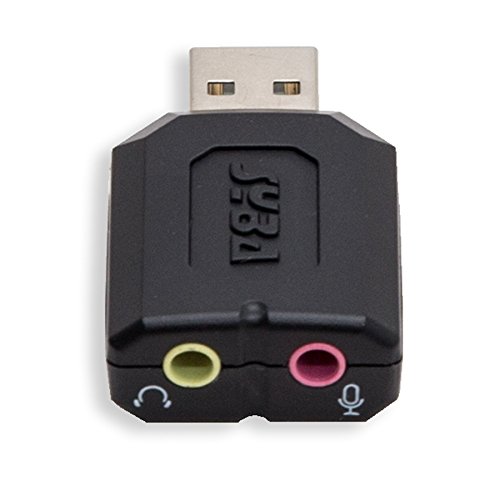

- Compliant with USB 2.0 Full Speed (12Mbps) Specification
- Compliant with USB Audio Device Class Specification 1.0, Compliant with USB HID Class Specification 1.1
- USB Bus-powered Mode, No External Power Required, Near full 5V power ouput to Microphone
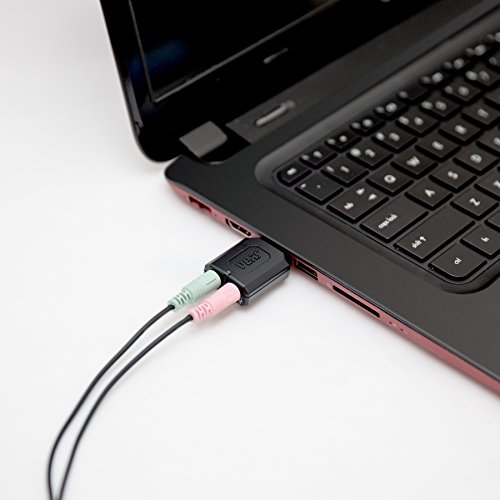
- Connectors: USB Type-A, Stereo output jack, Mono microphone-input jack
- LED indicators: Microphone-Mute Status, Activity FG-UAUDV1-C119
-
Information
-
Twitter
-
Pinterest
-
Youtube
-
Facebook
Wayne Kirk
PS4 notes (Playstation 4)
PS4 use -- fine, exactly as expected. Just a few notes for such prospective buyers: On any device with USB sockets, it is wise to use a USB "extension" cable (male A to female A) anyway. Some such cords are even billed as "port savers" or "socket savers", which indeed they are. No variety of any plug/ socket combo is really meant for frequent plugging and unplugging. That is what a -> switch <- is meant for. So in lieu of a switch, add cheap USB extension cables to your equipment, and let the sockets of the cables get worn out rather than your equipment's sockets. A further note below, on an excellent PS4 way to do that aesthetically. This happens to solves the Syba size issue anyway, vs. the PS4 recessed ports. Now you may connect to the Syba either ouputs from a base station of a wireless headset, or the wires from a wired mic and headphones. If the latter, and if you regularly sit back a bit from the PS4, consider this. Do not run audio extension cords from your headset and microphone to the Syba near the PS4. Rather run the USB extension cord from the PS4 to near your seating, and connect the shorter mic/head wires there to the Syba. The max recommended USB cable length is 15 feet. Microphones have fairly low-level outputs. Extending mic cords via 3.5mm audio cable is more prone to picking up electrical noise. Whereas once digitized to USB, there is no further noise. One review mentioned that the Syba supplies "some" plug-in power to mics, but "not much". Some mics, particularly condensers, need this variety of "phantom power". [Google is your friend.] And those power needs of mics vary. All I know is that the Syba works fine with my lavalier which is said to need plugin power -- Sony ECMCS3 Clip style Omnidirectional Stereo Microphone, e.g. at http://www.amazon.com/Sony-ECMCS3-Omnidirectional-Stereo-Microphone/dp/B0058MJX4O/ref=cm_cr_pr_sims_t The PS4 has the feature easily to adjust mic volume -- System/ Devices/ Audio Device/ Adjust mic volume. Do locate your mic where you will use it, speak as you wish, and use this PS4 setup. Otherwise often you can't tell yourself how the volume is set, and have to rely on your listeners to tell you, which they won't always do. With my mic wired to the Syba, I noticed that I turn up that PS4 volume a bit more than when the mic is wired to the PS4 controller. I use the Syba because personally I don't like wires to a PS4 controller across my lap. And the battery life of a controller is short enough anyway. I'd rather not add another load to that. A complaint about the (2014 version) PS4 is that it has only front USB ports and no rear ports. For people who care about running USB wires out of those ports aesthetically, consider this. If you have height room, put little wooden blocks under the feet of the PS4 to raise it. 3/4" high is good. Such blocking is useful with many kinds of equipment anyway, increasing ventilation. And then you can connect even regular USB cables, and loop them to run under the PS4. And if that is still sticking out too far for you, you can get more flexible USB adapters to reduce that bend. Cheers Other keywords: Playstation
Neb Saitiam
$500 or $5 in order to get sound out out of my MacBook Air...
I own a MacBook air and the headphone jack went out on it. I looked up online what happened and how much it would cost to fix it. Quickly I found out that it was only a $500ish fix!!! Ouch and shame on Apple. Anyways, in my searchings I came across an article talking about getting sound through the USB port. I thought, "Hmm. $500 or $5???" I chose the former and thus I had no need for this external USB sound adapter. Or I really chose the $5 option and have been really pleased with the results. My Mac doesn't automatically switch the sound to this external device so I do have to go into "sound preferences" and manually switch it to "SYBA external speakers" in order for it to work. All and all I have been very impressed with this quick fix as it saved me a lot of money. I have personally noticed no change in the quality of the sound coming out of my computer when I use this device.
Avis Evans
The Perfect Ham Radio USB Sound Card (Raspberry Pi/Linux and Probably Windows Too)
I purchased this device to use with a Raspberry Pi2 (900 MHz, Quad Core, Latest Release) and the Ham Radio APRS software Direwolf V 1.2. I had been using a SignaLink USB which worked exquisitely, but is pricey at over $120. This thing cost less than $10, but of course, does not contain anything to assert PTT (cause the radio to go in and out of transmit), The SignaLink did not have to worry about additional PTT because it is included inside the SignaLink box (it actually uses a high quality fast acting VOX....but you pay for the privilege and quality of the sound card) Suffice it to say the SignaLink is an EXCELLENT product and I'm still using it on another computer and radio with Ubuntu distro. The amazing thing about this Syba USB USB Audio Adapter is that it works with a high demand program like Direwolf (which is doing some incredibly complicated things to decode and encode data, not something simple like playing music). Inherent distortion in the sound card or a poor noise floor would cause this unit to be useless for Direwolf. The software actually measures how well the sound card is performing and the Syba is working every bit as well as the very expensive SignaLink. What is most impressive is that it is doing this at a cost of $8.50 or so! Pros: 1. Raspbian (Wheezy) on the Pi2 recognizes it upon install. Simply power down the RPi2 , insert into an open USB port and start it up. 2. It even works on a USB hub (which is not recommended by the Direwolf author, but it works with the Plugable 4 Port Powered USB Hub) 3. Performs every bit as well as the high-end SignaLink external USB sound card. 4. Works with either stereo or mono 3.5 mm input and output plugs. 5. Extremely small footprint. Cons: 1. You still have to wire up cable(s) to go to the radio for PTT and also get audio from and to the radio. 2. Not that something that is wrong with the Syba itself, but rather that it requires additional hardware of some sort to assert PTT in this application. The Syba is not supposed to do this, so it is not a "fault" or "deficiency", it does, however require one to look for one more thing to have a complete solution for using the Ham Radio program Direwolf to encode/decode data and send/receive said data to a radio for transmission and reception. Solving the PTT Issue: 1. The cheapest: Use one of the many available GPIO pins on the RPi2. This works well, but should not be used directly, a buffer circuit should be used. This further complicates the project. It is not expensive to do this, but it is "another" step. Not using a buffer circuit exposes the RPi's output to be destroyed, which can kill the RPi altogether. 2. Build up your own VOX (voice operated transmission) unit. Very inexpensive,but it is not as "fast" in terms of turnaround between transmit and receive as hardwired PTT (push to talk). 3. Use a USB to RS232 Pre-Built Interface by Easy Digi. Google search for Easy Digi USB and you will find it on eBay for $42.00. Many radio amateurs have purchased these interfaces and they come highly recommended. This is the solution I use, as the $42 bucks covers some very important issues a. The interface box includes input and output jacks (standard 3.5 mm mono) for audio to and from the computer sound card (Syba) b. The interface also includes either a mike or data cable to connect to the radio for PTT (mike) or both PTT and Audio To/From (data cable) radio. The radio you use will dictate whether you need a mike and audio cable or just a data cable that has both (like the Kenwood G707 and D700) c. Complete ISOLATION of the Computer Sound Card and PTT (DTR and RTS) from the Radio. This is done by using audio transformers on the audio output and input lines to/from the Sound card and using an Opto-Isolator between interface's DTR and RTS lines (used for PTT) and the Radio itself. Special Considerations Required by the Operating System: (and the Direwolf program) The Syba Sound Card being reviewed must be configured for Raspbian (RPi) or Ubuntu or whatever Operating System you elect to use. This requires telling the O/s to use the Syba USB Sound Card as the audio device and not the one internal to the computer. The Easy Digi USB interface also has to be "bound" to the O/S. It is recognized automatically, but must be "bound" to ttyUSB0 If you need help, join the Digiwolf user list on Yahoo, and certainly read the Direwolf 1.2 User Guide (*.pdf). Summary; This is a Superb solution for a sound card for Ham Radio software/projects either in Windows or Linux. The price is amazing and the quality is perfectly acceptable. It is supported without special drivers in Linux (and probably in Windows, but I haven't tested it yet). There is a support group on line that is familiar with the Syba and can help with your project. 73, N0AN
Jacob Smith
Built in Digital to Analog converter
my new Gigabyte motherboard has lost its Realtech audio capability. Both front & rear analog ports are dead. USB Digital Audio works fine. I do not want the bother of trying to get a Warranty RMA fix or replacement and have the computer down all that time. I already own a cheap pair of USB headphones to tide me over until this gadget arrives. I am hearing impaired and must wear headphones all the time. I use Sennheiser Wireless brand - which needs an Analog Audio input. This SYBA has a D-to-A converter built in so I can use the working USB port and still feed an Analog signal to my headset. Cheap and easy fix. Boo to Gigabyte.
Debbra Burns
Works Well and as Expected
I actually bought this for another reason but it didn't quite work for that even though it was a longshot. I ended up keeping it because I like having a variety of computer components and this was very reasonably priced. Testing it with a Win 7 computer I didn't have any issues with it. You do have to go into your computer audio settings and set this as a device but it worked as expected without fuss. This can work well if you want to use a speaker system as well as a gaming headset or headphones in general. I also imagine if you're laptop doesn't have a microphone jack then this would be a great solution as well. Sound quality was good. Although it didn't serve my purpose, it serves the purpose it was meant for well. At the reasonable asking price of under $10 I can easily recommend this.
Ricardo Correia
Easy, inexpensive fix to audio problems.
If your sound no longer works properly on your desktop, this is a great inexpensive fix. I spilled a drink in my computer and fried the power supply. I replaced it, and ever since, my sound has been awful. I did not want to replace my motherboard. This was a great fix, since everything else works. When I plugged it in, my computer automatically detected it. Very easy.
Juliet Okoro
all 3 I bought worked flawlessly BUT long time for PC to install drivers
Bought three, all three worked flawlessly on my Windows 7/ Windows 8 PC's BUT it's worth noting that it takes a long time for the drivers to install.. it may or may not need access to the internet so windows update can locate the appropriate drivers (I noticed during the "progress screen" that pops up if you click on it this was the longest part of the process)... but eventually, 5 to 10 minutes later the drivers are installed and no problem after that :) .. so don't panic just let it do it's thing :) ..
Océane Beauregard
Can't live without this product!
I love this little thing! The headphone jack on my laptop broke so I had to find a way to listen to music and stumbled upon this product. Years ago I bought a Creative Sound Blaster X-Fi Go for the same reason but thought it was just ok. This adapter accomplishes pretty much the thing. I'm sure it doesn't touch an audiophile DAC but to my ears it sounds great. There's no hiss at all which is one thing I thought might happen. One thing I really REALLY love about this product is the Bass Boost under the properties tab in Windows playback devices. I have Realtek installed on my PC, and yeah you can adjust the bass but it doesn't really sound that great when you turn up any of the bass frequencies. But with this adapter you have the option of enhancing a number of bass frequencies to certain decibels, and holy crap can you get some amazing bass out of this thing. I love sub-bass so I set the 50 Hz bass frequency to 15 decibels and I can actually feel the bass through my headphones. Yes, I'm a basshead. After about 4 years my adapter broke due to my PC falling off the couch and bent the usb part. So I thought about trying a different product that does the same thing but decided against it because I can't live without my bass, so I bought another one. I'm thinking about buying a few just to keep on hand. Maybe someday I'll try another alternative. The only negative thing I can think of about this adapter is (and it's the reason I damaged the first one) it sticks out a little over an inch so it's prone to getting bent and potentially getting damaged. To anyone wanting to use an EQ with this product I highly recommend Equalizer APO (along with Peace GUI). When you access the sound properties of this sound card there isn't an equalizer (at least on my Win7 PC's), and Equalizer APO allows you to assign an EQ to whichever sound card you choose.
Serban Vanessa
Stopped the static!
This little adapter has been a life saver for me. Something has gone wrong with my headphone port on my laptop, and it's like 5 years old, so if that's the biggest problem I have, that's fine. It's just really annoying to plug my headphones or speakers in and get weird staticky sounds in the middle of the music I'm listening to, so my friend told me about these usb adapters. It's a very simple concept, but I had never even thought of it. I just plug it into a usb slot and then I can plug my headphones or speakers into that and the music plays with no static at all. The one slight problem is that it's pretty wide, so I can't use my second usb port at the same time, but that's not a huge deal as I mostly only use my usb ports for this and charging my phone, and I generally don't need to do both at the same time. I'm really pleased with this adapter and if you're having any problems at all with your headphone port, you have to get this.
Jean Chabarria
Works For PS4
Plug and Play for PS4 perfectly. This is what I also used. And get a USB extension. MillSO 3.5mm Jack Adapter CTIA - Y Splitter Audio Cable with Separate Microphone and Headphone Connector for PC, PS4 Gaming Headset- 8inch/20CM Black https://www.amazon.com/dp/B071NDLCGC/ref=cm_sw_r_cp_api_f6CvBbF9RM73J AmazonBasics USB 3.0 Extension Cable - A-Male to A-Female - 3.3 Feet (1 Meter) https://www.amazon.com/dp/B00NH13UFQ/ref=cm_sw_r_cp_api_i.CvBbW5BPRN8 NOTE: this will actually reduce the Controller lag. As I noticed when plugging the headphones into the controller it cause a bit of delay. So problem fixed.