
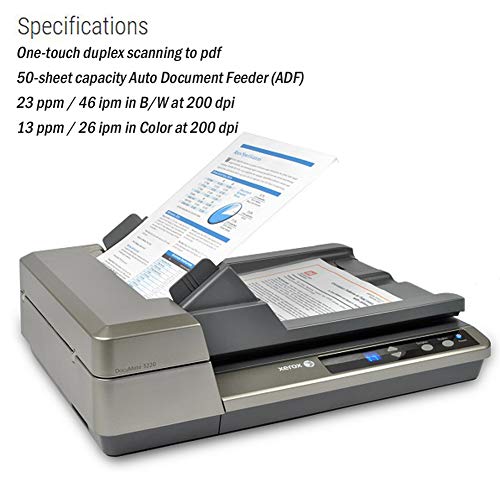
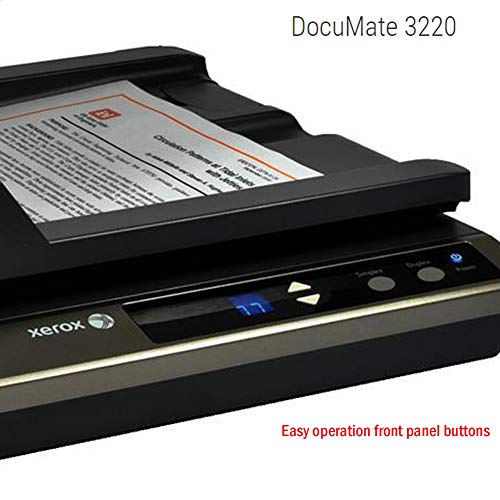
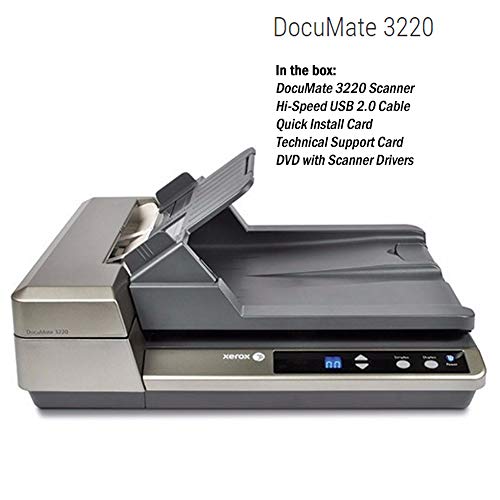
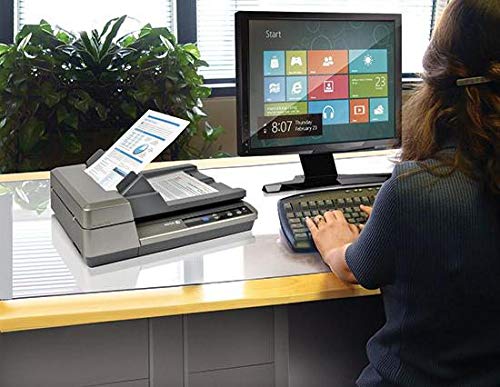

- Flatbed scanner with 50-sheet automatic document feeder
- Maximum paper size: 8.75 by 38 inches (ADF); 8.5 by 14 inches (flatbed)
- Scans up to 23 ppm/46 ipm black and white; 13 ppm/26 ipm in color (at 200 dpi)
- Compatible with PC and Mac with included TWAIN, ICA, and WIA drivers
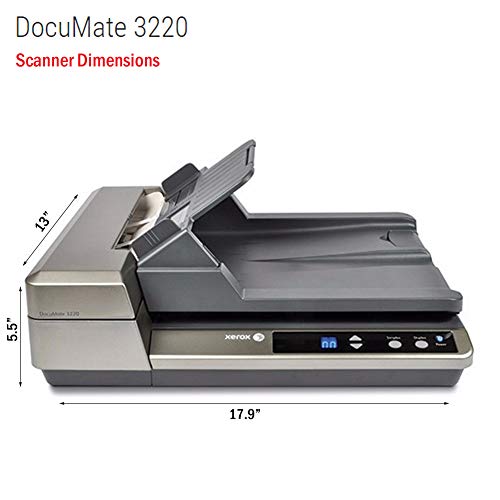
- Flatbed scanner measures 17.9 inches by 13 inches by 5.5 inches
-
Information
-
Twitter
-
Pinterest
-
Youtube
-
Facebook
Paul Seyb
Thrilled
Bought this to replace a Xerox scanner that would not work w/ Windows10. I'm thrilled w/ this unit. The software works fine, except that one has to use the WIA driver--which is considerably less sophisticated than the Twain driver--within Quicken for some reason. HIGHLY RECOMMENDED if you have Win10...and even if you don't. Works great w/ Win7, too.
Shahzana Mallick
Great Unit. Recommend.
This is the second Xerox I have purchased in 10 years.....the older model was jamming etc. The new unit just purchased was noticeably lighter, less "solid" BUT had all the features of the old unit PLUS duplex scanning which is a huge plus. Push button controls for single side scan or duplex makes it quite user friendly. Recommend. The only negative.....installing new software was a bit of a challenge......but Xerox tech support was super and got me up and running.
Abdul Rashid
A quality product and great technical support make me a loyal Xerox customer
This replaced a Xerox scanner that was nine years old; I needed one that would work with Windows 10. This product works very well - but one of the biggest advantages of this purchase is Xerox support. Xerox support is for the life of the product, and technical support is very helpful! A quality product and great technical support make me a loyal Xerox customer.
Beth Davis
The paper clutter reducing beast
It is a sophisticated scanner with enormous features, a complex blend of hardware and software. Associated software is complex but once understood it does magic. I scanned bundles of 3" wide receipts and overloaded hanging folders with credit card statements in few hours. I was slow in removing staples from multi page statements but it was crunching stacks of duplex legal size sheets in minutes. The best thing is Xerox provides live human tech support. I had multiple desktop access training sessions while trying to understand software interface and features. Few tech representatives were lousy but most were super helpful. Overall I will recommend to buy this scanner for anyone, for home or small office, planning to reduce paper collection in their file cabinets and shoe boxes. Make sure to accompany it with a commercial grade paper shredder. Beware, if you are technology phobic buy something simpler.
Redd Stone
Great Flatbed Scanner
I owned a Xerox DocuMate DM510 flatbed scanner which out lasted the driver support for Windows. Xerox does not support the DocuMate DM510 in Windows 10 so when I moved to Windows 10 I had to purchase another scanner. I decided to go with the Xerox DM3220 because it can scan double sided pages in the same time as single sided because it has two CCD elements and because of my experience with Xerox products as being high quality and reliable.
Ashley Baker
Great for digitizing notes.
This is pretty good. I haven't really owned a scanner before let alone one with the automatic loading tray and duplex scanning. It has been amazing for scanning and digitizing my notebooks, papers, and whatnot for college. I've scanned hundreds of pages already and I've only owned this for a couple of hours. I installed the software for it off their website (OneTouch or something), threw the papers in the tray and pressed duplex. It started working immediately and didn't get jammed. The only time that it did get jammed was on notebook paper that had ripped edges (the "fuzzies" - when you rip the notebook paper out and it has that serrated stuff stuck to it). Wouldn't recommend for that - my solution was just to get a razor blade and cut all the pages out neatly.
Kath Lyn Dichosa
Excellent scanner
Having previously owned a Visioneer 9450 flatbed/document feeder scanner, I can say that the Xerox DocuMate 3220 is a vast improvement, at a lower price than the Visioneer scanner cost a few years ago. The simultaneous duplex scanning is a major time- and headache-saver (in my experience, misfeeds were common with the Visioneer scanner). Scanning with the 3220 is notably faster for a given resolution. Having used Paperport software that came with the Visioneer scanner, the transition to using Paperport with the Xerox scanner has been minimal, and I get the functionality of both the Xerox and Nuance software. Given how expensive some stand-alone flatbed/document feeder scanners are these days, the DocuMate 3220 is a great deal for a home-level scanner.
Mary Kate McFarlane Brennan
Never ANY worries with Xerox Technical Support at the ready!
I've been a loyal Xerox DocuMate user and fan for quite some time now, and the 3220 continues the strong tradition of bullet-proof performance coupled with amazing DOMESTIC technical customer support! Being an older "low-tech-man-in-a-hi-tech-world" being able to get on the phone with terrific people like Dryden, and Edwin before him, is a true comfort. Buy ANY Xerox Imaging product with the confidence of knowing that when YOU screw up these folks have got your back! Best, DanC
Josefine Jensen
Don't let poor reviews fool you, this is a great scanner!
Despite what you might think from reading the reviews, this scanner is great! I wanted to turn us into a paperless household, and digitize boxes and boxes of papers. Some of our stuff doesn't go well into an auto-feed-only scanner, so the fact that this scanner has an auto-feed and a flat-bed is perfect! The auto-feed zips right through documents like you wouldn't believe. Like any auto-feed, it can be picky about what you feed it, so that is where the flat-bed comes in. I also have a Epson photo scanner flat-bed. The Epson does have a bigger bed surface than the Xerox, and its software naturally is more conducive to scanning photos, especially if you need to give your scans more sophisticated scanning. However, the Epson is much slower than the Xerox, takes longer to warm up, and is much less user friendly. I'm about halfway through my stack of boxes full of paper now, and I really love this Xerox. I'd certainly buy another one, and in fact, strongly recommended it to an insurance agent that works with my daughter. The software is a little touchy, but if you let it install the way it wants, it will turn your scans into nice PDF files that are easily edited and worked with through other software. Some people complain about the software, but I like it, and I can be picky when it comes to software. Even if you don't like the software, keep in mind, it came free with the scanner, and it doesn't reflect at all on the scanner, which will work with any scanning software you'd like. One last thought, this scanner is very quiet compared to my Epson, and uses a fraction of the electrical power of the Epson, due to the LED scanning light versus the old incandescent. All in all, I am VERY happy with this purchase!
Anivon Zerimar
Best scanner ever
Over the years, I have had four scanners. I bought this to replace a slower, older HP scanner. My HP scanner was a high-end one, but several years old. The ADF (automatic document feeder) kept jamming and I simply couldn't get it fixed. I have had this 3220 for six months. It is an order of magnitude better than my old HP. Pros: it is very, very fast. It has dual scanning heads so it scans both sides of a sheet at the same time. If you forget and leave something on the flatbed part of the scanner, it will still scan from the ADF without jamming, as the ADF scans and handles paper separately from the flatbed. The ADF almost never jams, and will scan paper from my file folders that is significantly crinkly. I found the software setup fairly easy. I can scan into Acrobat, which is mostly what I do, quite easily. Scans nicely into Photoshop, too. I set up the buttons to scan and copy, but I have to say I almost never use them, as I scan from my PC. (Hint: to scan into an existing PDF with Acrobat, select "Custom Scan" and click the box to scan into the existing document.) I programmed it so #2 scans and prints to my monochrome fax/printer, and #3 scans and prints to my color laser printer, so it works as a copier just fine. Cool that you pick a number and then press a button for simplex or the other button for duplex; nice design. Con: unlike my old HP, the flatbed will only handle letter rather than legal-size paper. But the ADF handles legal paper just fine. I have not had to use the flatbed to scan a legal document since I got it, but this might be an issue for you. Extremely pleased with this scanner, happy every time I use it. Update 2/15: still the best scanner ever. No problems for several years.