

- NA
- Imported
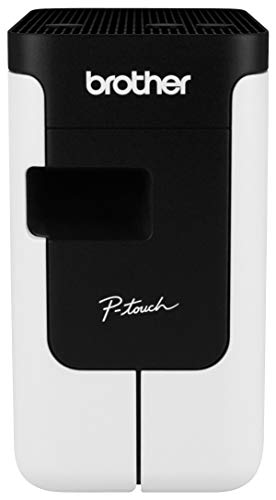
- Create cost-effective paper labels for packages, envelopes, file folders, discs, banners, postage and more. Ultra-fast, printing up to 93 labels per minute
- Prints pre-sized, easy-peel, rounded-corner labels. Also prints on continuous-length paper and film tapes for banners and signs up to 3 ft. long
- Capable of printing postage for packages and envelopes, right from your desk
- Convenient, drop-in rolls. No ink or toner needed
- Auto cutter provides precise cuts for printing 1 or multiple labels at a time
-
Information
-
Twitter
-
Pinterest
-
Youtube
-
Facebook
Sam Ghauri
Before I bought this I was using avery labels and ...
Before I bought this I was using avery labels and an epson printer. The cost of the labels and ink was getting really costly and at that time, my printer ink slots (?) had dried and I would've needed to get it repaired or buy a new printer. For half the price, I decided to try this little printer and I don't know why I didn't do this from the beginning. You can adjust your label or screenshot an image to be any size to print. I've printed labels that are 3' x 5' and as small as 1' x 2' for my bakery business all on the same roll. It doesn't use ink since it's a thermal printer so they only thing I need to keep buying are the rolls of labels. One roll can print a lot of labels depending on what you're doing.
Pamela Michelle Peavy
Five Stars
Abaolutely a must have for labeling. Use this exclusively when labeling my products.
Mirza Aman Ullah Baig
Well Worth Having
On a daily basis, I do not mail much compared to many who buy this. This has capabilities way beyond anything that I will ever need. But I do enough mailing that I want to automate labeling. I can get by with printing from a cut/paste of a buyer's address. I no longer worry about transposing numbers or making other silly errors that result in some buyer's item being returned for my mistake. Setup was easy. I use compatible generic labels that work as well as the sample Brother label they sent. Would I buy it again? In a heartbeat. FWIW, I did look at the Dymo. But after reading carefully and paying attention the the details, this seemed like a better deal for me.
Melonie Moore
Actually includes good software
As others have noted, the printer works very well, but my surprise was how good the software was. Generally, I find the software included with these sorts of products is very poorly designed with a limited feature set. The Brother software, however, is quite full-featured (including allowing you to import CSV files, or connect to a SQL database), and logically designed. I was able to print out a bunch of labels from data in an Excel spreadsheet with a custom layout in under 30 minutes from opening the box, and without reading any documentation. The software has two modes; a simplified mode for people who just want to print basic labels with some standard templates, and a power-user mode where you can connect to external data sources and do all sorts of fancy things (bar codes, QR codes, complex layouts, etc.) Also, the printer includes a cutter that (optionally) automatically cuts the labels to the correct size (or whatever size you define when using the continuous-feed paper). I've never used a thermal label printer before, but I was surprised how fast the output was. If you're a developer, there's an open API you can you to integrate this printer into your own application.
Alicia Laporta
Love my Brother QL-700 Label Printer
I love this labeler. I had a stand alone labeler for probably 10 years, but it wasn't that easy to use, so I didn't use it. But the Brother QL-700 is so easy to use. I have used it to 1) print my return address labels, 2) expiration dates for all my food products which I have affixed to each item, 3) labels for everything in storage containers. (I have never been so organized!) Since these are all different requirements, I have purchased several different label sizes. The labels are very easy to change in the printer. I think this purchase was one of my best purchases this year!
Marina Egorova
Sometimes a laser printer isn't good enough and who wants to waste a whole sheet ...
Sometimes a laser printer isn't good enough and who wants to waste a whole sheet of labels for one or two print jobs. That, and having to remember which side is up, or which labels you used last so you're using the right space on the label sheet. Set-up was a bit of a pain and you REALLY need to call-in to set this thing up as far as the software. There were a bunch of updates, directions weren't clear, and just a pain until I called. That being said, once its set-up, its fantastic and very easy to use. Love having it for those quick one-off labels. My hand writing is atrocious, so love having at least the front of the envelope legible and neat. Two thumbs-up and one thumbs down for set-up.
Ñööri Mãlik
Marvelous, easy-to-use gamechanger
This little powerhouse label printer is the best deal on the market. For those folks that need basic, easy to use software, this is the machine for you. It's quiet, quick, and extraordinarily versatile. Even the set-up is quick and no-fuss. The paper rolls load easily, and the spindles the rolls are on can be recycled with compatible paper rolls. Two sizes come with it, a small roll with 100 pre-cut labels, and a larger one that allows for you to control where to cut. That roll is about 30 feet long, if I'm not mistaken. The best part? NO INKS OR TONERS! Thermal printing is the mode of operation here, and it's smear-proof right out of the printer. Two thumbs way up.
Min Thiha Kyaw
Pain to install, great once that's done!
There's a review in here written by a guy who figured out the install process. Find it, and do EXACTLY what he says. Specifically, the install order. Do not allow your computer to just find the drivers, etc, and install. Do everything in the exact order that guy says, and save yourself an hour of frustration. The full-version software for making labels is ok. The software itself isn't all that fast, and it's very low-tech. However, it's super easy to create a label and once you hit print the label shoots right out! I even managed to get both computers in my office to talk to it over the network by sharing the printer, and it works like a charm. Hint: the address labels fit just fine on a 1/3 cut file folder, and using them means you don't have to swap out the labels or buy more than one kind. I just use that size and print all of my address labels and file folders on them.
Juliet Okoro
Love the Brother QL-700 printers
We have two of the QL-500 and two QL-700 printers in our office (we print a lot of labels). These printers are work horses and we've printed thousands of labels with each of the different printers. Easy to use, can do mail merges for mailing labels, or just about any use. Very easy to swap out different label size cartridges and the printer configures automatically for the new label cartridge. We've used with the file folder labels, the mailing labels, the shipping labels, the name tag labels, etc. Been happy all around with these.
MD Rana Usman
Finally found a great label maker.
Love this label maker! Not too big that it can't fit on my desk at home. I use it mostly for an at-home business as well as some personal uses. The label rolls are so easy to put in ... they just drop into place. I keep several sizes lined up next to the printer for easy access. It is also great that you never need ink, just refill the tape. Everything prints clearly, unlike another label maker I was previously using. And the labels really stick, unlike the same former label maker I was using. This is everything I could ask for. Except maybe a wireless aspect, but I wasn't willing to go the extra money for that right now.