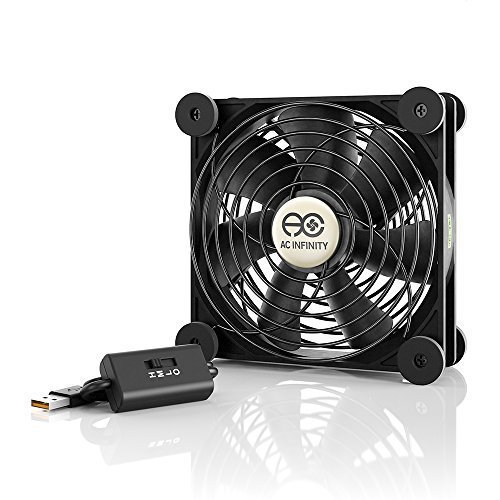
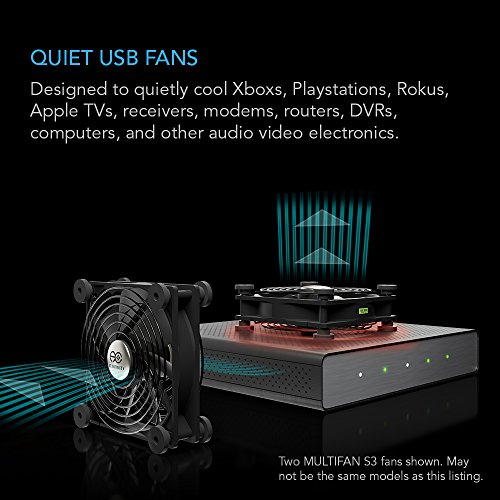
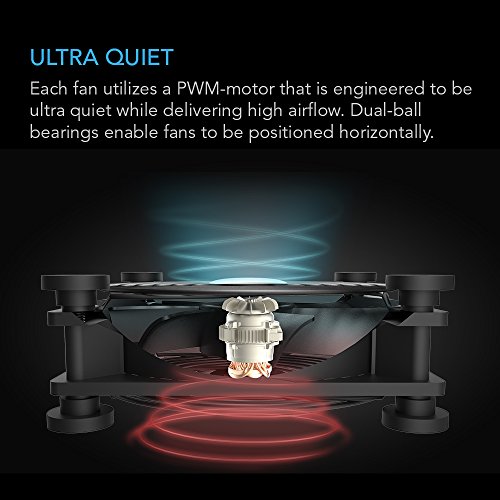
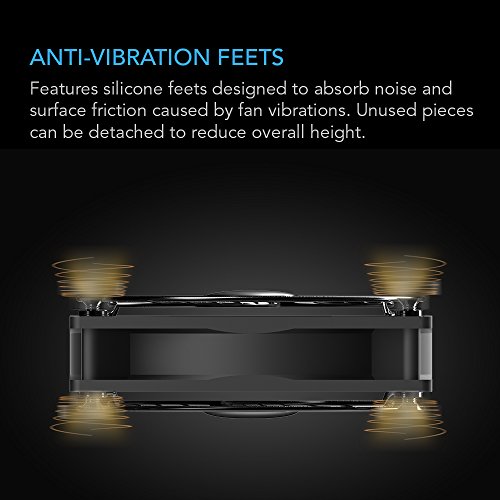
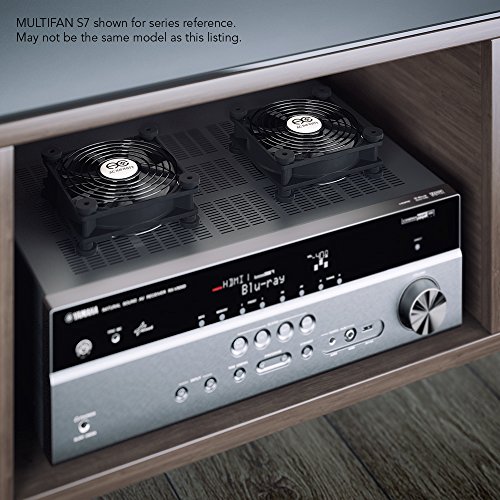

- Ultra-quiet USB fan designed to cool various electronics and components.
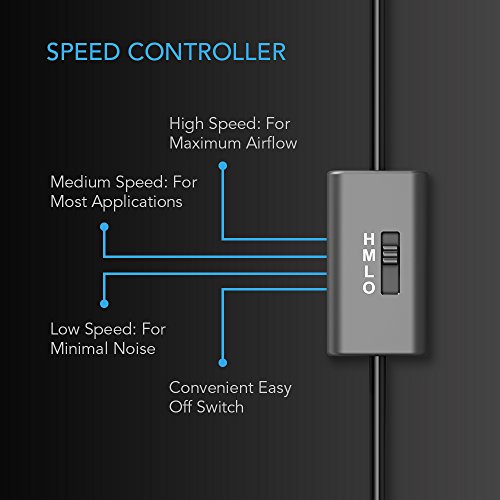
- Features a multi-speed controller to set the fan’s speed to optimal noise and airflow levels.
- Dual-ball bearings have a lifespan of 67,000 hours and allows the fans to be laid flat or stand upright.
- USB plug can power the fan through USB ports found behind popular AV electronics and game consoles.
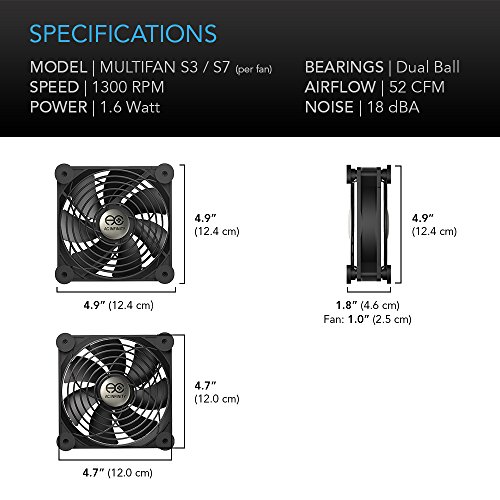
- Fan Size: 4.7 x 4.7 x 1 in. | Airflow: 52 CFM | Noise: 18 dBA | Bearings: Dual Ball
-
Information
-
Twitter
-
Pinterest
-
Youtube
-
Facebook
Muhammad Ramzan
Mod for my Wireless Router
Wanted to Mod my Netgear R7000 wireless router by attaching a fan to keep to cool. I removed the top case of the router and used a hole saw to cut a hole for the fan. Didnt need the rubber feet but added a fan filter to help keep it dust free. And was able to power it off the rear usb port. Worked out great for me.
Choze Young
Cooling animal!
This fan works great. I have it cooling my Onkyo receiver. Luckily the receiver has a usb terminal and that is where I feed the fan power. So receiver off fan off receiver on can on. It has cut the temp in my setup about 15-20 degrees.
Jenny Lynn Marshall
Perfect for PS4
I'm very happy with this. Already noticing a big difference. Even games that always made my PS4 scream like a jet engine lately haven't been doing so at all. In general it's running so much quieter which means the fan is really helping keep it cool. Having a control switch with 3 speeds and off, is great and so is the fact that it also has an inline female USB port also really helps so you don't lose the port you used. It works out especially good for me because I have a USB hub, which I never liked plugging into the front of my PS4, well now I don't have to. Keep in mind though that the inline USB port is only good for charging, you can't plug in a headset or steering wheel into it. Also, the cable is plenty long, and the fan itself is ultra quiet and mostly made of metal it seems. It's just powerful enough for its purpose too. Definitely not a personal fan, but is fine for clearing air away from hot components. As you can see in my photo, I have it directly behind the back of the PS4 on the left side (that's where the most hot air comes out). I recommend putting it there. Also, I have the PS4 on a laptop cooling pad as well but mainly just to let air get under it and slant the back of the PS4 upward towards the fan. Plus heat rises so it should flow easily towards the fan as well. Should be a good cooling solution for the PS4 and much better than the cheap intercooler's that exist for it. Also, you can see the case of my favorite PS4 game, the Last Guardian. Highly recommend it.
Cynthia Martinez
Solved my cooling problem!
Recently my 10-year-old HP desktop computer's graphics card was overheating. I still do not know why. Anyway, before retiring her, I bought one of these fans and installed it directly in front of the graphics card. Before installation, if I was watching a YouTube video in HD the temperature would rise to as much as 108 degrees C and video would start to freeze and I knew it was going to damage my computer. After installing the 120mm fan, the temperature maxes out to no more than 59 degrees C and usually around 57 degrees C. I probably could have gotten by with the smaller fan they offer, but there was little price difference. I also like the ability to adjust the fan speed (although I run it at the max setting) and the fact I can add a second fan if needed (but is unnecessary in my situation). The best $11 bucks I have spent in years! I tried placing the fans in different areas within the case but settled on having the fan blow air directly on the graphics card. It is about an inch away from the card's heatsink. Also, you can not even hear it run! Update: 2018 08 13: One of the most helpful products I have bought in several years! Graphics card temperature never runs over 59 degrees C. Zero noise from add-on fan.
Ronald Miranda
Quiet and cools down my hot drives admirably
I bought a 6 TB Western Digital Thunderbolt Duo to run my iMac from due to running out of space on the internal 1 TB drive. I cloned everything over and rebooted from the Duo and everything was running good. Then I noticed that the temps of the Duo were running pretty high, higher than the Duo specs say it should and at the high end of what WD Green drives that reside in the Duo are spec'd to run at. Considering that the Duo is passively cooled, I figured it might help if I put a fan on top of it to help pull the air up through the enclosure. Boy did it! After setting this fan on top, the drive temp dropped from 127 degrees F to 84-86 degrees F in five minutes. I've run stress tests on the drive and monitored the heat and it stays under 90 the whole time...and does this quietly! I didn't want a loud fan on my desk...well, really I didn't want a fan at all, but since I need one this turned out to be a great fan to go with. It has a decently long cable, can be powered via USB or wall outlet using the adapter, can be daisy chained with more fans...and its *quiet*. Not silent, you will still hear the air flow if you get close enough, but it is quiet enough to sit on my desk while I work on the computer.
Stephen Kelly
After Comparing 3- 120mm Fans, I Believe This Is The Clear Winner
I purchased a 120mm CMWS brand fan a few months ago, which by the way is the same exact fan as the 120mm coolerguys fan. It has the cooler guys logo right on the fan hub. Then I purchased 2 of these AC Infinity fans. In comparing both brands, in my opinion, the AC is a better quality fan and a better value. My reasons how I came to that conclusion are; the AC infinity has a much longer cord, a spare USB port, a power switch, the bearing life is much longer, it comes with 2 grilles to give you the option to use it standing up, lower power consumption yet higher airflow, and an AC adapter. Side by side, the AC Infinity's airflow is noticeably higher. The CMWS/coolerguys fan lists a lower noise level, but I could not hear any difference. Both are extremely quiet. On amazon the AC may be a few dollars more with shipping. But you are getting a better quality fan with a lot more features/options than either of the other two. On acinfinity.com, the price is 13.99 with a flat rate shipping of $6.00, whether you buy 1 or 50 fans. I listed the specifications for both below from each brand's website. I believe the numbers and features speak for themselves. ____________________________________________________________________ Brand ----------------- Coolerguys / CMWS -------- *AC Infinity ____________________________________________________________________ Price ------------------ $13.49 / $16.99 ------------ *$13.99 Shipping --------------- $8.64 (free w/$35 Purc.) -- $8.64 (free w/$35 Purc.) Size ------------------- 120x120x25mm ------------ *120x120x25mm Power ----------------- 5 vdc/1.15watt ------------- *5 vdc/.84 watt Fan speed ------------ 1200RPM +/- 10% ---------- *1200RPM Airflow ---------------- 44 CFM --------------------- *52 CFM Noise ----------------- 19.7dba --------------------- *23dba Operating Temp. ----- -10C / +55C ---------------- *-20C / +70C Bearings -------------- Dual Ball ------------------- *Dual Ball Bearing life ----------- 50,000 hrs. @40C ---------- *67,000 hrs. @70C Connectors ----------- USB/ 22 inch --------------- *USB/ 72 inch Spare USB port ------- No -------------------------- *Yes Power switch --------- No -------------------------- *Yes Grilles/Rubber pads -- 1 / 4 ------------------------ *2 / 8 AC adapter ----------- No -------------------------- *Yes _________________________________________________________________ Thanks for reading, I hope someone finds my review helpful in making a buying decision.
Kim Losky
It cools down my overheated Mac mini
I bought it to cool down my Mac mini. Before I have the fan, my Mac mini kept getting freeze and crash due to overheating when playing video games that requires heavy processing. After purchasing this, my Mac Mini is no longer freeze. It keeps my Mac Mini very cool and it's very quite. Since I don't have anymore extra USB port so I plug it in my iPhone USB power adapter. The fane is place on top of my Mac mini with the fan blowing air upward (drawing heat from the bottom of the fan and blowing upward).
Rachid L. Manreal
Helps cool my 60" plasma TV, and is whisper quiet.
I have a large plasma television that fits inside a home entertainment cabinet, and the TV generates a lot of heat. So much so, that the TV recently died after being left on for nearly 24 hours. I took the TV apart and replaced a burned-out capacitor, which fixed the TV, but this didn't solve the overheating issue. So I searched for and bought this fan (the 120mm version), and hung it over the upper ventilation vents on the back of the TV. Problem solved! The fan uses one of my TV's spare USB ports for power. It has a long cord (6 ft, I would guess), and the cord has a USB jack on it so that you don't lose the functionality of the USB port that you plugged the fan into-- you can plug another fan or a USB device into the USB jack. Since it is powered by the TV's USB port, the fan turns on and off with the TV power. A bonus is the three-speed switch. The fan is very quiet at all speeds. I have it set to suck the hot air out of the top of the TV and blow it toward the back open area of the cabinet, and I am very happy with my purchase. The only other feature(s) that might have been appealing somewhat would be a temperature-controlled speed setting, and LED fan lights (but these are only good if you are setting the fan on top of some equipment where it would be seen). Keep in mind a larger fan can move more air and still be quiet. Smaller fans have to run at higher speeds and make more noise to move the same volume of air that a larger fan running at a quieter, slower speed can move.
Linda Briere
Heat Killed My Router
I live in an area where the summer temperature runs between 85 to 100 degrees on the average. I replaced an Asus vertical orientated router that had very poor ventilation and was always very hot. Heat finally killed the router. I replaced the Asus router with a horizontal orientated Linksys router that has decent ventilation. Not wanting to suffer the same fate I discovered these AC Infinity fans. I placed the fan on top of one of the router vents as heat exhaust. The router stays cool. The fan is running on medium speed and getting power from the routers USB port. The fan runs almost 24/7. So far so good after two weeks. See Photo 2. I have a Netgear and an Arris cable modem. The Negear runs very hot with poor ventilation. The Arris modem has a large ventilation area on its side about the same size as the fan. I swapped the Netgear with the Arris. The fan is placed vertically next to the Arris. The cable modem used to get very hot and now it runs cool. This fan is daisy chained to the router fan and works well this way. The fan runs 24/7. See photo 3. I had an idea for a computer second fan so I ordered another fan. The computer has a vent on the side panel slightly smaller than the fan blades. I removed the rubber feet and the blade “guard” from one side of the fan. I drilled four holes in the panel and attached the fan with screws and nuts. The screws are metal. The nuts are on the inside of the computer case so I used nylon nuts so in the unlikely event on falls off it will not fry the motherboard. See photos 4, 5 and 6. Note: if using screws on the fan I suggest machine screws thread size 6-32 for a fit that is not too loose or tight.
Terrie GrahamTaylor
Excellent fan solution for a number of scenarios.
I love these fans! I've used them for home and my clients, and in just about every piece of furniture for electronics ive built! The have a three speed switch which works well for a personal use, they are extremely quiet even at high speeds. I've used them for game consoles, aforementioned electronic housings like TV stands, Desks, AV shelves and personal/small business server rooms. The fan comes with rubber feet/pads, It can be placed vertical or horizontally. They are USB 2.0 and within the wire right after the switch there is an adapter input so you can daisy chain another fan or device. Its excellent for setting up a few of these or when using one as a desk fan, you can plug your thumb drive or mouse into it (Such as in an office setting). My only knock on the fan really is i wish the cable was USB 3.0 speeds, but im really stretching to find something negative about it. Overall its an excellent multipurpose fan that can be deployed in a number of scenarios. I buy them often, i wish AC Infinity would hook a brother up once in a while ;)