


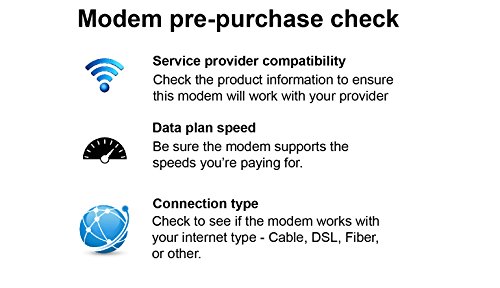

- Compatible with Xfinity from Comcast, Spectrum, Cox, CableONE & more
- Three-in-one DOCSIS 3.0 Cable Modem + AC1750 WiFi Router+ 4 Gigabit Wired Switch
- Up to 680Mbps modem speed and Dual-Band AC1750 (2.4GHz & 5GHz) WiFi speed. 16x4 channel bonding/ Approved for plans up to 300 Mbps
- DOCSIS 3.0 unleashes 16x faster download speeds than DOCSIS 2.0
- Ideal for streaming HD videos, faster downloads, and high-speed online gaming
- Works with Cable Internet Providers like XFINITY from Comcast, Cox, Cablevision and more (not compatible with Cable bundled voice services)
-
Information
-
Twitter
-
Pinterest
-
Youtube
-
Facebook
Teri Pierce
Better than great!
So easy to hook up. No call to Comcast (which I dreaded 'cause you know how that goes) needed. Activated online instantly and works so much faster and more reliable than the modem I was renting from Comcast for 10 dollars a month. I no longer have to reboot to get internet back! It is a fast, dependable connection on all my equipment including a 10 year old laptop! Netflix and Prime stream without any stuttering or loading delays. My only regret is that I did not purchase this sooner. Love the ease of connecting new equipment and the stability of the connection even when using multiple connections at the same time!
Livia Holguin Crooks
Highly recommend for Comcast Xfinity...
Love this device! Backstory: I just moved into an apartment in Chicago. I pay for Comcast Xfinity's 75 Mbps for a great rate of $39.99/month. After much research, I decided to buy this unit instead of renting Comcast's modem for $10/month. Since this is a modem/router combo, I'm able to use this one device to send the wifi throughout my apartment. I have a large-ish and LONG apartment with at least 3 large rooms (and one long hallway), so I keep this modem/router in the middle room. According to Speedtest.net, with my PC connected with an ethernet cable, I get 90 Mbps (much more than I even pay for-- when does that even happen?). The wifi in the other rooms is about 20-40 Mbps, depending on how far away I am from the center of the apartment. The box comes with VERY easy instructions and even specifically had a section talking about Xfinity... It told me how to startup my internet using a comcast special website, instead of having to call the company and give any MAC addresses to the technicians. The setup took about 5 minutes, if that. I have had no issues with it since, but I've only had it for a week. Inside the box: An ethernet cable about 6 feet long, power cord, and the device itself. Please note that this box DOES NOT include a "coax" cable, which is the cable that connects this modem/router to your wall. So be sure you buy one! I highly recommend this device for the quality of the equipment, wifi speeds it emits, and the almost too-easy setup. Thanks
Booter Collins
Works great with Xfinity Blast!
We recently moved and decided to upgrade from DSL to cable internet service since the DSL speeds in our area are dismal. We are using Xfinity and decided not to rent a modem, but to buy one. We checked their website for compatible modem routers and this was one of the listed ones. It was super easy to set up, install and connect all of our devices. We have a split level home and have great wifi connection on all three floors and even outside. Initially, we lost the connection a few times and had to reset the modem, but that hasn't happened in a long time. I'm not sure if that was the modem, or our cable service. Both my husband and I work from home, so it's important to us that we have reliable and fast uptime. Bottom line is I would order this again.
Maria Vallejo
10/10
So far so good. Set up with xFinity/Comcast no problems in just a few minutes. It's a noticeable improvement over the gateway I was leasing as part of the internet plan. Especially when it comes to uploading with our phones and using the Chromecast/Firestick. We've had it two weeks now and no problems at all. The admin interface is pretty nice and I like that I don't have to type in the gateway's numeric IP (since I can never remember it due to infrequency of use) I can just type routerlogin.net
Pascale Blangenois
Activation was easy and great speeds!
I was notified by Comcast that my ARRIS SURFboard SB6141 DOCSIS 3.0 Cable Modem - Retail Packaging - White was on their end of life cycle list. I hadn't had any issues with it but do live in a smaller place now so I thought I'd get a combo unit. While I know some folks don't like the combos it is good for those of us in these big city apartments that have less room. I was hesitant on both the model I was getting because I don't want to have to buy another unit anytime soon (thought the other one would be fine for awhile since it was a DOCSIS 3.0 as they suggest) and also getting the new one activated given some reviews. Activation seemed too easy to me. I went to the activation website for Comcast and It recognized the unit and I logged into my account and it said it was succesful...just wait until the unit restarted. I walked away and periodically checked over the next 10 minutes or so and I saw the lights go off and eventually they all stayed on. I also logged into my Xfinity account and saw that it now listed this unit instead of the old SB one. It has never dropped or had had any issue related to needing to be setup through a call to Comcast. I can tell that this unit is definitely faster than my old SB modem and Netgear router. When I did some speed tests they showed the difference as well. I'm very happy with this unit so far, including the fact that I have a little more room on my desk now!
Janet Beattie
Years of Service
When I bought the unit it was because I didn't want to give Comcast an additional $10 per month to rent their router/gateway. After some research, I decided on the C6300. At the time of purchase, 5Ghz was not even offered by Comcast, but I was assured that I wanted the capability. Sure enough, a couple of years went by and the 5ghz was offered. Set up is a breeze even if you're not well versed, and if you run into any difficulties support is just a phone call or chat session away. I've had my unit for 4 years and it's still performing like a champ. The monitoring software both mobile and pc, are a great addition. Besides having the 2.4ghz and 5ghz, you have two additional "Guest" networks, one 2.4 and the other 5ghz. The software allows you to not only set up guest passwords, but also the ability to turn the guest access off and on. Additionally, you are able to view everything connected to your network via the Network Map. I have a good deal of home automation going on, and I'm able to see every light bulb, hub, smart outlet, etc. I am also able to cut off any device connected to the network via the app. It's easy to spot something or someone that shouldn't be connected to the network.
Willam Tonelli
Better than expected!
We have been dealing with router problems for over a year now, cycling through three different products. Every top of the line router of other brands did not reach every part of our house, would have issues keeping devices connected, or simply drop connection every few hours. After using this C6300 for a while, we have noticed no interruptions and strong, clear internet everywhere in our home. We are very happy with this purchase and highly recommend this product. Note: We contacted Netgear customer support during setup and they were EXTREMELY helpful and resolved our issue in minutes (it was an issue with our ISP, not the router!)
Nicole Vivian
EASY to install
I bought this to replace the modem/router combo I was renting from Comcast.( I am sure they will get creative and find another fee somewhere for something) This was VERY easy to install; directions were written in easy to follow steps with a picture. All you do is unplug and disconnect your old device and plug in and reconnect this You are given directions to go to your cable providers site to activate the new device, ( they tell you to have account number and password ready before you start) . I use this to stream movies, shows and music on a Firestick and it works like the Comcast modem did. NOTE: I haven't needed to have 2 devices using the modem at same time, and have the modem close to the room my TV is, so I can't say how it would work in a larger house with a couple people online at same time.
Gabrichidze Nodar
Easy setup and the Wifi signal strong
The router itself is a bit big, but it wasn't terribly huge. It have a lot of space inside and i think it help with cooling so I wouldn't rate it down for that. I don't have to configure anything with this router, just call up Comcast after i connected it and after 3 or 4 reboot from Comcast it just start to work. Signal is stronger than the Infinity router provided by comcast, only lost 40% of the signal/speed after 3 walls were comcast router lost almost 80%. I don't have to buy a mess AP, that save me $300 by just place this router in the center of my house and wifi can reach all the way to the front of the house ~80ft away with 3 or 4 walls. Most people don't understand this, but if you connected to a 2.4GHz your wifi signal can reach more distant vs 5.0GHz. I connected my cell phone and iPad to the 2.4GHz and my laptop to the 5GHz. Hope that help. I would pair this with Google Mess AP if you have a bigger house but so far I don't need one for my 1800sft home.
Kara L. Whitaker
Simply amazing!!!!!
This modem/router is amazing simply put! I got my Time Warner internet back recently, now Spectrum. They gave me their cheap little modem..... I was supposed to get 50mbps on my plan and with their modem/router I was getting a max of 17mbps.... I decided that instead of paying 10 bucks a month for their crap, I would just buy my own and went with this Netgear. Best purchase I think I have ever made.. Since then even though i have a 50mbps plan I have not got below 70mbps!! Absolutely love this thing and would highly recommend!!!! P.S. I play online on my PS4, stream to twitch, use netflix/hulu and watch youtube and much more to put in perspective how much this can handle