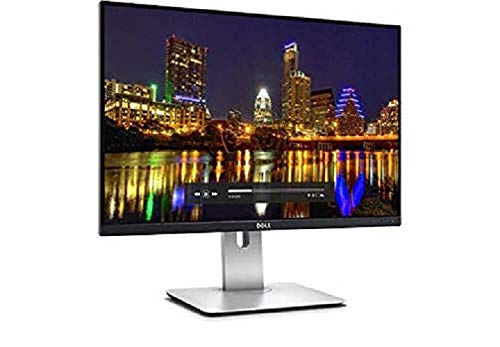
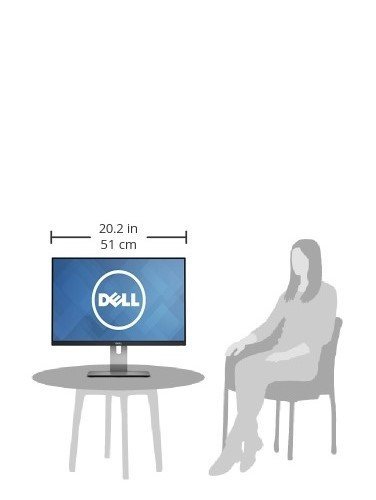


- 24-inch WUXGA Monitor (1920x1200) at 60Hz, 16:10 Aspect Ratio. Compliant Standards-Plug and Play, FCC, DDC/CI, RoHS, NFPA 99, TCO Displays
- 1000:1 Contrast Ratio, 16.78 Million Colors, 6ms Response Time. Enhanced power management with PowerNap enables the Dell Display Manager to either dim the monitor to the minimum brightness level or put it into sleep mode when it is not in use
- Viewing Angle: 178/178, Widescreen Anti-Glare Display, Security Lock Slot
- HDMI, Mini DP, DP, Audio line out, USB 3.0 with USB 3.0 Upstream Port. Temperature Range Operating:0° to 40°C (32° to 104°F)
- Height-Adjustable Stand (115mm) Title, Pivot, and Swivel with Built-in Cable Management
- Note: Please refer to the user manuals below for better use. Compatibility- All Operating System
-
Information
-
Twitter
-
Pinterest
-
Youtube
-
Facebook
Rachel McGlenister
Excellent monitor for working with small text
I use this for working at home in tandem with a Dell Inspiron laptop, and I am very glad I bought this monitor. The first thing to note is that the aspect ratio of 1920 to 1200 is great for any kind of work where you have a lot of menu ribbons and status bars. I have many Microsoft Office apps open and text editors for programming languages and statistical analysis software, so there are a lot of options and drop-downs that I need the extra vertical real estate for. The picture quality is excellent and more than sufficient for programmers and anyone who needs to look at small font sizes. I can't speak to whether this is good enough quality for anyone who works with video and images, and I doubt this would be a competitive monitor for gamers, but for professionals working in software development or analysts working with lots of spreadsheets and text files, this is great. The monitor itself is pretty thin and fits in a tight space where I have it set up, which is nice. The inputs are nit very easy to reach from the front of the monitor, so that's the only thing I can think of that is not good about this otherwise excellent monitor. For those considering a 4K or 1440P UHD monitor, I would buy this now unless you can wait until 2020 or so for some of the 4K, 5K or OLED monitors to really come down in price. For the vast majority of people, the picture quality of this monitor will be more than sufficient.
Yves Guevremont
Only connected since today
I couldn't get it connected from the directions that came with it; just illustrations no words, and I do better with words. Got on chat with the tech, and he was terrific. I went to the computer store and got the right connector from Apple. Didn't want to chance getting it wrong ordering online. But, everything is connected and seems to b working perfectly. The only thing is that I find how to adjust the brightness level is terribly awkward. You would think that like on my MacBook, it would be a simple function of using the Fn key and the light keys. Or that the screen on it would adjust when I adjust it on my Mac, since I have it set to "Mirror" but it doesn't. It says to disable dynamic brightness in the menu, but it is grayed out and you can do nothing with that. I did find out how to adjust it with the brightness/contrast in the menu, but what a bunch of trouble as often as I need to adjust my screen (eye problems with too much light). I tried to set a shortcut key for it but it doesn't tell you what the shortcut key is. Very frustrated with that part, but otherwise, like it a lot this first day. And, again, the tech was wonderful yesterday. I should call back about the brightness but felt bad if I called two days in a row. Will give it another two or three days. I'm using it with my MacBook Pro.
Jessie Rankin
I love it
So, Asus has a similar offering, the PA248Q, complete with USB 3.0 hub. However, at time of writing, it's roughly $100 more than this. I have the Asus, and have loved it for video editing. I can trust the colors, and the matte, non glossy display feels more like I'm looking at real paper than a glossy LCD/IPS display. This Dell also has that effect, which is good. Colors are trustworthy (I can't speak to the scientific precision, but they are good enough for my professional work), and the almost complete lack of bezel is actually a plus over the Asus. This display is truly immersive, weather doing mundane office tasks or video games (yes I sneak in some games at work, fire me). When I sit 4 inches from the screen, I can see the pixels distinctly. However, I found a good solution to this problem. First, move your head back about 2 feet, then, realize how silly it was to get 4 inches from a screen and criticize the pixel density. hah. Anyway for the price, this is a fantastic option. For those of us who want a great screen, with good enough color for entry level professional photo/video coloring, this is it guys. Wait, I almost forgot. The location of the USB 3.0 jacks: bad. They are located at the bottom of the screen, same place as the display inputs. So, if you were planning on plugging and unplugging regularly, forget it. The ASUS has the jacks on the side, much better.
Zhai Ambion Castro
good value. nice quality. using it for image editing because new Precision has worst screen ever.
well...i just got this so for now, it's a five star review. trust me, i will alter it if this thing turns out differently over time. long time dell customer. recently purchased a loaded Precision Workstation laptop from their small business division and despite the claims by the sales agent, the screen (AUO109D 17.3") is GARBAGE. i had so many issues ordering the computer that even though i could return it, i decided that i had already transferred everything over and wasn't going to gamble on getting another screen option from them and have it be just as bad. not to mention all the down time from them screwing things up and even sending it to the wrong address!!! the laptop display has such a heavy anti-glare finish on it, that all whites/lights look grainy. may be ok for general use but not for IMAGE EDITING which is i must have explained ten times while putting this system together with dell. ANYWAY, the U2415 is an ideal partner to my workstation. i am using the mini DP connection from my laptop to the monitor and it was really just a plug and play affair with my 7720 which is running Windows 10 Pro 64. because my laptop screen is 1920x1080, i had to switch the display mode from duplicate to extend, so i could make use of the extra room on the U2415. out of the box calibration was fine for me. anti-glare on this works well and doesn't inhibit anything. one thing i didn't realize is that it doesn't come with any speakers. not a big issue for me but wanted to quickly solve it. i am using an small soundbar that i've had sitting around and it works fine. i have the USB plugged into the back of the monitor for charging and the audio is delivered via 3.5 cable from the bar to the monitor. not the cleanest solution because of the two small cables running out of the bar to the monitor BUT it's really fine for now.
Rita Grech
A Five Star Winner
I wanted a relatively large monitor that would mount on the wall and serve for everyday computer use as well as for viewing movies. The primary consideration being that the monitor have at least a 16:10 aspect ratio….. the 16:9 being ludicrous beyond consideration. Turns out that there is precious little out there to choose from…. like NOTHING larger than this one. So, I went with the 24 inch Dell Ultrasharp U2415 because of the excellent Dell Ultrasharp reviews and the fact of it have an extremely thin bezel. Upon its arrival I was surprised (not so pleasantly) that I had to purchase a Male-Male DVI to HDMI cable adapter in order to install it to my HP Windows 7. Over seven plus months extensive use, I absolutely love it!! To be brief, my U2415 has all the qualities raved about in the highest of reviews……. with no trace the problems referred go in the single star ratings. As a test, I set the wallpaper to a solid black color and even under this extreme constraint there was virtually ZERO backlight bleeding through…… UPDATE: I was so taken with this monitor that I purchased another.... every bit the winner the first one was.... again... simply LOVE it!
Joel Niedo
Very nice monitor. So hard to find small 1920x1200 res monitors!
Very nice monitor. A bit huge compared to the laptop monitor I am used to working on... so adjusting will happen. Good quality, nice color, range, low to no flicker that I can see. There is no 'edge haze' on the one I got, so not sure what they mean by IPS have edge haze issues. I like how the control buttons are actual touch buttons, and not super hard to push in, wrestle, off the edge, or behind the bezel like so many other monitors. The controls also allowed me to color adjust it better than the janky color-sync utility on the mac would. Allowed me to get rid of the reddish hue, and push it more to cool grays as I like them. The stand is also pretty solid, with lots of degree of movement. I kind of wish it would slide down closer to the desk. I like monitors to be very low to the keyboard, not sitting high up wrenching my neck ... and I dont care about 'proper sitting etiquette' after 25 years of using computers as I have.
Mary Dewitt
Great Second Screen
I have had a bunch of Dell monitors since 1993. Recently I tried to get a new pair from Dell but they just did not work, top end but the interfaces were unmanageable. This screen is plain vanilla, DP and HDMI. I hoked it up with a USB3 to HDMI converter and then installed the screen in minutes. The color is a bit to the blue, cannot seem to adjust it, but it is sharp and crisp. If one uses it for text and spreadsheets and some coding this is perfect. For color accuracy I would suggest a much higher end monitor. For the price this is a fast and well laid out option. I would strongly recommend it for those purposes. I also like the USB3 to HDMI. Have not tried DB interface. Also for me getting it from Amazon is a lot easier than Dell. Plus the returns are much better!
Chrissie Phillips
Back to the Future
I took a chance connecting such a new monitor to an old piece of equipment. Though I have more modern computers, an old Power Mac G5 is maintained for backwards compatibility (a concern if you have decades of pre-OS X files). The acrylic stand on the 23 inch display previously connected to the G5 broke from the weight of the monitor. The Dell monitor has the same resolution and aspect ratio. Replaced the ADC setup with HDMI without a hitch.
Frankie Keller
Best Monitor Ever
Quite simply the Best...Monitor...for the Money. ( Even if it was grey market from Argentina . I'm in Wyoming USA). No matter. The Dell U2415 is the finest display I have ever sat in front of. it's like there is not even a physical monitor or LCD screen there...you look completely thru it with 100.00% clarity. I am a pro photographer to whom color quality is paramount. When I plugged this monitor into my Mac, it was perfect. No calibration necessary . I SWEAR that this monitor actually calibrated my Mac for optimum ColorSync profile. The moniotor was factory calibrated and the printout included, and it immediately went to work as is , straight out of the box. The proof came when I made my first prints on the Canon Pro-100 Pixma printer , using the standard ICC printer-ink profile for my paper. The prints were and remain perfect. So I will be buying another one of these for my other Mac.
Rheyann Daus
Blank Scren - no input with hdmi
Blank Screen - Works perfect now. I am adding to my hp-2408h and it is just as good if not better. Great graphics and text. Just wanted to give others like me that dont read directions a heads up. If you connect the computer hdmi cable to monitor and get a blank screen you have to change the input. It is set to display port input originally. Dont be like me, I was ready to put it back in the box but decided to read the manual as a last resort..hahahah. In case you still dont want to read the manual here is a screen shot of the insturctions.