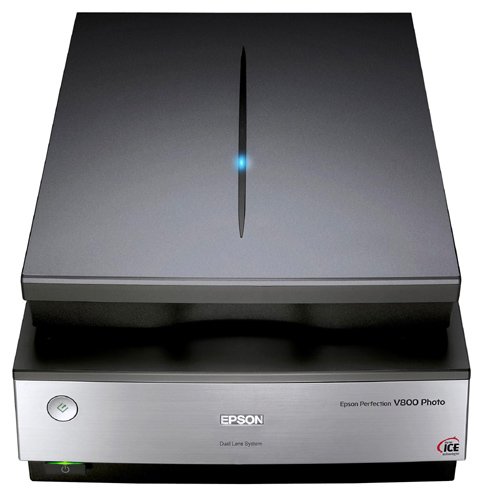
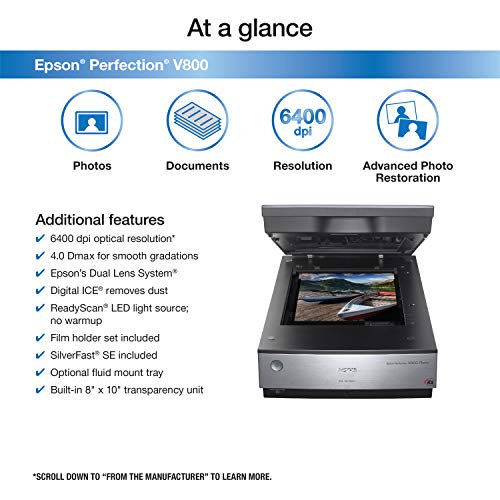


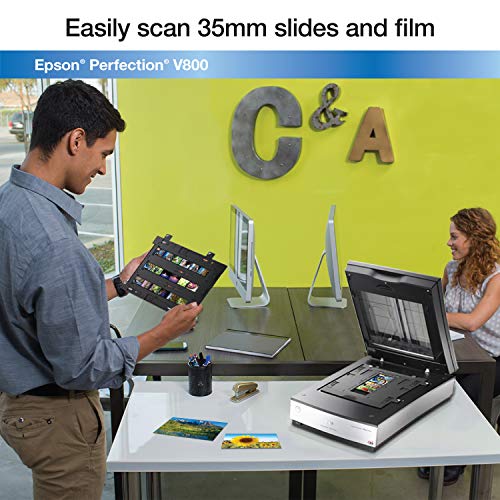
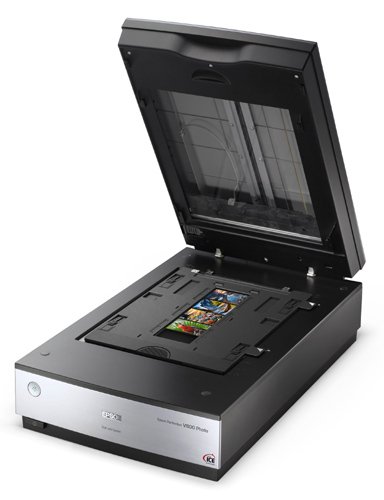

- Precise color and detail - get extraordinary scans with 6400 dpi resolution. Grayscale Bit Depth: 16-bits per pixel internal / external1
- Remarkable tonal range - 4.0 Dmax for smooth gradations & fine shadow detail
- Exclusive Dual Lens System - selects from 2 lenses for optimum results
- Operating Systems: Windows 8.1, Windows 8, Windows 7, Windows Vista, Windows XP, Windows XP Professional x64 Edition and Mac OS X 10.6.x, 10.7.x, 10.8.x, 10.10.x
- Refer to the PDF attached below in Technical Specification for User Manual
-
Information
-
Twitter
-
Pinterest
-
Youtube
-
Facebook
Kalpana Srivastava
Great Scanner w / bothe Home and Professional, Automatic and Manual Modes
I've been using for about a year. This is a very full function scanner that does an excellent job. I purchased it to digitize and recover some 150 year old glass negatives of various non-standard sizes. One was a piece of old window pane glass used for a glass negative about 8x10 inches in size. It is working great. Comes with a wide range of negative carriers to scan multiple standard size color or black and white negatives. The scan dpi is VERY wide range and very capable. You do need to be a bit of a techie, read the help screens, and do some trial and error to determine the best settings for various size / quality negatives desired.
Mirella Rahme
Professional Quality Scanner
Performs as advertised. Photo scans are close to originals and when run through included software the enhancements really adds clarity. Using the software, scanning color photos and converting to black and white is a simple matter. Changing the way the finished photo looks is a simple task in several steps when using the auto-pilot feature with the ability to undo any changes in that step without rescanning the photo. If you can use the same settings for a series of photos, the scan time is 1-2 minutes each depending on the size of the photo. The photos can be saved in .TIFF which is best for archiving and in .JPG which uses less memory but produces great photo reproductions. It comes with holders for slides and negatives which I have not used as yet.
Susan Jordan
Quick startup; fast, quiet operation; fine scans; perfect for larger negatives.
I restore vintage photos from negatives, many of which are 4" x 5". My old Canon was perfect for this, but it died, and today's scanners accommodate only film strips. I tried the Epson V600 but promptly returned it because of this problem. Then I found the Epson V800 Photo. I've only been using it since yesterday, but so far it's just what I needed. It connects easily to my Mac OS X (10.6.8), and scans are fine. Scanning is fast, because I don't use SilverFast or Digital Ice (I prefer Photoshop); a 4x5 negative, 48-bit, 1200 dpi scanned in under a minute. A film strip scanned at 2400 dpi took a minute, but the Preview was awful; I could barely see the image. Epson Scan is a pain; scans are automatically named and numbered (e.g., "img001"). With two extra steps, you can rename the file and remove the number, but it's still a pain. The scanner is large (19L x 12W x 6H), heavy (30 lbs?), and costly ($724). But I'm delighted to have it. If you're only scanning family photos and film strips, try the V600 (about $225). But for a business like mine, the V800 is the best I could find for under $1,000.
Conika Yates
Perfect - but not with SIlverFast.
This is a truly great scanner for the price, it's fast (if you don't use the digital ICE). I'm using it primarily for 35mm B&W film strips and using the holder to load 18 frames at a time is a great time saver. A single frame takes around 1 minute to scan at 16bit/4800dpi or approximately 40 minutes for a roll of 36. Loading the strips into the frame needs care, it's easy to get misalignment and having 6 surfaces to clean of dust (two sides of the film, two side of the anti-newton glass and the top and bottom plates can be bothersome. My main reason for doing this review however is recommend staying away from the free copy of SilverFast SE included with the scanner and rather stick to using the Epson Scan software. 1. The main problem, for me, with the SilverFast software is its "find frames" function. Using the Epson software all frames are precisely identified automatically using the holder, after all EPSON knows where it is. Even though the SIlverFast version is for the V800 and is identified you still have to "find frames", when it does this it particularly poor and all 18 frames then need to be adjusted quite significantly, manually. 2. After a pre-scan and frame adjustment the frames appear as "positive" on the screen but when the final scan is performed and saved as TIFF the resulting images are "negatives". I had to resort to scanning as "colour, negative" and adjusting the colour cast to get a positive black and white image! 3. There is large learning curve with the SilverFast software, I didn't find it intuitive at all. You need to select a "final use" for the scan be it web, print etc and these give to resolutions up to 600dpi - more than enough for printing but not for editing. I must admit to not understanding why they have this option as below it is another ppi setting slider that allows much higher resolutions. When I did a scan at "Printing 300dpi" and the res slider set to 4800dpi the resulting image was 72dpi! 4. On this matter too, if you slide the res slider above 1600dpi you get informed that the resulting image will be interpolated to the higher resolution as the scanner, mechanically, can only scan at 1600dpi. ESPON state 4800dpi is the physical resolution (actually read this really is 2400 to 3200) and anything above this is subject to some magic. I compared a 4800dpi scan from the SilverFast and a 4800dpi from the EPSON Scan software and the EPSON one is clearly smoother and far better quality. SIlverFast obviously need to check this with EPSON. 5. After using the SilverFast software for a few scans it seems to lose its way and eventually refuses to see the scanner. A full PC reboot is required. These are just some of the issues I found, there were may other to numerous to mention. All in all this is a great scanner using the EPSON software, you'll be disappointed using SIlverFast - but go ahead and give it a try anyway. EDIT: Having used this for few weeks I still rate it as a great scanner. I bought the 35mm holder for the V700 as I saw reviews saying this yields better results as it doesn't have the anti-newton ring glass (and it can hold up to 24 frames). After trying it I must agree, there is just a bit more clarity and sharpness. This is assuming your film is in good condition and has minimal curl across the strip. For markedly curled negs the V800 holder is better as the glass will assist in flattening the film. I also found is you do need to make doubly sure the flaps are properly clicked in when closing, I found even though I heard a click for each of the 4 locks, often I found they hadn't quite seated properly. Some force is actually required or you can just gently squeeze in the rail to make sure its tab is properly under the plastic tab to hold it in place. Final point, I found it is very easy to inadvertently move one of the sliders for focus height, always double check that all of them are in the same position otherwise the holder will not be lying flat. EDIT - Two months after purchase: Used it now for two months and noticed that negative scans were showing some dust consistently in some places. Using a bright light I found these to be on the UNDERSIDE of the platen, no way to get to these spots to clear them. I checked all the earlier negs, including the first ones and all showed the same dust. You think Epson would be ultra careful with this before assembly but I guess that this will be inevitable since shipping etc could cause anything under the glass to shake loose and end up stuck to the underside of the platen.
Michael Catuiza
If you read the scanner operating manual you'll do fine. It is an easy read
I bought this in 9/17. I've scanned 2,600 Kodachrome and Ektachrome slides, and 1,500 3x5 colored photos, and 800 Kodachrome slide negative strips . I didn't install the photo editing software; there is no pressing need for it. If you read the scanner operating manual you'll do fine. It is an easy read. There are several different size film holders that handle various sizes of film negatives and of course there's one for slides. Before scanning my material I color corrected all of my slides with Corel Paintshop Pro since I've been using it for over 20 years and am comfortable with it. You can scan at various resolutions; I used 4,800 ppi, close to film quality. I was amazed at the color reproduction; the scanner reproduced the colors accurately, right on the money. I am pleased with the "color restoration" option the scanner has for very old and degraded photos. It does well for color and for black and white. It won't make it like new, but it's way better than the crummy old photo. I just did a 105 year old picture of my grandmother; the photo was yellowing badly. The color restoration feature made that black and white pop. The control panel is pretty straight forward and you don't have to drill down through menus to find the option you want. You can preview the scan which is a tremendous advantage for many reasons. You can also tailor the editing options for each slide, or photo during the preview phase. NOTE: The instructions are insufficient on how to do global changes; it took me forever to realize my "global" changes weren't going global. If color accuracy and resolution detail are your priority then this is the scanner to get. I'm one happy camper saving all my many trips to digital. ONE BAD POINT - When scanning slides the machine crops about 1/8" to 3/16" all around the picture; so if there is something very important in that border you'll lose it. For the most part I never noticed it until I did a scan of my dog whose feet were at the bottom of the slide. When it was scanned he lost a good portion of his legs. Scanning slides that are not in their paper holders presents NO cropping problems, so if you must you can always pull the slide out of its paper holder and scan the full picture.
Crystal Jae Rains
Epson Perfection V800 is worth a second look
I'm a fussy amateur photographer. I'm also in charge of organizing and sharing the photos from our family's giant collection. Even though I have just begun learning the features and applications of the Epson Perfection V800, it appears that everything is doable. There are movies embedded in the included CD that take me step by step through various procedures.
Ramonito Tragico Jr.
the extra set would be nice and would offset much of the price difference
I bought this to replace an older Epson perfection that quit working. I bought the V800 over the V850 because the reviews say most people can't tell the difference and I intend to scan my own 35mm film and slides and mostly black and white older photos. While my older Epson was suppose to do negatives and slides, the work flow and speed was such that I never did many. So far that is all that I have done with the new one. Full auto would be acceptable to most and even in manual you can individually adjust each frame then hit scan and go do something else. I have been impressed with the results so far. One thing I didn't notice in my research is that the V850 comes with two sets of holders and possibly the wet mount (one review said you could send off and get it free which may expire). If you have a lot to do, the extra set would be nice and would offset much of the price difference. The only bad thing I have found so far is that the slide holder locks Epson scan into 35mm format. If you have slides mounted that are another format you will have to do them one at a time and manually resize the scan area.
Mirza Carlson
1600 scans and counting...no problems so far.....great results.
UPDATE: a year and 10 months, 3000 + slides and photos into the project Still liking this scanner. no issues. one small thing to note...on the slide holder there are 4 little height adjustments in the corners. Since you can't focus this scanner, those are there for that purpose. it actually does make a little bit of a difference to adjust those. not much, but some. I didn't think it was doing anything, but after scanning the same photo on each of the height settings I was able to see as I clicked through them that one setting was getting a slightly clearer image. so...I'd check that out for the best possible result. ============ ORIGINAL below: I got this to scan all the family photographs and slides from WAY back. First I got the Canon 9000 but returned it when I noticed a red fuzzy line that went through all the photos that were scanned on the left side of the scanner bed. Someone else had the same problem so I just figured I'd spend the extra money and get the Epson since I only want to do this project ONCE. Also, the interface software with the Canon seemed kind of clunky. At this point....I am about 1600 photos and slides into the project with the V800 (lots more to go) and so far I really like this scanner. NO problems yet.....basically zero warm up time, lots of options for cleaning up the photos as it scans them if you want. I have not used much of that. I prefer to adjust the color and levels myself. However, when I did let it do some of that automatically, the results were totally acceptable. Some people say the slide holder seems flimsy but I have put hundreds of slides in and out of it and it's holding up great. I can see that maybe if you were a little too quick pulling the slides out at too great an angle, the little "tines" that hold the slides in COULD conceivably break off. But I don't feel like it's going to break with "normal" use. I only had one issue when I was loading the software initially. For some reason it would not load up the link to the online manual. It's the last thing to load on install....and it just would not do it. So I just had it skip that step and then everything worked fine. Time-wise....It's about a minute per slide (at 4800 dpi no "ICE" or clean up) And roughly the same for photos at 1200 dpi (no ICE etc) For slides, you put 12 in the holder and it does a quick preview scan, shows them all in a column and then lets you go through each one to flip or rotate or apply any one of a number of processes on each one individually. Seemed pretty handy. One other thing....it only seems to want to go up to 999 scans in one folder. From there I had to put a different "prefix" on the names so that it would save the file in the same folder as all the other ones without writing over something. I can't remember if it DID write over something or just not save the file out since there was a naming conflict....but something weird happened when it came back around after 999 and I had to put a different prefix on the naming to continue. There are more features on this thing that I have not even touched yet. But so far (1600 photos and slides in) I really like it. Seems faithful to the photo colors too.
Pascale Blangenois
Finally the solution to my 35mm, medium format, and 4x6 print archiving nightmare...
Like most people from the 80s/90s I've got a big 'ol box of 35mm negatives, 4x6 prints, and some medium format negatives and I wanted to archive these photos. I tried 10 years ago to do this with an old Canon Scanner, but never got anywhere because it is a slow process. I am, however, thrilled with how this process is going to work with the V800. First, lets set things straight -- it DOES take a long time for the scanner to scan at a high resolution. My 35mm negatives are in cut strips of 4 exposures, and 12 exposures takes around 30 minutes to scan at 4800dpi with the ICE scratch/dust removal enabled. However, with the SilverFast software I'm able to load 3 strips of negatives, prescan, and start a batch scan in a couple of minutes. This means I can start a scan, go and do other stuff, and come back to batch up the next strips. Its going to take a long time to get all my photos and negatives scanned, but I'm VERY happy with the quality of the scans using Silverfast. I know if I was more diligent and wiped down the negatives I could get away without the dust removal, but the results I'm getting are more than adequate for my needs.
Diosdado Gabas
I'm very happy with it.
Easy to use and produces great results. Amazingly good auto color and density when scanning color negs. Equally as easy to fine tune every neg while scanning the entire strip at once. On the first day I scanned nearly 100 5x7 glass plate negatives and three reflected pieces, all without a problem. Gave consistent results with a 50mb file in about one minute. It seems to like my PC with 16Gb RAM running Windows 10, but runs very slowly on the PC wtih 8Gb RAM and Windows 7. I assume this is a good excuse to buy more RAM. Overall, clients are very pleased with the results so I am very happy too.