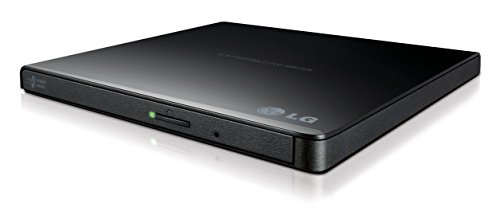
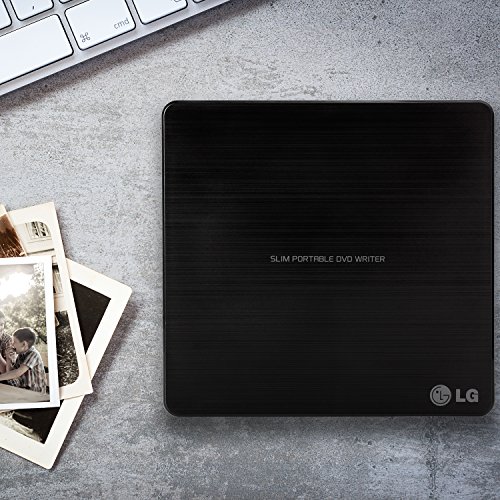

- 14mm Height Ultra Slim Portable DVD Writer Drive
- USB 2.0 interface (up to 480Mbits/s, USB 3.0 Compatible)
- Max 8x DVDR Write Speed
- Max 24x CD Write Speed
- Slim Design.Video Memory requirement:64 MB or higher (128 MB recommended)
- Slim Design
- With Cyberlink Software
- M-Disc
-
Information
-
Twitter
-
Pinterest
-
Youtube
-
Facebook
Yvonne Campbell
Works with Surface Pro 3/4
I purchased this to go with my Surface Pro 3, and it works well. I originally purchased the Samsung, and the USB port would not provide enough power. Not so with this LG unit. No driver installation was necessary, just plugged in and went to work. Smaller footprint than the Samsung as well. Would definitely recommend. [Update 12/1/16] I can verify this works with the Surface Pro 4, and Windows 10 with no problems. We have purchased multiple units at work, and the all work great.
Bishandassgupta
It Works- Mac Users with a Non-Functioning Internal DVD Drive Please Take Special Note
Don’t be alarmed if nothing happens at first I plugged it into my 2012 MacBook Pro running OS X (10.10.5) Yosemite and nothing happened. Nothing lit up or made noise. I looked in Disk Utility and I saw that the Mac did recognize the drive. (On my computer it’s named HL-DT-ST DVDRAM GP65NB60.) So I pressed the eject button on the drive and it lights up only as it’s popping open. Same thing happened on my PC running Windows Vista. Still, the drive works fine on both PC and Mac. Testing, Testing, 1, 2, 3 Did most of my testing on the Mac but DVD playback works fine on the PC and I didn’t have to restart. Mac: I played a CD and two DVDs. I burned a CD-R and a DVD-R and all tests were successful. Ejecting Features For my particular Mac, ejecting has to be done a certain way to work. I bought this to replace my internal superdrive that failed (which is still inside the laptop). The eject button on my keyboard is routed to the non-functioning internal superdrive so pressing that button won’t do anything. (The same probably goes for PCs.) I have to right-click on the image of the disc on the desktop and click ‘eject’ or eject the disc from the sidebar in the Finder. I don't currently have a PC with a failed internal optical drive so I can't comment on the specifics of that, but I imagine using the eject feature of the media player itself (such as VLC, PowerDVD or *choke* Windows Media Player) would be the best way to eject a disc, not the eject button on the keyboard. Forced ejecting can also be achieved by sticking a pin into the little pinhole on the front of the drive (if the drive is malfunctioning and is stuck closed.) I especially wanted a drive that has a tray that comes out and this pinhole ejecting method because over the years I’ve had a number of DVD drives that eventually all stop ejecting voluntarily. For example, when Mac superdrives stop working, your disc is lost forever unless you want to physically crack open the optical drive to rescue your disc (which I have done). So this type of drive is the best one you can have. Conclusion: 5 stars. Everything works perfectly.
HasHim Javed
Best of all is the eject function
I haven't purchased a portable DVD burner drive in a while. I am impressed with the fit and finish and performance of this drive. It downloaded songs from my CD really fast. Faster than my older Blue ray burner. Best of all is the eject function. It fully ejects the disc all the way out which is awesome!!!
Michelle Moore
Great for playing DVD movies
Yandy Toussaint
Works extremely well and offers good value. I've used it both to burn CDs ...
Works extremely well and offers good value. I've used it both to burn CDs and DVDs as well as a boot-up optical drive for installing operating systems, and no issues were encountered of any type. It even read mildly scratched media without giving difficulties. The stock cable worked fine, but I also purchased a much longer cable and it still operated perfectly (I did this so that I could place the drive up on a shelf and cable it in to units I was operating on without cluttering limited desk space).
Tyandra Chappell
This is perfect for me
I am not very computer savvy and I needed an external DVD because the new laptop did not come with one - my fault - I thought all laptops came with a DVD player. This is perfect for me. I can watch my movies and I am a happy person.
Adella Barnum
Plug-n-play with my MacBook Pro
I've had my mid-2015 MacBook Pro for about 6 months (and an iMac for about 3 years) which didn't have a CD/DVD read/write drive. I thought about getting the Apple version, but it's kind of expensive for just a few hours a use a month, at best. I really got this to start looking through my thousands of photos stored on DVDs and CDs, and so far it works perfectly. I opened the box, plugged it into a USB 3.0 port (and no, this drive is USB 2.0, but DVD/CD drives just aren't fast enough to ever need USB 3.0) on my MacBook Pro, and I was good to go. You don't need drivers or anything (and some of you who think it's necessary for a Mac, really need to understand how a Mac works with peripherals). It was truly plug and play. Great device, high quality, looks nice, and works with my Mac using OS X El Capitan.
Raynaldo Aldaco
Fast, instant set up. Totally plug and play
This lightweight, compact DVD writer is much faster that I would have expected, and allows access to critical files and program installations that cannot be downloaded, or that are only available via Cd or DVD. This works perfectly, and is instantly recognized by Windows 7 and 8.x as an extra drive.
Melissa Huotari Carlson
Great burner so far!
I grabbed this when the Superdrive in my eight year old iMac bit the dust. I didn't have the $80-odd dollars an external Mac drive costs, and was hoping that for the price I'd at least get SOME good use out of this one. And so far, so good. Admittedly, I've only had this burner for about six weeks. But in those six weeks, I've already burned over a dozen disks. The drive is reasonably quick and pretty quiet. And every disk so far has burned perfectly. I've also used it to watch a couple DVDs and to upload a couple CDs to iTunes. Again, so far everything worked fine. I haven't needed the included software as it was plug-and-play with my Mac. It is basically all plastic, so it's probably not realistic to expect a long life. But I'm one who usually treats his toys with kid gloves, so I'm hoping to get a decent run out of it. If I don't, I'll let you know! UPDATE (1/25/18) --- Approximately a year has gone by since my review. In that time I've burned roughly 200 DVDs (far more then I had planned on) and watched maybe a dozen movies. To date, I haven't had a single burned disk fail, and my little LG burner is humming along like nobody's business!! My initial thought with this burner was to pray I'd get six months out of it, then get another one. I certainly didn't expect this. This is undoubtedly the best $26 I've ever invested. If anything. I'd add another star if I could! UPDATE (12/12/18) --- Not quite to the two year anniversary of my purchase, and my LG drive is still running like new. I haven't used it as much the second half of this year, but it still answers flawlessly when called upon. My daughter started college this fall, and got one for herself to use with her MacBook. So she's a believer as well.
Janet E Mountcastle
Do your research, then see if it's on Amazon.
Works perfectly. I'm old school and didn't think to check when I bought a new computer if it had a CD drive... it didn't :( so I researched in the techie journals the one considered the best currently on the market, and found they all thought this one was, so I bought it on Amazon where I found the best price. Works perfectly. Simple to use. I haven't had a problem with it. Much easier than sending back the computer! :) 4/17/17 All that I wrote above is true, but I have since found out that I can't watch DVDs with this external drive; it is only for writing/copying discs. It did work for uploading Windows Office from a disc, but I can't watch movies, which I also wanted to be able to do. Just part of me not understanding that computers these days have very little of the extras, even though they still cost as much.