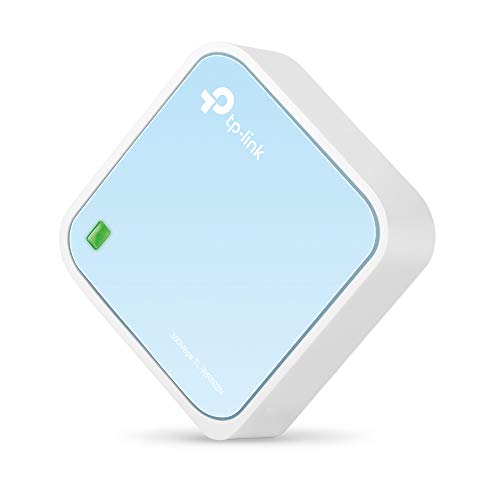
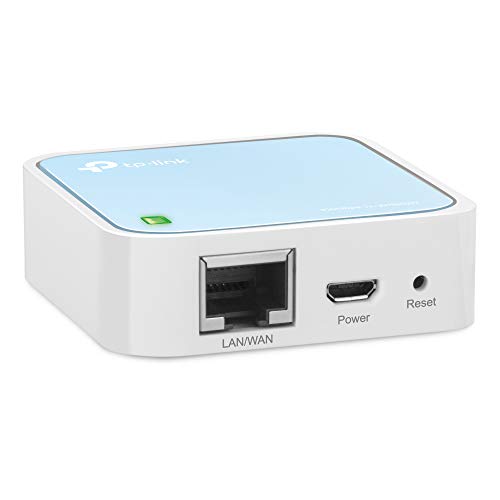
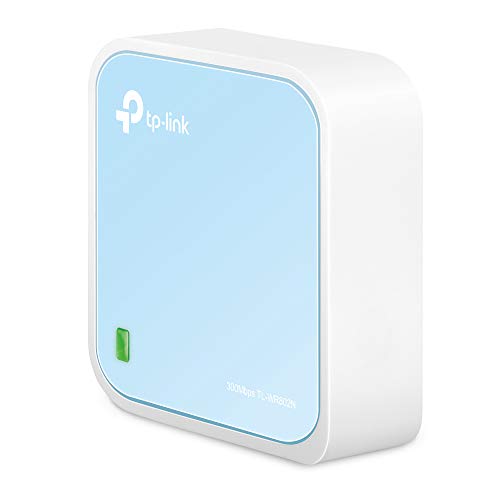
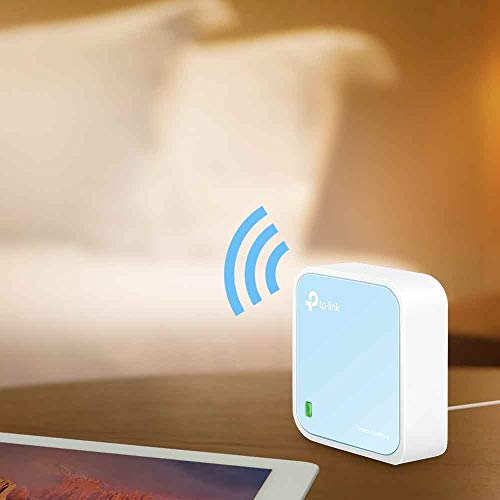
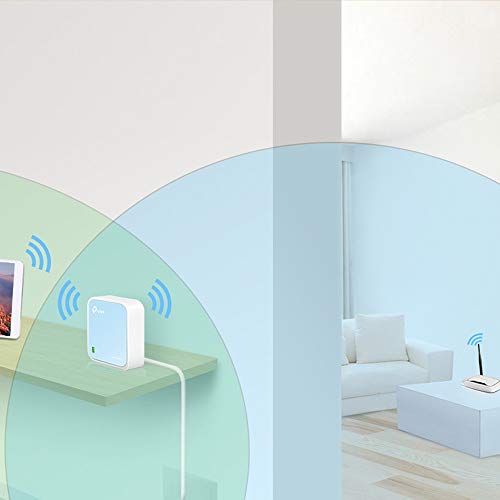
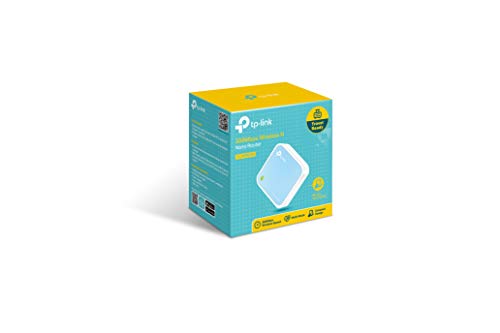
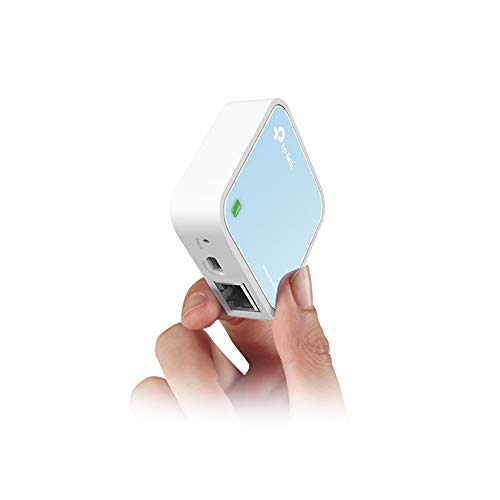

- Pocket-sized Wireless N router travels effortlessly
- Quickly create a secure Wi-Fi hotspot to share with family and friends. External power supply 5V/1A
- 300Mbps Wi-Fi speed on 2.4GHz band for lag-free video streaming and online gaming
- Compatible with Chrome cast
- Micro-USB port for powering via an external adapter or USB port
- Supports Router, AP, Client, Repeater and WISP operation modes
- Pre-Encryption function sets initial SSID and password protection
- Industry-leading 2-year warranty and unlimited 24/7 technical support
- Extend existing Wi-Fi to improve signal strength and maximize coverage
-
Information
-
Twitter
-
Pinterest
-
Youtube
-
Facebook
Tyler Schwenk
Works awesome as an ethernet adapter
I am using this for a wifi to ethernet adapter. I have not tested the other features of this device. I had previously purchased a different manufacturers product to do this task, but it failed and tried to sabotage my network in the process... Someone from their corporate office wasn't too happy about my review of their product and they convinced Amazon to take it down. My setup is simple - I have a device (a PV inverter) that only has ethernet connectivity. I did not want to run CAT6 from one end of my house to the other with walls that were inaccessible, so I went with this solution. I installed a 120V to USB adapter within my inverter and connected this to it and it works well. It is actually operating well outside of the posted specs for temperature and still runs fine. This device is tiny and well built. I was surprised to get such a quality product for such a low price. I believe it states it needs 10w to run, but it really only draws about 3w. Almost any USB adapter will work for this. I couldn't find any that wouldn't run it (lowest I have is 0.75A @ 5V and it ran it). The only issues I have had was assigning it and the downstream device a static dhcp slot on the router. I think it was more on the inverter side than this device, but nonetheless I needed to set it for both for everything to work correctly when the network would get rebooted. I have not tested this outside this use, but I am very pleased with how well it works as a wifi to ethernet adapter.
Waylon Jamez Swan
Amazing device, very small and portable
This device does exactly as designed, the web config page is very easy to understand and config to one's desire. I used in a Marriott hotel and here's what I did. As a few other reviewers noted, I set the SSID ID and password to that of my home router (this was just so all devices would immediately see it and authenticate seamlessly) I took the step of cloning the device's MAC (hardware) address with that of my PC that was configuring the device (it will see that automatically in the "clone this MAC" page. At the hotel I powered up, plugged into wall data port ( it seems my hotel did not have an authentication login page). Within a few secs, the green blinking light went to green and all my devices were live on Internet wifi. As for the throughput.....amazing, it lives up to it's rated speed, my son's XBOX game showed no lag whatsoever, and my web browsing was instant. I ran a VPN back to my office, my wife was watching live shows on web based Directv, and no lag anywhere. This device is a steal for under $30.
Phea Roun
ESSENTIAL SHTF PREPPER GEAR!!!!
This is "essential SHTF prepper gear". Well for me it is anyway. Using this device during power outages, with it being powered by a Li_On USB powerbank, is my emergency wifi network to connect my wifi camera to my router so to keep my live feed from my wifi camera up and running during the power outage. The easiest way for me to use this device is to use the "router" connection method where I connect this to my router with a flat CAT7 ethernet patch cable 3 feet in length. The 3 foot CAT7 patch cable is long enough for me to raise this up from my table and hang it high for better reception. This nano router uses so very little power that a decent USB powerbank will keep it powered for hours and hours. If you need to put up a wifi signal for your router during a power outage, this is your ticket to do so. I also (just learned how to do this) use USB power banks to power my wifi-camera, my modem, and my router for blackouts. Modems and routers typically require a 12 volt 2 amp power supply to power them, and USB powerbanks provide only 5 volts 2 amps. You need to convert the 5 volt USB power to 12 volts for both the router and the modem. Happily this is an easy thing to do, and you only need to get one of this type of voltage conversion cable for every device you want to be running off of USB powerbanks. I ordered 2 of these voltage conversion cables; one for my modem and one for my router: KUNCAN 5ft Dc 5v to Dc 12v Converter Step up Cable, Voltage Converter to Dc 5.5 x 2.1mm https://www.amazon.com/gp/product/B01ID90K4A/ref=oh_aui_detailpage_o07_s00?ie=UTF8&psc=1 Using this TP-Link N300 Wireless Portable Nano Travel Router just last week during a 7 hour power outage powered by a USB power bank I had my internet up and running during the entire power outage. For me, this is a much more preferred scenario than me just sitting around in the dark using my pocket radio to find a news station to listen to. I definately will be getting more of these important devices.
Yawar Khan
Simply Amazing! And at this price, you can't afford not to buy it!
I needed a wifi router to connect multiple devices to while I'm on the go. This works flawlessly. I even set it up to where the router connected to wifi and the devices connected to this router. This way, if you travel with a lot of devices, you only have to update the password in the router, not each individual device. Or, you could use it to have all your children connect to it. Then, you could turn it on or off depending on how much time you want to give them access to the internet without affecting the actual wifi in your home. The size is tremendously handy. Again, I travel a lot for work and it allows me to stick it anywhere. If you connect it via usb to a portable battery, you can leave it in your bag and never have to plug it into the wall or your laptop for it to work. Simply amazing!
Choze Young
Works wonderfully.
I bought this router for use as a hotspot/range extender for my hotel room during travel. I just used it for a long 10 day stay and it was wonderful Here is what I loved: 1. Great setup instructions inside. Easy to connect it to Hotel Wifi and set your own network name and password. I set it to the same details as my WiFi at home so all my devices auto-connects to it. 2. I only ever had to enter the hotel login credentials (room number...etc.) on one of my connected devices and then was never prompted for it for any other devices connected to the network, 3. Worked great with Alexa which I love to take with me on the road. We had our laptops, cell phones, tablets and nVidia shield all connected without any issues. 4. Uses standard micro-usb cable for power - so compliant with many of the multi-port usb chargers out there (e.g. Anker..etc). 5. Does not require a wired connection to a PC or laptop to configure. I performed the complete setup and configuration wirelessly from my tablet.
Aviona Lopez
Got this for my Xbox One S. Didn't expect it to be this good!
I got the TP-Link N300 Travel Router (without the USB port) specifically for my Xbox One S. I didn't expect it to be this good! My university uses an indirect wi-fi login system (we connect to the open university network, which brings up an internet page asking us to login with our university ID and password to authenticate — similar in system to most hotels and airports), which the Xbox can't handle. So I decided to create a small internal network in my room that has its own SSID and password. I went with a mini router rather than just a range extender because this mini router has greater functionality for around the same price as most extenders. Size: As you can see in my pictures, the length/width is a little more than that of two quarters side-by-side, and the thickness of 3/4ths a quarter. I was surprised by how small it was when I opened it. Accessories: It comes with an ethernet cable, USB charger, wall adapter (though this is a bit clunky for modern standards), travel pouch, Wi-fi Info Card, and the standard instructions. Setup: Quick and easy, though you'll need to have a computer (I'm not sure if it works on a smartphone/tablet) to access the setup page. It took me about five minutes to set mine up in Access Point Mode. Basically, you plug in the router for your preferred mode as per the image/instructions. You then connect to your router from your computer using the password on the Wi-Fi Info Card and go to tplinkwifi(dot)net to do a quick setup. Here you can choose what mode you want to use the router in, change your SSID, password, etc. Then reboot to reconfigure the router. Modes: There are five modes -- two for travel and three for at home use. I went with the Access Point (AP) Mode for my uses, but I probably could have just gone ahead with the default Wireless Router mode. The ethernet port in my room was too far away from my Xbox to use Client mode. Regardless, it’s working great. I’ve attempted to give explanations for the different modes below, but I’m not particularly knowledgeable in this so please correct me if there are any inaccuracies. For Travel: 1. Wireless Router (default): Basically, it turns a wired internet connection wireless. 2. Hotspot Router: I would best describe this as taking an open (and unsecured) wi-fi connection and making it password protected (personal hotspot). The router takes the unsecured wi-fi connection and creates a secured wi-fi/wired connection, and you can have one device connected directly to the router and have the rest of your devices using your protected wi-fi at the same time. Useful for connecting to the internet in public places like cafes. I believe it's also great for hotel rooms where only one device can use the internet per room. Connect this and all your devices can use the internet. For Home: 3. Range Extender: Similar in nature to the Hotspot Router Mode -- it goes wi-fi to wi-fi, except this mode uses your home's network and maintains the same password as your home's AP. It's to extend your home's wi-fi to reach any wi-fi dead spots in your house (like the attic or basement, or that weird corner of the room where you like to huddle and binge watch Netflix but just happens to be the same place where wi-fi connectivity is super sketch and the video never loads). You can use the router for both wired and wi-fi connections simultaneously. 4. Client: Sort of the opposite of the Wireless Router mode -- this takes a wi-fi network and makes it wired so that devices that don't have wi-fi capabilities can connect to the internet. It's great for smart TVs, game consoles, printers. 5. Access Point: Same as the Wireless Router mode, takes a wired network and makes it wi-fi. Speed: There wasn’t really any compromises made with the download speed. My university has incredibly fast wi-fi (though my dorm isn’t as fast as our libraries), so I’m glad that wasn’t sacrificed. The upload speeds weren't as consistent, but still not bad. You can see the speed test results in my pictures. Overall, I'm really liking this mini router. The size is perfect for travel (it's smaller than my Macbook Pro's MagSafe adapter…!), and the setup was straightforward. Definitely a recommended buy.
Butch Gabriel
Great travel router
Very versatile travel router. When only a wired connection is available, it creates a secured WIFI hotspot. When only a WIFI connection is available it creates a wired connection. The onboard admin software makes it very easy to switch between modes. It is so small that I can pack it along with its USB cable and Ethernet cable into a hard sided glasses case (See photo).
Katelyn G Irwin
Comact, Powerful Travel Router/Hotspot/Access Point/Range Extender
I ordered this product for several reasons: • When my Internet goes down, I can connect to an Xfinitywifi (I am an Xfinity customer) hotspot and connect my Vonage phone adapter that does not support wifi. • When I travel and the hotel allows only 1 device active on hotel’s wifi, I use this device in WDS mode. The hotel sees the Travel Router as the one device and I can connect both my phone and my laptop AND • I can connect my Amazon Fire Stick at the same time. By connecting to my own private, secure, wifi network, I can use my iphone as the remote for the Fire Stick. Another plus feature is: the DDNS support uses the real external IP address rather than the WAN address it receives from the hotspot’s DHCP server. All of the above works as documented. I highly recommend this product.
Saymalyn Aradji Sabdaini-jimenez
Six stars if I could! Good for hotel travel.
I purchased, tried, and returned two other products that promised this functionality. This is Just what I needed. Set up was completed in about 10 minutes. I also purchased a lan table, which was not necessary. The N 300 comes with a lightweight LAN cable. Set though up was completely wireless. This box connects to the hotel wireless network. All of your devices connect to this box. The hotel limitation of three devices is bypassed. I read some of the other reviews. Yes, keep the card of the default settings, otherwise you will never ever be able to reset to factory settings. User name and password is admin, admin, so be sure to change those. For the money, pound for pound, this thing is more valuable than printer ink. LOL. Seriously though, for hotel travel and trade shows, this is the device you need. Based on some of the other reviews, I purchased the extended warranty. If your device stops working, just use fair trade and get another one. You will be happy with your purchase.
Ashley Salazar
Great Router! Took me about 5 minutes to configure ...
Great Router! Took me about 5 minutes to configure the N300 in client mode to work between the openSPOT™ and my SAMSUNG Note 8. Be sure to use a shielded cat 7 patch cord to avoid RFI. I'm using a POWERJAK cell phone battery pack to power both the TP-Link and openSPOT™ all in a PELICAN™ 1200 case. The instructions were simple and straightforward. Email me on QRZ if you need help. Thanks Tom N4TAW