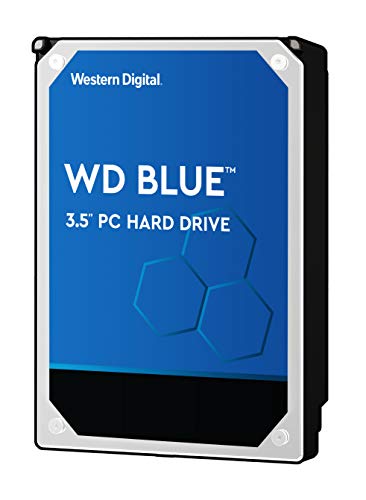


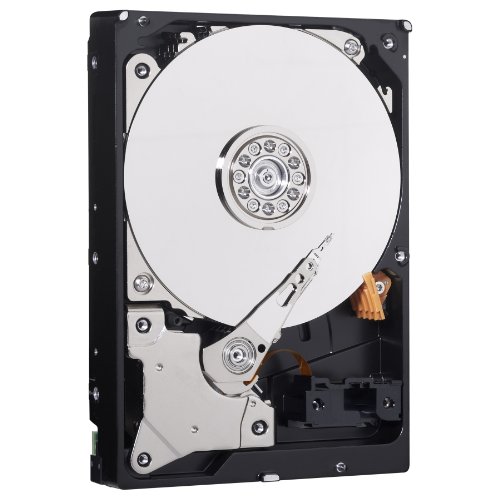
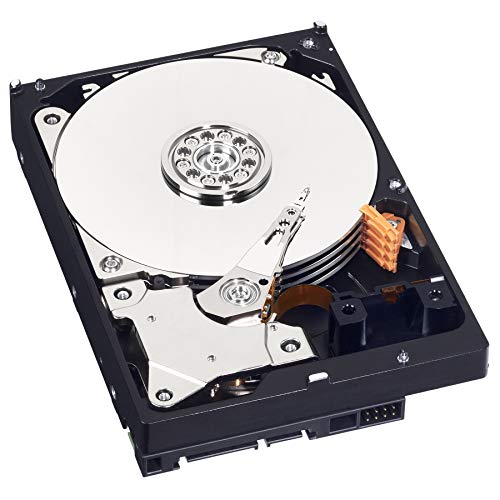
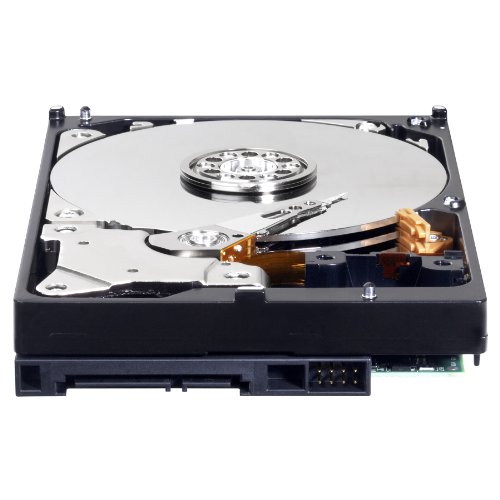

- Reliable everyday computing
- WD quality and reliability
- Free Acronis True Image WD Edition cloning software
- Massive capacities up to 6 TB available
- 2-year manufacturer's limited warranty
-
Information
-
Twitter
-
Pinterest
-
Youtube
-
Facebook
Heather West
Installed it very easily, just connected my PC's power and SATA cables
I've had this ~3 weeks now. Installed it very easily, just connected my PC's power and SATA cables, switched on, recognized immediately by my Win10 x64 desktop PC, did a quick format, and good to go. No drivers or other software adjustments needed. Shows 3.63 TB available. I transferred 1 TB of my main work data onto it day one, and have been using that since without any issue. Very quiet. I wouldn't recommend this drive to hold your operating system, since it's the slowest 5,400 rpm HD speed. I always put OS on a fast SSD, and my data on a slow HD, that's the best value combo for general business work and gaming. I've used a good few Western Digital, Seagate and Samsung HDs in decades of computing, and found them all reliable brands.
Sajid Shah
Don't heed Chicken Littles' reviews completely
First, an explanation of this review's title: Numerous other reviewers have indicated that WD does/will not Warrant this product. That is a global statement of mis-information. Keep in mind that Amazon reviewers' source of product can be *many different sellers*- multiple offerings exist for the same product offered by numerous different entities. Some reviewers didn't even purchase this item at/through Amazon. I had absolutely no problem registering my drive with WD, and *I received a Confirmation of my Warranty registration from WD within five (5) minutes of registering.* That said, it behooves the buyer to immediately register their product and install the drive, and if you *do* encounter problems, deal with them within Amazon's prescribed no-questions-asked return/replace time limit. I had no problems installing this on my Win10 Lenovo laptop (using a Sabrent docking station also purchased through Amazon). My MacBookPros are too old to have a USB3 port or I would have used one of them instead- am trying to get the fastest transfers possible for raw image data from my DSLR SDXC chips both for backup/storage and later use in post processing. My experience thus far is 5 stars. I gave durability three stars because it is a total unknown. I have been dealing with DOS/WinPCs and Apple products since they were first marketed; when an IBM XT with a 10*MB* drive was wicked-cool and "state-of-the art"....and have had drives from Western Digital, Seagate and Toshiba, fail. Hard disk drives fail eventually, period. The question is will a drive meet the MTBF (average projected lifespan) or not, and there is no way to know the answer to that; the only *safe* tactic is redundancy- if you value your data. This is by no means a top-of-the-line, (read: expensive, better-built) drive, so one must doubly operate under the assumption that it will fail tomorrow (or tonight). I had no trouble setting the disk up, partitioning, and testing for read/write. Time will tell the answer to the durability question. You "pays your money, takes your chances" *wisely.* Happy data storage/retrieval.
Johnny Jdog Jenkins
Received Drive Still Under Warranty
I ordered this drive in April 2018 and it was sold and shipped by Amazon - not any 3rd party seller. At the good advice of other reviewers I searched the warranty status of the drive I received using the warranty status page on Western Digital's website. The warranty was good for 2 years and the website reported the serial number corresponded to a Blue drive so what I received was a legitimate Blue drive with the advertised 2 year warranty. Not much to say since this is a hard drive. It works and is running in my file server without problems. I plan on buying another that is sold and shipped by Amazon. Update 10/6/2018: Bought another one of these drives shipped and sold by Amazon. Western Digital website says the drive I received has a valid warranty for 2 years and expires in August 2020. Drive is working good so I am again happy with my purchase. First drive I ordered is still working good also.
Candy Mason
Excellent quality hard drive, and inexpensive. Protect your data!
I use this as an internal backup drive. I have the backup utility in Ubuntu Linux configured to make a nightly incremental backup at 3 AM, which usually takes only a few minutes to sync with all changes made to my main hard drive during the previous day. I also make monthly uncompressed disk backups and keep the last three, and I have an external hard drive version as well. I'll eventually get another network attached storage device and keep everything backed up on that RAID device. My working hard drive is a solid state drive (SSD) and that makes this workstation run MUCH faster. Use the SMART drive diagnostics in the Western Digital hard drive to monitor the age, errors and remaining expected life of the drive and replace it before you start losing data. Hard drives are inexpensive. Your data is not. Choose a strategy to protect your data before your drive fails. Unfortunately, most people seem to think hard drives last forever, and they really miss their data when it's gone.
Kenneth Marc Nuestro Bercida
*EDITED* Will wait 2-3 months and re-review, right now, it's amazing!
Blue 4TB version. Comes with 3.63TB out of the box Write speeds were around 80-100MB Cannot hear it whatsoever Came with excellent package protection (I was a bit worried about that) EDIT: it's been 5 months now, and I absolutely love this little guy!! I really have nothing special to say about it! No overheating, no crazy noises, no hiccups, no lags, just flawless for its purpose, General Use! :)
James Lee
Good for low-cost storage
This isn't the fastest drive out there (in fact it's on the slow end of current hard drive offerings), but if quality and cost is more important than speed, this WD Blue is a winner. I use it in my computer to store music and media files that don't need the fast response of my main SSD drive, so I'm a happy camper and can easily live with the slightly slower transfer speeds than other drives out there. But in my book, WD is far and away better than Seagate for current hard drive quality. Have heard too many horror stories about Seagate drives failing at the worst time possible (i.e. any time there isn't a backup of data on the drive). Yes, any drive can, and will, eventually fail. Just a matter of when that will be. WD had been very reliable for me through the years, so I stick with WD for my spinning disk needs.
Teri Fanguy
Sorry I waited so long to get a large storage drive like this.
Worth every cent. I had been putting off buying a much larger stroage drive. Finally got one now I can store much more for much longer, get bulk files off of my work drives etc. This drive is a storage drive, not a performace drive. I use it to store files, movies etc. For gaming, and the such, I either use my SSD or my WD BLACK hard Drive. I am glad I picked this up, I have not had a single issue with it, and it has freed me up to do more with my other drives as I no longer have to have them filled up with large files I rarely use. Below are the color codes for WD drives. I do not know how different their performance are from one to another or if it is all marketing, but here it is. BLUE = Solid performance and reliability for everyday computing. BLACK = Maximum performance for power computing. RED = Increased workloads and reliability. PURPLE = Designed for Surveillance DVR storage. GOLD = WD Gold HDD is designed for Servers and some of you mentioned i forgot the green, Thanks GREEN---Parks the heads for power savings
Sarah Guerra
Great drive for mass storage
I have purchased several of these over the past few years for use in a home file server. These are reliable drives. I am running four of these in a file server, soon to be five, and have been running them for around three years with zero failures or SMART warnings. No drive lasts forever, but so far these just keep trucking along. When the inevitable drive failure occurs, I will likely replace the drives with the same model if it is still available. I highly recommend GSmartControl. It runs in both Linux and Windows, is free/open source, and will provide a full SMART report including the usual indicators of a drive that is going to fail: bad sectors, and number of reserve sectors available. Once a drive has bad sectors and starts remapping reserve sectors, it is time to start migrating data before the inevitable data loss occurs. So far, three years in, I have not a single bad sector across four of these drives. Speed-wise, they are what you would expect from a 5400 RPM spinning hard drive. Nowhere near the fastest, but fast enough for what I need them to be. Install an SSD for your boot/OS drive, maybe a WD Black 7200 RPM drive for programs, and use these for storing your media files. The important thing to do is gauge what level of performance you need for a particular task and how much money you are willing to spend. For mass data storage where speed is not a requirement, these drives work very well and I highly recommend them. If you need performance, look at SSDs. If you need speed but also size and do not want to spend a ton of money on a large SSD, look at the WD Black 7200 RPM drives.
Nerissa Gnocil
Good, practical desktop drive
I gave this drive to someone as a gift, and they've been using it for backups for 10 months without issue. My review is based on another unit of this drive which I bought for myself some months later. I've been using it as my primary desktop OS/programs drive since 5/29/2014, so it's about 5 months now. There have been no problems thus far. It's really quite a bargain for desktop use if 1TB is all you need. The actual capacity of this drive is 931.5GB. That's an old marketing trick which can be blamed for the pointless redefinition of all our real, long established data measurements with those silly "i" characters. I won't dwell on it any further, but 931GB is the true capacity when measured in base 2, as all data is correctly measured. This 1TB Blue drive uses a single 1TB platter spinning at 7200rpm. There are 2 heads (each side is 500GB). A single platter design is usually better for reliability than having multiple smaller platters, because there are fewer points of failure, the assembly is lighter, the motor doesn't have to work as hard, and less heat is generated. Single platter drives will also tend to be quieter, but due to my configuration I can't judge the noise level. There has been much discussion and testing among users in online forums, including WD's forum, which repeatedly show that the 1TB Blue and 1TB Black perform the same. It appears the only benefit of the 1TB Black is a longer warranty. Some Blacks are faster than this drive, but the 1TB model is not. Compared to a Green, the Blue is faster owing to it's faster rotation speed. The Green drives also have an "intellipark" feature which causes them to keep parking the heads after a few seconds of inactivity. This can cause laggy response and extra wear. I dislike that design - I believe power management functions should be left under the control of the operating system, which can account for user preferences and what is happening in the rest of the system. Hardcoding this behavior into the drive is ridiculous, in my opinion. The Blue behaves the way I prefer - it does not use "intellipark", it stays ready to roll until directed otherwise through power management commands from the OS. I wish they were making the Blue series in larger sizes - it seems this 1TB is the end of the line. I don't care for the Greens and the Blacks are more expensive. Partition/Sector Alignment -------------------------------- Please be aware that like most modern drives, this drive uses 4KB sectors (also known as "advanced format"). If you are using Windows 2003, Windows XP or older, as I am, don't let Windows handle the partitioning of this drive. This is even an issue on unpatched versions of Vista and Windows 7. These older versions of Windows will believe that the physical sectors are 512 bytes, when in reality they are 4KB. As a result, the partition(s) will not be aligned with the physical sectors. It will still work, but performance will be reduced. Windows Server 2003 and Windows XP and older do not have any update to fix this, but it's not a problem as long as you do the partitioning with a suitable 3rd party utility. I think Western Digital offers a tool for this, but I've never tried it. Once the partitions are set, it's fine to let Windows format them. For my Windows XP install, I used a recent version of GParted to partition the drive. GParted can be downloaded and burned to a bootable CD, or installed to a USB flash drive. Just use the option to align your partition(s) on 1MB boundaries. This is the easy way to ensure they are aligned correctly for the best performance. Then boot your WinXP install disc and let it format the partition that you already created. It sounds harder than it is, it's a minor hassle but it's simple. If you ever change the partitions, once again use GParted or a similar utility that handles alignment for modern hard disks. Don't use the built-in XP partitioning. But again, once the partitions are created, it's fine to let Windows format them. The built-in partitioning is fixed in Windows 8. According to Microsoft, it is fixed in Windows 7 after installing Service Pack 1 - you would need to have that service pack before partitioning the drive, not after. Again according to Microsoft, it is also fixed in Windows Vista *after* installing update MS KB 2553708 - I assume this is automatically installed for people who use automatic updates, but I don't know that for a fact. This won't do you any good if you're doing a fresh install and your install disc predates the required update. The partition alignment detail I've described above is an issue you will encounter with any recent hard drive, it's not unique to this model. If you ignore it, performance will be affected but it will still work. You may see Seagate drives implying that they are immune from this, but in reality, they are not. All modern "advanced format" drives, of any brand, will perform better if sectors are properly aligned. But it's not a big deal - just use a modern partitioning utility and then you're set. ---------------------- I just tested this drive using "Roadkil's Disk Speed" on Windows XP 32-bit. I'll cut out all the variables and just give the linear transfer results with large block sizes. My drive has a few partitions and there are lots of files on it, so this might affect results. First partition (first 20GB): 170-178MB/sec linear read 3rd partition (physical location range is from 28-628GB): 153-177MB/sec linear read Last 300GB is unpartitioned so I can't test that range. I don't think the random access test is useful, because my partitioning greatly influences the result. There's a test mode for the whole physical disk, but it's results are too inconsistent. This drive is a great bargain if you just need a simple, inexpensive, well performing 7200rpm hard disk. I was tempted to try a Seagate SSHD, but I couldn't justify the cost compared to this. If I was shopping today, I'd look carefully at the HGST and Toshiba offerings as well, but from the WD side this is my pick for a general purpose 1TB desktop drive. Update: It is now 11/2015. This drive is in my desktop PC, used daily, and still works fine. Some months ago I ran a benchmark on this drive using the linux utility "gnome-disks". The random access performance measured out to a 15.7ms average. This is mediocre, but expected from a quiet drive. Screenshot is attached. It also shows the transfer rate across the disk (read test only, I didn't test writes).
Calvin Parkinson
Long lasting, trouble-free drive. So good that I now have 5 of them as my storage needs expand.
This is the fifth hard drive I've purchased of this exact same model. No, this order was not because the previous 4 failed (they all still work flawlessly for my various onsite/offsite backups). This was to replace a failed Seagate hard drive in my mid-2010 iMac. Knowing that this model has been without issue for many, many years - I was thrilled to learn that I could still buy the exact same model years later. If you are an iMac owner, do note that the OEM drives Apple puts in also has a port for the temperature sensor. These non-OEM drives do not. As a result, the Mac will sense that it's not getting a temperature reading from the HD sensor, so it will crank the fan up to high in order to protect itself. However, the fans at 100% are really, really loud and not a long term solution. There is an adapter plug you can get (search on Google), but I did a different hack instead. I unscrewed the circuit board from the failed HD and plugged the temp sensor into the port on the old board - then inserted it in a cavity next to the internal drive. Now the new hard drive is connected as normal, and the temp sensor is connected as well - and everyone is happy. BTW - yes, I did try using the smcFanControl utility before reusing the circuit board, but it did not work in my case.