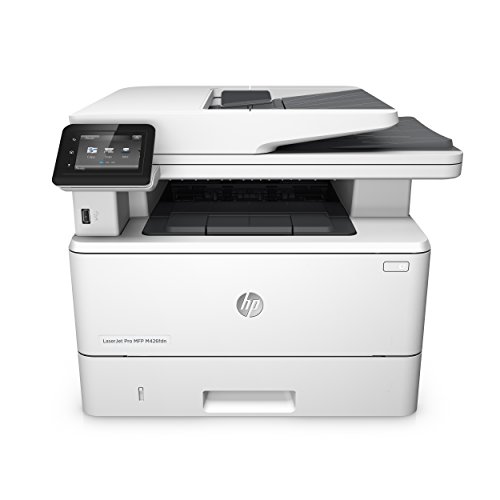
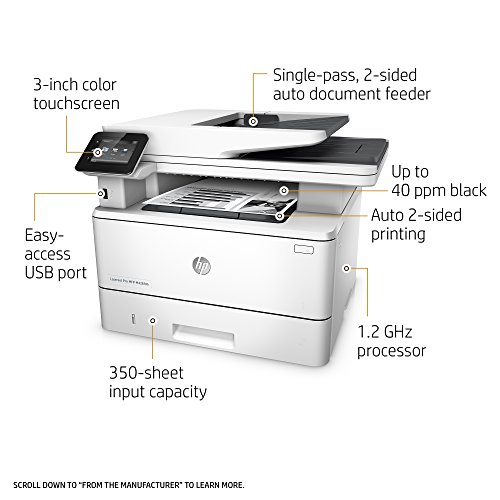
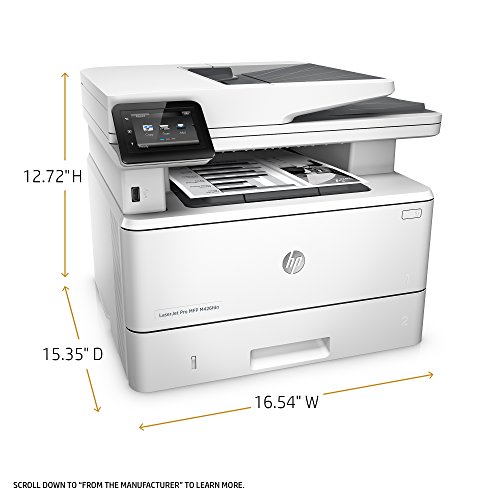
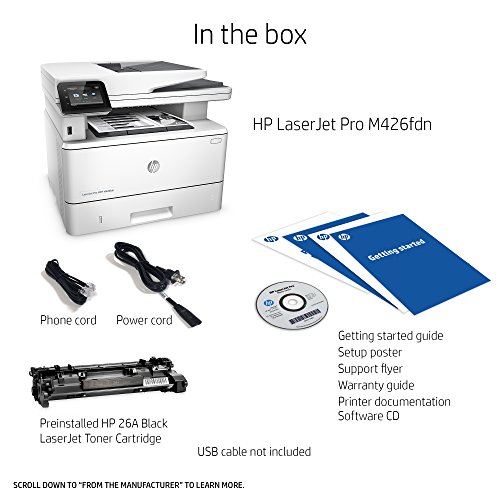
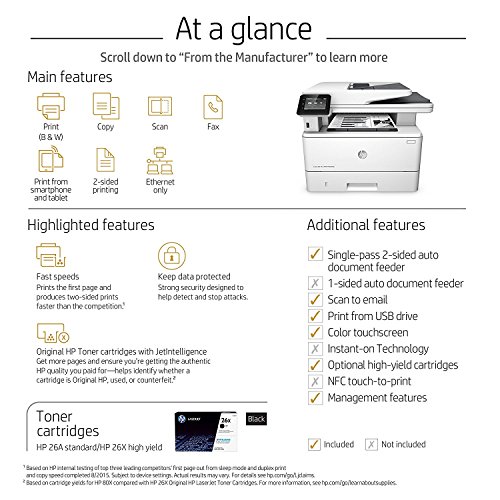
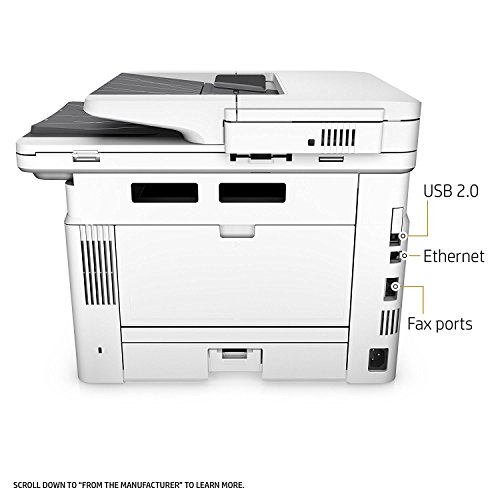

- MULTIFUNCTION LASER PRINTER: Monochrome laser printer, scanner, copier, fax, duplex printing, built-in Ethernet connectivity (no wireless), color touchscreen, auto document feeder.
- FAST PRINT SPEED: print up to 40 pages per minute. First page out in as fast as 5.4 seconds.
- SOLID SECURITY: Protect sensitive information and improve compliance with data, device and document security solutions for your print fleet.
- HP JETINTELLIGENCE VALUE: Choose Original HP Toner cartridges with JetIntelligence - engineered to help your HP LaserJet printer print faster and more prints.
- IDEAL FOR SMALL BUSINESSES: 350-sheet paper input capacity, up to 4,000-page monthly volume, and up to 10 users for your workgroup.
- Paper sizes supported: Letter; Legal; Executive; Oficio (8.5x13 in); A4; A5; A6; B5 (JIS); Envelope (#10, Monarch, B5, C5, DL); A5-R; 4x6 in; 5x8 in; B6 (JIS); 10x15 in; statement
- NEVER SHOP FOR TONER AGAIN: Save 10% with Amazon Dash Replenishment. Upon activation your printer measures toner level and places smart reorders when you are running low. No subscription fees.
- Warranty information: One-year warranty, return to HP Authorized Service Provider
-
Information
-
Twitter
-
Pinterest
-
Youtube
-
Facebook
Mohammad Zeeshan Faiz
Great SOHO Laser Printer
Quick delivery, easy setup. Plugged into the network, recognized instantly. All the devices setup easily to use it. Blazingly fast. Perfect for SOHO. Glad I bought it.
Kaori Miyawaki
Copier
5 stars for this copier.
Kenroy Walters
We made a good purchase.
It took us forever to decide what to go with but we are very happy with this copier. It is fast and doesn't sleep and not wake up like our old one. We like monochrome so we don't pay a fortune for color ink. My small staff of 4 are networked to it. Everyone likes it!
Hafeez R
Great value, great printer
It has performed perfectly so far. Setup on 4 computers, 2 Win7 (64bit), 1 Win 8.1 (64bit) and 1 Win 10 (64bit). One note on the setup. I had gone to HP's website and downloaded their latest version of the full software to install on all of the computers. The printer is directly wired to the router via Ethernet and assigned a static IP address. When trying to install from the downloaded software, on 3 separate computers all hard wired to the same router, the software would not find the printer automatically, specifying the IP address, specifying the Host name or using the hardware (MAC) address. At the same time I tried searching using the exact IP address and it failed I was able to open the printers web page in IE by using the static IP address in the URL. There is a PROBLEM with the downloaded software's discovery routine. And, yes, I had turned off all firewalls in the computers. The software on the shipped CD ROM in every case found the printer without a problem. Another problem I have seen in comments is about lines in the scans when scanning through the ADF. I serviced Xerox machines as a Xerox employee for 35+ years. 99.9% of the time this is caused by a SPOT on the glass. The MFP 426 has 2 separate glasses that it uses when doing ADF scans. It does not use the large glass when scanning from the ADF. The smaller glass to the left of the main glass is one side of a double sided scan and the small glass in the document feeder that you can see when you open the document feeder to see the glasses is the other side of ADF scanning. The easiest way to confirm that it is an ADF glass spot is to scan the same document on the main platen. If it is indeed a dead pixel in the scanner, you will still get a line from the platen glass. Other than those comments the printer seems to perform flawlessly. I use the TWAIN driver and scan into PaperPort. It scans over the network and the TWAIN driver works great. 3/3/2017 Update. I like to install both a PCL and Postscript version of each printer because the different RIPs can produce different results. Today I installed the HP Universal Postscript Driver (from their website). It appeared to work fine. Then I started having problems with some things not launching correctly, including Windows Update, Civilization 5 and Samsung Magician (for my Samsung 850EVO SSD). After a couple of hours doing virus scans, running Windows System File checker and removing the Postscript Printer from Devices and Printers, I did a system restore from a restore point yesterday. That fixed my problems. I would highly recommend that anyone considering installing HP's Universal Postscript driver create a restore point BEFORE they install it so you can recover if it causes you a similar problem. My system is an I7-4790, 16gig, Samsung 850EVO 1tb, NVIDIA GTX980. I have been building systems and programming since 1980. This was very disappointing.
Leslie Roland
Works great so far
Very easy to set up on my Windows 10 PC. I have printed and made copies; haven't set up or used the fax. As noted in previous reviews, the touchscreen is small and it's easy to fat finger selections. I bought this printer because of the great experience I had with the LaserJet Pro 1080 that after more than 10 years is still running.
Asifa Syeda
This is a great monochromatic printer - highly recommended
I bought this printer to replace an HP Laser printer that was at least 15 years old. I wanted an monochromatic only printer that was fast and ink efficient. I am running a small network with two Macs (Yosemite and Sierra) and an ancient PC (Windows 7 home edition.) The mac set up with completed in seconds. With the PC, I had to run the install from the disk included. I had some challenges setting up the Scan feature that allows you to scan to a network folder. Once I had the permissions on the Mac correctly set up I was able to scan to the folder. The printer is so fast, especially when you compare it to my older one. It is noisier than my old printer, but I am getting used to it. I am using this printer for my internet business, printing invoices, labels and mailing labels. So far, I am totally pleased with my purchase.
Kaitlyn Shepherd
Really great Multi-Function printer.
We use this printer in all of our locations and don't have any complaints.
Andrew Springer
High Quality, Fast, and Easy To Use
I love this printer! I've been struggling with color inkjet printers for the past many years and finally decided to go black&white "laser." Couldn't be happier with my decision! This HP LaserJet Pro was easy to set up (I did it, myself, without any help) and is lightning fast compared to my previous inkjet printers. The print quality is excellent, too. Color ink cartridges are very expensive and don't last very long. A laser cartridge is expensive, too, but lasts a long, long time -- especially for someone like me who only uses it for personal printing at home. I just wish I had made the switch to HP laser printing a long time ago. I mean . . . WOW!!!
Sam Ghauri
It is PERFECT for everything from my personal home office needs to ...
Wow!! It is PERFECT for everything from my personal home office needs to being my right hand in my classroom!! As a teacher, I don't have the time or luxury of movement to run to the teacher work area or the media center to make copies or even print requisite materials for my students during the school day. This allows me to stay in proximity to my students and complete the necessary office related functions I have to do during the school day. The scanner makes adding documentation to an electronic student file very simple!
Cheryl Warren
Good value for monochrome workgroup AIO
Replaced my aging scanner and dying printer with this AIO. I'm a big fan of monochrome laser printers for home office/small office use since the majority of the print jobs are documents that do not require color. For the occasional color print, I can do it at my local copy shop. Used this for approximately 6 weeks now. Prints nice sharp text and produces pages very fast. Scanning from the Automatic Document Feeder, while not very high resolution, suffices for the intended purpose. When scanning from the ADF, I'm usually scanning a stack of documents that require clear legible text--not art prints. If I need high resolution color scans, I wouldn't be feeding them through the ADF anyway. The flatbed produces results as good as my previous scanner, if not better. Relatively easy to configure the address book and scan-to-email function. Exported a CSV using the web configuration page, edited it as needed, and imported it back in. Haven't use any of the USB functions as I primarily use this as a network printer and scanner. I have a client that has one of these as their main workgroup printer and also utilizes the fax functions, which works just fine for them. Still too early to vouch for it's long term durability, but all laser printers suffer from the same issues after a while (fuser/heater, drum, and/or rollers need replacing). HP print cartridges have the drum built in, so the drum is replaced every time you replace the toner cartridges. As for other parts, HP printers are generally easy to find parts for when the unit is out of warranty and assuming you actually go through the trouble of fixing vs replacing. While the machine is in warranty, I wouldn't worry. I've dealt with HP for warranty repairs on other items in the past and can say with confidence that HP support is easy enough to deal with and they will honor the warranty without too much hassle. You can even negotiate cross/shipment replacement in certain cases. I have dealt with other manufacturers that are a pain to deal with and I steer clear of them. I would recommend this to others and would buy again if I need to deploy more in a similar environment