
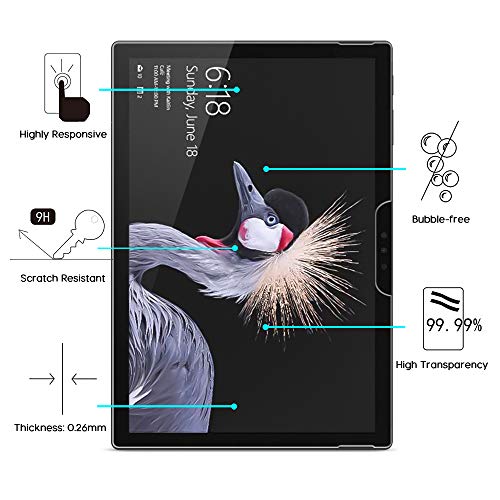


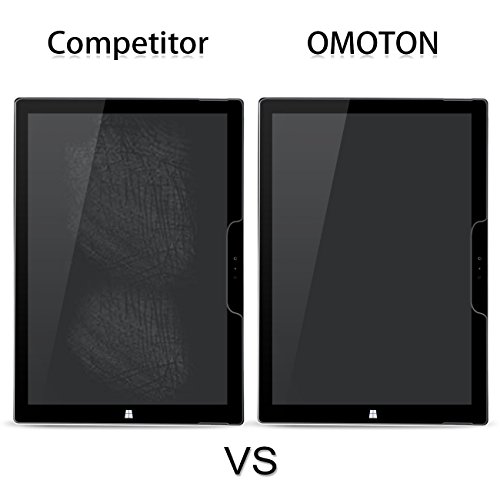
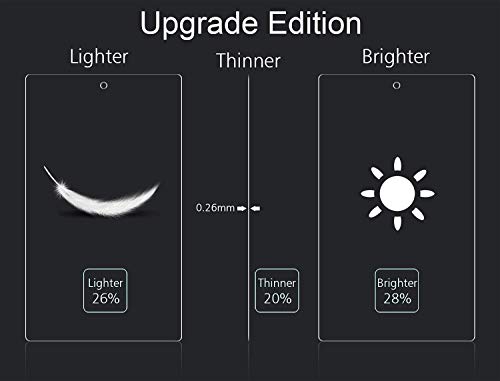

- Compatible with Microsoft Surface Pro 6 / Surface Pro (5th Gen) / Surface Pro 4 tablet [12.3 Inch], the super smooth glass surface compatible with your Surface Pencil perfectly, you can barely feel the existence of screen protector when writing.
- 2.5D rounded edge, the rounded edge on glass protector will never cut your fingers even with heavy using.
- 9H hardness scratch-resistant screen protector can effectively protect your Surface Pro 6/ Surface Pro 2017 / Surface Pro 4 [12.3 Inch] from unwanted scuffs and scratches by knife, keys and some other hard substances.
- Hydrophobic and oleophobic screen coating protect against sweat and oil residue from fingerprints.
- Highly responsive and sensitive with HD clarity and transparency ensure maximum resolution for Super Amoled Display, and OMOTON provide you lifetime warranty.
-
Information
-
Twitter
-
Pinterest
-
Youtube
-
Facebook
James Rippingale
I used it on cracked Surface Screen. No noticable lost of touch sensitivity.
This was for my Microsoft surface Pro 2017. The screen of my Surface computer was cracked at multiple places. I had considered replacing the screen but I decided against it. Instead I bought this screen protector and is working like a champion. It provided me a smooth surface for my pen. I didn't notice any change to the sensitivity of the screen to a finger touch or the use of the pen. I had also considered to buy a flexible plastic screen protector but decided against it because I read many users comments where they reported loss of touch sensitivity. Installation of the tempered glass protector was relatively easy. To minimize dust particles in the area, I went to my shoower area, turn on the shower with hot water, let it run for few minutes and I shut it off. Let the fog disapper. So, I did the screen protector installation in my shower room. I follwed the instruction: cleaned the surface, formed a hinge using the provided tapes; removed the cover from the glued surface of the protector; placed it on the Surface computer screen whiling pulling the screen protector gently away from the hinge. I was able to install it in one try. There were a couple of bubbles still persisting after 24 hours. I am hoping they will disappear after some time. For me, it is ok even if the screen is not bubble free. At this point, this screen protector is holding my cracked screen together and providing me a smooth surface to write on.
Florentina Luchian
Could it be the best on Amazon? It might just be!
I’ve had this screen protector a week after I got the Surface Pro 2018. I love my SP 2018 so I bought this screen protector to protect my screen in case of any scratches or accidental dropping. This screen protector was easy to install because I’ve done a ton of these in the past, both wet installs and the tempered screen protector installs. I know the concept of working in a completely clean area and no, I don’t do it in a bathroom with the shower running hot water so the steam takes care of the lint in the air. I think that a bunch of bs. If you clean your screen well enough you will not get any bubbles or lint trapped underneath your screen protector making the device look cheap and dirty. I don’t know how people can withstand a few bubbles on their device and use it with bubbles that are clearly there that they can take out by using some scotch tape. When installing, I would suggest that you get a few small length pieces of scotch tap ready so if there is a bubble you can get the lint underneath and clear out the bubble. No bubbles do not go away in time and if anyone tells you that then they are lying to you. The bubbles are 99.9% dirt or lint that’s trapped underneath the screen protector especially temper glass screen protectors and there is no way of getting that bubble to go away unless you get the lint with the scotch tape. I would start out by lining the screen protector to your perfect position and use a few pieces of your scotch tape and form a hinge on the bottom of the screen protector. Give it a little bit of room because you’ll have to pull it back up and peel the protector underneath from the actual screen protector and you want to make sure everything is lined up the way you want it to and then gently lay it down flat and put your thumb in the middle and work your way out to the edges clearing all the bubbles that you can. If you have bubbles remember about where it is and carefully and slowly peel the screen protector up and get that lint trapped underneath and then lay it back down. There is no easy way of installing a tempered screen protector like this one except for the way I’ve described. It’s hard to install a screen protector on such a big device. After I installed mine, I had a tiny minuscule bubble that I could reach with the scotch tape and I could work the bubble out. In my case I think there was a defect in the screen protector in that area but it’s small enough that I don’t even notice it after a day of usage. Please take caution when you’re peeling up the protector because you may crack the screen protector or cause the edges to bend upwards and they will never seat down and you’ll just have a big gap in the corner from which you peeled the screen protector away. After all said and done, remove the remaining scotch tape that’s forming the judge for you and you are ready to go. So far, I’ve had no problems with my screen protector and I’ve been using it for over 6 months now. I would highly recommend this tempered screen protector to anyone looking for one because it’s cheap and it works. You just can’t beat that! Let me know if you have any questions at dareviewer81@gmail.com.
Alejandro Suez
For the best installation experience, get a friend to help.
The screen protector is high quality, but a dust-free installation is very difficult. I followed the directions exactly and used extra care to eliminate dust specks, but multiple dust specks appeared. I tried removing the dust specks, but more appeared. I suspect the adhesive surface will attract dust unless you're in a dust-free zone. I was so frustrated that I threw it in the trash. Update 12/22/17: The company got in touch with me and offered to send a new one so I could try again. I agreed and this time I was much more prepared to install it. I had a good installation experience and am now happy with my purchase. I learned a few things that might help others: 1) Having a can of compressed air nearby can help clear out any dust particles that settle as you're about to lay the screen protector down 2) There is a square sticker that is meant for cleaning dust. It appears to work very well on the sticky side of the screen protector 3) Have a friend help! When I peeled the protective backing off and started to lay the protector down, my friend used compress air to keep the surface clean. When the screen protector was installed, there was a single dust speck, but it was easy to lift the protector slightly so my friend could use the dust sticker (upside-down) to remove the dust spec from under the protector, then we laid it down again and everything was perfect.
John Clark
Looks Great, Feels Great, and Offers Effective Protection for Your Surface Pro 4.
I originally bought this product last week. I followed the video instructions "OMOTON 02 Tempered Glass Screen Protector Installation for Tablets" on YouTube and all went well except for one corner. There was a bubble that stubbornly would not go away. I contacted OMOTON through the proper Amazon.com channels and they swiftly hooked me up with a second screen protector for no additional charge. I tried again and the install went perfectly. I'm very satisfied with the look, the feel, and the function of this screen protector. I wanted the highest quality glass screen protector for my SP4 and I found it. I highly recommend this product and recommend OMOTON as a company. Also, this screen protector is not affected by the "UAG Microsoft Surface Pro (2017) / Surface Pro 4 Feather-Light Rugged [BLACK] Aluminum Stand Military Drop Tested Case". I have both of those items on my SP4 at the moment and they both work well. As others have noted, the glass screen protector did affect the sensitivity of the touch features, at first. After running Windows 10 updates until there weren't any applicable updates left, the sensitivity returned to the level it was at before applying the screen protector. If you are having sensitivity issues, please make sure you're running the latest drivers. I wouldn't blame the screen protector.
Bishandassgupta
Outstanding!
Second one for me. This DOES fit the Surface Pro 6 perfectly. Install tips - do it in a CLEAN area. Clean your screen thoroughly. Have canned air if you can, and blow off any slight dust that may land after cleaning. Blow dust off the screen protector that lays display-facing. Lay protector over screen intermediately and do NOT remove peel off yet. Center as you desire and carefully apply the three stickers that hold in place along the bottom. Get this part right, and center as best you can. Lift protector and blow off screen one more time. Carefully but quickly remove protector sheet and let the protector fall to the Surface Pro screen. If all looks good, press your finger dead-center and watch the magic happen. There may be a few areas at the edge that need a gentle push outwards to remove the air, gently press from the center to the edge. You should be all set. My gosh this is such a great product for 15 dollars. And if you scratch it up, just replace it! PS - the pen works wonderfully when installed, no difference from stock Gorilla Glass that I am able to discern. PSS - I ordered a second because I botched the fist. Had I know the company would send me another one free as other reviewer's have stated, I would have called them, lol. All good, such a good product they deserve the money!
Kayla Gundermann
Easy if you take your time and read the directions
This is an awesome product, with very detailed instructions and all of the things you will need to apply this flawlessly. There are even stickers designed to act like a hinge to make application much easier. You line the glass up and then apply these stickers to the bottom edge of the glass such that half the sticker hangs over the edge. You press this overhanging sticker down to secure it to the Surface Pro, making a hinge. This with the protective sticker still on the glass. You then swing the glass away from the surface, using these temporary hinges, so you can clean and dry the screen of the Surface Pro. Once you follow all of the instructions, the last step is to peel the sticker off of the glass and then swing the glass back onto the Surface Pro. The hinges make certain the glass goes right where you aligned it at the beginning, and the glass self-seals to the Surface Pro. Push out the air bubbles, if any, and you have a perfect installation every time :- ) LOVE this product! I have applied it to a Surface Pro 5 and a Surface Pro 6 with zero issues and absolutely no air bubbles.
Jess Alderwood
Took a bullet for the team and SAVED MY SURFACE!
I was carrying too much stuff with the Surface on top of the pile of items I was hauling. The drink in my hand started to tip, and reflexively, I leaned forward to prevent a spill and BOOM! face first on the floor from about four feet up, the Surface landed perfectly flat on its face. I cringed as I put all my stuff down and I didn't want to look. At first glance, it looked like there wasn't any damage at all. Not to the Surface, and not to the protective glass. When I got to my car, I took a better look and daw a hairline crack. I swore and then wondered... "Wait.... What is cracked? The Surface or...?" So is started to peel off the protective glass. It broke clean at the crack and splintered a bit. The protective glass was done. I got it all the way off and looked closely at the Surface. Nothing. Not a scratch. Still looks br and new. The protection took the impact, and broke... just like it was supposed to I guess. It absorbed the energy of the fall and took one for the team. A minor price to pay for such an expensive piece of gear. Ordering another one right now. Worth every penny and then some.
Cristy Ranae Culler
ON RETRY --- DOES fit Surface Pro (2017) -- (I had a one-off problem apparently)
Unlike how it is described it DOES NOT FIT the "New Surface Pro 2017". It is 1/2 mm short all around. Also unlike what is described it DOES NOT HAVE a "2.5D rounded edge" nor does it exhibit a "smooth touch feeling". To the contrary it seems to be poorly die-cut, rather than "laser-cut" and the edge is rough. It really is more like the description on the main page: "right-angle edge" and "more crackable and sharp touch feeling". Perhaps the one I received missed a few manufacturing steps and they forgot to smooth the edges like is described. Nonetheless even if it was finished like is described it STILL would have been too small by a full 1 mm. However the installation instructions are clear and it installed easily. Installation IS NOT trivial but when all instructions are carefully followed it installs without bubbles. Be that as it may I removed it and intend to RMA it back to Amazon as being sub-par and not as described. Revision... THe company contacted me about my original 1 star review and even though I had returned the screen to Amazon they supplied another scren protector AT NO COST. This one was EXACTLY as described but still is very slightly too small. (Less than 1/2 mm.) Installation was (as I said above) IS NOT TRIVIAL but is easily accomplished by following directions. HINT: Use the "Hinge Method" to install and use all three hinge tapes ON THE BOTTOM of the screen. This will eliminte the problem of having the camera cutouts and top buttons from interferring.
Nikola Mandov
Good quality glass protector
I had to replace my Surface Pro (5th Generation) for a warranty issue, and my previous screen protector broke as I was removing it. Note - my next comments on related to a competitive product... The former screen protector was not a great quality, but fair enough. I had a client drop the Surface Pen from about 6 inches above the screen. The metal side of the pen landed right at the edge of the screen and broke away a little chip of the former screen protector. It did it's job, but the lack of a bevel on that product probably contributed to it's failure. Regardless, it lasted another year before I tried removing it. At removal, I realized how much I didn't like that product's design. Instead of a large notch like this protector from OMOTION, it had individual hole cutouts for the optical camera, infrared camera and microphone. Since the glass wasn't beveled, it was nearly impossible to remove the dust that inevitably collects at the seams created at the edge of the glass. These are all minor issues, but when you have a device as beautifully engineered as the Surface, it's disappointing when the screen protector noticeably diminishes its visual appeal. Fast forward to this week and I am now installing this new screen protector from OMOTION. The included kit to clean the screen and make a hinge to attach the new tempered glass screen protector were great. I found it helpful to clean a granite countertop and the Surface prior to placing it on the countertop to minimize the potential for dust getting onto the screen during installation. It didn't help that it's the middle of winter, it's dry and static seemed to be at an all-time high at the time, but overall, it was a VERY easy installation. It took a little time to really get the protector lined up just right before attaching the stickers to make the "hinge", but it made the next step of attaching the protector SO EASY. Inevitably, the static created by removing the protective plastic on protector managed to virtually grab an eyelash from me and trap it between the layers of glass. However, it was easy enough to peel away the protector, use the sticker to "grab" that eyelash and then replace the protector. The original installation including the eyelash was bubble-free (with the exception of the eyelash), but the second attempt left a couple of weird bubble-like impressions on the screen. They were only noticeable on screen with the power off, and the instructions said it could take a couple of days to normalize, so I went on with my day. The next morning the odd impressions had resolved themselves. The installation looks perfect. I took time to read many reviews before buying this, so I think it is important to make a couple of comments: 1. Ease of Installation... Having done several screen protectors over the years on phones and tablets, I have to say that this was one of the simplest. That was unexpected given that it was also the largest one I've attempted. Follow the instructions EXACTLY and you should have a good result. Remember to clean all sides of your tablet as well as the table where you are working with a damp cloth before starting - that will help minimize the potential for trapping dust. Some comments said that the sticker hinge didn't work. If that was the case, the person didn't do it correctly. It worked flawlessly for me. 2. Beveled Edge. I saw a couple of comments that the screen edge wasn't beveled. That is nonsense. I have had one without the bevel, and this is night and day different. This bevel is very well manufactured. 3. Loss of Pen sensitivity. I thought about giving this issue enough importance to only award 4 stars instead of 5. However, I think loss of pen sensitivity is to be expected if you place an object between the pen and the OEM screen. It still works, but it's just not as good. To me, it is a trade off. I would rather have the protection than the flawless pen. I would buy this again.
Elizabeth Patterson
Major loss of touch sensitivity
UPDATE 1/3/18: The seller sent me a new screen protector and it no longer has issues with sensitivity. There is still some loss of sensitivity, but the amount lost I suspect to be expected given that you're putting another layer of glass over the screen. Overall, I am now satisfied with the product and would recommend it to other users. Excellent service by Omoton. Original Review: I've had this for a few days now to give it ample time to test and I am disappointed with this, solely because the screen on my Surface Pro loses a significant amount of touch sensitivity with this screen protector on it. I'm finding myself having to press really hard in order for my key strokes to register, and even then it doesn't always register on the first try. Makes the usability of my Surface really frustrating. I'll be returning for refund.