

- Important Information about macOS 10.13.4 update: We have become aware that installing macOS release Version 10.13.4 will cause DisplayLink connected displays to go blank after the OS upgrade. With the current DisplayLink driver [4.3] beta3 installed you will be able to extend 1 desktop. Functionality such as Ethernet and audio, where implemented, is unaffected. We have alerted Apple to this issue and are working hard to find a resolution. The macOSX version 10.13.3 is unaffected at this time
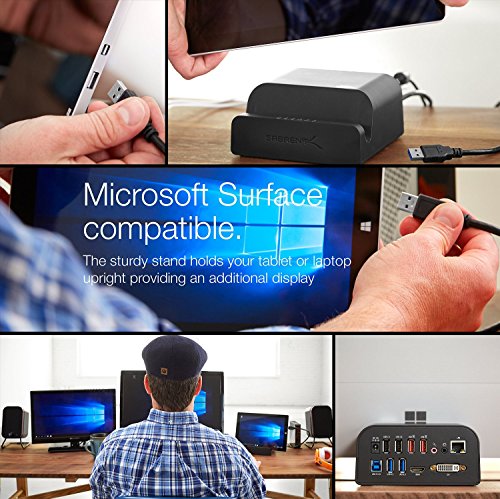
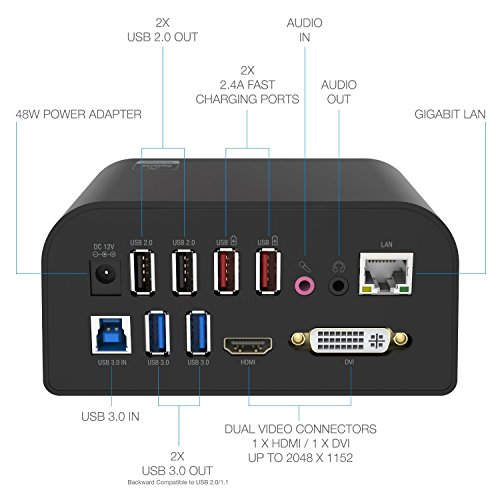
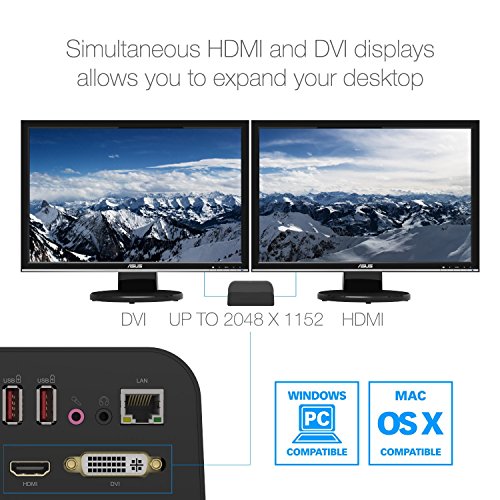
- Supports Simultaneous HDMI and DVI Displays, Speaker Port, Microphone Jack
- Featuring Two USB 3.0 + Two USB 2.0 Ports You Can Enjoy Transfer Speeds up to 5Gbps (USB 3.0), 480Mbps (USB 2.0), 12Mbps (USB 1.1)
- 10/100/1000 Gigabit Ethernet Port For Incredible Internet Speeds
- With Two 2.4A Fast Charging Ports You Can Charge Any of Your Devices
-
Information
-
Twitter
-
Pinterest
-
Youtube
-
Facebook
Amir Eslampanah
Universal Docking Station
I was quite surprised after I connected my laptop to 2 external monitors and had THREE screens. This seemed to have the same functionality of the (much more expensive) one used with my work computer. Be sure to run the included disk to install the driver (won't work until you do this, ask me how I know?). The biggest limitation is it will not also charge your laptop. Would have been nice if they included a power plug for this purpose (but it's close enough to the power strip, really not an issue).
Angela Akenson
Simplifies mobile computing and powers multiple external HDs
I use my laptop in three locations with two large displays each, and I carry my data in multiple external hard disks (a redundant array of independent disks (RAID)). Unfortunately, the HDs require more power than even independently powered USB port arrays can provide. Most powered USB port arrays (all that I've tried) don't have enough power to dependably operate even two HDs. This product has plenty of power to handle the multiple HDs. Initially, I just used it for the HDs and thought using it to drive the displays might have some drawbacks, such as straining the CPU or offering somewhat stuttered screen responses, but I tried it with the displays and there were no problems. At my main location, where I already have a Lenovo docking station running two screens, I used this dock to drive a third large display with no problem, and I suppose a fourth would also be no problem. It's also convenient to have two recharger ports for an Ipad and a kindle, so I can recharge them without them interacting with the computer. If you want to use a RAID to be careful with your data, but have to use non-independently-powered compact external HDs in your RAID because you are mobile, then this dock offers an easy way to deal with that situation. It's only about twice the price of an independently powered USB port array, and almost all such arrays are unable to deal with the power requirement of more than a single HD. (I looked for a powerful USB port array and never found one.) Many people purchase portable HDs without considering how much power they need. Even my Lenovo docking station can come with three types of power sources (three levels of power), and people often assume that the standard power source is adequate for their needs.... until they start plugging in multiple portable HDs. Then one finds that just one of the HDs isn't always operating dependably, and one may conclude there is a problem with that HD and waste time checking and rechecking the HD (as I did). But insufficient power can be the cause of such intermittent HD problems.
Maria Louise
Universal. Docking. As promised.
As advertised. As promised. Does what is said it would do, with the ease it promised. I recommend this as a product for our entire company, not just my home office. I run three different laptops with this and two monitors ( HP, Dell and and a Mac) plus an iPad Pro and two lightening charging stations. Best $100 network money I've ever spent.
Lisa Laws Peaks
A must for the legacy Surface Pro owner!
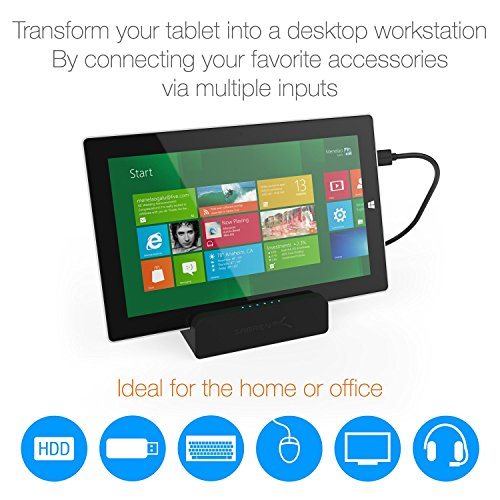
Basically this docking station works by applying software that allows the USB port to become a multi-function single-point connection. So basically the docking station has its own power supply, but connects to your tablet via USB port. A plug and play install followed by a quick website software download/install has you ready to use all connections pictured at the back of the docking station. So hdmi (with minidisplay port unused), hard-line internet, USB ports for both pc connection and charging only, essentially turn my Pro 3 into a desktop station that happens to use my 51in smart TV for a monitor and a folding portable keyboard plus arc mouse let me run it all from bed when my back hurts to badly to sit upright.
Rod Mackay
Great product, very happy I bought it!
I have it set up with my Microsoft Surface Windows 10 and my Linux laptop running Ubuntu 18.4. The setup was easy: it was plug-and-play with Win10, but I updated to the latest drivers from the displaylink website as per the instructions. For Ubuntu I had to install the dkms package before installing the latest driver from the website and it was smooth sailing after that. I did have an issue with my Logitech wireless keyboard (laggy, disconnects), but I figured it was just some wireless interference, so I used an old 3ft USB extension cable to place the dongle away from the unit, and the issue was resolved -- it's working fine now. My two monitors, network, and external drives all worked without issues.
Leslie Vial
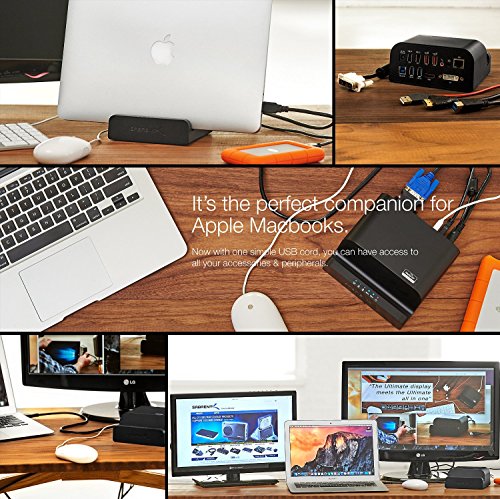
Easy set up and works well for both Mac and PC
This works for both PC and Mac at the same price as a similar docking station that only works for PC. It was easy to set up (and I'm not a computer whiz). I got my Mac and PCs (work and personal) to work with very little effort and no issues. For reference, I have this connected to 2 monitors, a mouse, a keyboard. It works flawlessly regardless of which system I use.
Gia Papiashvili
10 stars !!!!!!!!!!
I had ordered this product on 28 May 2016 with mountain-high hopes and expectations. I had my fingers crossed and hoped like crazy for this docking station to work as expected. Even though I am an amazon prime member (2-day shipping), I got this product only today (2 June 2016) because of the long weekend. Every passing day felt like an year !! This dock is indeed THE answer to what I have been looking for, for the last 16 months !! I use two laptops on a daily basis -- A macbook pro which is my personal laptop and a Dell laptop (win 7) which is my work laptop. In my house, I have a 3 display setup (3 Acer H226HQL 21.5-Inch Widescreen LCD Monitors) with wireless keyboard and mouse. I want to use this setup with both my laptops. But, plugging and unplugging from one laptop to another more than once per day turned out to be quite painful. Moreover, it damages the ports in the laptops. There is a device available in amazon which acts like a hub where the two laptops and the 3 displays can be connected to the hub. Using a knob in this hub, one can select from which laptop the 3 displays should get their signals from. But, the cost of this device was more than $300. The cost did not convince me to buy that hub. Moreover, this hub will make my laptops less portable due to all those cables connected to the ports. I wanted something which is as easy as plugging & unplugging a USB drive into my laptop. And this Sabrent USB 3.0 Universal docking station does exactly that. To this docking station, I have connected one display via HDMI and another via DVI. For the third display, I use a USB HDMI-DVI adapter (Display Link) and connected it to USB 3.0 port in the docking station. With my laptop closed, I have three working displays. With the laptop open, then there are 4 displays including the laptop display. These 3 displays have 1920x1080 resolution. There is NO drop in resolution in either windows or mac. Well, for mac there is a slight drop in resolution but that is bec mac has retina display whose resolution is way higher than the ones supported in these displays. So, definitely NOT the docking station's fault or shortcoming. I have connected a Satechi headphone stand that has a built-in USB hub (3 USB ports -- USB 3.0) to this sabrent docking station. I have connected the logitech unifying receiver to this satechi headphone stand cum USB hub, for connecting my wireless keyboard and mouse. There is NO lag in either the keyboard entries or in the mouse pointer movements. I am not a gamer, so I do not have an input on that aspect. However, for working purposes, watching movies and so on, this docking station has NO issues or complaints. The quality of the docking station, i.e., the build and finish are also very good. The tablet/phone slot has a rubber seating which gives it a good grip and prevents the devices from sliding out. I have never been more satisfied with a product and hence the reason why I want to give this product 10 stars instead of 5 ! This is the longest & most detailed review that I have ever written. I have also attached a couple of pics of my setup for reference -- Again, this is a first for me. Did this only because I am truly happy with this product. I will keep monitoring this product very closely. Even if there is a flicker of lag in performance, it will catch my eye. In that case, I will definitely update my review. But, until then, my verdict is that "Sabrent USB 3.0 Universal Docking Station" is simply awesome and affordable. UPDATE: 10 June 2016 Have been using this dock for the last 8 days now. I have had no troubles when using with Windows 7. Works beautifully without any pixelation (no loss in resolution) and no lags. Saw movies as well. It’s great. For Macbook — Bad news !! .. Too many places where I observe lags. To be fair, the lag is only during animations like when launching the “Launchpad” where it’s buttery smooth in the macbook, but when viewed via displays connected to this dock, it’s super choppy. However, NO lags observed when I saw movies or videos or while typing or browsing. So far, only a few animations were stuttering. With regards to resolution, as mentioned above, I use Acer displays whose resolution is lesser than the retina display. So, in addition to that drop in resolution that you get to see in my displays, I see a further drop in resolution but only slightly. So far, I did not find this as a deal breaker. So yeah, in a nutshell, with all the shortcomings mentioned above, I still find this a worthy buy rather than spend $400 plus on horizontal Henge docks which will give me the same number of ports !
Shaira Fernandez David
This one is mine. Get your own! (I mean it, really, get one.)
I really wish I had bought this dock 3 years ago when I started school. This would have made my life SO much easier. This thing is amazing. Suddenly I can actually use my external monitor, and my laptop monitor at the same time. I can charge my phone without having to decide what to unplug from the laptop. I sang the praises of this dock at work and now two of my coworkers have bought them as well. And feel the same way I do. This is worth every penny I spent on it. I would buy it again in a heartbeat.
Aleta Wiles
I like the form factor better than the verticle docking stations
My coworker had the more verticle universal docking station and was enjoying it so I went looking for one as well. This one fits better in my setup as it can slide under my monitor. I love the notch in the front where I keep my cell phone while I work. I wanted this to eliminate how many cables I have to plug in every time I come back from a meeting. It has decreased them and added many USB ports for charging phone, fitbit, mice, etc. I wasn't able to get my Ethernet line to run through this device as it is not recognized by my IT department so it was blocked. Works fine when plugged in directly to the laptop. Also, found that when I am connected to the dock and sleep my PC then come back and wiggle the mouse it wakes up. However, if I am in a meeting and disconnected when I sleep my PC. Once I plug in at my desk the mouse wiggle doesn't wake it up. I have to open the PC and hit the power button. This happened because the PC was not aware of the dock at the time of sleeping. I fixed it by moving the micro USB connector for my mouse to the PC instead of the dock. In the end this device saves me from plugging in two monitors, now I only have to plug in one usb cable. Plus it added all the ports, a cell phone cradle, and I can have 3 monitors if you count the PC, but I don't use that one.
Harsh Mishra
Great product for docking a laptop that is used in several office locations.
Great product for docking a laptop that is used in several office locations. No need to disconnect everything each time you go - just two items to disconnect when you go - 1) the power dongle and 2) one do-it-all USB docking station cable (for data/drives/monitor/all other accessories attach to the docking station). You can even slot the closed laptop in the dock for vertical storage.