
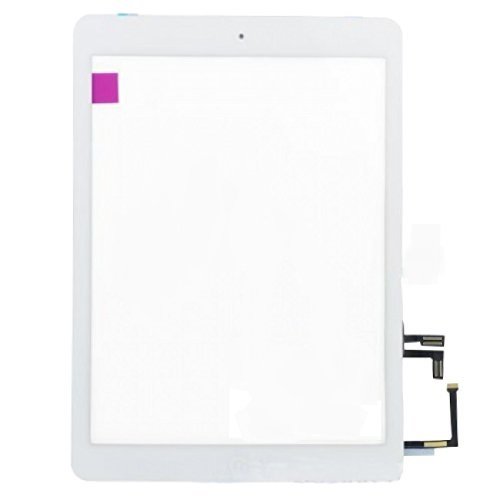
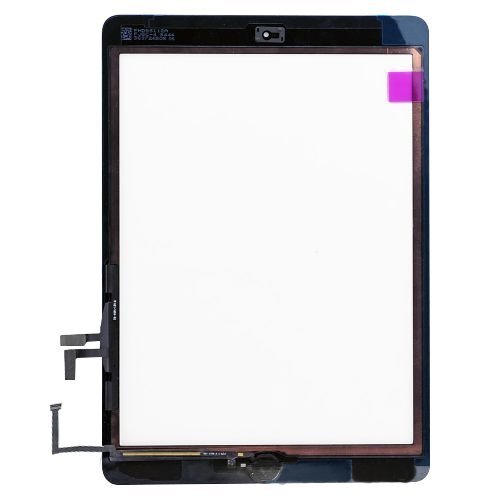
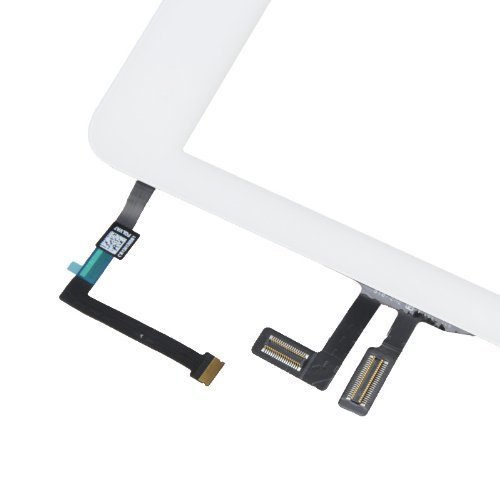
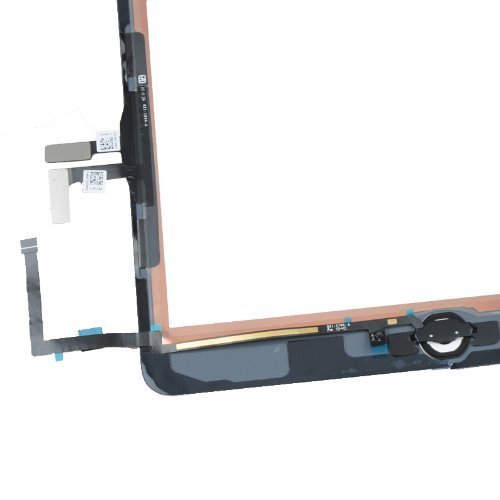
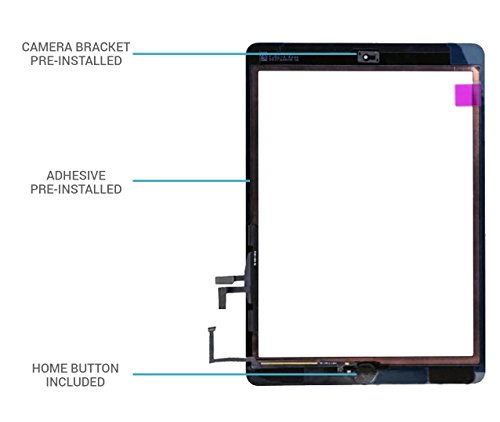
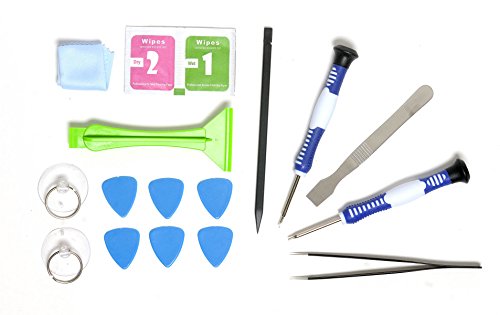

- Digitizer replacement for Ipad Air 1st Generation with Home button with repair tools.
- Compatible with all Ipad Air models: A1474 A1475 A1476
- Compatible with both Broadbands GSM and CDMA, and with all carriers.
- Package content: 1 X Ipad Air screen replacement with Home Button and Sticky adhesive + Premium Tool Kit
- 1 Year Warranty
-
Information
-
Twitter
-
Pinterest
-
Youtube
-
Facebook
Val Dodge
Pretty Solid Customer service
Worked good for a few days, but now the screen is unresponsive more than 50 percent of the time at random areas of the screen. Tools were good though. I might of just received a defective until. I'll see how a replacement/return is going to work considering I probably can't remove the screen without it breaking. ***Update*** I dealt with the screen issues for a while and decided to message them and they did not hesitate to send out a replacement without issues.
Kristen Youngblood
Works as well as the more expensive brands I’ve purchased in the past.
I’m definitelt very please with my purchase. For the price, I feel that I’ve received a great product. I change iPad screens regularly, & this is the first time I tried this specific brand. I will continue purchasing this brand.
Gladys Faye Odom
Works as it should, great tools included.
I purchased this to repair and iPad air. In short, it works as it should. It comes with the tools you will need to do the job yourself, except for a heat gun. A standard hair dryer works just fine, My kid absolutely shattered the screen so it was tedious and more than a little dangerous removing the old digitizer just due to the sheer number of shards of glass that were created. Once it is off though, it is a very straight forward repair. I do recommend watching a video online to get the idea of how to do it. Do not rush this job, take your time and you will have a perfect result. Other reviewers are correct, you can see gridlines WHEN THE UNIT IS OFF, not when it is on. Will not interfere with your experience. It is worth it for the tools you get with it. It is worth the satisfaction of repairing it yourself. It is worth not paying Apple prices for a new unit. I would recommend.
Eun Hee Lee
I would recommend researching and getting a separate product for cleaning the ...
Rated 5 stars because the quality of the product was outstanding. Just a few observations though. I do wish that Techorbits had their own video showing instructions for replacing the digitizer. There were a few differences in some of the videos as to where the connecting cables and adhesive was placed. Also, the cleaning materials for the LCD screen were really not sufficient. I would recommend researching and getting a separate product for cleaning the LCD screen. Lastly, the tolls and general were not that great. The suction cups don't really work, especially when there are several cracks in the screen. I would recommend getting some guitar picks, and a dent remover tool (instead of the suction cup), and make a battery isolation tool out of a guitar pick. Again, the digitizer quality was awesome though, had the copper on the inside of the digitizer.
Shaun Morris
Complete iPad Air screen replacement kit!!
The kit was complete with all materials needed to replace the screen on my daughters iPad Air. The only additional item was a heat gun for this I used my wife's hairdryer! I have not replaced a screen on an iPad before this was my first try the Apple Store would charge 200$ I simply watched a couple YouTube tutorials and got to work well worth the couple hours it took to replace the screen! This kit also had the adhesive preinstalled which made the install much simpler! This is a good choice if you want an all in one screen replacement kit.
Anjełł Mäy
Best repair kit for the best price!
I was a bit gun-shy at replacing my cracked iPad screen but I figured for the price, let's give it a shot. I bought some extra tools just in case I needed them but it turned out that this kit had everything I needed + a few extras. You have to watch a video on YouTube on how to do it and this is a good thing. Watch the video first and you will be just fine and amazed at how easy it is.
Lilia Soriano Castillo
awesome kit a must if you are replacing a cracked iPad screen!
Having never done any sort of iPad or iPhone screen repairs, I was ready to attempt to do this for the first time when my daughter dropped my iPad Air. I had no tools so I specifically looked for a kit that would come with EVERYTHING I needed. After watching a short clip on YouTube about how to do a screen replacement, I set out to do this myself. It was honestly very straight forward and simple to complete. The whole process took me about 45 mins as I was being extra cautious. But I suspect I can do it in 20 minutes now that I've had a chance to get some experience. The quality of the screen was amazing and the fit and finish is very much on par with the origional iPad part it replaced. It would be helpful to have been directed to some suggested videos as there were many on YouTube with varying qualities. Wife is happy, I saved some $$ from not having to purchase a new iPad, and I now know what the inside of an iPad looks like.
Lish Oglesby
Good product and not to hard to install
My screen was shattered see before pic which made it a bit harder to remove because the screen started to break up into small pieces. No instructions how to change in the package but youtube has many instructional videos. The tools that came with is awesome. Some additional tips: 1. I used my wife's blow dryer instead of a heat gun to along the edges of the screen to warm up the adhesive and make it easier to remove. I asked my wife to hold the blow dryer on the spot I was using the pick to remove the digitizer. 2. Followed Youtube video to unplug/plug in the new digitizer. 3. After removing the old digitizer and scraping off the remaining adhesive, I put the new adhesive tape that came with on the new screen. 2 on top and bottom, 2 on each side. 4. On the home button cable there are 2 x small blue films remove them stick them along the screen and connector base. 5. Before removing the adhesive film that glues back the screen. Startup the iPad and make sure the home button and touch screen is working. I did that and noticed my touch screen didn't work (To shut off hold the Power and Home button together.) One of the cables got loose after putting back the LCD screen. It was good I caught it before gluing it back. 6. Now my iPad looks brand new!
Amber Griffin
Worked great. No dead spots as other products reported
Worked great. No dead spots as other products reported. Reviews posted here were helpful. Installed with a friend who was experienced, but seeing it once, I think I could do it myself. He had a good tool kit, but said the ones that come with this would do the trick. Quality tool, as others have pointed out. Not throw away flimsy tools. I recommend this screen.
Cristina Bucad
Worked perfectly
This product worked wonderfully. It took me roughly an hour or so to replace the screen, but that really had nothing to do with the replacement screen/materials itself. The majority of the time spent on replacing the screen is typically removing the old one. The more broken the screen is (the more pieces...) the longer it will take to remove it. [...] ^^ That is the video that I watched to remove the screen. It isn't the same company as who made this kit, but the tools were nearly identical and their method worked for me just fine using this kit. I also did not require a heat gun to remove the screen. I was able to use a hair dryer no problem. A heat gun might have been slightly faster, but not worth spending the money on one for maybe a few minutes saved. While replacing the screen, it's recommended to not touch the inner LCD as much as possible. This is simply because the less you touch it, the less chance for smudges or scratches. Unfortunately, I did touch it once while my gloves were off. This resulted in a very nasty smudge that did not come off at all at first by simply buffing with the included microfiber cloth. However, this kit includes a small "wet wipe" that when used in combination with the microfiber cloth removed the smudge absolutely 100%. Of the images included in this review, the first is of the iPad with the broken screen and covered in packing tape (a good tip to try and keep all glass together). The second image is the final result. If you notice a few bubbles here and there, that's because the new screen still has the protective plastic cover on it. I used metal binder clips with padding for just under an hour to ensure proper adhesion and hit all edges if the iPad with the hair dryer briefly after putting them on. All in all, this kit did EXACTLY what I needed and for only roughly $28. The iPad works perfectly again and noticing that the screen is a replacement one is next to impossible.