
- Hue Hub and Lightstrip Base required and sold separately. For the full Hue experience and to take advantage of voice activation purchase the Philips Hue Hub (Model: 458471). Search "Philips Hue Hub" or "B016H0QZ7I" to find this product on Amazon.
- With Hue Hub and Lightstrip Base, transform your living room, bedroom, kitchen and other rooms with millions of colors and shades of white light. Sync to games, music, and movies for enhanced experiences. Works with Alexa for voice control (Alexa device sold separately).
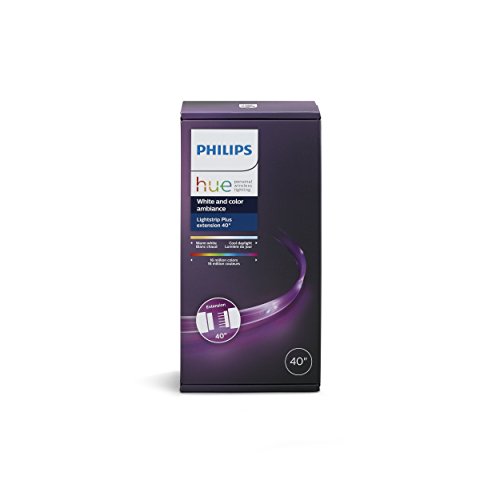
- Use this product to extend your Philips Hue LightStrip Plus (sold separately) by adding this 40-inch extension to cover larger surfaces and enable wider applications.
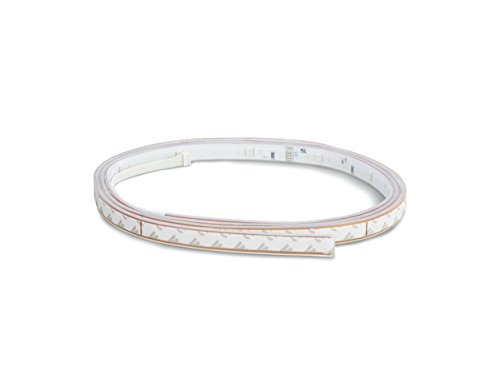
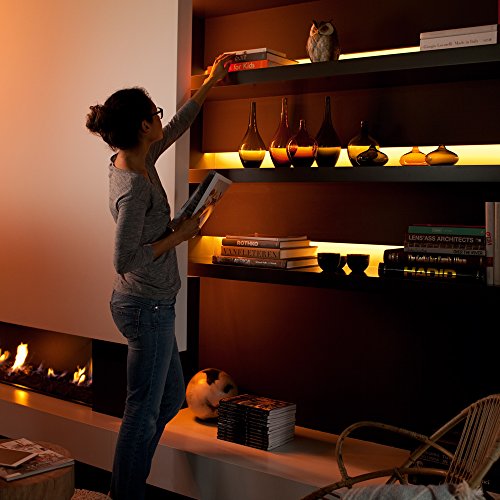
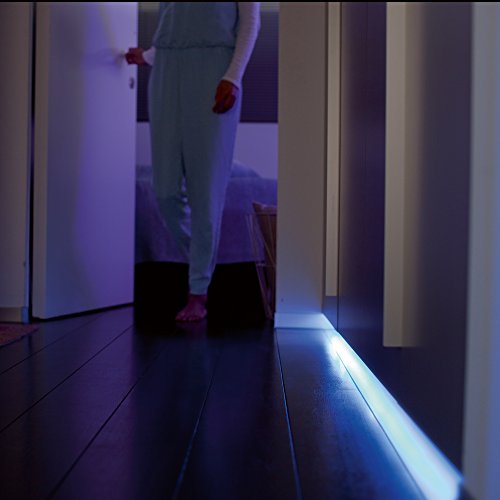
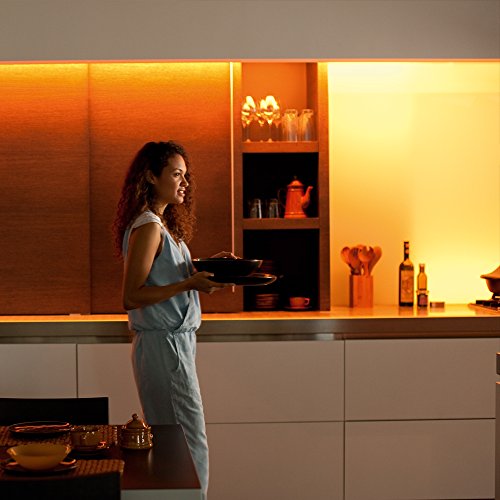
- The LightStrip Plus Extension is perfect under bars, bed frames, or cabinets, with included adhesive tape. Trim it to the perfect size with the included cut marks.
- When connected to Hue Hub, add more ways to control your lighting with versatile Hue accessories (sold separately) such as Hue Dimmer Switch, Hue Tap, or Hue Motion Sensor.
-
Information
-
Twitter
-
Pinterest
-
Youtube
-
Facebook
Zoraez Siddiqui
High quality, amazing software. Worth the higher price tag than alternatives.
I've been loving Philips Hue lights since I got my first Bulb kit - even if they are a bit pricey. But what sets these apart from the $20 alternatives you can find on Amazon is the Hue Sync program on Windows/Mac. If your setup includes a computer at all, these can be an essential part of your smart home lighting. They can sync with music, which is super fun, but they can also sync with your TV or Monitor to bring the colors of your screen into your space and really enhance your viewing or PC gaming experience. If you're a console gamer (I also have a PS4 and a Switch), there aren't any easy ways to sync the lights to consoles, but that's a software issue which I hope Philips addresses in the future. They've made huge strides in their software over the past year alone, so I'm excited to see where they take it next. I have currently have two of these strips set up on my entertainment center. One is stuck to the back-top portion of my 65" TV, and the other is stretched alongside the top of the back of the entrainment center, so I get lighting above and below the TV. It's amazing. With any HD or 4K content, I'm immediately immersed into the viewing experience. It makes my home feel like a catered, professional experience you'd get at a fancy store. Now, for the technical bits of the review. These lights get bright. All colors are clearly visible on my white walls, even in direct sunlight. But at night, my whole place fills with light and I can change it to any color I choose, either via the mobile app or the desktop Hue Sync program. Setup is pretty straightforward. If you have a Hue Bridge, then all you need to do it plug these into a power outlet, stick them where you need to with the pre-applied 3M tape, add your light in the mobile Hue app, and check for updates. Updates can take a while, so sit back and relax for a bit once that starts. I think each one took about 30-40 minutes for me to update, since these use an extremely low-powered (but efficient and effective) WiFi connection. After that, they're ready to be used with Hue Sync and everything else. Now, if this is your first Hue product, you'll need to also get the Hue Bridge so the lights can communicate with your home WiFi network. If you want a similar setup to what I have, I recommend starting your smart home lighting with the Hue Bulb kit that comes with 3 or 4 lights, plus the bridge for free. Otherwise, you gotta spend another $50 for the bridge standalone. Again, I know these things are pricey and a lot of people say they're not worth the price tag. But again, it's the software and the build quality/company that sets these apart. The software gets better and better with each update, and Philips isn't going away any time soon. Whatever generation bulb or strip you buy now will still be supported and updated 5 years down the road. Cheaper knock-offs will probably break down or be unsupported by then. I feel like Philips is a solid company that keeps innovating the smart home lighting experience and leading the way for everyone else. That's why I don't mind spending the extra bit for a quality product.
Choze Young
Very Impactful for Updated Kitchen and Unlimited “Scenes” and “Routines” You Can Create
We updated the kitchen this summer and I replaced the flourescent undermount cabinet lights with these. In addition, I installed them above the cabinets, inside the corner glass cabinet, behind the rangetop, and under inside the island so it would glow through the marble. It ended up costing half what a 3rd party estimated to “install basic LED under cabinet lighting” and delivers much more. The lights can be easily set to create different “scenes” through the app where it can be simple whites or set like a sunset (where each LED strip has a different color of the scene) or even slight flickering like candlelight. Or we even changed it to “batman”-like colors for my son’s 5th birthday. In addition, we’ve created schedules so that they change to nightlight late in the evening, then slowly “waken” in the morning, then shut off automatically during the daytime. While there are some opportunities for improvement involving the Hue App (eg ability to delete scenes), those things are minor and will likely be improved through app updates. The installation itself was not difficult and connectivity to the Hue hub was extremely easy and responsive.
Jon Lavigne
Overall an amazing product. However some modding may be requiered.
Sarfraz Ali
Warning: Illumines Dirty Counters
We're using 4 of these + 4 extensions for our under/over-cabinet kitchen lighting (hopped on the black friday deal), and we are very pleased with them. It took some time/planning to get them installed, but now that they're in and we've been using them for a couple of months, we couldn't be happier with how it turned out. We like the ability to tweak the colors/scenes. We stuck a hue wifi dimmer switch on the fridge to control them, but usually just default to telling Google Home to turn them on/off. The only negative thing I've found is that my wife doesn't like how easy it is to see how dirty the counters are.
Kelly Nichole Presley
I'm in love. . .
I LOVE these! I've placed them under my overhead cabinets in the kitchen to give some ambiance and provide additional light when working in the kitchen after the sun has gone down. My ONLY critique - these are too expensive. That is just how it goes nowadays with Philips Hue products. So pricey, but very high quality. Of course this is Amazon Alexa compatible and I'm guessing most likely requires the Hue Bridge (I have a bridge already because I use so many smart lights from Philips so I'm not positive of whether it's actually REQUIRED to use these lights or not. If in doubt, submit a question and Philips will let you know).
Daniel Lovett
Replaced Fluorecent bulbs
I bought these (2 light strip plus and 6 extensions) to replace 6 fluorescent bulbs in my large arched ceiling living room. The lighting is SO much better now. I dont even have them on full, usually 85% brightness and its more than enough. Along with the ability to modify the colors, its absolutely perfect. I almost didnt buy them because I had concerns about them being more than just accent lighting, but I can say they are plenty bright enough, if used right, to replace many lighting options. Including fluorescent. It can be an expensive way to go. Between the extensions and sets, at full price that's nearly $400 before taxes. Plus rewiring to take an AC outlet instead of directly wired for previous lighting. That said, worth every penny to me. Plus if you buy nice light fixtures the price can hit that quickly anyway. And super low energy costs now.
Angie Lopez
AWESOME, easy under counter lights!
AWESOME! I freaking love this light strip. I wanted lights under my kitchen counter but I didn't want to hire an electrician, etc. I already had a hue bridge so this was as easy as linking and peel/stick. Now my Alexa turns on my lights for me. . .in the mornings I have these lights linked with my morning wakeup call. I have the BEST kitchen counter lights ever. LOVE my philips hue. :)
Steven Mfn Dodson
Basic Introduction to LED Lighting and the Philips Hue System
I recently decided to install ‘smart home’ lighting and other devices in my home, and after some research I decided to give the Philips Hue system a try. I also have quite a few basic non-smart LED bulbs in my home. I’m very happy with the Hue system so far although it is going to take some time to fully understand all of the ways it can be varied and used. I use mine together with the Apple HomeKit system, and the integration with HomeKit has been automatic and without difficulty. There is a huge difference in the price of individual bulbs depending on what they are capable of, beginning with basic LED bulbs that don’t offer the integration with the Hue system (remote operation and programming), and continuing to bulbs that are a part of the Hue system and have features including full color control (most expensive). The Philips Hue system requires the use of a Hue hub connected to your home Wi-Fi system to connect and control Hue specific bulbs and accessories, and there are starter kits to obtain the hub together with two or four bulbs. Initially it took some time to understand the differences between the various Philips Hue bulbs, so here is a quick intro. There are five basic Philips LED bulb types (both Hue and non-Hue bulbs). ALL ARE 60W equivalent, Dimmable, E26 type (standard light bulb): - 1. (NOT Hue) 800 lumen Warm 2700K - 2. (NOT Hue) 800 lumen Daylight 5000K - 3. Hue 840 lumen Warm 2700K - 4. Hue 800 lumen White ambiance 2200-6500K - 5. Hue 800 lumen White and color ambiance 2000-6500K plus ’16 million’ colors All of the bulbs above use approximately 9-10 watts at maximum brightness There is a huge difference in prices for the 5 types listed above, from about 2-3 dollars per bulb (1 & 2 above), to 10 per bulb (3 above), 20 per bulb (4 above), and finally 40 per bulb for all the bells and whistles (5 above). I quickly learned that if I don’t need to vary the ‘warmness’ of the light in a certain room or area, then all I need is the basic LED bulb, either warm or daylight, and it doesn’t necessarily need to be a Hue bulb if I don’t need to control the bulbs from an App. The brightness can always be controlled from a LED compatible wall mounted dimmer switch or other smart home dimmer that can integrate into the smart home system. If I want lighting in a certain area or room to have the flexibility to change from warm white to bright daylight, in addition to dimming, then the White ambiance style Hue bulb works great. Finally, if I want to add special effects, varying colors and everything imaginable about the lighting, then the White and color ambiance bulbs give that capability. Starter Kits I started with this basic kit, which includes four of the White ambience bulbs plus the hub: Hue Starter Kit 4 x 800 lumen White ambiance 2200-6500K plus hub Other starter kits are available, either with two or four basic white Hue bulbs, or with two of the White and color ambiance bulbs. Lightstrips I’ve installed the Hue lightstrips under the counters in our kitchen, and they are terrific. I've also installed them under the sides of the bed in our bedroom, to provide night and ambience lighting: Hue LightStrip 1600 lumen White and color ambiance 2000-6500K plus ’16 million’ colors The lightstrips have turned out to be one of the more enjoyable parts of the system and are very easy to install. Accessories and Control Options All of the Hue products can be controlled using the App, and there is a huge amount of flexibility available in how the lights are programmed. They can be organized by room or in other ways, and controlled in groups or separately. Hue bulbs are not intended to be used with a wall mounted dimmer switch unless the dimmer is specifically intended to be used with the Hue system. Once a light is turned off using the wall switch, then it can’t be turned back on using the Hue controls (power needs to be supplied to the bulb at all times in order for the bulb to be controllable by the Hue system, even if the bulb is turned off. This is not intuitive at first and is a part of why installing these kinds of bulbs in a home requires considerable thought about how you will use them and what is most convenient for any particular situation). The Hue dimmer switch / remote is a handy accessory to have, if you want to be able to control lights without using the App: Hue Smart Dimmer Switch Hue Smart Dimmer Switch plus 1 800 lumen White ambience 220-6500K I have two of these dimmer switches and use one to control the undercounter lights in our kitchen. For those particular lights it is the only way they can be controlled all at the same time since they plug into different outlets and the outlets are not controlled by any wall switches. There is also a ‘tap switch’ available, and a motion sensor. I have not tried either of those products yet. There is a lot more that could be said about this Hue system but my intention here is only to give a quick introduction to the types of lighting available and some of the ways in which they can be used.
Christopher M Mccard
Black Friday deal '17 > Prime Day deal '18
Purchased 2 of these in Nov 2017 for $49. Prime day '18 listed them for $64 so I will hold out for a better discount price. Product is great if you're into Hue products. There are some decent apps that allow you sync music in your home or create moods you like.
Po Kouji
Best Phillips Hue product! Beautiful colors!
The colors on this Philips light strip are better than the older generation hue bulbs in the newer generation as well. It is better and brighter greens and blues and it syncs up perfectly with my other Hue products. Both the generation of bulbs that I have the green is more like a dark yellow and this is a true green pretty much all the colors are better and more crisp more genuine and true! I put it behind our TV and just taped it up rather than unappealing the sticky part on the back of it because it seemed very difficult to corner around the edges behind the TV so hopefully this tip will help you as well and if you ever need to move it it will be easier to rip off the tape compared to The colors on this Philips light strip are better than the older generation hue bulbs in the newer generation as well. It is better and brighter greens and blues and it syncs up perfectly with my other Hue products. I put it behind our TV and just taped it up rather than on peeling the sticky part on the back of it because it seemed very difficult to corner around the edges behind the TV so hopefully this tip will help you as well and if you ever need to move it it will be easier to rip off the tape compared to ripping off the adhesive. Also I bought this for 71 bucks compared to the 89.99 original price to make sure you wait for this to go on sale **** if you found this review helpful please click helpful as I will be encouraged to come back and update my review :) have a great day!!!!