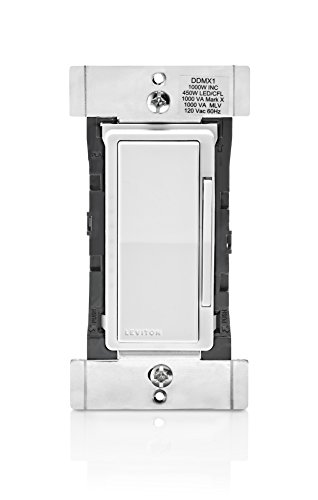

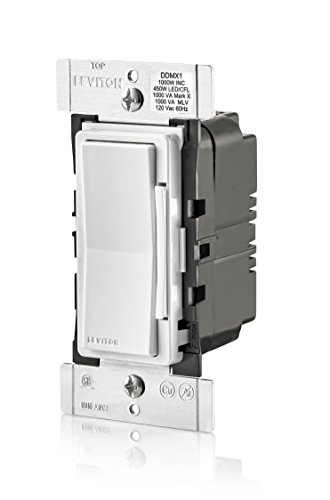
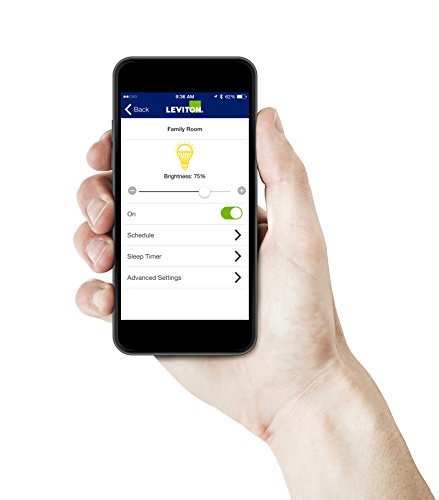



- Combination dimmer, 24 hour programmable timer & countdown timer with Bluetooth technology to wirelessly control lights using a smartphone or tablet
- App provides local control within a 30 foot range without the need of a hub, gateway or internet connection
- Compatible with 1000W Incandescent, 450W LED/CFL, 1000VA Magnetic Low Voltage, and 1000VA Mark 10 Powerline
- Single pole or 3-way/multi-location control when used with the DD00R-DL Decora Digital dimmer remote (sold separately)
- Neutral wire required for installation
- See LED bulb compatibility in the technical specifications below (comparison chart PDF).
-
Information
-
Twitter
-
Pinterest
-
Youtube
-
Facebook
Jennifer Mosby
Excellent combo dimmer timer
Combo dimmer timers are really hard to find, this Leviton product was excellent. You should be able to change out a light switch ie basic wiring skills. Bluetooth setup a breeze. When setting up make sure to enable location - I normally stop apps from using my location. Location for this product is important as it uses your time zone and sets time within the unit. I haven't experienced any trouble using this manually either. Using it to control outside LED lights (BR30s), which are really bright - hence the dimmer. Buy this quality product for simple control of switched lights.
Misty Rene Freudenberg
Works perfectly with simple installation & instructions
Easy installation with clear instructions. Needs neutral and ground wires. 1 or 3-way use. The app is well thought out and works flawlessly with Android. Bluetooth range is about 10 feet. This is not an WiFi Ethernet device. Program it to turn on and off while you are away before you leave. The schedule is flexible and can be programmed to turn the lights out automatically when they get forgetful left on. Ditto for on times. The schedule can be randomized for a lived on look. Great execution Leviton.
Antonio Villaalta
Digital Dimmer & Timer in One = Genius
Having bluetooth to quickly program this with the Leviton Decora Digital app on my iPhone was very simple. In my case, I'm using it for two new dark-sky type garage door lights. Of course, like most lighting fixtures they are rated for 60 watts max (incandescent) but I wanted to put 100 watt or even 150 watt bulbs in for when I wanted a lot of light in our driveway for when doing projects or kids playing, but for 95% of the time to have them dimmed down to a very subtle level. This dimmer/timer allowed me to set it up to automatically come on from dusk to dawn and I found that 35% is the exact setting I like. When I want to go full power, just tap the dimmer itself to full power for those few times a month I want to light up the night (you could use the app also, but it's a few more steps). There a lot of additional extra settings to fine tune your light scenes and it will work with LED, CFL's and more. A very well thought out product if you do not need it to sync with other "smart home" systems. I have those too, but in this case my garage security lighting was mostly a set it and forget it endeavor and for the price, this is a great product very thoughtfully engineered and nice to look at.
Ñööri Mãlik
How a Bluetooth dimmer switch should be designed!
Great, this is what a Bluetooth dimmer switch should be! I had a horrific experience with the GE Bluetooth Smart Dimmer (In-Wall), 13870 which set up me to appreciate this switch. The best part is that it doesn't require a working Internet connection and cloud server to be functional in order for you to turn on a light in your own house! No registration/login required. It fades the brightness up and down automatically when turning the light on and off, a nice touch which the GE dimmer doesn't have. It has LEDs on the front to help you find it in the dark and to show brightness level, and the smartphone app allows you to turn them OFF! This is great because I don't want small lights shining in my bedroom at night.
Nick Smus
Controls my Water Feature
I bought this to allow me to control my water feature with my iPhone. It works great and was very easy to install. Now I don't have to go into my garage to turn the water feature on or off; I just pull out my iPhone and turn it on or off. I plan to eventually us the schedule feature to turn it on and off automatically. My water feature consists of a water pump plus LED lights mounted in a 25 gallon tank adjacent to my new patio.
Tiffany Alipater
Simple and effective
I'm distressed by the many reviews that start with a version of, "I don't know anything about electricity but...". Electricity kills people, either during the installation or, later, in fires caused by faulty wiring. If you don't know what you're doing, hire an electrician. Installation of this switch is easy. The only issue, as with any device that needs a neutral wire, is connecting to the (usually) overloaded,wirenut that bundles all the Whites together. (If you don't have a neutral wire, don't tie it to ground instead. That's a code violation and safety hazard. ) Programming was dirt simple. The app found my latitude and longitude automatically. It,took two minutes to set up the sunset on and sunrise off events. A useful improvement would be the addition of offsets; in some locations it gets dark before or after sunset, and vice versa. This switch replaced a dead one with a dozen cryptic tiny buttons. Having the programming functions on a phone was a great improvement.
Elena Hepworth
Finally, a smart way to control my exterior lights that is easy to program
I bought this Leviton DDS15 to replace an aging Intermatic timer that had become erratic. I was never a fan of needing to manipulate the tiny buttons hidden behind the manual on / off switch on that device at least twice a year when Daylight Savings Time started and ended but there were no other options at the time. I am controlling three exterior lights on the front of my house and since those lights can be turned on or off in two different locations, I also purchased the DD0SR companion switch because I have what is commonly called a 3 Way switch set up. The quick change front plates for white, ivory and almond all coming in the box is a nice feature, I can see where it would be very beneficial for both those who sell these units (to keep inventory to a minimum) and for people who are in the industry, such as electricians or lighting control people, since there is no need to stock three different colors. It also appears that you can special order color change kits if you want other colors besides the three that come in the box. The 3 way installation isn't for a novice in electrical wiring, the instructions are clear, you just need to be sure you are reading the section that applies to your particular situation. Since my 3 way installation encompassed only two physical locations that is the situation I am commenting on. First, set aside any knowledge or previous experience you may have connecting 3 way light switches, that was the hardest part for me. Once I started with a "clean slate" with no preconceived notions based on past experience the process went much better. Second, the DDS15 and the DD0SR both need a connection to the neutral electrical wire. This is much different than any timer I had ever connected before because none of the previous units I have installed needed neutral, even the simplest regular light switch has no need for a connection to the neutral wire. Third, you need to be sure you know which wires go to the load you want the timer to control (in my case the front lights). You also need to know which wires are supplying the electrical power to the box you are working in and do not even think about hooking this timer up without shutting off the breaker that supplies power to the box. If you are not familiar with how to accomplish these preliminary tasks, play it safe and get a hold of someone that does. This is not an installation where you can "get through it by trial and error". Those who have hooked up three way switches before will recall there is usually a cable containing four wires that runs between switch locations, and usually there is a white, black, red and ground wire contained within such cables. Since I had the cable that supplies the power to the box from the breaker panel, and the cable that went to the lights (the load) as well as the four wire cable to the other switch location in the same electrical box, that is where I placed the DDS15. The instruction sheet that comes with the timer has a specific section for this situation, they also have sections for other possible situations. I removed the existing timer and the switch at the other switch location before I began the hook up of the DDS15. As I mentioned above older timers didn't need a connection to the neutral (usually white) wire, but both of these devices do. Since there was no neutral wire in the second switch location, I went back to the wiring instructions. What I found was that out of the four wires in the cable between the two switch locations, I only needed to connect three of them including the neutral. That is the big difference between these devices and a normal three way switch installation between two locations. These devices use the neutral wire and one other wire as a communications pathway between them instead of actually carrying power between the two switch locations like a normal 3 way installation would. In this case the instructions said connect neutral to both devices at the appropriate location and one wire between the terminals on the two devices marked "red/yellow" along with the ground wire on each device. I used the white wire of the four wire cable to carry the neutral from the box where the DDS15 was to the second switch location solving the problem of no neutral in the second box. I chose the red wire to go between the two "red/yellow" terminals on the two devices. I connected the grounds and coiled the black wire on the four wire cable up on each end and tucked it in the box since it isn't needed for this type of install. The other connections to the DDS15 are pretty standard, one for the incoming power, one for the load being controlled. So, essentially the DDS15 does all the actual turning on and off of the lights, the DD0SR is called a companion because it just signals the DDS15 to turn the lights on or off from a different location. Once everything is connected, you restore power at the breaker panel and touch the top of the rocker switches on each device to turn the lights on and touch the bottom of those same rocker switches to turn the lights off. There is a little green LED that is on when the lights are off, and off when the lights are on which is similar to how an illuminated light switch works. If the turn on / turn off test passes, you are ready to button everything up at the switch location(s) and download the app so you can connect to the DDS15 via bluetooth from your smartphone or tablet for programming. Since I want the front lights to come on at sunset and go off at a preset time, but come back on in the early morning hours when I leave for work and go off at sunrise, I thought that would be a huge task to program. I was completely wrong about that being difficult. The programming couldn't have been easier. If you want the timer to do something at sunrise or sunset, be sure to have your location services option enabled on your smartphone or tablet when you program the timer. It also helps to have your WiFi on because the timer uses the location information from your smartphone or tablet to determine the latitude and longitude of your location. It uses this information to automatically adjust the time it does its turn on / turn off thing based on the sunrise and sunset times for your particular spot in the world. That is huge, no more fooling around with the timer during the twice yearly daylight savings time clock adjustments and no more adjusting for the changing amounts of daylight between winter and summer. Set up the timer and it does the work for you, and it does it better than you could, since it adjusts itself daily if you use the sunrise or sunset functionality.
Conika Yates
Great Device!
Great product. It does everything I wanted it to. I initially had a problem, had to remove the app from my phone and reload. Since then no problems. The app is loaded on my iPhone, I can stand outside to observe the lights and program the device. I have it controlling my outside soffit lighting. I program the schedules using the app on my phone which makes it so easy. I have them set to come on early morning and go off at sunup. And again early evening and off at 11:30pm. Also there is a random setting that allows them to come on at different times near the scheduled times when gone so it looks like your home. You can also set schedules with different dimming levels which is great. I've been using this device for about six months now and will purchase another for the back lights.
David Woods
Bluetooth enabled lighting is a wonderful thing. The Leviton wireless technology is affordable and ...
Bluetooth enabled lighting is a wonderful thing. Leviton's wireless technology is affordable and simple to install. Download the app for full operational options from sleep timers to alarm settings, slow dim, fast dim, max intensity settings and minimum light thresholds, on and off weekly vacation schedules, activate lighting as you approach your front door or from your leather zero gravity chair. All settings can be bypassed by manual switch adjustments. App responds well no delay in action. Works with LED's. #feeling spoiled
Apple Gabriel Cabading
great switch, complicated install with 3-pole config
Going with the Leviton bluetooth smart switches gives you a big advantage over a traditional timer smart-switch: they're extremely easy to configure! Yes, you can also turn them on or off by using the Decora app on your phone, but that is slow and cumbersome. Where these really stand out is when you want to just program a switch and forget about it. I like that these aren't connected to a cloud service or connected to my wifi. Yeah, someone can probably park their car in my driveway and hack into it to turn a switch on or off, but that is about the extent of it. Range is 30-40 feet. Outside of that, when you launch the app, it will simply tell you that the switch is out of range. I notice that if you have an extended power outage (a few minutes or more), these seem to lose track of time and your schedules get way off. To fix this, I find I have to launch the decora app (within range of the switch), then open the switch, then simply click on "schedule" to review the schedule. In doing that, time seems to be correctly set back onto the switch. I really wish this wasn't necessary, but I've had two power outages in the last month and both times, all of my switch schedules quit working. I installed this in a 3-pole configuration (in my case, two light switches controlling the lights) so I had to install the companion Leviton DD0SR-1Z remote. Without this remote, the main switch cannot work in a 3-pole configuration. The 3-pole installation is a lot more difficult than a traditional light switch installation. And this Leviton is on the hard-end of 3-pole configurations because the wiring between the remote and this has to be just right so they can coordinate. I ended up having to hire an electrician and it took him about 2 hours to figure it out. In the end, I'm happy with this. I wish it kept time during power outages, but those really don't happen very often for most people. If I needed remote control (outside the home) or wanted a much faster app interface, I'd probably buy Belkin Wemo. But Belkin explicitly doesn't work in a 3-pole configuration.