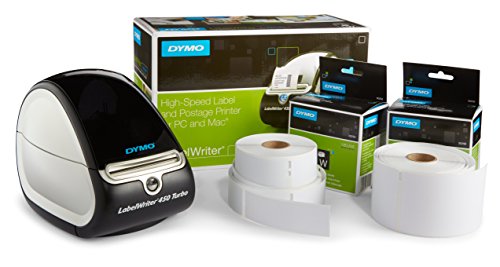
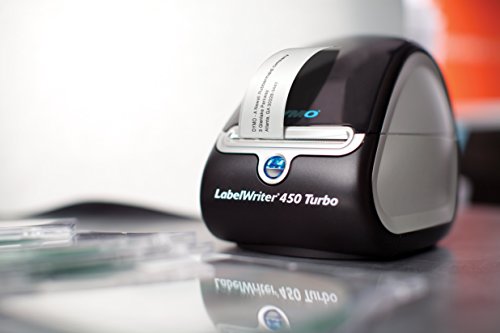
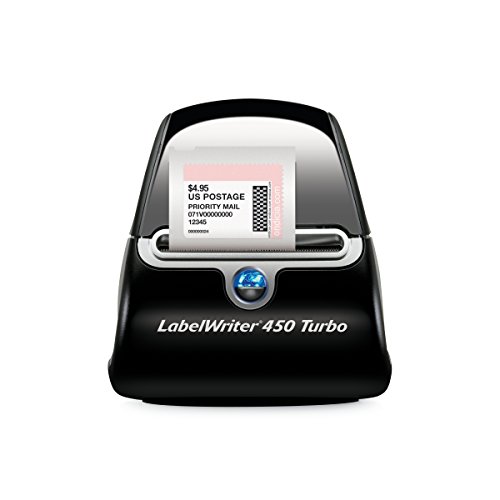
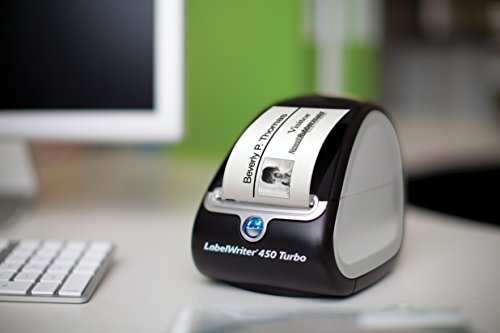
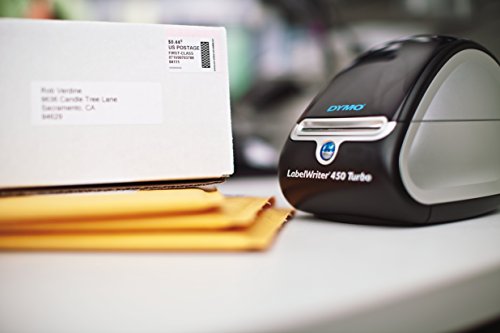
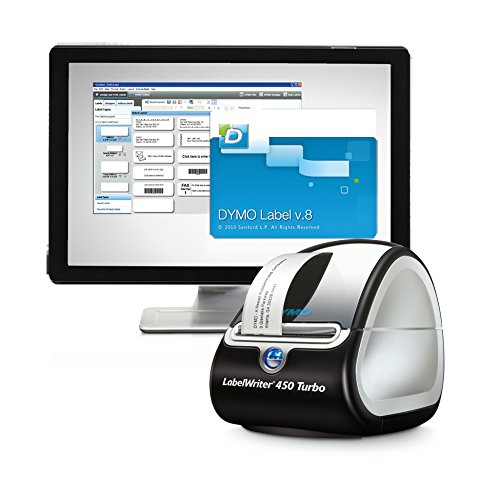
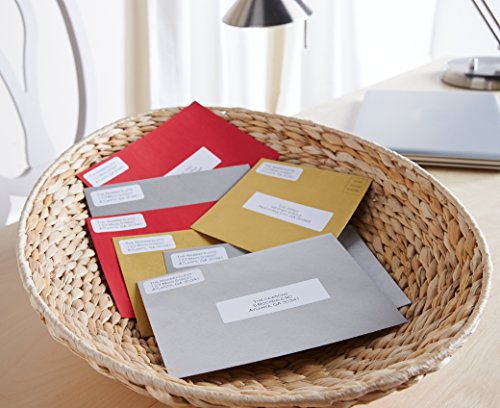

- Thermal printer and label bundle equips your office to quickly print custom postage, address and return address labels
- Print postage and high-resolution labels directly from your computer using popular programs like Word and Outlook
- Save money with thermal printing technology that prints without expensive ink or toner
- Create perfect self-adhesive white labels and postage in precise quantities– no label waste!
- Bundle includes: LW450 Turbo labeler, roll of address labels, roll of return address labels, stamps starter roll, adapter, power cable, USB cable, quick-start guide and DYMO Label Software CD (1752265 & 30252)
-
Information
-
Twitter
-
Pinterest
-
Youtube
-
Facebook
Jackie Fitch
Love it
I love this machine. As a LuLaRoe Consultant I ship constantly and was going to the post office every day at first. This thing saves me so much time and was crazy easy to set up. Literally just plugged it in and downloaded the desktop application.
Dawn Miller
Simple and easy to setup
After reading some negative reviews on the dymo 450 turbo I was hesitant but I ordered one anyway, I must say it worked perfect with zero issues and prints very fast, perfect for what I need
Mehdi Arabpour
Great Product, consumables are pricey
If you were around in the "good ole days" DYMO was the first hand tool to make embossed labels from a variety of contiguous roll materials. After graduating from those frustrating embossed plastic labels that rarely came out right due to operator spacing errors, and had an annoying adhesive backing layer that was nearly impossible to remove, the thermal printer was a rich and enjoyable upgrade experience. I do NOT use my DYMO LabelWriter 450 to make pre-paid postage labels, so I can not comment on the "ins-n-outs" of that facet for this thermal label maker but I have read there is some controversy about that feature. I have made barcode, simple labels, both small and large and in various sizes with multiple lines of text or graphic. It is a very useful tool, but the mainstay is the ability to make customized peel and stick labels for almost anything. I purchase third party labels from a different supplier other than DYMO. I know that is not a nice thing to do, but DYMO like other printer makers depend upon consumables to supplement product costs and bolster profit margins. My take on that is, why be greedy? It only hurts future purchases as others find a way to meet demand at a lower cost and still profit.
Amy Jenkins
No custom label templates?
EDIT - 10-19-16: I forgot to update this review. I reached out to customer support and all I had to do was re-install the software and my issue was resolved. Updated to 5 stars. (Pros: Prints fast; no smudging (because it's thermal); super-easy initial set up. Cons: Instructions for downloading or creating a template for labels not pre-loaded into the program don't exist. Anywhere. I have the 1" x 1.5" "Book Spine" labels (Dymo 30347). This label does not exist in the most recent software (8.5.1), and I can't find anywhere to download this template. You can create them in Microsoft Word, but the waste associated with the necessary trial-and-error is astounding. If there were a knowledge base or support forums available, that would have made my search much easier. But, no such luck at this time.
Kaori Miyawaki
No more wasting ink, labels, and TIME!!!
This makes label printing fool-proof! No more wasting ink (according to the instructions, the only thing you need to worry about is having labels to keep the machine fed)! This was super easy to set up: install the CD software first, then plug in the power cord and USB cord to your computer and turn it on. That's it! Once you open up the program on your computer, they give you a few templates to choose from, you edit your information, select how many copies you need, click "PRINT", and voilà! I bought this for an elderly family friend who makes baked goods and kept bugging me about her labels not being properly aligned when she printed them. I ordered this on a Wednesday, received on Friday (thanks Prime!), went to her house on Saturday and set her up within 10 minutes. Great purchase!!!!
Yawar Khan
LabelWriter 450 Turbo is a solid performer, the software interface takes some getting used to
I read a lot of reviews and found this unit through this vendor as my final choice, after yet another late night trying to find the right product at the right price. The tape loads and can be easily changed, once you are clear as the directions and other reviewers state that you need to keep the tape aligned to the left when loading. (It becomes second nature). The machine works perfectly. I do not find the software very intuitive and getting the information online either through the Dymo site or internet searches still left me at a loss. (A video for dummies walking me through all of the features and how to use them "in detail" would be helpful even now). The Dymo tech support rep helped me design what I thought would have been a standard template to be included, which is my return address on top, then a horizontal bar with the ship to address on the bottom. The standard label template comes with a bar code I did not need to use. The Dymo person was great and while she was on a windows machine and I was on a Mac, she had me join her at an online site, and shared her screen with me. Given it was late on a Friday, she held in there with me and went through things several times to be sure I understood AND that I could do it on my own without her help. Which I can now do. I have not figured out how the software links to my Mac contacts and updating my contacts did not show up in the Dymo Apple Contacts connected view. I have worked around this but will be calling tech support. If I had gotten the model with the two side by side label printing it would have been the ideal, but I don't remember the cost. I am satisfied with this product and the vendor.
Jacob Martinez
It works great, with the exception of one paper jam the ...
I've had this label writer for about a month now and have made about 800 Barcode labels with it. It works great, with the exception of one paper jam the entire time, but it was easy to fix and did not ruin my sticker roll. It works incredibly fast. I am also very impressed with the software that DYMO makes for this label writer. It us so incredibly easy to use! I can import excel sheets to make printing barcodes so much quicker. The only thing I've noticed this is not that great with the software is the home made image importing. They always look a bit pixelated. But other than that, it's a great product that I am happy I bought.
Christine Turney
Amazon FBA must-have!
I recently started with Amazon FBA and after doing extensive research on laser and thermal printers for my barcodes I decided on the DYMO 450 turbo. So far I haven't regretted my decision for a single second. The setup was fast and simple, took me 10 minutes tops. The barcodes come out perfect and I like that fact that it's small and doesn't take up much space on my desk.
Lisa Keyser
it is great now. even if it breaks again after a ...
I originally ordered directly from DYMO for $135, but it broke after 1 year. I found this on Amazon for half price, it is great now. even if it breaks again after a year I will not be as upset as I got the first one because I paid half price. it is a good machine , I use a lot.
Nathanial Lovgren
A wonderful product to have around the office
We would up getting a lot of use out of this as soon as it came out of the box. We printed over 300 stickers as we hit the floor running the first day and have been using it ever since. It is lightyears better when it comes to performance than their smaller USB model (DYMO LabelManager Plug N Play) since it doesn't error out half the time (the smaller model is notorious for printing about 50-60% of a label and stopping for no reason, leading to a massive waste in labels). We haven't (knock on wood) had a single label misprint yet, and we are on our 5th or 6th roll by now.