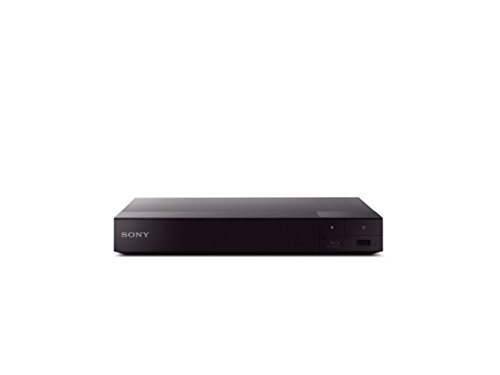
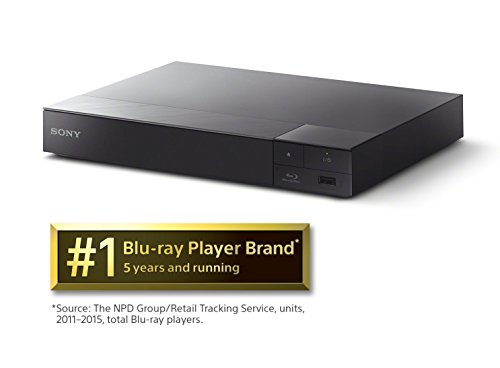


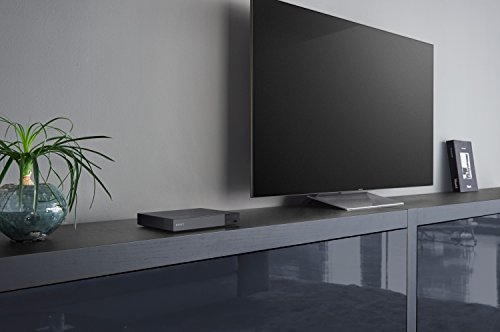

- Inputs/Outputs: 1 HDMI, 1 USB, 1 Coaxial, 1 Ethernet. Features built in wifi 2.4 GHz, 5 GHz with mimo
- Smart Functionality: With built-in Wi-Fi you can wirelessly access popular streaming apps and services including Netflix, YouTube, Hulu Plus, Amazon Instant Video & more.
- 4K Upscaling: Get the most out of your 4K Ultra HD TV by upscaling the quality of your Blu-ray movies to near 4K quality. 4K Ultra HD discs are not supported. The upscaling chip also improves the quality of online content, and upconverts DVD's to near HD quality for an improved viewing experience
- Sound: Experience HD sound with Dolby and dts-Master Audio. Enjoy multi-room streaming capabilities with the SongPal Link Apps, and connect via bluetooth to enjoy wireless listening.
- Screen Mirroring: View your Android mobile devices' content on your TV with Miracast screen mirroring technology.
- Front USB Port: Enjoy your videos, photos and digital music with USB connectivity. Power Consumption: 12 W
- DLNA Home sharing : DLNA allows you to share multimedia content across all supported devices in your home
-
Information
-
Twitter
-
Pinterest
-
Youtube
-
Facebook
Crystal Morandi
Be careful of any DVD players that promise all-world, all- regions disc play...
I researched and learned a lot before I bought this Sony DVD player. I have many DVDs from Europe, and was hoping to find a player that would allow me to play both US and EU formats. (Multi-format players are quite common and in-expensive in Europe). In the US however, there are many creative labels now applied for PAL, etc. regional codes, and the labeling on the boxes and the product descriptions are very misleading, making the customer think that all regions can be played. My son explained that many of the DVD players that are sold in the US have been "modified" after-production and are not reliable, and perhaps no longer warrantied by the original manufacturer. I don't understand the technology, but decided to avoid the products with conflicting regional descriptions. This Sony is not described as all-regions, but it does allow you some choices during set-up, so I tried to change the regional settings. After much experimentation with the set-up choices, I eventually discovered I cannot play EU-format discs on this Sony, but am very happy with the player, quality, picture, etc. And now I can buy Blu-rays and upgrade my DVD collection. Time for me to move into the modern world, and I can still play my old EU formats on my computer, hooked up to my TV.
Francisco Peña
Great Unit for the Money
Short Version: I use this unit primarily for streaming but I also wanted blu-ray/dvd/cd capability in a single unit. It excels at all functions. While my wireless signal is strong, I prefer wired connections for added stability - another feature of this player. Performance is very good all around and I recommend the unit as a great value for the money. Details and minor flaws noted below: Compatibility: First and foremost understand THIS IS NOT A 4K PLAYER. It uses "4K upscaling" which is of limited value unless you have a 4K (UHD) display, and even then you'll be disappointed. Here's why: The BDP-S6700 HDMI output is version 1.4a which meets some, but not all, of the minimum requirements for 4K video. Of particular note is color depth. HDMI 1.4a displays a maximum 8-bit color depth (256 colors) which is VGA quality. For full 4K color resolution you need a player with HDMI ver 2.0 or better to get the 10-, 12- or 16-bit colors that really make the new 4K displays shine. I knew this going in so the BDP-S6700 was a perfect match for my "older" (2012) Samsung HD plasma display and Denon AVR-591 receiver. CAUTION: If you set your BDP-S6700 to a color depth greater than your display can process, you will get screen flickers, interference bands and blank screens. The BDP-S6700 will auto-detect your display and adjust color depth appropriately most of the time. However, if your A/V receiver is rated for 4K - but your display is not - then the BDP-S6700 will pass the high-bit color on to the receiver. Your receiver may or may not scale this back when sending it to your display. This was my experience and it took some hours (and copious cursing) to figure it all out. I offer that experience here to save some of you some frustration. In the settings look for HDMI Deep Color. It defaults to "Auto". Set this to "Off" if you have anything less than a 4K display. Trust me and just do it. You won't see any difference (your display can't resolve it, remember?) and you will save yourself headaches when random artifacts and flickers occur. Performance: The interface is quick and intuitive. Discs load reasonably fast. Network connection was flawless - the BDP-S6700 detected the network, obtained an IP address and accessed the internet within seconds. Network connections have been rock solid since I connected it. Screen mirroring with my Android phone works very well (IOS users are SOL - I tried 14 different apps with no joy). I don't use Bluetooth devices with it but they are detected without issue. Supposedly upscales 2D-3D (yawn). Streaming: BDP-S6700 offers 75 streaming apps, most of which are of no interest to me. They've got cooking channels, shopping channels, sports, movies, TV, news. There's even an app in Russian. The most useful IMHO are: Amazon Prime Video, Netflix, Vudu, Hulu, YouTube, Pandora and Spotify. All of these work flawlessly with one caveat - the search functions using the remote are tedious in every case. Otherwise, they are great. The Home Screen lets you customize 10 - and only 10 - of your favorites. You can't change the "Featured Apps" so half the Home Screen is useless. Screen Mirror: The BDP-S6700 uses Miracast so if you want to display your Android content you are in luck. It utilizes the Wi-Fi function of your phone to stream directly to the player. No lag. Sound is perfect. One flaw I noticed is that the wired connection to the BDP-S6700 is disabled while mirroring and doesn't automatically switch back when I'm done. Have to power cycle the unit every time. Only mildly annoying. As mention above, IOS AirPlay doesn't play. You can set up your IOS device as a DNLA server and play media that is physically on the device but you can't stream from the internet nor can you see the IOS device screen (think Facebook, emails, etc). Ironic, since Apple pioneered the technology but then they locked it all up with their proprietary Apple TV system. Oh well... Remote: Small enough to easily fit into the cracks of your couch or recliner and lodge deep in any moving mechanisms. Just sayin'... I actually like the remote for it's simplicity. One of the better device remotes I've used. It is IR directional, so you have to point it at the player with a clear line of sight. You can also download an Android app and control the unit with your phone which is great for entering data in app search boxes. Conclusion: If you just bought a shiny new 4K (UHD) display you are NOT going to like this unit so start shopping for a $500 UHD player. If you just want to stream internet then get a Roku, it's faster with more customization and 2000+ apps. If you still have HD equipment and want to play all those Blu-Ray/DVD/CD discs you've accumulated for the past 20 years, as well as stream the major providers (Netflix, Amazon, Vudu, Pandora, Hulu), then this unit is for you and it's a terrific value for the money.
Chickoo Fredz
Sony ROCKS!! So far . . .
So far, so GREAT. Simple, no quirtks, a bit daunting to update firmare/drivers by USB, but I just don't have time/desire/need to WiFI, my house, YES, you CAN LIVE without WIFI. Read a book. Buttons are "just right" sensitivity wise, my prior Samsung would forget your movie & switch to "Netflix" if a piece of popcorn landed ANYWHERE on the remote. Same when you picked it up. It's quiet, & so far no hiccups. I can't BASH my prior Samsun Blu Ray enough! It finally jammed closed on a library DVD, I got the biggest & sharpest tools from my garage & ripped the tray out. 4th of July I will DETONATE my old Samsun Bluray, along with some single malt scotch. Sony ROCKS!! Except for their Flakey website/ registration. Burned a few hours screwing with THAT.
Gussy Wilson
Fantastically Convenient!
This component is much more than just a BluRay/DVD player, it's access to vast options for your entertainment system! With its built-in apps and WiFi, I can simply and instantly connect wirelessly (tether) to my cell phone (with an unlimited data plan) to access free video and audio services such as YouTube, I Heart Radio and others, as well as inexpensive subscription services such as Amazon Prime and Netflix, giving me an extreme variety of entertainment options at a much less total cost than cable. The DVD and BluRay performance is excellent and picture quality is great, as expected for each type, with the added bonus of improved picture quality of DVDs with the upscaling feature. I find that I use the built-in apps much more than simply playing video discs, watching current (and often live) news, documentaries, app-specific "TV" series and movies, and listening to pristine quality, commercial-free music as well as regular radio stations from across the country, in an extensive variety of genres when puttering around the house and not glued to the screen. This single entertainment component can replace your radio and your expensive cable bill, not to mention your movie rental fees, although you can also conveniently rent or even buy newer movies through the included apps if you choose. Like the smart cellphone did for the landline telephone, this BluRay player greatly expands the horizons of your audio/visual entertainment system so much that you'll wonder how you ever did without it! The only drawback I have found with this machine is the potential of enjoying it way too much!
Kristina Marie La Vallie
Capable of Becoming Streaming Headquarters
I have 1100 DVDs and HD-DVDs and no Blu Ray discs, so needless to say, I was very interested in the Sony machine, because it could not only play, but upgrade DVDs to HD and even beyond if the TV was capable of showing it. Upon receipt, it took perhaps 20 minutes to get it on line with my wireless network, and another 5 minutes to download the latest software. I immediately tested the claim to upgrade DVDs by playing one that had turned green on my old player. Not on was the color restored, but the picture was far superior to what it had been before. I still do not own any Blu Ray discs, so I can't speak to that capability, and I also do not have a 4K or 3D TV, so I can address those features. I do, however, have an excellent Samsung 1920 x 1080 LED, 55-inch TV and the picture of the regular DVDs was excellent. I've saved the best features to the end. I currently use--used--an Apple TV system to stream Netflix and other systems. As one might know, Apple makes it difficult for Amazon Prime Video to stream over their system. Well, this player has the APP for Netflix, Amazon Video, and several others built in. I have not used my Apple TV since I bought this player, because not only does it play what I'm interested in--Netflix, Amazon Video, YouTube, etc. but the picture displayed is far superior to that streamed by Apple TV without the fuss that Apple TV requires. Bottom line--this is an excellent machine that does everything it says it will, and in a very small package (about the size of a lined notepad and about 2 inches high. It weighs less than 3 pounds.
Saima Shahbaz
Easy to Use, Great Picture! Very Happy
I am very happy with this purchase. I recently bought my first flat screen TV, had an older DVD player and an older Sony stereo for 5:1 surround sound. I wanted to be able to make my dumb TV smart, so I bought a Roku. I loved it, but there were no hookups to split the sound from the video and so the sound came through the TV instead of my beautiful vintage Pioneer speakers. This Steaming Blu-Ray solved the problem. I got rid of the old DVD player and put the Roku in a bedroom. I still had a problem, though. The old DVD player had RCA cables to connect to my older stereo system. This does not. It has an audio co-axial cable connection and another connection that was unusable for an older system. I naively thought co-axle cable was what I used in the bedrooms to connect the TV to cable. So, I researched what it was, bought an audio sound co-axial cable and I needed a digital to analog converter box. The audio co-axial attached to the converter box, and the other side of the converter box had RCA hookup. Voila! I now have wonderful streaming, and I can hear my sound through my vintage Pioneer speakers. The player itself was easy to set up. If you have a current stereo system, you will have no problems. I relate my experience for those like me who are modern, but still like their older components. I have not had any issues with the Blu Ray player and thought it was a bargain price wise and functionality.
Kan Dice
Full-featured "do it all" Blu-Ray player with an excellent menu and remote
Sony knows Blu-Ray - they are one of the companies that invented it, and certainly are the company that has been pushing the format most for the past ten years. It is not surprising that their players are "rated best" for the last 4 years - partially because other companies have been exiting the segment, but partially because Sony generally offers the best performance for the money (which is not always the case for Sony products). But Sony has been let down at times by user experience issues - labyrinthine menus, proprietary features or services, and the like. Well, Sony's recent line of players has bucked this trend. The menu is quite easy to use, and though the Sony video service is put on the front page, it is not obtrusive. Video performance is typically excellent, and connectivity is good. Let me tell you what I use a Blu-Ray player for. I do have an extensive collection of discs, so I definitely want video performance to be front and center. By this, I mean, I want to see everything on the disc with no added features - smoothing, edge enhancement, black level monkey-business, whatever. I want to be able to turn all that baloney OFF. Some players hide this stuff under many layers of menu (I have a 2013 Sony AV Receiver combo unit that did this), and some times these "features" are undefeatable (Samsung products have been plagued by undefeatable "enhancements" like this). But I also want comprehensive streaming features. Why, you ask, in an age of Smart TV and streaming sticks? Because I use a disc player as the primary driver of my projector, which has none of these things. I want a player that I can throw anything at and put it on my big projection screen. Sony's recent players, including the BDSP6700, have succeeded in delivering both of these things to me. Video performance has been impeccable, with easily located and defeated "enhancements" turned off, and streaming performance has been comprehensive and excellent as well. The 6700 has all the biggest streaming services on board (e.g. Netflix, Hulu, Amazon), in their most updated menu formats. The 6700 also accepts DLNA sources like my phone to put pictures on the big screen, USB input, and MiraCast. The standout features for this player are 3D, 4K "upscaling," and Bluetooth output. Well, I don't have any glasses, so I cannot yet test 3D. "Upscaling" is snake oil - if you have a 4K display, the display already scales a 1080p source to 4K resolution. The Bluetooth output is implemented well and works like a charm. Just press the Bluetooth button on the remote, and it will search for pairable devices within range. It works in seconds and there is no obvious a/v lag to speak of. Speaking of the remote, I am a fan of Sony's recent clickers. I like that they are relatively small, that they have a dedicated subtitle button, and that the directional pad is arranged in a diamond with a slight inward slant to the buttons, making it easy to locate and use in a darkened room. My only criticism is that the "Favorites" button has been turned into the Bluetooth button. I'd much rather have a programmable favorite button than a Bluetooth one, but maybe that's just me. The 6700 is very slightly larger than the other players in the line, probably to house the Bluetooth antenna. Connections are the same - HDMI out, Ethernet in, Coaxial Digital out, no optical digital out. I prefer ethernet to Wi-Fi for streaming because HD locks in more quickly, but the Wi-Fi performance was excellent as well. I have included some photos that show the menu system of the player, the updated streaming service menus, and a representative still of video quality. You basically can't go wrong, here. Sony's Blu-Ray players are impeccable performers with good menus, remotes, and streaming services. If you need something to do it all, you can't do much better than this. If you don't anticipate using Bluetooth output, I recommend going with the step-down model, the 6500. If you don't need 3D, go with the 3700. With the exception of these two features, the performance of the players should be identical.
Cassy Heichel
Finally, the right all in one player for me.
Given that this is a Sony, it's fast with great video and audio quality for BluRays and DVDs, so I'll leave that to other reviews. Here I'll cover the extra features important in my house. One simple device for everyone in the house to learn and not have to flip between devices and learn different controls is a helpful beginning. The interface is simple and easily customized with the streaming services and NAS connection I want to see. It's a little annoying that the left hand 1/3 of the screen has Sony's "Featured Apps" and they can't be removed, but I'll live with that. Playing a variety of file types from my NAS (or PC at your house) is important to me. My SiliconDust HDHomeRun DVR is recording over the air TV shows (original format MPEG-TS to .mpg for full original quality), the kids videos are pass through of a variety of original formats to .mkv, and the music is FLAC. All these formats are common, but rarely all supported on the same device. Success on all counts for this player! As a frustrated former BDPS6200 owner, the next thing I tested was a 2 hour long Amazon Instant Video to make sure this unit didn't go haywire, lock up and start flooding my home network with traffic. Success! No freezing up on the video services. I am very happy with this new player.
Pierre Francois Du Plessis
Good solid Blu-Ray/DVD player.
I had a Panasonic Blu-Ray player that I did not realize was already from 2011... so with that the unit is no longer updated and I have had a couple of discs that would not play on it, but did on my other Sony. It also had dropped some of its services and was ready to go to pasture....Turns out my parents were on the hunt for a new DVD player (not Blu-Ray) (Which it always played correctly) and I sent it to them to have. For them it does what it needs to. I feel good about it as it worked, but since I use it for more than just discs.... it was simply nice to see it being used versus being disposed of. So I was looking at Blu-Ray players and with my TV's being a number of years old, I decided to get something to tide me over until I get a new TV next year and then I'll take a look at a better unit. So I decided on this Sony unit that installed in about 10-minutes... I had it connected to WiFi in a couple of minutes and it works as I need it to. I still have to add in Amazon Prime video and a couple of other services, but all in all it feels very similar to my other Sony Blu-Ray player that is about 2-years old and is the reason I chose to buy this one. The one benefit is the footprint is smaller than either my other Sony or the Panasonic.
Lynn Vanessa Isaac
Can't beat 4K upscale for 100!
Wow this little machine packs a huge punch, and at the price it's worth every penny! Aside from the normal Bluetooth, Applications (Netflix etc) and Screen Mirroring... it actually does upscale! I'm not going to go out on a limb and say it's going to make everything look as 4K as you'd like; however, I put in the anime Akira to check the claim and I feel like I'm watching it for the first time in ultra HD:) Really happy with this... I have an enormous movie collection, and am a huge fan of silent film and the old Vincent Price films, as well, so I'm looking forward to a binge week! Worth every penny!