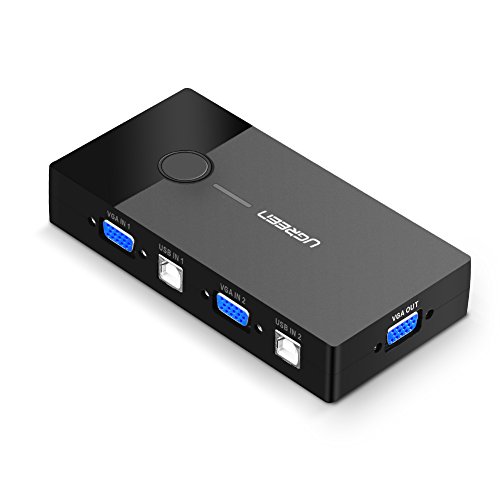


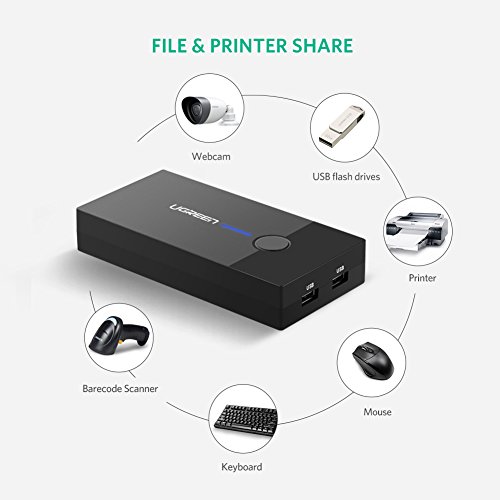

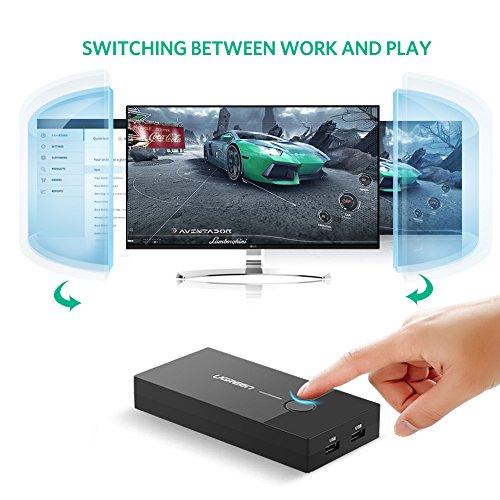

- Ugreen 2 Port USB KVM switch box allows you to control 2 computers with only one set of controls (mouse and keyboard). It is great for workstations, test stands or anywhere multitask between computers is required. USB VGA KVM switch provides a cost-effective way to share one USB keyboard, USB mouse, and VGA monitor to control 2 computers.
- Portable and Easy to Use: 2 USB Type A connectors, 2 USB Type B connectors, and 3 VGA connectors. The 2 In 1 Out KVM Switch between two computers is controlled by the push button on the top of the unit. 2 USB Type B connectors support not only for data transfer but also for the power supply. No external power required.
- Higher Definition Output: Ugreen USB KVM switch supports high-definition image and supports maximum resolution up to 1920 x 1440. The adapter supports only for video output. But you can enjoy the audio through speakers from PC.
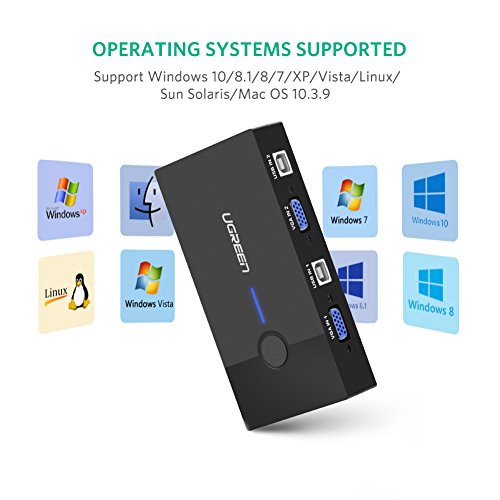
- Wide Compatibility: Windows 10/8/7 / XP / Vista (32/64-bit), Mac, Linux, Sun Solaris, DOS, Win3, WINNT, Netware, and Unix. The VGA Switcher Box also supports online games and DVR. Plug and Play: no power supply, or software needed.
- Important Note: Please make sure the VGA Input Connector 1 and USB B Connector 1 were plugged in the same Host. VGA IN1 and USB IN1 is corresponding. Do NOT support VGA IN1 and USB IN2 mixed insertion.
-
Information
-
Twitter
-
Pinterest
-
Youtube
-
Facebook
Juvelyn Licaros
Works Great With Wireless Devices
I have a personal MacBook Pro and a work-issued Dell laptop. I got tired of having both open on my desk at the same time and having to shuffle each around as I shifted tasks between the two. I now have both laptops on a box next to my desk, with each set to not sleep when the lid is closed. I also have a 27" monitor being fed by the video outputs of each laptop via this switch. Both the keyboard and mouse are wireless Logitech devices that use their unifying receiver to connect to the computer (or in this case, the switch). No bluetooth issues, no cables from keyboard/mouse, just a tiny receiver for each that plugs into a USB port and auto-recognizes the device to which it is paired. Everything works perfectly, and did from the very first time I turned it all on. So, yes, you can easily use this with wireless keyboards and mice. The switch is still hard-wired to the laptops via USB for the keyboard/mouse functionality and for the VGA video output, but all of that is out of sight down by the floor on the side of my desk, which is also where I have this switch mounted to the desk with heavy duty 3M Command Strips. To switch from one laptop to the other, I just reach over to the side of the desk and tap the button. As mentioned by a few others, there is a 3-4 second lag before the video from the other laptop appears, but that's irrelevant in my case because I can't imagine any scenario in which I need it to happen any faster. The only other delay is if I need to tap a key on the keyboard or move/click the mouse to energize the video output of the new source laptop. Neither of them goes to sleep, but the video output does if they're inactive long enough. I could probably change that, but I don't really care. I'm just glad everything works so seamlessly. The only thing I wish I had realized before I bought this particular switch is that there is no support for sound. The USB ports are only for the keyboard/mouse pass through and the only video support is VGA, which does not transmit sound. I had to do some extra setup to get the sound from the two different laptops to play through one set of desktop speakers, but having HDMI inputs/outputs on the switch for video AND audio would have been easier and require fewer cables. Still, it's not important enough for me to get a different switch. This one works very well and I can easily replace the underlying switch mechanism if it ever wears out.
Nathanial Lovgren
This switch was perfect for my needs as my personal pc is a ...
I needed a solution to share my personal pc monitor, keyboard and mouse with my docking station for work as I have a very small desk but wanted to be able to do all my professional and personal computing in the same place. This switch was perfect for my needs as my personal pc is a bit older and does not use HDMI. It was easy to set up and works perfectly.
Bryan Soon
Works perfectly.
I use this device to facilitate sharing a monitor between my desktop and laptop computers. I also have two wireless keyboards and mice, one pair for each computer. I was able to share one wireless keyboard and mouse between both computers by using both dongles on the UGREEN device, thereby eliminating the need to swap wireless keyboard and mouse each time I switched computers.
Colleen Anora Conant
Reasonable price; straightforward to use
This KVM works great with my setup. No configuration is required beyond simply attaching the USB and VGA cables as desired. With two built-in USB inputs, there is a bit of flexibility but I find it easier to use a separate USB hub to "merge" USB input/output and then attach the hub to the KVM. It works fine with my monitor (a Dell 1920x1080 connected via VGA). I'm using it with a Linux box and a Windows box -- no issues w/either system. The switch on top is great for conveniently switching (no fiddling w/a small switch). So far I haven't identified any significant drawbacks or weaknesses associated with the switch...
Yatish Kakade
One Star
Once I figured out how to set it up, it works great. Video quality is great and mouse and keyboard switches nicely. At first I thought it didn't work but found out that the first time used, the switch must be in the position of the computer before booting the computer. Then switch to other position and boot up that computer. If you don't have it switched to the booting computer, the mouse and keyboard will not be recognized. The video switch works regardless of how the switch is positioned at boot.
Victoria Antionette Chakales
Works as advertised and supports wireless keyboard and mouse.
It did exactly what it said and worked with my Microsoft wireless keyboard and mouse. I can use 2 PC's with one monitor and one "keyboard and mouse" set with the click of a button to determine which PC is displaying on the screen. Note: this is not for dual monitors; though I have dual monitors; in this case you can use dual monitors on on of the two PC's but when you switch you only have a single monitor. Affordable and does what is says and more (it did not advertise that it would work with wireless accessories).
Nwobodo Emeka Stanley
This makes working with two computers a pleasure!
I received this only today, and already I love it! I already had VGA cables connected so it was easy to swap them into this KVM switch. Running a single USB cable (provided with this switch) to each computer was also painless, and I was happy to see both my computers working with only one monitor, keyboard, and mouse. I did have one small problem that is worth noting so others do not repeat my error. I thought I unplugged the mouse from both computers and plugged in the USB cable from the KVM switch. One computer worked perfectly, but the mouse did not work on the other computer. I noticed that the original mouse that was connected to that computer still did work, so I quickly realized that the USB I unplugged from that computer was not the mouse I wanted to remove. I followed the cable from that mouse and then removed it. After that, the mouse and keyboard worked flawlessly with both computers. Five stars for sure!
Wanda Cantero
Great as a USB switch if you have multiple inputs on your monitor.
I use this as a USB switch, haven't used the VGA ports at all. My monitor had DVI and HDMI ports so I can switch between my Mac and PC on the monitor, but I needed a way to use one keyboard and one mouse and switrch between the 2 systems. I was using a USB hub and manually moving the cable from one system to the other. Pros: Easily switch between systems Status light lets you know which system is in use Cables to the systems included Price Cons: When switching to Windows there's a delay for the drivers to load (I was going to remove a star for this, but it's not an issue with the switch, it's an issue with the OS)
Tracy Carrier
It also continued to support the smart card in the keyboard with no issues
For those with only the monitor working, make sure your USB1 and VGA1 match the system connection. Or simply switch the USB lines to your two workstations to correct this problem. This KVM worked to support two laptop docking stations sharing a single keyboard and mouse. It also continued to support the smart card in the keyboard with no issues. This also solved a problem with USB devices not responding and requiring a disconnect from the back of the docking station to correct the error state. This KVM allows simple access in the front to disconnect and reconnect for a simple reset. One of the laptops also supports a second monitor via DVI. An outdated or old video driver may not support this option for you but mine simply places all of the apps back on the main display. This is a work laptop that I cannot update but I can live with the inconvenience.
Garcia Matias Lee Harvey
Love it love it love it!