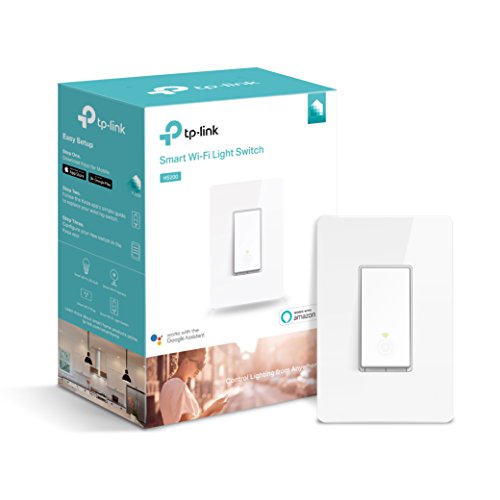

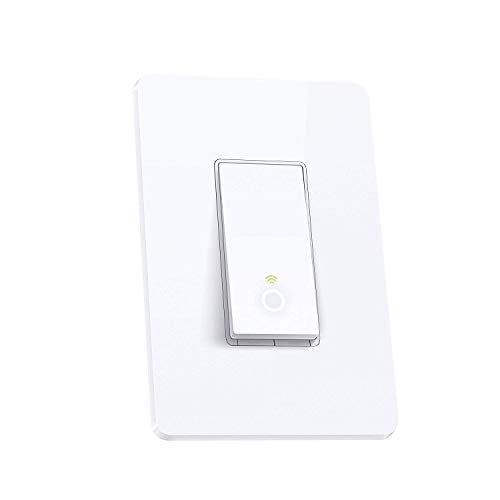


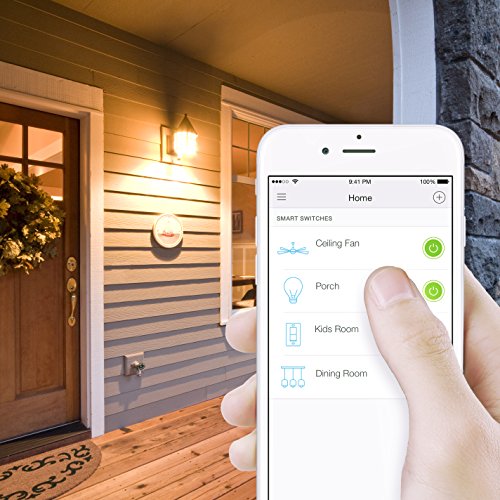

- CONTROL FROM ANYWHERE - Turn electronics on or off from anywhere with your smartphone using the Kasa app (Compatible w/ Android & iOS)
- VOICE CONTROL - Works with Amazon Alexa, Google Assistant and Microsoft Cortana supported devices for a hands-free experience
- GUIDED INSTALL: No need to understand complex switch wiring or master vs. auxiliary switch configurations. The Kasa app guides you through easy step-by-step installation
- SCHEDULING - Use Schedules to set your Smart Switch to automatically turn on and off while you're home or away
- NOTE: Requires a neutral wire / works in a single-pole setup only / Requires a secured 2.4 GHz Wi-Fi network connection. Refer to the PDF attached below in Technical Specification for User Manual
-
Information
-
Twitter
-
Pinterest
-
Youtube
-
Facebook
Michelle Gloria
Works Great. Now controls my pool light through Alexa.
A few months ago I upgraded my pool light to a color-changing LED bulb. You have to power-cycle the bulb in order to change the color schemes - that part is a pain because I have walk over to the pool panel and flip the switch up to 10 times. Now I have replaced the simple AC switch in the panel with this TP-Link switch and the process is now effortless. I can either switch the light on/off via the Kasa app on my phone or tell Alexa to turn the bulb on or off. The install was super easy: attached the white wire to the neutral wires in the panel, the two black go to the LED bulb (source & load), and green to ground. Then find the TP-Link network on my phone to setup the switch, let the Alexa app know about the device, and you are done. NOTE: This switch requires the 2.4GHz network signal from your router. I had disabled mine to prevent interference with Bluetooth. I had to re-enable it for this switch. Not the end of the world but something to keep in mind. Update: I discovered that the TP-Link switch only works reliably when the panel door is open. Th metal panel is apparently working as a Faraday cage and the TP-Link wireless signal is not not getting through with he door closed. I will have to mount the switch in a plastic enclosure outside of the panel. Update: Relocating the TP-Link outside of the metal pool electrical panel did the trick. My theory about the box acting as a Faraday cage was spot on. It now works perfectly through Alexa. 1/23/18 - I ordered my 2nd TP-Link switch and had it installed in 15 minutes. This one controls my front house lights. Unlike X-10 technology which I struggled with for years and finally gave up on, the Alexa-compatible smart switches really work well and are very easy to program and control.
Juanita Walton-Spears
Solved a problem
I've been using this switch to control a flood light at my mom's home. She comes home from church on Sunday and Wednesday nights in the dark, and this gives her a way of turning on a light from her car (via the Kasa app). I plan on setting up a couple more outside light on this type of switch such a second flood light and the deck lights. This way she can turn everything on at once if she needs to. I also have some lamps on the TP-Link outlet. This is convenient for her, not having to come into a dark house or try to turn lamps on/off with her hands full. I chose switches/outlets over smart bulbs for a couple of reasons. First, smart bulbs can be an expensive outlay the first time, and therefore to replace when they go out. Second, the outlets can be moved around as needed meaning they can be used for things other than lamps. These items are simple to set up and to use. They work well with Goggle Home devices (I think Alexa, too). And maybe best of all, you can control them from away from home as long as your internet connection is good.
Laraib Khan
Not that tricky
My gosh, there are a bunch of techically inept people throwing shade. This thing is awesome. Works perfectly. Step 1: Install the switch per instructions-easy Step 2: download KASA app Step 3: Set up your account at the KASA site-easy Step 4: From your account at the Kasa site tap the device name; a screen for that device appears, with selections for Schedule, Away, Timer, an off/on button and at the top right corner an icon that looks like three little sliders. Tap that icon to open the Device Settings screen and then slide the Remote Control slider icon to the right so that it lights green. (Remote Control ON is required for use away from your network AND/OR by Alexa.). (Alternative step 4: configure the switch as "local" or "remote" connected in the Kasa app in the Device Settings menu.) Step 5: go to ALEXA app to link accounts and enable skill. If you screw up: In KASA app delete switch and on the switch press reset for 10 seconds then start over.
Gina Ordiway
TP Link HS200- my new opinion
I purchased 2 of these smart switches months ago and wasn't impressed. I never posted a review. They only seemed to work via Alexa maybe 5-10% of the time, but worked flawlessly with the Kasa app. I reached out to Kasa and they said it was likely an issue on Amazon's end, since the switches were responding via the app, whether on wifi or 4G. A week ago, I changed from Comcast to Verizon as an internet provider; both switches work flawlessly now. I ordered a 3rd switch and it also works flawlessly. I have no clue what could have changed, since the switches worked through the app... they were obviously communicating. FWIW, I've been using 5 Lutron Caséta switches, prior to the TP Link switches, and they've never had an issue.
Anita Andriash
Know your neutrals
I had seemingly a much more complex install than what the instructions demonstrated, but ultimately was able to get it done. I had to connect 4 neutral wires from the same breaker circuit to get this switch to control the two light fixtures that the old switch controlled. Took me forever to ultimately figure it out and dig to find all the correct neutral wires and none of the ones belonging to the other two switches in my 4 gang setup. Took almost an act of God to get the bulk of this new switch to fit into the wall box. Be prepared to feel some pain trying cram it in. Initially had plans to put 2 of these in this box, but there is no way to cram another one in, short of cutting wire lengths. Wish it came in almond.
Sammy Lee Stowers
Worked under the cover of a 2 gang switch
As advertised. Easy to install and keep in mind it was my first time ever that I had to change or touch a light switch more than turning on/off the light. My main concern was that in my garage I have a 2 gang switch (one switch for the garage lights and the other for the outside lights) and was worried if one of these smart switches will fit next to the regular switch and under the same main original cover....Let me tell you, everything was on point.
Wayne Kirk
Pure awesomness, no complain
I have now more 3 of these switches installed, in addition to a TPLINK light bulb and TPLINK Wall Plug. They are stylish and it's even cooler with the halo sign when they were off. Installation is bit of hassle since it requires the neutral line which might not be immediately available in some older units (and please don't try to connect the neutral to ground, it's wrong.). If you don't know what I am talking about, I will suggest you to hire a certified electrician. Once it's installed, setup is a breeze through the KASA App and connecting to Alexa is instantly available. This only concern right now, maybe I am just being paranoid - is that I do feel it warm when touching the switch (potentially you don't need to touch at all, just ask Echo :) ). It wonders me the life expectancy of these switches and if they gonna be robust enough to survive the 2-yr warranty period. Tips: don't screw the inner switch too much in, this will leave the cover uneven.
Ryan Sammis
TP-Link Smart Wi-Fi light switch, no hub
Turned out not as bad as I expected to install. One reviewer said it wouldn't fit in standard size face plate. As you can see in picture I have a 3 switch plate and it fit fine. I can push puttons under smart switch if needed. I did have to locate white ground to hook up but was prepared for this. Getting to work with alexa messed me up with one step . First have to download Kasa app and set it up on there. Then I tried to get Alexa to recognize it where it wouldn't but then I remembered that you have to give the alexa app permission to link to Kasa app in smart home, once I did this Alexa found the switch and it works great. Now since switch is behind door which I used to have to reach behind to get to switch all I have to do is say "Alexa turn on the Den Light" and presto the light goes on.
Elizabeth Swindlehurst - Perry
Easy to install, works flawlessly, and NO hub needed!
Before purchasing this switch I already had some familiarity with TP-Link products because I had been using several of their WiFi smart plugs for over a year and was very happy with them. I also had some experience with light switches like these, having installed about ten of them in my house. Those switches work fine, but they are all made by another company and they require a hub. What I love about this TP-Link switch is that it installs and integrates easily like other TP-Link products and it does NOT require a hub. (In case you're wondering what I mean by "hub," many smart devices such as Lutron light switches and Samsung Smartthings devices don't connect with your home network directly via WiFi, but rather through their own proprietary hub, a small device which you plug into your router or connect to your home's WiFi network. There's nothing inherently wrong with a hub,, but it's an extra piece of equipment and therefore another layer of complexity.) Here are some things I really like about this switch: 1) Easy installation. If you are comfortable installing a dimmer switch, you should have no problem with this. Conveniently, the installation instructions can be found in TP-Link's phone app (called "Kasa"), and they are VERY easy to follow. They take you through each step with pictures and very clear directions. It was a breeze. 2) Easy activation: Simply open the TP-Link app on your phone, select "Add Device," and after a few short steps you'll be able to control the light switch from your phone from anywhere in the world. 3) Easy integration with Amazon Echo and other voice-control platforms. 4) The Kasa app gives you tremendous control over the switch: you can set schedules, routines, and even "scenes" that incorporate the light switch with other smart home devices such as music players or window shades. 5) The switch itself actually looks nice on the wall (though this is obviously a matter of opinion!). Note that although it looks like a rocker-type switch, it does not actually rock up and down; you push the lower part of the switch to turn the light on AND to turn it off. A small circular LED illuminates within the switch when the light is on, which is useful if the switch controls a light that isn't visible from the switch's location (such as a light on the exterior of your home). So far I really haven't found anything I DON'T like about this light switch. One bit of advice: I own smart devices made by several different manufacturers, and most of them allow for schedules and routines via their own apps. Fortunately they all work with Amazon Echo, so after I install a new smart device I integrate it into Alexa and use Alexa to control it. This way I can control all of my smart home devices with just one app instead of using each individual manufacturer's app to control specific devices. Controlling everything with Alexa also allows me to set scenes and routines that incorporate smart devices from different manufacturers (for example, if you have light switches made by one manufacturer but smart plugs made by a different company). I'm very happy with this switch and I continue to be very impressed with TP-Link's smart home products!
Connie McCord Determan
A very good device for automating a light switch, but the WeMo app is superior to TP-Link's Kasa for scheduling
I already own several WeMo switches, but when this TP-Link went on sale for one day at Amazon, I decided to use it to expand my system. Installation was identical to the Belkin F7C030FC (WeMo equivalent of the TP-Link). This switch requires a common line in addition to the two wires that connect directly to the switch. The ground is optional, but should be used if present. I had the switch installed in 10 minutes and downloaded the TP-Link Kasa app in order to pair the switch with my WiFi. Again, it works exactly the same as the WeMo devices and found my wireless with no problems. The software sets up any schedule or timer you want associated with the switch. In addition there are "scenes" you can create to do things like dim the lights. Unfortunately, my LED bulbs aren't dimmable, so the only thing that happens when I enable the scene to dim them is that they shut off. I like the idea though, and if I ever upgrade the bulbs it'll be a cool feature, one that isn't available on the WeMo app. The differences between the WeMo and TP-Link switches are minor. As an example, with the WeMo switch, the on and off times can be set up as one rule. With TP-Link's device it needs to be two rules: one for when it comes on, and one when it turns off. One thing I like much better about the WeMo is that you can gear events based on sunrise and sunset. As an example, turn the lights on 15 minutes before sunset and turn them off at midnight. Since it's an Internet-connected device, it will change the time every day by a minute or two. It's a bit strange that TP-Link doesn't offer that feature in their app as it would make it significantly more functional. On the other hand, upgrading the firmware is easier on the TP-Link than the WeMo. The WeMo pops up an alert telling you there's a firmware update for your device(s.) I've owned them for over 3 years now, and my experience is that installing the upgrade is a hit or miss affair. There is no area of the WeMo app that will allow you to trigger the firmware upgrade manually. The TP-Link, however, has a separate function under settings that will tell you the current firmware version and whether there is an update available. From there you can trigger it manually. It's a much better design, and more straightforward. I love the Alexa integration and had it up and running in under a minute. Now this light switch can be voice controlled as well as from my iPhone. The only real disappointment I have is the color. The switch is only available in white. As you can see from the photo that accompanies this review, it stands out against the beige switches that are already installed. It sure would be nice if these devices were available in the same colors as, say, a Leviton switch. To be fair, the WeMo is also only available in white, so if TP-Link decided to offer it in colors, I'd definitely consider it over the competition. This switch is installed in a room that is not highly decorated so I'm not too concerned about the mismatch, but I'd definitely hesitate installing it in an area like the living room where the difference in color would make a stylistic difference. In summary, a very good device for automating a light switch, but the WeMo app is superior to TP-Link's Kasa for scheduling. My advice is to wait for them to go on sale, as they do periodically on Amazon. I'd bet money that TP-Link will be adding features to their software in the future that will put it on an even keel with Belkin's WeMo switch.