
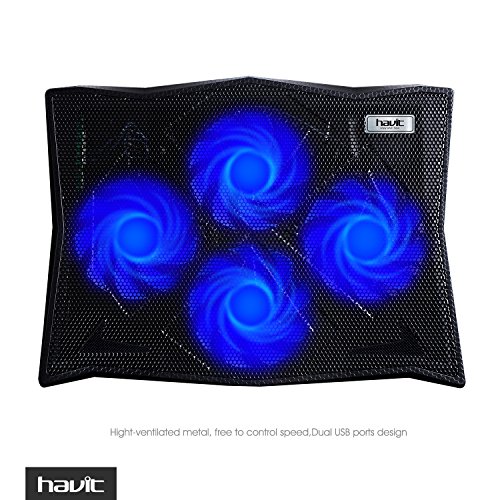
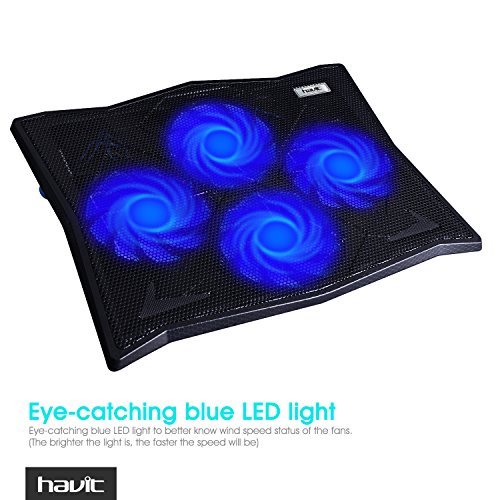


- ★ Ultra-Quiet Fans: Four Ultra-Quiet 110mm Fans with Eye-catching blue LED light,Optimized heat dissipation effect for 14"-17" Laptops(The brighter the light is, the faster the speed will be)
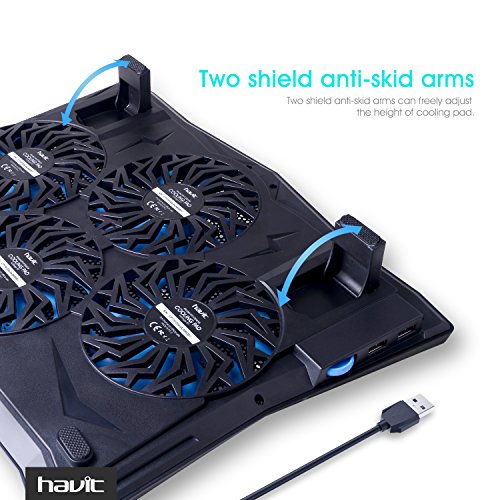
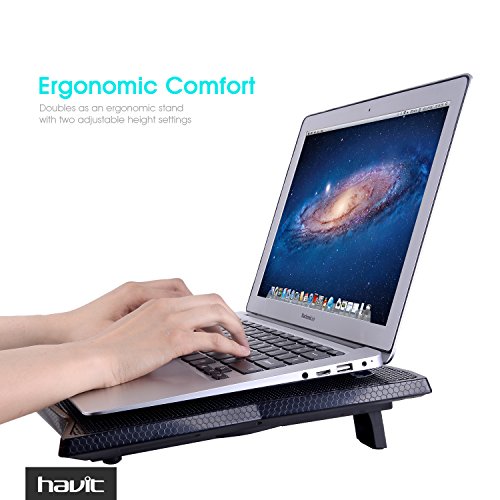
- ★ Ergonomic Design: Adjustable height setting, comfortable for natural point of view;Two shield anti-skid mats,Effectively prevent laptop slipping off
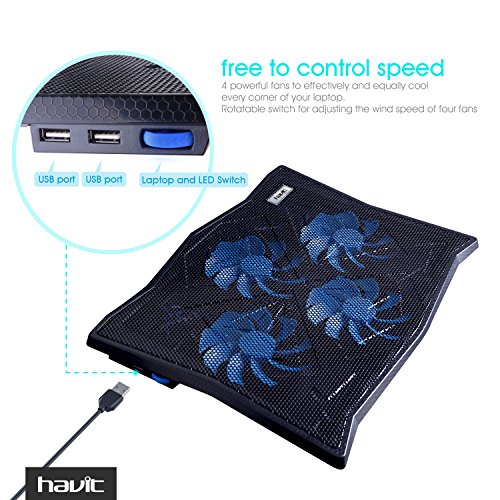
- ★ Adjustable Fan Speed Controller: 4 powerful fans to effectively and equally cool every corner of your laptop; Rotatable switch for adjusting the wind speed of four fans.
- ★ Extra USB Port: Built-in Two USB ports allows to connect other USB devices.
- ★ Ultra-Portable: Slim, portable, and light weight allowing you to cool your laptop wherever you go.Warm Tips: The packaged cable is USB to USB connection. Type C connection devices need to prepare an Type C to USB adapter .
-
Information
-
Twitter
-
Pinterest
-
Youtube
-
Facebook
Ziernalyn Muammil
Look No Further!!!!!
Here's the only thing you need to ask yourself..... Do I want a laptop cooling system?..... If the answer is "Yes".....then order this unit because I can assure you..... as good as the product description sounds..... this unit is so much better than the words portray..... so let me set your fears aside in no particular order..... 1- You worried about noise?..... I have the model with 4 fans and can barely hear it working when it's at it's highest setting..... and I say at it's highest setting because this model not only has an "on/off switch"..... but that switch is a rotary type dial which also allows for the fans to be adjusted from slowest to fastest..... The range is fairly wide providing for enough selections which will make everyone happy..... 2 - You worried about those blue lights being a distraction?..... Once you place your laptop on the fan platform, you won't even notice them unless you bend down to look under the unit..... which is nice because as I said..... the fans are so quiet you'll want to look to see that the lights are on so you know the unit is working..... although you can also tell because the fans will be blowing a nice gentle stream of air out from underneath as it's both cooling your laptop and circulating fresh air around your workstation..... 3 - You worried about powering the unit through a USB port on your laptop?..... So was I..... I don't like to power anything through a USB port with the exception of a flash drive..... In my mind it seems that it makes the power supply work harder than it should which in turn adds to the heat I'm trying to get rid of..... To be honest..... I can't tell you how well it works when powered through my laptop USB port..... I'm using one of those plug adapters I had laying around the house that is rated at the same 5 Volts which the directions say to use..... The adapter plugs into the wall and the included USB cable plugs into both that and one of the USB ports on the unit itself..... This way the power is coming from the wall and not from my laptop..... That makes me happy..... I must point out that the downside to this is that the additional USB on the unit will not be functional because the unit will not be connected to the laptop in any way..... however since you aren't using a laptop USB port to provide power to the fans..... You haven't lost the use of a USB port on your laptop..... If you do decide to plug the unit into one of your laptop USB ports..... the additional USB port provided on the unit makes up for that loss..... Did I confuse you?..... I confused me and I'm the one who made the connection..... 4 - Durability?..... It's lightweight and well made from a plastic that has a strong feel to it..... Personally, I could do without the lights because no matter how little power they require, it's more than the nothing they'd require if they weren't there..... but I guess they appeal to a certain demographic so no big deal..... 5 - Will the additional height added by the unit make typing uncomfortable?..... Not to me it didn't..... In fact..... it does just the opposite..... You have the option of laying the unit flat and the laptop on top of it which raises the laptop about one inch all the way around..... or..... you can flip up the back legs on the unit which will raise the back up two inches with the front remaining at one inch so that the laptop will be sloped back to front..... That's how I have it which results in a more comfortable typing position..... your screen is raised about two inches higher which in turn forces you to sit up straighter with a better posture exerting less strain on your back..... The legs on the unit have very good soft non stick pads on their bottoms so it's not going to be moving around anywhere..... and while my laptop doesn't need them..... if your laptop has a tendency to slip on the surface of the unit..... there are two pads included which can be applied anywhere on the unit's surface as needed to grip the laptop's bottom and keep it in one place..... The people who make this thing have solved a problem that may or may not exist and if it does..... you have the pads there included for your use..... 6 - Will it actually keep the laptop cool?..... In a word..... Yes!..... I'm using this on an eight year old Acer that I use as a media center and the two spots which used to get "hot" are now cool to the touch..... I couldn't be more satisfied..... So as I said..... if you're looking for a laptop cooling unit..... this is the one you should purchase..... I did a lot of research and when all was said and done..... this was my decision..... and although what you expect isn't always what you get..... this is one of those times where my expectations have been far exceeded..... A good piece of gear that has been well made by people who thought the project through..... You can't go wrong!
Raptor Cat
... I ordered for my wife’s and my laptops are perfect! Your packaging is very well done
The cooling pads I ordered for my wife’s and my laptops are perfect! Your packaging is very well done, and the pad’s size is just right. The adjustable fan speed control is a nice touch, and the fans are super quite, even at high speed. The blue lights are more for the younger set; however, at 75 years I think they are neat! There is one thing I feel needs improvement. The power cord plugs into the pad at the upper left hand corner, while the USB ports on my Sony Vaio are on lower right hand side. Given then length of the cord, I had to run under the laptop and over the top surface of the pad. An extra 6-12 inches of cord would be nice; however, I fully understand this adds cost to your product. Overall, your product is of good quality, with some nice features, at an affordable price. Tim Farley
Sijo S Karthi
Cool as a cucumber!
I have an older laptop and it overheats very quickly. When I’m doing work I have it on for hours on end and I’ve always been afraid of it burning out it gets so hot. When I turned my laptop on today and used it for about 45 minutes it started getting very hot as usual and then my cooling pad arrived at the front door from Amazon. I’ve been using this cooling pad for about six hours at a pretty low setting it’s been keeping my laptop extremely cool. I really love it; it exceeded my expectations.
Kaitlyn Shepherd
Does a noticably great job.
This is the first cooling pad I've ever bought so I have nothing else to compare it to, although I did research several of them on Amazon before deciding to go with this one. Regardless, I feel like I struck gold with my decision. I didn't test the before and after temperature with a thermometer to provide numbers, but there is a noticeable difference. I no longer burn my finger on my touchpad, and most of the surface of my laptop is cool to the touch with the exception of the bottom left corner, which is a comfortable warm temp, nowhere near as hot as the touchpad used to be without the cooling pad. Fans are super quiet for being a set of four. You can hear them but they are more atmospheric than actually noisy, if that makes sense. The device functions via USB cable connected to one of the laptop USB ports to operate. The cooling pad does add considerable weight but with its scratch-resistant metal construction, it's going to last you a long time.
Livia Holguin Crooks
Dramatic temperature delta.
An near instant 25+deg F average reduction in vent heat from my Dell E5540 i7 (it's been running pretty hot lately, I probably need to tear it apart and clean it) The contactless thermometer was showing peak vent heat at 122.8F seconds before I slid this unit under it, and 96.6F 60 seconds afterwards. It seems to be pretty well built, not flexy or wobbly. One of the fans may have a little balance issue, and I've only used it for a few minutes so far - I'll edit my review if things change. (Peak vent temp is 86.0F now, five minutes later. This could realistically be worth 30*F+ delta) It's much quieter than my refrigerator two rooms away, I can just hear the fan hum over the noise of the refrigerator with the fans at full speed. It's maybe a full order of magnitude quieter than the HEPA filter I have in the bedroom (not in turbo, just in Allergen Scrubbing). I'm noise sensitive, but if this was running on the bed next to me, it certainly wouldn't interrupt me or the puppies sleeping... As long as it holds-up, I'm pretty dramatically impressed. I could probably do without the lighting, but [shrug], it cools the machine, it keeps my lap from boiling, I can write code longer, good enough for me,
Sanjay Duhlani
This is a quality product for your money.
The HAVIT HV-F2063A Cooling Pad is an exact fit for my 15.6 inch Sony Vaio and the 4 fans do a great job at keeping the system cool while doing more CPU taxing things such as rendering and recording. My laptop runs extremely well and never gets loud anymore not even when outputting to the TV as a larger monitor via HDMI. The 4 fans are positioned just as the picture shows in a diamond like shape and it gives off just enough wind for the computer to cool down significantly. The design is great, the size is exact, and the legs are pretty sturdy though I haven't used them that much yet. This is a great product for the money and the fans are extremely quiet even at max speed they make a light hum which you won't notice at all since it is much more quiet than the average laptop fan. I highly recommend this to anyone looking for a good cooling pad!
Sammy Lee Stowers
Really keeps my old laptop cool
This cooler is not only looks but works amazing. The pros of this is that you can control the speed of the fans using a rotating dial found on the side of the cooler, where there are two USB slots, it also comes with a USB cable. There is a blue light when it is on. The fans are really quiet even when at full speed. This can also be angled or placed flat. It is really lightweight. It is also made from really great material, it is extremely sturdy.
Yharen Jade Wencci
Buy another model, also great!
I bought HAVIT HV-F2056 a few days ago for my HP laptop and it worked well for the overheating problem. So I decided to buy HAVIT HV-F2063A for my husband’s macbook pro. To my surprise, this one is even more quiet than the previous one and it handled the overheat problem as well as mine. My husband is happy about this cooling pad. Fast delivery in less than 48 hours to my house. Would recommend it to others who is interested in getting you macbook/laptop cool. HAVIT HV-F2063A Cooling Pad for 14-17 Inch Laptops with Four 110mm Fans at 1100 RPM(Black)
Christala Valdez
Excellent cooling pad!
What can I say? This cooling pad does exactly what I want it to do. It keeps my laptop cool! I have an aging Alienware 14 and noticed that my internal fans were running almost constantly even while doing simple tasks. This is problematic because my wife uses the laptop to record audiobooks for Audible and the fans in my laptop are just a few decibels shy of jet taking off. I needed to do something so I looked around I found this pad which claimed to be "whisper quiet". Well, they lied! This pad is actually quieter than whisper quiet. Even with the fans set at their highest RPM the sound from them is barely picked up by my Audio-Technica AT2035. Best of all, the internal fans only kick on when doing the most demanding tasks. I definitely recommend this pad.
Serge Nekipelov
The fan is rated for up to 17-in laptops but I feel like the fan might be too small for a laptop ...
I was originally worried how loud a fan might be and how it might affect my day-to-day work at home. However, I am pleasantly surprised at how quiet this fan is even at it's max speed. The fan has a toggle on the side to scroll through the different speeds and has an extra 2 USB ports. This fan won't be something you can carry around everywhere in your backpack, but it works perfectly if you set it up for home use. The two leg stands on the fan allows you to tilt your laptop at an angle, and it comes with two non-slip grips to attach so that your laptop won't move around while you use it. I currently have a 13in Macbook Pro and I think the fan fits perfectly with 13in laptops. The fan is rated for up to 17-in laptops but I feel like the fan might be too small for a laptop that size. In summary, perfect for home-use, quiet, and a great size for 13-in laptops. I'd definitely recommend it.