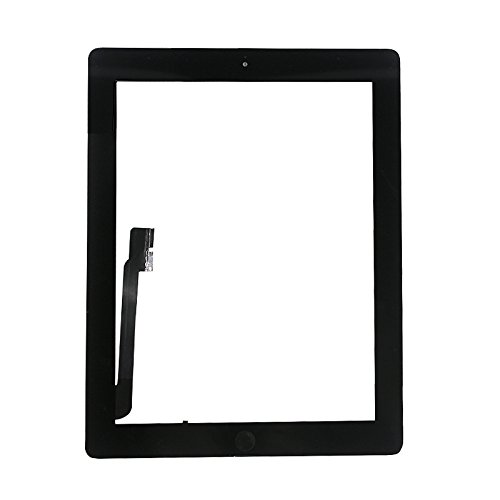
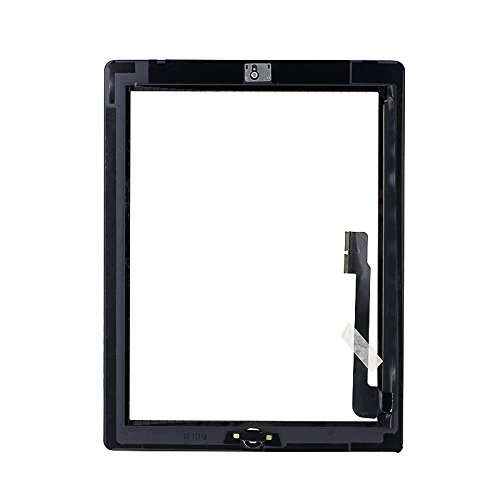
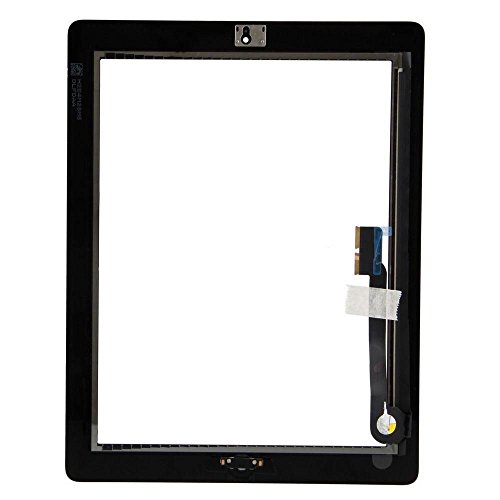
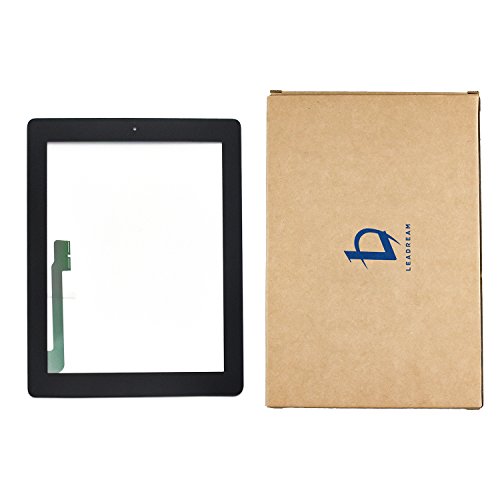

- Compatible with Apple iPad 3rd Generation models
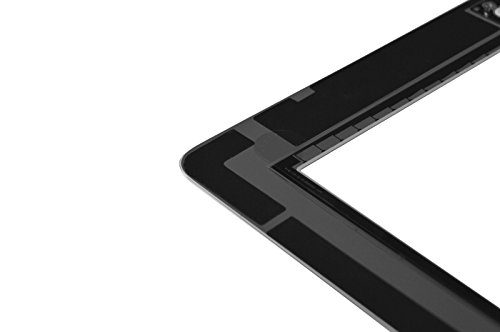
- with home button, camera holder and adhesive pre-installed (NO tools, NO bezel)
- We highly recommend professional installation - parts damaged during installation are not accepted for return
- Customers can put more glue when install the digitizer yourself, this will be much better
- Aiiworld ONLY Sold by "Aiiworld ".We never authorize any other seller to sell our "Aiiworld" products. We received many customer complaints against OTHER SELLER for POOR QUALITY. If you purchase here and receive from OTHER SELLER, please report to Amazon for Item Not As Described and claim for Selling Fake Products and Get FULL REFUND.
-
Information
-
Twitter
-
Pinterest
-
Youtube
-
Facebook
Ne Ha
Very easy install ... iPad 3 up and running
The product arrived packed in a cardboard box. Both sides of the digitizer had a protective film on them. In addition, the adhesive strips are already installed and there is white pull away tape on those as well. The instruction card said to remove the battery clip. I couldn't find this but was successful without doing so. Basically, gently move the screen away after removing the four screws that hold it down. Then, slide two plastic retainers that hold the old ribbon down. Remove the old digitizer. Gently and carefully insert the new one's cable into place. Snap back the two plastic retainers. Screw the screen back in. Before I removed any protective backing, I woke up and tested the iPad. All worked fine. Wiped the screen to remove dust on my screen using a microfiber cloth. Removed backing on inside of digitizer. Practiced how to lay it flat when closed. The little ribbon on the edge of the screen tucks slightly into the iPad cavity. Don't kink it. Removed the white strips. Gently closed the digitizer and ran fingers on all fours sides to make sure the tape stuck. Removed plastic sheet from the surface. Done. Writing this review using it. I bought this digitizer to fix ghost touches. It would have happened by now on the old one. I notice that the iPad response is a bit choppy. Most likely this is due to background apps updating after the iPad has been sleeping for over a month, not the screen. Will update if anything unusual happens. Happy for now.
Cris Sangster
Recommend
Exactly what I needed fit great came with everything I needed to install would buy again if needed
Alidu Sulemana Frinjei
Bought this after getting a bad one from another seller
Bought this after getting a bad one from another seller. Works great after a bit of fiddling with the ribbon! I would first have the top or bottom half not working with this but it's entirely because of the ribbon being hard to fit into the connector. The stock LCD and digitizer's ribbon are inserted so the white line is flush with the connector. On this piece though, the digitizer ribbon must be pushed PAST the white lines so they are just barely inside of the connector. If you only have 1 of the 2 connected correctly > that will give you a half working screen or deadspots. I ended up just bending the ribbon near the connector so I could force it in far enough... just don't fold it or it could break!
Mil Lhet
Works great of iPad 3
Works great for iPad 3. Easy to install, connectors were easy to connect. I told myself I’d never replace an iPad screen again cause it’s so tedious especially if the damaged screen has multiple cracked areas. But, I guess for $12 it’s worth it rather than buying a new tablet......
Fre Man
Saved me $$$
I thought I was in a hole for a new ipad after the previous one cracked. But this $12 package save me $$$. Fits and works beautifully. Made my old ipad look brand new. Came well packaged and having preinstalled camera and home button helps a lot.
Mary Frances
Fits like a glove
Product arrived on time and for the model iPad advertised. I had ordered from others and received versions intended for other models.
Pankaj Kumar
Value for money and easy to handle.
Works and the Pre attached double-sided tape helps the installation. The screen and cable are quite fragile so take care not to apply too much pressure or else they may break.
Maria Vallejo
Five Stars
Working great excellent replacement keeping my Ipad 3 alive.
Teddy Mizo
Digitizer replacement for iPad 3 - good replacement part
I damaged the original digitizer cable when I was opening my ipad3 for battery replacement. I looked for replacement all over the Internet and I have realized that all the stores including ifixit are selling aftermarket digitizers, except at higher prices. This one arrived on time and in good packaging. This digitizer quality seems good comparing to the original one, but the time will show. Installation was easy and quick; went the same way as it would go with OEM product. After a couple of days it seems that the adhesive tapes hold very well; there are no visible gaps on the edges where the digitizer meets the bezel. Normally responsive to the touch, no weird bahavior. After the battery and unfortunately digitizer replacement, my iPad 3 looks and behaves like a new one. I don't see a point in feeding Apple with another money. I took a time to clean the bezel and housing rim from the rest of the original glue. I used q-tips. googone, plastic scraper, and then alcohol to remove grease until the surfaces where super clean. Then, I put thin double sided scotch tape in the groove for bezel. I cut off the excess of the tape with a sharp precision knife and installed the bezel so it stayed stable on the housing and was ready for receiving the new digitizer. Once I installed LCD screen, I cleaned it and I had a can of compressed air ready to blow out any particles right before final assembly. Then, I removed the film protectors from the glass and tapes , blew away any dust and assembled the digitizer and housing that nicely snapped into the bezel. I little warmed up the all edges with a hair dryer and press with a little force the digitizer along its edges until it cooled down. In overall, the cleaning took 20 minutes, taping the bezel to housing 10 minutes, and the assembly of the all involved parts like connecting LCD and digitizer cables, installing the LCD , etc until the iPad was ready for use took another 10 minutes. The whole operation was done in about 40 minutes. Conclusion: I would buy this product again and recommend to friends. Review by paulkosm.
Janet E Mountcastle
Very happy with this because it was so cheap (old model ...
Very happy with this because it was so cheap (old model of iPad) and works just fine. Any problems I had were due to my own inexperience. For example, I used clamps that were too powerful, so they caused a slight defect on the edge of the screen. But if I had had the right clamps, you can't beat the price and ease of install. Thanks.