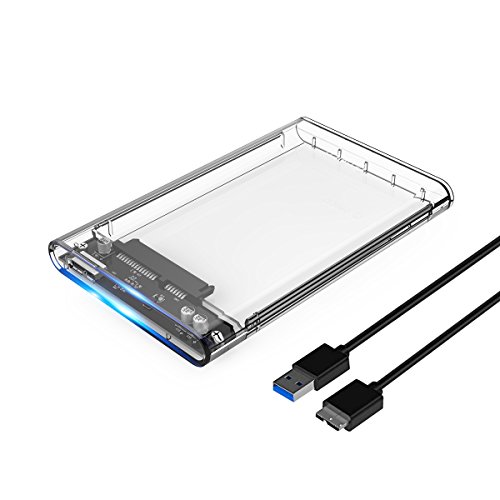
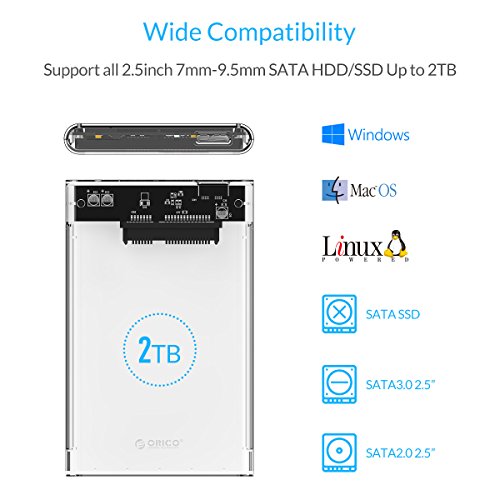

- This ORICO enclosure fits most 7mm/9.5mm 2.5 inch SATA I/II/III HDD SSD and supports max 2T.
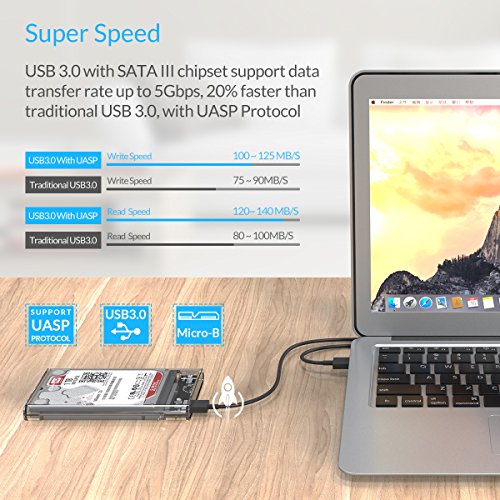
- SuperSpeed USB3.0 has a maximum data transfer rate of 5Gbps, 20% faster than traditional USB 3.0, with UASP Transfer Protocol.
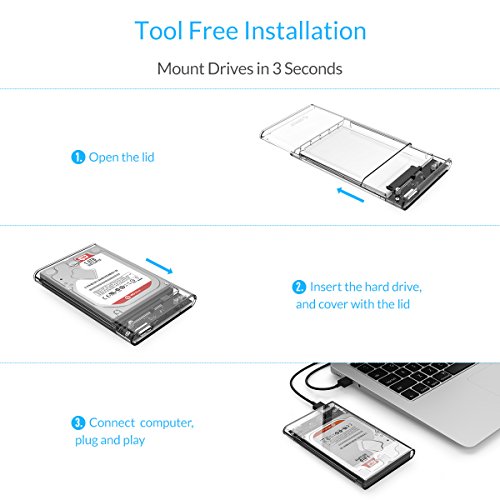
- Tool-free installation; hot-swap supported, plug and play; LED indicator; compatible with Windows, Linux and Mac.
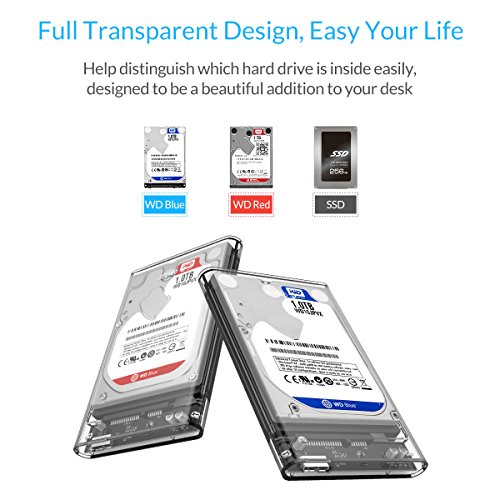
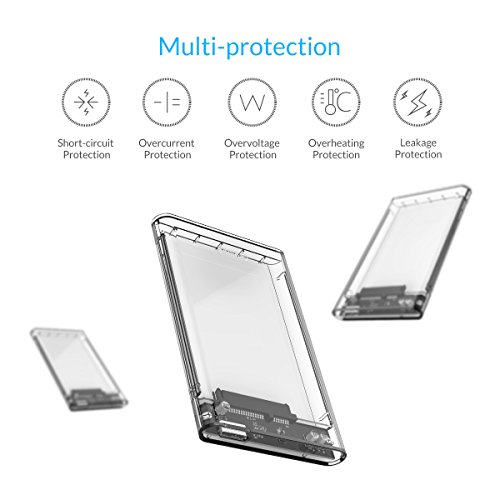
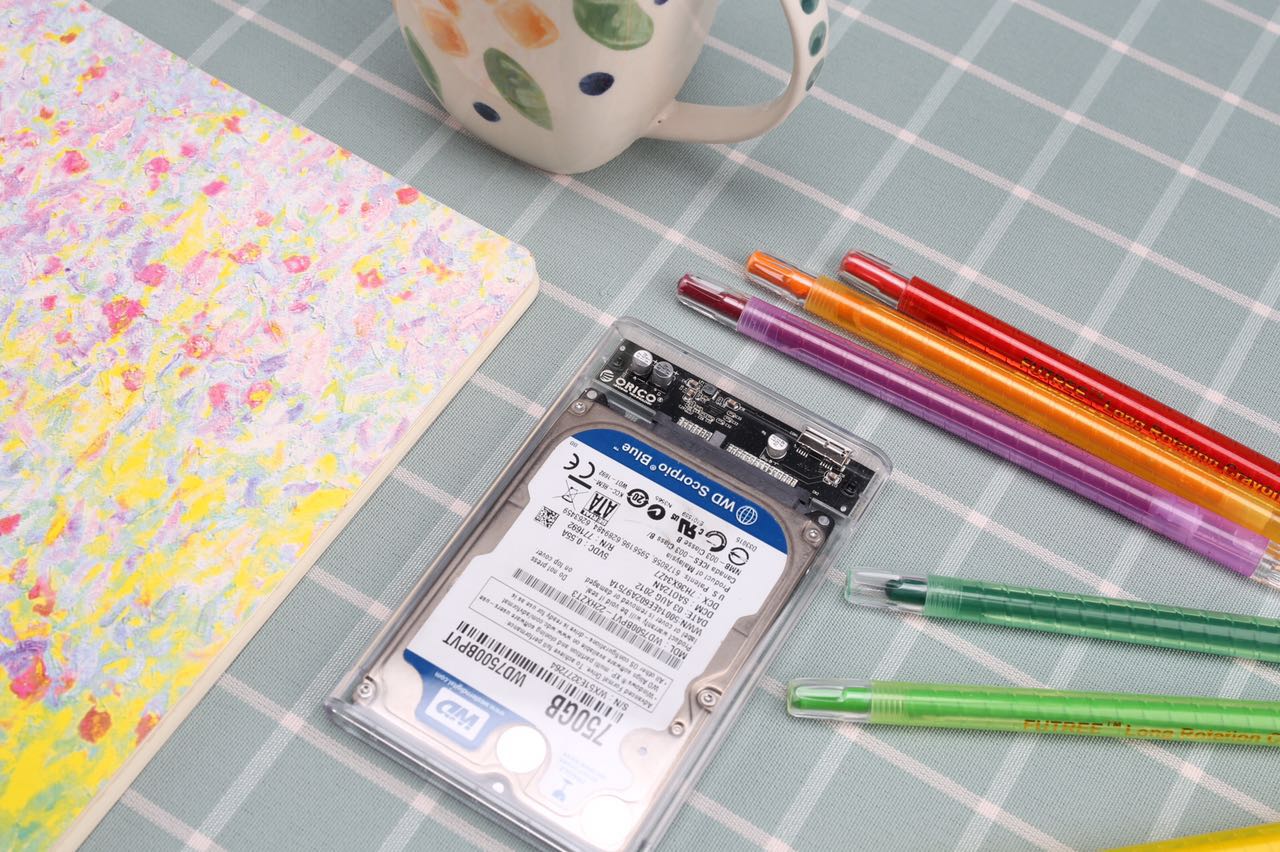
- Transparent innovative design help you to distinguish which hard drive is inside.
- ORICO provide an 18 month warranty and lifetime technical support.
-
Information
-
Twitter
-
Pinterest
-
Youtube
-
Facebook
Heather Ellis
Perfect fit for 9.5mm HD
This product is beautifully made, and has excellent functionality! I snapped my 1TB spinning hard drive into the enclosure in under a minute, plugged it in using the supplied cable, and was up and running immediately. I particularly like the two independent status lights, one blue for power to the drive, one red when the drive is accessed. It is truly "tooless", and I also like the transparency so I can see what's inside the enclosure without opening it or hooking it up. Got to me in 2 days, Prime, free shipping. Perfect.
Roh Rayman
Worked Great!.... After solving the drive not being found in Windows 10
It is a well known fact that portable external drives (which get their power from the USB port) can sometimes be finicky about which USB ports will work with them. In the case of a desktop, if one has problems getting the drive recognized, it is usually recommended to use a port on the back of the machine (attached to the motherboard), rather than on the front panel. I had an unused mechanical drive from an older laptop which I put in this enclosure. Despite the knowledge stated above, I could not get the drive to be recognized on two different desktops running Windows 10. It was recognized in two different laptops (also running Windows 10), no problem. The blue light would come on, but it never showed up under "my computer", "device manager", or when running the "disk manager". I searched the net and found the following solution: Run Windows troubleshoot (type it in the search box). Then select Hardware and Devices/ run the troubleshooter. The machine found the problem and told me to reboot. After that, no problem being recognized on any of the USB ports, front or back. BTW, had zero problems getting the case open as some report. Hope this helps someone.
Sohail Imdad
Plug and play no power cords, drivers, software or tools needed. Great item
These are great cases. Pay attention to the brand. Many are made with this design but are not the same in quality. These are the best ones in the bunch. They fit any 2.5" (7mm or 9.5mm depth) <----STANDARD hard disk or ssd. So up to 2TB ($86) for the hard drive (as of 8/2018) and up to 40TB ($2000) with the SSD...with an on and activity light that looks great through the crystal clear (easy to identify drive label) impact proof, xray proof, weather proof, shock proof enclosure. I now have seven of mostly these and a couple different brands. They make a clear *3.5" for desktop drives* that requires but includes a external power source (wall plug) to spin up and use the larger drives + a similar but longer USB 3.0 cord (included). This one is great for any of your SATA 1, 2 or III, laptop hard drives or SSDs. On USB 3.0 they require only one usb port and no power adapter. 2.5" 3.0 drives pull no more than 900ma. If your running seven like me at once... Get a *powered* USB 3.0 hub around 36 watts or so. If you want to run 12 or so get a 60 watt powered USB 3.0 hub. These actually arrive with the (1.5') Micro B to standard USB 3.0 cable unlike some others that show one with.. plug and play no power cords, drivers, software or tools needed.
Melissa Binder
Save the Money and Buy This Case and the Less Expensive 2.5" Internal Version
First one of these I've bought at this size. I have one for the large HDDs, but that is just clumsily to carry around, and seriously, chicks don't dig those. So I was pretty happy to find a clear one, and the reasons are as hollow as political promises. I had been waiting a month or so for the Black Friday to happen cause I wanted a Samsung 1TB SSD, and have the option to carry it some like straight up pimp I is. Either that or it'll act like an FTP server for my homeboy network, by way of my router's USB-3 orifice to ensure it's accessible by me at all times. You never know when that TB of dancing kittens will be needed, and I'm done with having to give excuses. I've actually been loyal to Samsung for a little over a decade based on what just keeps getting better with thier R&D, and because I'm not afraid of commitment. So, the I think I'm supposed to talk about the SSD case, so let's move on. It was an easy decision that saved me about $60, easy. There were two Samsung SSD drives, Both had 1 TB of storage, both had SATA interface with up to USB-3 outputs which transfered at blinding fast rates (don't worry, I didn't actually go blind). They were totes twinsies, but for three characteristics which separated them in my not blind eyes. 1. The first one was offered in a convenient portable configuration, and had a handsome Samsung OEM case, and looked sharp. The second, while it wasn't in anyway underprotected from the elements with exposured circuitry, it was offered as an internally mounted drive, and thus only offered one I/O, SATA, and I'm pretty having one as a plug in is not a likelihood, and a hassle to deal with if it did. #SATAConnectionsAreForPunks 2 This one will be quick and easy. The chicks dig the portable version more than the internal mount one. Hmmm, lining back upon that last sentence, it occurs to me that it may offer someone of questionable ma-toority an opportunity to offend a millennial. As such, and in an overabundance of caution, I'll issue the warning sign. (giggity!). Now then, in reference to the chicks digging it claim, a group of Zanzabar scientists did a study and that's science. 3. This characteristic must be a supply and demand type issue, because like I said, they are yours crazy crazy twinsies. Totes adores. And basically the same drives. But the external one costs almost $90 more!! So I get the best of both worlds, chicks digging my Samsung gear cause they can see it in the case and new I got a swell deal in some sweet Samsung sauce!!!!! I'm a winner with tiger blood, and you too can be one as well.
Schuenemann Sheryl Audrey
Personalize Transparent enclosure
The External Hard Drive is transparent which makes it very cool. Like most 3.0 USB cases being sold there is nothing really special. The top affixes tightly after installing your drive the seam is very secure and the plastic it is made from is very sturdy. What I love about the case if how you can personalize it. I peeled off the hard drive sticker and place the tag of a new Batman T-Shirt I just purchased for a very cool affect.
Jamie Tallerico
Works well and looks great
I pulled out the 1TB 5400 RPM drive from my PS4 Pro and replaced it with a 1TB SSD. I didn't want the 2.5 drive to go to waste, so I purchased this shell. I will probably use it as a secondary drive connected to my PS4 Pro for smaller Indie games that load quickly and use the internal storage for large slower to load games. With that said this external enclosure maxes out the transfer speed of my 5400RPM drive. Yes, I know that this isn't a difficult task. I haven't tested it with a faster drive yet. The top shell slides off and on easily, and it locks into place well. The shell won't come apart unless you intend it too. I can't really fault the enclosure, but I also haven't tested longevity. The plastic molding is good, there is no sharp edges and everything fits as it should. The plastic is clear with no visible anomalies or scratches. It is simply a well molded poly carb shell with a PCB mounted inside. The mounting of the board and the alignment of the USB 3 port is perfectly. Based on my limited experience, this is a 5 star product. I was not expecting to be this satisfied with the product. Update: I order a second unit to test a 1TB SSD. It did well. While the Orico maxed out the speeds of 5400 rpm drive it could not max out my SSD. The Orico was about 10% slower overall compared to the same SSD connected internally to Sata. It is better than I thought I thought I would see. It could be the cable that came with the Orico case as I do not have another cable to test. Added photos.
Chantelle Reid
Pretty stoked on this
So far, I'm loving this enclosure. My SSD fit perfectly after removing the mounting screws on the sides. One thing to note when you're putting in your hard drive is to take out the SATA to USB-C adapter and plug it into your hard drive and then slide the assembly back into place (only requires removing and reinstalling the two screws that hold the SATA to USB-C adapter in place). There is a nice blue light on the adapter that lights up and makes the entire enclosure glow blue. When writing to the hard drive, the light will flash from blue to orange/red, so do not be alarmed when this happens. Overall, very happy with the quality here.
Nathanial Lovgren
Great looking case
I replaced the HDD in my PS4 for a 2TB HDD, so I had this spare HDD laying around. FIgured I'd put it to good use so I purchase this case to turn the spare HDD into a portable HDD. I went with the clear USB-C case that was $5 more than the USB3 case. Might as well future proof myself. The case feels very well built with hard clear plastic. Half of the case slides open for installation of the HDD. Initially, I was worried I was going to break my HDD because the fit is pretty snug. You line up the connector pins and then just push the HDD down/in to the case. Slide the cover back on and DONE. Being able to see the HDD through the clear case is kinda cool in a geeky sort of way. The case came with a USB-C to USB3 cable. When i plugged the HDD into my PC, it made the chime signaling recognition but the HDD did not appear in my folders. I feared I was sent a defective unit but after a quick internet search, I learned that the HDD had to be reformatted for the PC to be able to see it. I did a YouTube search and there was a video on how to do this. It requires running some command codes but simple enough as long as you follow the instructions. With the HDD working, I plugged it into my Samsung Galaxy S9 and backed up all my photos. Good way to make sure I never lose any of my photos or videos. Great buy.
Ariful Islam
Great quality!
I bought this to get the data off of an old hard drive and then use it as an external. It looks great, and the fact that you can SEE the physical hard drive in the case is a god send. I didn't realize how much I wanted this feature until I got this! Firstly, if I need the specs or any information about the drive I don't have to crack the case open to see the model number, revision, etc. etc. Also, I can use several of the same cases for different hard drives and can easily tell them apart at a glance! That being said, if you want to use several of these cases with identical hard drives you're on your own, lol! All that being said, the fit for my SSD was very tight, so if you're planning on constantly swapping drives this may not be for you. When you slide a drive in it flexes the connectors on the case a little bit, and taking it out flexed them even more, but nothing broke and a regular WD Blue HDD fit in perfectly snug. It also seems as though the USB-C version performs better than the micro-USB version. Didn't benchmark it though, so take that with a grain of salt.
Dawud Basharat Yaqoob
Fits together far better than I expected for the price
Fits together far better than I expected for the price. Speed is good with my little SSD. LEDs are on the board, but still look ok. When putting it together, try to minimize the dust in the area as much as possible, or it will all become apparent as soon as you close this thing! Any re-opening will probably result in scratches if your drive fills the enclosure (mine did), but that's the nature of Acrylic. Very happy overall, especially for the cost. Planning on buying a couple more.