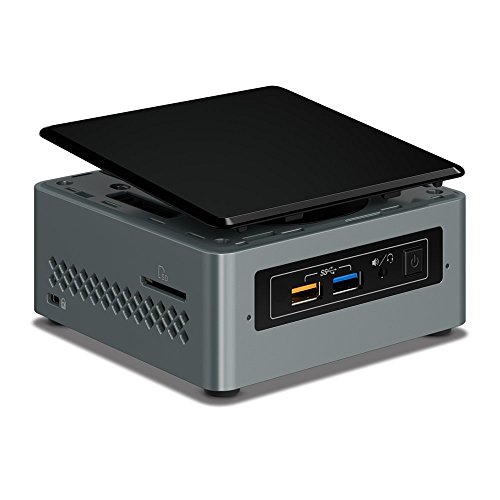
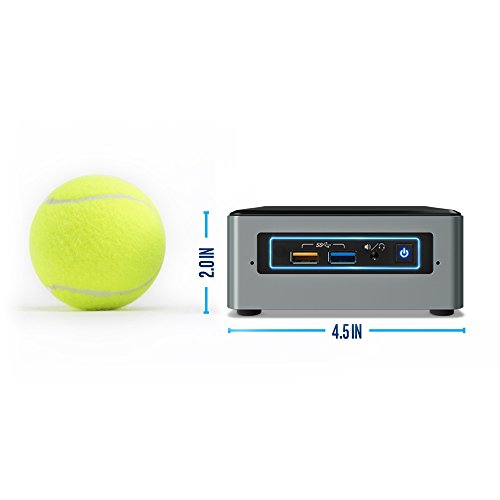
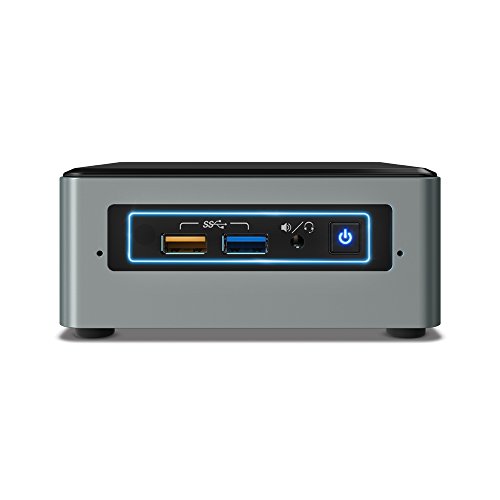
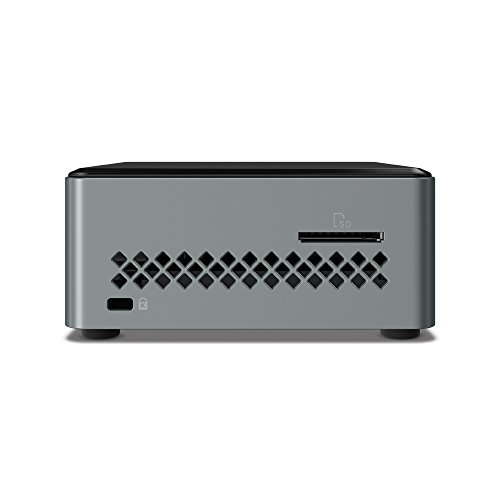


- Does not include memory, storage, or OS
- Intel Celeron J3455
- Intel HD Graphics 500
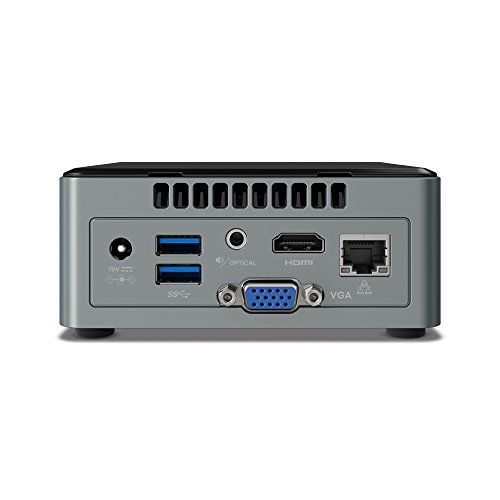
- HDMI 2.0 (4K at 60 Hz). Graphics Output: VGA (HDB15); HDMI 2.0
- Room for a 2.5" SSD or HDD
- OS : Windows 10 Professional
-
Information
-
Twitter
-
Pinterest
-
Youtube
-
Facebook
Mutcasa Montealegre Resh
Small, quiet, well built. Perfect as my new media player.
I bought this little guy to replace a very old WD TV Live Hub 1TB Media Center (Old Model) that hadn't had firmware upgrades in forever, was extremely slow, had an awful interface and crashed all the time. I could also never get subtitles to work on it. It was pretty amazing in 2012 but times have definitely changed. I was concerned that this little guy (Celeron i3) wouldn't have enough umph to play video off the file server where all our movies are stored but after reading some reviews I decided it should do the trick so I got this along with the Kingston Technology HyperX Impact 8GB Kit 1600MHz DDR3L CL9 SODIMM 1.35V Laptop Memory (PC3 12800) HX316LS9IBK2/8 Black. It arrived a couple days ago. First, I'm extremely impressed with how small this thing actually is when you pull it out of the box. It's very well made and heavy enough with nice rubber feet that keep it from sliding around on the desk. Given how stiff my HDMI cable is that's important. The AC adapter is a wall brick so the only thing going to the NUC is a cable which is pretty long, 6ft? The BIOS lets you play with the lighting on the front for the power button and the LED ring around the USB ports and power button. You can even turn them off which is what I've done. It's ridiculously quiet. Even with the fan profile set to "Cool" you have to be right next to it to hear the fan. Setting it up is super easy. Take the bottom off, pop the ram in, put a hard drive in (I already had a 1TB drive laying around) and put the bottom back on-less than 5 minutes. Then I did a fresh Windows 10 Pro install on it. I guess Linux is an option but I don't know how and don't really want to learn right now. After waiting overnight for Windows 10 updates because my internet is crap I installed Kodi 17.6 Krypton (formerly XMBC) and pointed it at my media share folder. A while later all my movies and TV were scanned and in the library. When I travel with my wife I plan to load movies directly on to the hard drive so we can hook it up to the hotel TV. This machine is not a performance beast like my newly built desktop PC but it's perfect for the intended use. Kodi is snappy once it gets started, navigation is quick and playback starts immediately even reading the files from the media server over Wireless-N. I've tested 1080p content and it plays fine, no stuttering or other issues. And subtitles work! No more burning them in with Handbrake. The built-in IR receiver works great with my Logitech Harmony 650 remote and with some tweaking I've got all the major functions on the remote now. Any time I need a keyboard I have a bluetooth one ready. I paid $150 for the WD media player in 2012. I wish these had existed then because for not much more money I've put together a much more capable box that allows more customization and can run Firefox and other Windows (or Linux) apps. I'm very happy with this item and my wife loves being able to actually play a movie without having to futz with the antique, slow interface on the WD media player. As a media player/streaming device I can highly recommend this computer.
Stacey Baum
Could easily replace most users full desktop systems
Have built a lot of systems over the years but this has got to be the slickest one ever. Build quality seems excellent. Bought two 4gb sticks of memory, a 250 SSD and of course Windows 10. Install went smooth, so after a few reboots and lots of updates device manager showed all devices accounted for and no errors. Windows runs incredibly snappy. Tried the included Windows 10 games, no lag. Surfing, no lag. Youtube videos, no lag. Wordprocessing, spread sheets, no lag. Have hooked it to my 65 inch 4k tv. Looks perfect. Have hooked it up to two 24 inch monitors. Works perfect. This thing could easily replace a full desktop system for those that dont do any heavy duty gaming, video editing or other high processing stuff. Highly recommend.
Dana Newberry
basic kit: needs OS, RAM, SSD/HDD, keyboard, mouse, audio out, and video monitor
Its a basic kit: the end user needs to supply and install the OS, ddr3 ram, SSD/2.5" drive, video monitor, headphones/mic or speaker, mouse, and keyboard to see and hear what it does. Only the input/output ports, motherboard, graphics, wifi/bluetooth chip and Celeron CPU are installed in the metal and plastic case already. It comes with a multi-national 120v input/19v output power brick also [has several different plug selections]. With keyboard, pointing device, video monitor, 8gb ram and 120gb ssd installed, it draws about 1/3 of an amp [around 30 to 40 watts in minimum configuration]. Check the Intel website to discover compatible OS, RAM, and SSD/hard drive and video monitor brands. I've only had it a week, and have not tried the audio yet. I used OS, RAM and SSD from the Intel compatible list. I'm using a generic keyboard, Logitech marble mouse, and very old, not-supported, 22" monitor which is working ok. Note that the NUC came via USPS flopping around in a shipping box with no padding. But it does work even after being knocked around a bit during shipping.
Jeff McDaniel
Great for basic computer use.
My mother's old computer was a relic and finally died so I purchased this for her. She only uses a computer for basic things like reading email, making Word docs and web surfing so she didn't need a computer with a ton of power. This thing was perfect. I purchased the memory, hard-drive and OS separately and easily put it all together. Brought it to her house in a book-bag and since this has a VGA port (also has HDMI) was able to hook it up to her old monitor. She was stunned this tiny thing had 10x the power of her old computer. Total cost of putting it all together was a little less than $250. I probably could have found a refurbished computer for a little more than that, but those things are a crap shoot as far as what you might end up with. This little thing is brand new and she loves it.
Carmen Helene Malou Hansson
It works great, I tested it on Youtube with 4K stream ...
Suneetha S
Nice little PC kit
Bought this to run as a macro machine, installed two 4GB RAM sticks (be careful to choose a compatible memory, other comments for this product lead me in the right direction after I almost purchased a cheaper DDR3 RAM that would have been incompatible), and a 250GB samsung SSD. Works like a charm, and especially for the price. Not the fastest or most powerful, I find I am running at a constant %100 CPU usage with 5 Firefox tabs open and a macro program running. But it has yet to crash and I've been running it 24/7. Recommend getting a cheap external USB fan if you're planning to run it hard like I am, it does heat up pretty quick and the internal fan isn't cutting it. Installing components and OS was a cinch, although it was slightly picky about loading Windows from an external hard drive. Tried a couple drives which wouldn't appear in the BIOS, eventually I loaded the bootable windows onto a USB flash drive and then it worked. I would recommend using a flashdrive to boot the OS for the first time to avoid this. A bit heavier than I expected, not quite a "portable" PC on the level of the slimmer micro-PCs or PC sticks. Good product overall, I would recommend.
Crystal Marie Perkins
Perfect for a silent Linux home server.
I bought this to be a new Linux home server. It's running CentOS 7.3 nicely. It's what I wanted, low power usage, silent. It replaces a repurposed 2009 Mac Mini that had been running CentOS 6.x that was beginning to act poorly. Installing the memory and SSD were a breeze. - Make sure you flip the OS setting in the BIOS. It's defaulted to Windows, and really didn't like installing Linux. Made the change and it installed very quickly without a problem. - CentOS does say that this CPU isn't supported during the initial bootup, but is running nicely. I expect a kernel update will probably resolve that one. - Running dhcpd, and The Ubiquiti Unifi Controller on it so far.
Petrena Jones
Fantastic Mini PC!
Mckenzie Glass
Wonderful product for media center use
I wanted to wait until after I had this product for a couple of days to get a feel for it, and that time has now elapsed. I will likely re-visit this review in the future, due to some minor expected issues due to it being a new product. For what this system is, it is incredible. This is a complete system (including windows 10 license), with everything you need to get started. And, it is upgradeable, which for most use cases I would highly recommend pursuing. I was quite surprised at how well the system ran with just the included 2GB of ram. When I had the system connected to a 1080P display, I did not have many complaints with the 2GB, however I could tell some things were a bit sluggish than they otherwise should be and memory usage hovered very close to maximum. Switching over to my 4K tv, though, and I REALLY will need more. (I have placed an order for two 4GB sticks to max this system out while getting the speed advantage of dual-channel. You could also go with a single stick of 8GB for a huge boost, you would just be missing out on the interleaving gains). Basically, when using 4K output, especially when attempting to play videos, I was seeing dropped frames any time I did anything as intensive as moving my mouse. When everything except the video was still, the system was fine, using very little processing power despite playing 4K video. And about that 4K video out. This is a bit of a caveat at present, but in another month or two I expect this to have been resolved. If you use Microsoft's Edge browser, you will have no worries. Hardware accelerated VP9 (youtube) and HEVC (everything else 4K) will work just fine. If you use Chrome, however, you will need to do a workaround to force the browser to use hardware acceleration. I am not going to get into the details of how to do this, but know that there has already been a code commit to unrestrict this, it is just a matter of waiting for it to filter into the released version of the browser. (This restriction on VP9 decoding in Chrome had been put in place from the Skylake generation of CPUs, which for a time supported a hybrid GPU/CPU decode for this codec. It turns out it was very buggy, and so Intel recently removed support for it from the driver, but not before Chrome took their own step of blacklisting accelerated VP9 decode on all Intel graphic chipsets.) It is worth noting that even before I took the steps to force-enable the VP9 decoding in chrome, the system was able to mostly handle up to 1080P 60FPS content with very few drops. 4K, however, definitely required the hardware acceleration for smooth playback. Other than the small amount of included RAM, the other obvious limitation on this system is in the included disk, which is actually effectively seen as an internal MMC card. This means serialized writes and relatively poor performance. I have not benchmarked it specifically, but the flashing activity light was very prolonged in its activity while I had it as my primary storage. I was fairly quick to install a SATA SSD in the system and clone the internal storage to it. Since then, disk activity has gone way down and responsiveness has increased. During my install of the SSD, I ran into an issue that surprised me from an Intel system. Specifically, I was unable to get the BIOS to detect an external USB CD drive as a boot device. Routinely when I use a new system, I will boot to a Linux live cd to clone the disk image for backup purposes. I tried two different optical drives, both of which I have recently used successfully in other systems, and in both cases this new NUC could not see them, despite selecting appropriate BIOS options to enable legacy booting. I ended up using a bootable thumb drive to accomplish my disk cloning task, so the USB booting in general clearly DOES work. I would expect this USB CD boot issue to be resolved with a future BIOS update. (The system as I received it included version 0027, but I upgraded it to the latest 0029. I experienced the CD issue with both releases.) I will revisit this review after I upgrade to dual channel 8GB ram, as I expect that will greatly improve things. My only other experience with NUCs is a skylake-generation i3 NUC (NUC6i3SYH). That NUC clearly has a more powerful processor than this one, as evidenced by it software decoding 1080P 60FPS vp9 with lower than 50% processor usage, whereas this one pegs out and drops a few frames attempting to do the same. (As I mentioned earlier in my review, this won't be an issue anymore in the near future as more programs get updated to take advantage of the hardware accelerated decoding, however it does show a limitation regarding other cpu-intensive tasks.) The included wifi module worked perfectly, seeing both my 5ghz and 2.4ghz networks. For remote control, I paired it with a Logitech Wireless Touch Keyboard K400 Plus Again, I went with 5 stars not because this product is perfect, but because the only issues I have currently experienced are perfectly expected for a system at this price point that is brand new to market. Additionally, I expect the issues that it does have will be addressed in the near future. This is also coming from the perspective of intending to use this system as a media center on a 4K television. If I were expecting to use this system for gaming or as a daily driver, I would likely have come to a different conclusion.
Schuenemann Sheryl Audrey
Fantastic product
I have purchased 5 of these and had other people set up another 3. They have been used for: Headless network monitoring systems running Nagios and Cacti on Centos 7 Centos 7 workstations Windows 10 workstations No fan, low power, boots fast, all those ports in a tiny box. What is not to like?!?! However - IMPORTANT NOTES: First thing when you get the unit - upgrade the BIOS! Second - if you are running Centos or any linux, go into the bios and set it to boot for Linux Third - if you want dual monitors under Centos 7 you must to upgrade to kernel version 4 Fourth - if you want the best video performance, make sure you have the latest drivers for the video under Windows If you dont do the above items you will be very sad. If you do - you will be one happy camper!