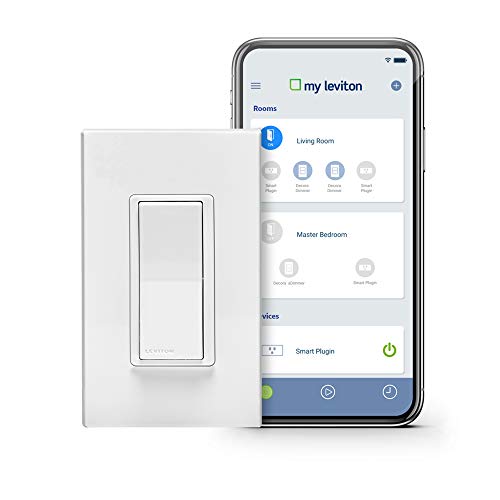

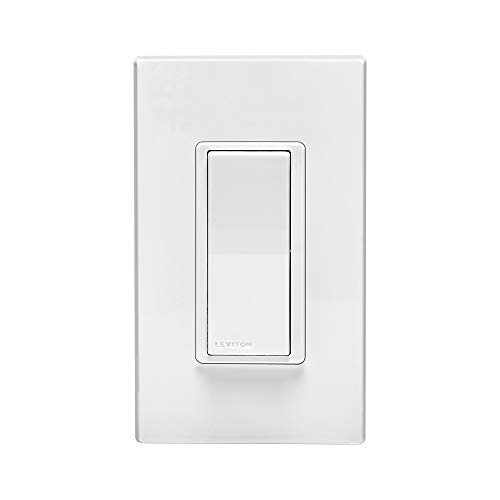


- Works with Alexa for voice control (Alexa device sold separately). Works with Nest – automate lighting based on sensors or alarms
- Control your home from anywhere - no hub required - simply replace your existing light switch. Wifi devices supported 802.11 a/b/g/n networks at 2.4 ghz and 5 ghz with wpa or wpa2 security
- Schedule your lights to turn on when you want them including sunrise/sunset, easily create fun lighting scenes, or use your voice to ask Alexa or Google to turn off all lights
- Control up to 20 residences, 99 smart devices, 50 rooms, 50 scenes, 50 activities, and 50 schedules per account, plus adjust fade rates, LED activity, preset brightness levels, and more
- Leviton devices are truly smart – your pre-set schedules live inside each device, so your schedules always run as expected
- Works with Google Assistant; Integrate with IFTTT, utilize auto-shutoff in closets, hallways and bathrooms; plus engage home vs. away – perfect for vacation
- Requires Neutral Wire; Rated for LED and CFL loads up to 600W, incandescent loads up to 1800W, or fluorescent ballast loads up to 15A; Facilitates multi-location (3-way) switching using DD0SR-1LZ coordinating remote (no LED indicator) or DD0SR-DLZ matching remote (with LED indicator)
- Includes white and light almond paddles with six color options available, wall-plate sold separately
- NOTE: Please refer to the user manual or trouble shooting steps
-
Information
-
Twitter
-
Pinterest
-
Youtube
-
Facebook
Christopher M Mccard
Works Well in a 3-way Configuration
Works as advertised. I already have used the 600w version of these and this higher power one works just as well. Integration with Alexa was also easy. I used this in a 3-way configuration (with the remote companion). Just be sure you know which box the initial power is being delivered to. I thought I did, had it all wired and nothing happened. Switched the remote and the this switch and, presto, it worked! Also, because this dimmer handles up to 1000w if you are dimming a heavy load it will tend to get hot - the power has to go somewhere. I have read different comments on these switches/dimmers and the need for a neutral (white) wire. This is because these are wi-fi enabled - i.e., to work with the app and Alexa they must be connected to your wi-fi network at all times. To power the wi-fi transmitter/receiver they have to be able to keep a circuit going, even if the switch is off. Hence the need for a hot and neutral wire. Finally, you need to identify which black wire is actually the hot one (the one delivering power from your breaker). If you don't when you turn the switch off you will lose your wi-fi connection since you will have cut power to the wi-fi transmitter/receiver (i.e., it's just like the lights you turn off). Anyway, this works great in a 3-way configuration.
Maryann Burton
One small switch for man ... one giant leap for home automation!
I had been considering the Leviton Zwave Decora Smart switches for some time now, but wasn't sold on the idea of a hub, since I only have a few home automation devices so far, and unsure whether to invest in a Wink or a SmartThings hub. Then one fine day Amazon suggested a similar product that is Alexa Certified and no hub required: the Leviton Decora Smart Wi-Fi Switch. The WiFi switch works great! This is exactly what I was looking for. The My Leviton app to control the switch is easy to use. The switch itself is not scene capable, but because it is Wifi enabled and connected to the Cloud (and because the "residence" associated with My Leviton account knows my location), it knows when things like Sunset and Sunrise are. I have a schedule in the My Leviton app turn on the Outside Lights at Sunset, and turn them off 120 minutes after Sunset. Additionally, you can use the My Leviton app to control the behavior of the status LED. You can toggle three different modes: LED Off [always off], Status Mode [LED on only when the lights are on], Locator Mode [LED always on]. This switch can work as either single pole or 3-way, however, in 3-way, you can't mix this switch with "dumb" switches - all the other switches on the circuit need to be either the Matching (LED) or Coordinating (no LED) switch remotes - links below. I don't have one installed as 3-way yet, but I will update this review once I do. I'm slowly replacing switches in my house, one gang box at a time. The physical toggle always returns to a neutral position. Inside the box comes two color faceplates: White, and Light Almond. I have a plastic gang box and haven't noticed any issues with signal loss, etc. Lastly - the installation guide has good diagrams, but since this was my first installation using the neutral wire, it was a learning experience for me. Long story short: if the switch you're replacing wasn't using the white neutral wire, then you'll need to pigtail into the neutral wire nut. I'm excited to continue deploying more of these switches. Coordinating Switch Remote (no LED): Leviton DD0SR-1Z 120VAC Decora Digital/Decora Smart Coordinating Switch Remote Matching Switch Remote (LED): Leviton DD0SR-DLZ Dual Voltage 120/277VAC Decora Digital/Decora Smart Matching Switch Remote
Janie Riddle
The best Wi-Fi light switch
These work great! A few tips for self installers: 1. If you have 2 black wires and the switch isn't working correctly, switch the black wires and it will work correctly. 2. I had multiple white wires all connected with a wire nut in the electrical box and the existing switches did not use a white wire. I had to purchase a short length of white 12 gauge wire and a slightly larger wire nut that allowed me to connect the Leviton switch to white bundle. It worked great. 3. Study the enclosed wire guide carefully and open all existing switches on a 3 way setup to identify the travelers. My traveler was red which implies that connecting it to the red Leviton terminal is incorrect, it actually connected to yellow for correct operation. These are really great switches. Setup was super easy and these are high quality switches. For me, the benefits were: 1. Standard Leviton quality. They invented the Decora light switch. 2. They work with multi way setups (with the correct remote switch) unlike all other WiFi light switches 3. It's super easy to change the color of the switch to match anything you may have existing in the house. 4. No hub needed as it connects directly to your WiFi network! 5. Works great with Alexa. 6. Turn on and off instantly and are highly configurable. At the moment, I'm convinced the best WiFi light switch on the market.
Kristen Youngblood
Impressed. Like the wireless function more than I expected.
We are using a Leviton DW6HD-1BZ to control dimmable outdoor LED string lights, and we really love it (https://www.amazon.com/Hyperikon-Commercial-Outdoor-Dropped-included/dp/B01JLDVVE0). We are quite pleased with the results. This dimmer was easy to wire up and get operational as a physical on/off/dim wall switch, and once it was properly calibrated through its wireless app (very easy), it handles adjusting brightness smoothly all the way from full brightness down to a sort of "firefly-bright" glow with the lights we have. We didn't really need it (bought this dimmer mostly because we were aware it certainly worked with our model of lights), but we're finding ourselves a lot more excited about being able to adjust the brightness or turn them on or off with our phones when we're outside a long ways from the indoor switch too - the wireless feature of this dimmer switch is pretty cool. With our lights, it has zero flicker detectable to me down to about 25% brightness, and then a barely perceptible modulation below that (no whine, not a real flicker, just a very occasional and barely noticeable pulse). The incredibly mild effect at the lowest end of the dimming spectrum may have more to do with our power company's supply than the dimmer itself, as it is definitely on too long of a frequency to have been created by the actual operation of the dimmer's internal operation. The performance of the dimming and these lights seems to be equally good with one string connected in a line or testing with 5 in a row of the outdoor lights we're using. Note: Unless I'm mistaken, I don't think this switch could be installed as an end-of-run switch on 2-wire (hot/neutral/ground) wiring, as it needs a connection to a neutral wire, presumably for the operation of the dimmer. Update 12/16/2017 - Still working great. Update 2/28/19 - Still working great.
Jennifer Mosby
Great device, but installation is not what you think!
Overview: Love this dimmer switch! I bought two with mates for 3-way application. Using your smartphone or alexa you can turn on individual lights or groups of lights that you can mix and match as you like. If you have your whole house on these switches, you can tell them to turn off at the same time. If you have dimmable bulbs, you can tell that particular switch to go to a certain dimness. I already love these over Lutron dimmers because when you tell it that you have LED's on the app, the range of brightness is greatly increased. They dim much better than a slide-toggle switch from Lutron. Installation: Unfortunately for me, I didn't really believe or trust the instructions and thought I was just replacing an in-kind 3-way switch and thought the wiring would basically be the same. Boy was I wrong! It took me about 4 hours to figure out what I was doing wrong. This is not an ordinary 3-way switch and is not even closely wired the same! Basically for 3-way operation, both sides of the circuit need a neutral, hot and traveler, but this not the case with a typical 3-way setup. Usually only one side has a neutral. I was freaking out about this because I missed my return window. BUT since this is not a normal 3-way switch, it's easy to get the wires you need. In my boxes I had power coming in, light circuit going out and 3-wire going to the other switch. The common (white) from the other switch was jumpered to the hot (load) of the light for power feed and the neutral was ganged together. So what I did was use the 3 wires going to the other switch to make my connections. Instead of a common and two travelers, you now make one wire hot, one wire neutral, and the last wire the traveler. I cut the common to load connection and used the white wire (previously joined with the load wire to the lights) as the neutral run. The load line to the lights was connected as the load. The neutral from the lights was already ganged as neutral in the box. Once I realized this is what it took to get a neutral to the opposite switch, it worked flawlessly. So, throw everything you have learned about 3-way switches out of the window and start from a blank slate. Figure out where your wires are going. Disconnect everything if necessary and get some long jumpers to test continuity of disconnected ends of each conductor so you know what is connected and what is not. Then realize you need to wire hot, neutral and traveler to both switches in a bus configuration (i.e. always on), not a switched configuration. Operation: Most of the extra settings including bulb type are set through the Leviton app. It's integration with Alexa is funny. You can say commands like "turn on abc lights," "Dim abc lights to 50%," or "turn off abc lights." However if you group lights together to make a "scene" the "turn off" capability is not there. For scene's you always turn "on" a scene. So you can say "turn on xyz lights", but you can't say "turn OFF xyz lights." However, you can make a scene called "lights off" or "goodbye" and say "turn on xyz lights off" or "turn on goodbye" if you program the scene to turn off your lights. So if you're controlling independent lights, which is always an option even if you are using scenes, the "turn off" capability is there, but not when you group lights together and want to control them at the same time. You basically pre-program the scenes to the on/off and brightness setting to your liking, so you're always turning those "on" Unfortunately these nuances are not well documented anywhere, so I hope they help someone. EDIT: I discovered how to turn off lights with Alexa. Don't create a scene in Leviton, but discover the individual devices in Alexa and group them into rooms. Then you can tell Alexa to turn a room or "all lights" on or off. Only devices that are grouped into rooms will respond to the "turn off" command. It also works individually. It just doesn't work if you program a scene in Leviton. If you're not the least bit comfortable tackling a moderately challenging electrical puzzle, please get an expert (engineer or diy handyman) for this. I've heard on message boards that many electricians won't even be able to install it. I did miswire it, but didn't blow anything up, thankfully. I think they build it to not blow up based on a miswire. But if you don't seek professional help, you may never get it working. My second switch pair took 1 hour to install, but only because I had to change 7 other switches to decora style and re-wire accordingly, but I did it right the first time that time and also because I drew out the circuit ahead of time. Also, Leviton has excellent customer support and very sharp people to help you install. They can pretty much figure out your wiring based on what you tell them and tell you how to wire it. I'm quite pleased with this upgrade. I came from the X10 world and it's nice to have the Alexa and smartphone integration without having to pay for additional hardware.
Nano Abod
There are a few important things to know before you buy this switch
Some things it doesn't tell you before you buy this. You have to download the correct app on your App Store and then connect the smart switch through the app. To get Alexa to control the switch, you have to enable the Leviton skill. Also if you are not 100% sure about your light switches, open your light switch box and make sure you have all 4 wires available. Also the switch comes with a interchangeable rocker plate, it comes with white and light almond choice. If you are putting 2 switches in one box don't forget to buy the 2-gang rocker face plate in the color you want.
Kristal MacKenzie
Straightforward installation. Easy connection with Alexa.
Just installed this switch. Wiring was easy. The terminals are designed so you can bring wires straight in from the back and clamp them in place, rather than having to bend them around the terminal screws. Instructions were clear, although as usual for products of this type the print was much too small for any eyes over age 50. The switch uses terminals rather than pigtail wires. That helps with spacing inside the box, since you won't be adding wires, but it was inconvenient in my case since I was installing in a multiple gang box where all the neutral white wires were twisted together, so I had to run to the hardware store and pick up a short piece of wire to use as a pigtail to make the connection to the neutral wire. You must have a neutral white wire in the box for the smart switch functionality to work. The smart features of the switch were also easy to set up. I just downloaded the app, set up a Leviton account, got the switch onto my wifi network, then enabled the My Leviton skill on my Alexa app and had it discover the switch. Now I can control my overhead kitchen lights with Alexa. Physical installation of the switch took me about half an hour, mostly because I go slow when wiring a new type of switch and because I had to do the jumper to the neutral wire. Setting up the switch in the app and enabling the Alexa connection took about ten minutes. Including reading instructions up front, took about an hour overall.
Chrissie Phillips
This is the system to get - five good reasons
Task: automate switches and outlets with Amazon Alexa integration. So I compared Leviton, TP-Link, Wemo, Insteon and Xenon. Some support 3 way, others do not. Some require a hub. I chose to go 16 outlets with Leviton 1) because aesthetically they fit with the remaining unchanged Decora switches side by side, 2) they have the longest warranty (5 years), 3) they do not require a hub, 4) they can do three way, and 5) they are being actively developed and supported (Alexa, Google, Android app). Set up is easy using the Android app and following the instructions. However, one serious caution: if you happen to get one that had been previously set up and returned, it will be useless to you. Each device is registered by Leviton when it is programmed - so you could get a message, "this device has already been registered in another household." Only solution is to replace it. [There should be a way to reset it right then.]
Competitive Coaching Centre
Fits perfectly inside 3 and 4 gang boxes..
Several months ago I purchased smart switches for my two chandeliers, but they didn't fit inside the multi-gang boxes I had. I assumed that all smart switches must be the same, so I then tried using individual smart bulbs in the chandeliers. That didn't work either. The bulbs didn't sync correctly. Each light eventually came on, but sometimes seconds apart and other times had to be turned on from the app manually. So I once again started looking for a smart switch that could fit into my 3 and 4 gang boxes, which was the best option if they were available. These are exactly what I was hoping to find! One chandelier is a 3-way, each in 3-gang boxes, and the other was a single pole in a 4-gang box. My house is less than 4 years old, so I thought the wiring inside the boxes should be fairly easy work with...but it wasn't. I had to call the Leviton customer support several times for help. They were great! They said most non-electricians needed their help, and they were happy to walk us through the installation process. Part of my confusion was that I had so many wires inside each box....as many as 10 separately capped wires in one box, many with the same color wires that didn't mean the same thing. (whites that weren't neutral, blacks that weren't loads or hot, and reds that weren't travelers). But with their help, I finally figured out what the electrician had done and was able to install them myself. I'm very happy with the results! One more thing I'll mention is that one of the most difficult thing you'll have to do is get all the wires and caps back inside the boxes behind the large switches (all my switches are 3-ways, dimmers, and/or smart switches, so they are all very large) without breaking the switches or disconnecting any of the wires. So make sure all your connections are very tight and secure before pushing them back into the boxes. Just noticed in the picture that one plate was missing a screw...lol! Found it on the floor.
Elizabeth Patterson
Smart dimmer for the win!
Love my smart switch/dimmer! Installed very easily. Note, that you must have a neutral/ground wire in order to install. I set it up with Google Home so I can say "Ok Google, turn on/off my lights." It works great and my even my non-techie dad uses it with no problem. My only regret is not buying it sooner.