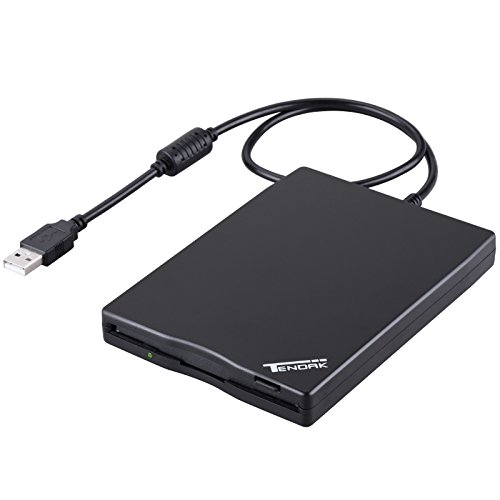


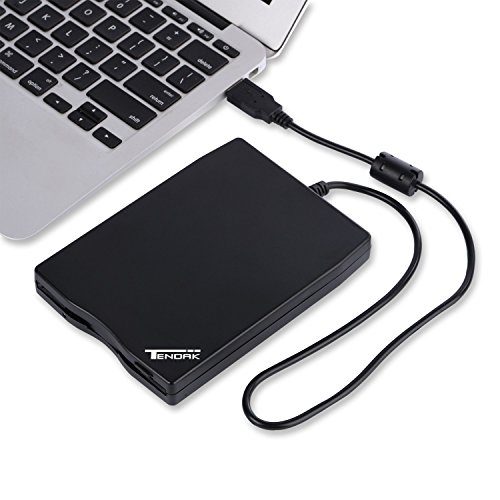

- USB FLOPPY DISK DRIVE - 3.5" USB External floppy disk reader, Reads 3.5" Floppy Disks with 720KB/1.44mb Capacity.
- EASY TO USE - Plug and play, no extra driver required, just plug it into usb connector directly, it will automatically install driver by itself, with interference preventer. Powered directly from the USB port, no external power required.USB 1.1/2.0 is compatible. DON'T SUPPORT USB 3.0.
- COMPATIBILITY - Compatible with Windows98/ SE /ME / 2000 / XP / Vista/Win 7/Win 8 Notebook, PC, Desktop, for Mac, Dell, Acer, Sony, HP etc.
- RECALL YOUR MEMORY - This USB Floppy Disk will help you rouse old memory from old floppies. Save and transfer all those old pictures,video, documents that you haven't see for ages. It was a life saver which will recover the old data and files on the floppies
- WIDELY USED - Use for industrial machines, aviation tech, ATMS, military and more fields. You can write or transfer data introduced to your industrial machines, ATMS or other device through a floppy drive, convenience for your production
-
Information
-
Twitter
-
Pinterest
-
Youtube
-
Facebook
Ajit Ojha
Supprised and delighted to have a floppy disk drive reader.
Supprised and delighted to have a floppy disk drive reader. Had several diskette drive reader/writers on some of my old Windows type desktop PCs. Used the drives to save many documents and pictures. Stored the diskettes away for future retrieval of files, photos and documents when needed. As the year passed and new desktop PC were installed never thought about the diskette drive functionality. Going thru boxes of put-aways and discovered many diskettes labeled with photos and documents that I dont have on curent PC. Researched Amazon and found this reader/writer and was delighted and ordered. This was a plug and play on my Windows 10 desktop PC. The build an quality of this devise is excellent. The product is well designed for the modern day use of computes featuring the USB connectivity. I plugged this rade/writer in to my USB expansion bus and it worked flawlessly. I am able to read all those old documents and photos. I have not tried to write files to the diskettes, not sure why on would chose to save files to a diskette this days. If you have files, documents or photos stored on the old diskette storage media this is the device you need to regain access to those files. It works flawlessly and is kind of fun to have on your new desktop PC.
Bar Milano
Worked with both XP and Windows 10
Bought this external drive to recover some files from old 3.5” floppy disks. It installed with no problems on both an old XP machine and on a new laptop with Windows 10. Both machines had no trouble recognizing it as soon as it was plugged in. Read the disks with no issues. Very happy with the drive. Worked exactly as advertised!
JoAnna Wass
Five Stars
Works great! Does such a good job on getting our pictures switched over. We are using Windows 10.
Yuuki Cross
Works Great So Far
This was the 3rd USB floppy drive I've ordered and, thankfully, it works great! The other two (an order and replacement) were Raayoo and they would not work. My system is an Asus Q534 Win 10 Pro. From other reviews and my own experience I believe the difference is the driver. This drive ( Tendak ) shows up in the Windows Device Manager as "TEAC USB UF000x USB Device." I don't remember how the Raayoo drives showed up. Anyway, just glad to have one that works and wanted to pass on my experience.
Julita Lomalio
I had a few dozen 3 1/2 inch floppies, ...
I had a few dozen 3 1/2 inch floppies, old enough that I did not know what, if anything, was stored on them. I bought the external drive to review the contents of the diskettes before I disposed of them. Used the drive on both an iMac and on a Windows 10 PC. The drive worked on both computers. No issues.
John Case
It works - no problem reading old diskettes
Worked great for my purposes (reading & transferring info from old 3.5 floppy diskettes). Using Windows 10. Had a bit of trouble locating the drive at first but it showed up as the A: drive under This PC (just like in the good old days!).
Nigel Gorbunow
Inexpensive and Works Great
I wanted to recover some family pictures (.sfw format) from the mid-90s that were on old 3.5” disks. Of course these drives have long disappeared from standard desktop computers. This drive was just what I needed. Plugged it into the front USB port on my Dell Desktop (running Windows 10) and I was on my way. There was one disk that it could not read and maybe 5 files out 400 total that could not be read. After getting files to desktop I used File Viewer Plus to do bulk conversion of the files to .jpg format. SO, if you need to retrieve some old files from 3.5” disks this is an easy inexpensive solution.
Cathi Collins Mikutis
Didn't think I would still be able to find one of these
I have a pile of old floppys lying around and I was just curious to know what I saved on them. Very easy plug & play and I was able to retrieve some old photos I thought I lost! They were very low resolutions, but still... good memories. Anyway at first I thought it didn't work, cause the first two disks didn't work, but sometimes it's just the floppy and not the machine. The disks are very old and probably damaged, and like some other reviewers mentioned, a disk that you thought wont work might work the second, third, or fourth time you try it!
Lauren Langley
A Tale of Five Floppy Drives
I was trying to recover data from floppies to my Windows 10 Home machine. I ended up trying five different devices and am posting my review to let you know my results. First, all five devices worked PERFECTLY on my Windows 7 Pro laptop. However, when plugging in to my Windows 10 machine, three of them would only sit and spin with the drive light on, even though they were recognized as drives by Win10. After a little looking, I found that the devices that worked on my Windows 10 machine identified themselves and used the driver for the Y-E Data USB floppy, while the devices that just sat and spun identified themselves and used the driver for a TEAC floppy drive. So there must be a little difference in the internal configuration of the drive that is causing the issue. I tried 5 devices and found that the Tendak USB Floppy Disk Drive worked perfectly, as did the Esynic USB Floppy Drive . Both identified as Y-E Data USB floppy drives. When they were plugged in, they worked smoothly and quietly. It was a toss-up which one to choose to keep, but I eventually went with the Tendak because it seemed slightly quieter and faster, but that was really subjective. The Tendak also had more information such as a warranty card and information on how to contact support, while the Esynic box was empty. As far as quality of the drive, they seemed identical. If I had needed more than one drive, I would have kept them both. For me, initially the Sabrent External USB 1.44 MB 2x Floppy Disk Drive (FL-UDRV) seemed the nicest. The box was glossy with information covering it, you'd expect to see this sitting on a shelf in a big box store. (All other drives came in plain brown boxes). There were touches of quality in how the drive was packed, the box was made to fit it with a area for the cable to fit in and a dust cover over the USB end to keep it clean. It came with a beautiful guide to using the floppy, including information like the write-protect switch and not removing a floppy while the drive light is on, that newer users would not be familiar with. They also had a support phone number, and the person who answered seemed to be an American. Unfortunately, this was one of the devices that would not work on my Windows 10 machine. It identified as a TEAC USB Floppy drive, and when plugged in it simply had the drive light turn on and continuously seek for data. It worked perfectly in my Windows 7 machine, and was very fast and smooth. If I hadn't needed it working on Windows 10 as well, I would have kept this one in a heartbeat. From other reviews, it appears that it works on other people's Windows 10 machines, so I'd recommend you at least try it. The last two devices were both from Chuanganzhuo. 3.5" USB External Floppy Disk Drive Portable 1.44 MB FDD for PC Windows 2000/XP/Vista/7/8/10,for Mac,No Extra Driver Required,Plug and Play,Black and the 3.5" USB External Floppy Disk Drive Portable 1.44 MB FDD for PC Windows 2000/XP/Vista/Windows 7/8/10 +Dustproof Scratch-Resistant External Bag Case,No External Driver,Plug and Play. Both devices worked fine on Windows 7 Pro, but on Windows 10 Home they immediately had the drive light up and started a very loud seek process that never finished. These devices were louder than any other drive I tested, but did work just fine under Windows 7. Both used the TEAC USB Floppy driver as well. My conclusion: If you are lucky enough to be one of those whose computers will use the Sabrent External USB 1.44 MB 2x Floppy Disk Drive (FL-UDRV), get that drive. It is quality. If you can't, either the Tendak USB Floppy Disk Drive or the Esynic USB Floppy Drive will probably make you happy.
Timothy Drake
Retrofit
When I replaced my computer I really needed a floppy drive because I've a lot of data to transfer from boxes and boxes of floppies. Don't have this plugged in if the computer is left to go into sleep mode because a lot of wacky things will happen.