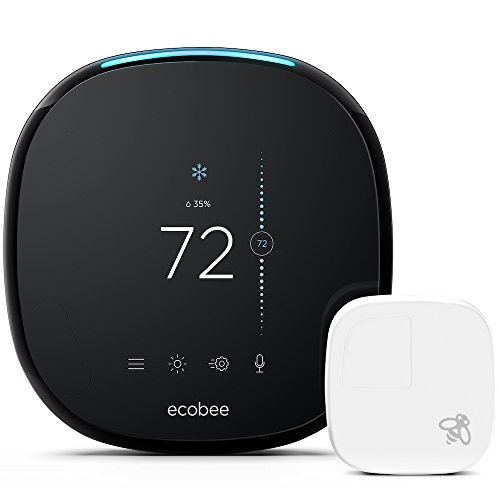
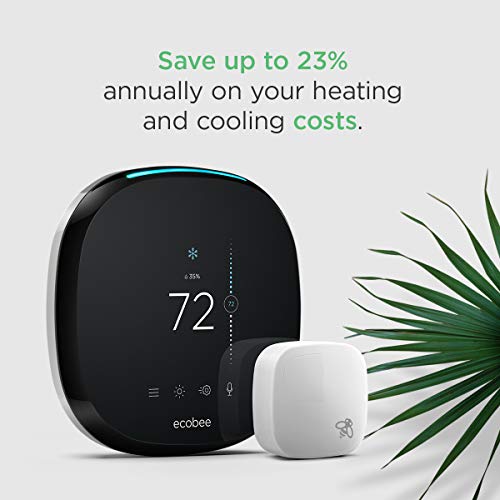



- SAVE MONEY: Homeowners save up to 23% annually on heating or cooling costs, plus ecobee pays for itself in under 2 years (compared to a hold of 72 degrees).
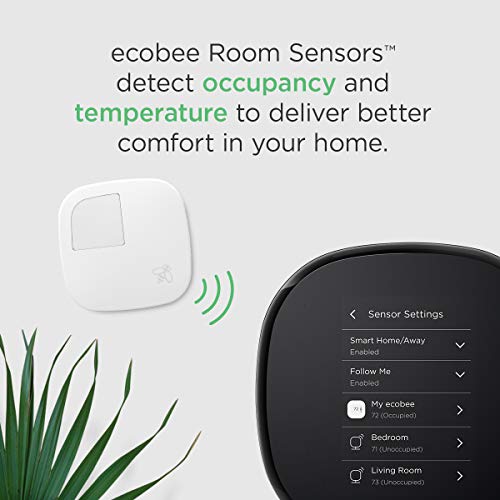
- ROOM SENSORS: Place them in the rooms that matter the most and have the temperature balanced throughout your whole home. Measuring both occupancy and temperature, sensors signal your ecobee Smart Thermostat to automatically switch to the right mode for comfort when you’re home or for savings when you’re not. One Room Sensor included, 2-pack sold separately
- EASILY INSTALL YOURSELF: It only takes about 30 minutes, thanks to an easy to follow installation guide and an in-app step-by-step walkthrough. Everything you need comes in the box, including a Power Extender Kit for homes with no common wire (C-wire). Compatibility- Gas, oil, electric, dual fuel, Conventional (2H/2C), Heat Pump (4H/2C), Humidifier, Dehumidifier, Ventilator, HRV or ERV
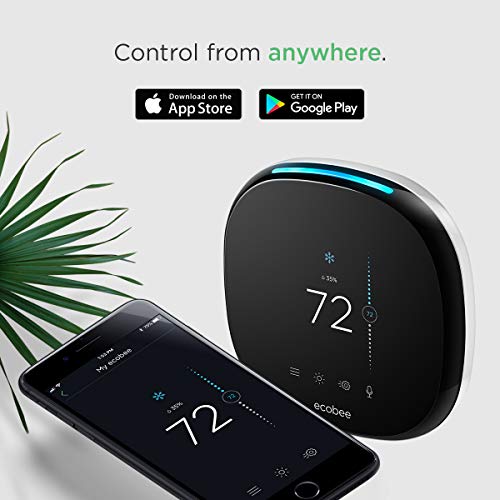
- CONTROL FROM ANYWHERE: Easily adjust your thermostat from wherever you are using your iOS (iPhone, iPad, Apple Watch) or Android device. The ecobee mobile app is available in the App Store or on Google Play. Works with: Apple Homekit, Amazon Alexa, Samsung SmartThings, IFTTT and more.
- BUILT-IN ALEXA: Control your thermostat using your voice with built-in Alexa. Ask to play music, hear the news, set a timer, adjust the temperature, and so much more. Wifi connectivity is ieee 802.11 b/g/n at 2.4 GHz. Tip-make sure your HVAC panel is fully closed. Some systems will not turn on if the cover panel has not been closed properly.Voltage Type:Line Voltage
-
Information
-
Twitter
-
Pinterest
-
Youtube
-
Facebook
Gabrielle Calzada
The new ecobee 4 has some nice changes
After trying and using the other popular smart thermostat in my home I learned many things. The most important was that no matter how basic the thermostat that came with my home HVAC was, it worked for the simple functions it was intended to do. When I installed my first smart device I got a lot of all new features and functionality but the reality of running a day-to-day schedule of heating and cooling my home actually got more complicated and in some ways not any more improved. When ecobee came along I was an early user of their solution including zone sensors, which seemed to be a good idea for my multi-level open-architecture home. But again, in real life there were instances of the more sophisticated system introducing new problems that never existed before. It took me weeks to get things to settle down and even to this day the simple act of operating my HVAC system is less automated than it was with a simple programmable thermostat But with the smart features there were things I learned to like, and high on that list was the ability to control my HVAC system from my phone, whether at home or not. In some ways that capability started becoming the number one reason for owning an smart thermostat. But there was definite room for improvement and among them was a tighter integration with Alexa/Echo to allow for more automation and easier control, especially by voice. I have had Echo sensors at the two places at home (now 3) where I spend the most time and they are “connected” to my ecobee but this newest , latest version takes that another big step forward and actually builds an Echo right in the thermostat hardware. One advantage is obvious; generally our thermostats are not located anywhere near where it would be logical to have an Echo plugged in. In my case the thermostat is on a wall between the bedrooms on a staircase landing … the last place I would ever have an Echo. By having the voice control of Alexa in that location I can simple speak to my thermostat as I walk by. The included remote sensor of my thermostat is located in an open section between my kitchen, dining area and living area, also a location I am very unlikely to plug in an Echo, so it would have been nice if the remote sensors acted as mini-Echo’s with microphones in each. They don’t, so let’s list that as suggested improvement #1. If nothing else, getting this unit gave me most of the functions of having another Echo, which can be a big cost savings over buying more Echo units (I already had two Dots). KEY FEATURES OF ECOBEE Before going into features (and differences), if you are new to the whole concept of smart thermostats, here is a run-down of what this is all about: - The ecobee not only turns your A/C on when it’s hot and your heat on when it’s cold but it actually works (via internet) with your local weather service in real-time so it knows what’s going on outside your home as well as inside - Its key difference is that you can place sensor is different zones of your house which not only helps balance out the efficient use of heating and cooling but can sense which room you are in and control your preferences for that room, not the entire house. It even knows when you go to work, or to bed or on vacation - The newest feature, Alexa control, let’s you use the thermostat as a timer, to check the news, turn lights on and off, play music and something like 10,000 other “skills”. Of course you will need various other accessories to make some of that happen. - You can check and change the temperature of your HVAC using a smartphone from anywhere in the world. To me this is the number one reason I like this system - The software builds usage reports over time which can be helpful in managing your energy usage for maximum economy THE GOOD AND THE BAD Let’s start off with what was probably the biggest complaint about earlier versions … they didn’t work well with heat pumps. That’s probably because heat pumps aren’t very common where the company is based. When I first got mine I was on the phone for hours with the tech people (I have to give them credit, their tech support was great). They really couldn’t solve it over the phone so they send a professional tech out to complete the installation for me. Compared to installing an old style mechanical thermostat by connecting two wires and turning it on that would have been a major strike against smart thermostats but I was forgiving because we were dealing with some very cutting-edge technology. The good news is that my installation of the new model was butter-smooth, it seemed to know exactly what HVAC gear I have and fine-tune itself accordingly. WHAT IS CHANGED FROM THE ECOBEE 3 TO THE ECOBEE 4? - The new model much larger in every dimension - The new model is “rounder” – the old design was essentially square with rounded corners, the new model is somewhere in-between a square and a circle - The new model is substantially thicker, it sticks out from the wall almost twice as far - The new model has a completely flat face, whereas the older design’s face was slightly convex like the face of a clock. The advantages of a flat face are less glare on the screen and it is easier to touch-activate the icons without accidentally brushing against the wrong one - The pseudo button has been redesigned. The so-called button is actually a sensor but on the older design it looks like a push button. The manufacturer doesn’t mention it anywhere in their documentation and I understand it was a common complaint from users who tried poking it and nothing happened. - One additional faceplate icon added (for the Alexa/Echo controls) - Different mounting plate – the mounting plate is what screws to the wall and the wires from you HVAC attach to it, then the thermostat faceplate simply snaps on to it. The older design had a two-piece mounting plate that was a bit cumbersome. The newly designed plate is much smaller and one piece instead of two. IMPORTANT: the location of the wiring terminals has been switched up for no apparent reason. If you are replacing a previous model with the new design read each terminal label carefully, they are not where they used to be. The mounting plate still has a tiny built-in bubble level which is incredibly useful in mounting the thermostat so it doesn’t lean to one side or the other on your wall. - Different remote room sensor is pictured on the retail box than what's inside – this one is something I’m working on getting an answer for, the packaging shows a newly redesigned room sensor that looks more attractive and eliminates the pseudo button mentioned above, but what is actually in the box is the old sensor. This could just be because I was testing an early unit. By the way, the remote sensor can either be mounted to your wall or placed on a desk/tabletop using a little acrylic stand. - There is now a blue LED light bar on top of the thermostat but when the unit is mounted at the usual height most people won’t be able to see the light itself, only the glow from it on their wall. So my second suggestion is maybe that light should have been on the bottom of the thermostat and serve double-duty as a path light when the motion sensor senses someone walking by (this is a feature I love on my nest smoke detector … I have it mounted at the top of my stairway and whenever someone walks under it at night a soft nightlight comes on to illuminate the first couple of stairs). - Staying on the topic of that blue light, one thing I find very distracting is if you prefer to turn the auto-voice-recognition microphone off on the thermostat’s main unit for any reason, that light turns bright red whenever the microphone is turned off. That looks like it is warning me of a danger situation (turning the microphone off is not a danger situation to me). Suggestion three, please change that setting to be able to turn the LED light off! - And, Amazon Alexa built in, of course (a few words on that later in this review) - The Power Extender Kit (PEK) has been completely restyled with bigger terminals, larger buttons to clamp the wires and a handy magnet on back so it can stick to the inside of your HVAC main unit. Thoughtful. - Back trim panel has been redesigned – the use of this trim plate is optional to cover screw holes or unpainted walls behind your old thermostat. The new design is rounder which some people may prefer but the larger advantage is that the hole in the back for the wires to pass through is much smaller, which means less air from inside your wall can rush through and affect the accuracy of the thermostat - There is no way to save your settings when you upgrade from a previous model – this of course only affect users who are upgrading from the previous model but is a missed opportunity for the manufacturer. You should be able to save all of your settings to your online account so when you install the newer model it automatically recalls them. Instead, they do something unexpected … when you uninstall the old thermostat your account is automatically deleted and you no longer exist to them. You have to start from scratch to set up a whole new account. By the way I’m not talking about 2-3 personal preference settings, there must be at least 50 settings buried deep in the setup menus! - New model is not listed yet at registration page – this is not an issue or a problem, remember I looked at an advance unit several weeks before it was announced to the public. So when I had to set up a new account the latest model was not listed as one of my options. Hint: I said that I have an ecobee 3 and it accepted that. ALEXA/ECHO FEATURES Okay, let’s talk about the most exciting new feature … it has a built-in Amazon Alexa Voice Service. In theory that means if you don’t own an Echo, you do now, and if you already own one or more Echo’s it adds another one (which is essentially similar to the Echo Dot). It has built in far-field voice recognition microphones and (like other Echo devices) theoretically only the closest Echo will respond to your voice. I say in theory because the Alexa portion of the thermostat is very slow to wake up. It turns out my thermostat is located almost exactly midway between my upstairs Dot and my downstairs Dot and even if I am standing with my face a foot away from the thermostat it takes so long to realize I’m talking to it that either the upstairs Dot or the downstairs Dot respond first. Sometimes BOTH respond so I have Alexa jabbering at me from all over the house. Then when it finally wakes up and goes “huh?” (it doesn’t really do that) now I have THREE Alexa voices talking to me. What's really weird is that while my two Alexas are saying one thing, the one inside my thermostat is saying something totally different. Obviously this isn’t ideal and I’ll report back once the manufacturer gets a chance to work on this for their final version. One more thing about Alexa/Echo integration … so far it hasn’t been working out so well and apparently that’s not new (there are way too many unhappy users commenting about controlling the previous models with Alexa). Not to be one-sided but it works 100% of the time for me with Siri, but most of the time Alexa won’t/can’t acknowledge that I even have an ecobee device connected let alone control it. BOTTOM LINE If you don’t yet have a smart thermostat this new model is the one to get for dozens of good reasons (besides being Alexa/Echo enabled). It smarter and does almost everything I could ever want a thermostat to do. My only downside with smart thermostats is related to my particular climate which is not like most places that have winter settings and summer setting where you can let the thermostat run on a schedule most of the time. Where I live there are two transitional seasons in which we open the windows and doors part of the day and then turn on the heat or A/C the rest of the day. I would love a simple system on/off button on the main unit and on the app that lets me do that and I would really like a system that has window/door sensors that automatically turn the HVAC off whenever a window or door is opened for ventilation. If you do already have a previous model should you replace it with the newest model? Well, personally I think the improvements are all positive and if I didn’t already own an Alexa Echo Dot I would definitely do it. Otherwise, the improvements aren’t a quantum leap in features or technology so I would say it is a personal decision if you want to be at the cutting edge with your home gadgets. Overall I have a high opinion of the newly improved model and none of the quibbles I mentioned should count against that until the final production models hit the mainstream and any bugs are worked out. So for now my score is high based on my own personal user satisfaction.
Quintin Yates
Easy to Setup, Easy to Integrate
I had a few homes running on Ecobee SMART thermostats. I chose those based on the "break-out" equipment boards with solid state relays. As time moved forward, these styles of boards did not integrate very well with the latest smart home initiatives - although they worked fine. In my current house, I decided to go with ecobee yet again, only upgrade to their latest product. Why ecobee and not Nest or Iris or "insert newcomer here"... Primarily, I am looking for something platform independent. Almost another branded thermostat owes its life to a big name brand - like Google, Apple, Amazon, etc... As you begin to expand your platform or as these larger companies buy up the competitors. You may find your smart home configuration no longer works. (Just ask owners of SmartThings and Blink when Amazon came along). So, true, Alexa is a selling point and that is Amazon, but ecobee also integrates with many other platforms - you don't have to use Alexa if you don't want. This is key for me. One top of that, ecobee has been in the Smart Stat space for a VERY long time - much longer than Nest. They have worked through many of the challenges and have perfected the installation and operation of their thermostats. Installation is well documented and easily performed - with wiring display in the stat itself as well as a test mode to validate your install. Sure, the advanced options can be intimidating, but they are easy to configure and give you greater flexibility for your equipment, location, and control needs. My ecobee(s) are rock solid and, aside from an occasional wifi loss (which only required a reconnect - which never impacted the A/C operation) they are an excellent product.
Sabre Abuhania
Love my Ecobee 4!! By far the best Smart Thermostat on the market!! Built-in Amazon Alexa!!
Evangeline Cabiles
Love to see the data usage on the website
I've had this product for two weeks and very impressed with the device. Installation was easy enough; I had five wires ran to the old thermostat and only four was connected at the furnace. I had to make the connection there to be able to power on the ecobee. The instructions were very clear and setup was a breeze after that. I like having a second sensor in the house. The ecobee is able to get the average between the two and regulate the temperate accordingly. One feature that I didn't see and love is from the ecobee website. Once the device is setup and running, you can log into your account and see the data from the thermostat. You can see when and how long the furnace had been running, the temperatures of the sensors and outside throughout each day, and see when the thermostat's temperature was modified. There is a lot of data to go off of and excited to see what my monthly usage looks like. The state I live in also does a $100 rebate for smart thermostats making this a good buy. Once it comes in, I will be buying two additional sensors to be placed in my home. UPDATE: It has been over a month now and I am still loving this system. I bought two more sensors for a total of 4 (including the thermometer) in my home. I have a multi-level home and this is perfect; one for each level. Because I am able to see the temperature differences for each level, I have been able to adjust the vent flow for each room to allow the best comfort level for my home. The thermometer has an option to pull the average of all sensors attached or ignore certain sensors. One of my comfort levels is for sleeping. I have it ignore the top two levels (usually the warmest) and focus on the basement levels since these are cooler. This allows the best comfort level for the basement area. One thing we noticed was when we were out of the home for an extended amount of time, we would set it to "Away" which dropped it from 71 degrees to 63 degrees. We were out for 10 hours and I had it turn back on before we returned. We got back and it was back to normal. The next day, I took a look at the data and found that the furnace had to run for a full 3 hours to return back to 71 degrees. In comparison to other days we found that our furnace would run only for an hour over a span of 8 hours to keep the temperature at the comfort level. The "Away" option is not a good option if only for a few hours. Granted the outside average temperature was 25 degrees, but it is more beneficial to keep it going unless you are out for more than one day. Without this thermostat, I wouldn't have been able to find this out.
Nicole D Friedley
So far so good!
Just got this installed today, and so far so good. Our old thermostat had five wires running to it, but a blue wire was not used for the "C" connection, but rather as "W2" due to our HVAC system being two-stage for heat. As such we needed to use the included "PEK" device for power, which worked fine after we figured out which connection on the HVAC control board was for "C" (we had to look up the board online to get a schematic, as the "C" connection label was obscured by a transistor on the board). The ecobee iOS app was a great resource for installation (with videos)...much easier than following the printed booklet. We lived with our old thermostat for over a decade, so looking forward to the benefits of this new smart appliance.
Ella Baesso
Very easy to install and use....
I've always wanted a "smart" thermostat but didn't know which one I wanted or which one was better. To answer which one it the best or is better, I don't thing there is a right answer. I went with the Ecobee brand because I recently bought an Eco show devise and I really liked the Alexa system and wanted to try and keep everything compatible. I am slowly trying to convert my home into a smart home. My thermostat was the next step. I hired a professional to do the install, but they kept calling to reschedule and I kept getting frustrated so I decided to do it myself. I did the prior thermostat myself, a normal digital (non-smart) Honeywell thermostat. which worked, but took me a long time and was a pain in the but to install. I am not a home improvement kind of guy and am not really handy with tools, yet I still found it very easy to install with the instructions provided. It took me only 15 minutes to install. Once I turned the power on, the ecobee unit automatically walks you through a trouble shooting tutorial to ensure you have the proper wires connected to the proper terminals and your thermostat set to the proper setting in order not to damage your ac/furnace. The ecobee App you need to download and I found it very easy to use. I can't compare it to other Smart Thermostats, but I can say it was extremely easy to install by any nonprofessional, is very easy to use, I love the cell phone capability, and having Alexa. Do not waste your money on the smart sensors unless you have a multiple story home that requires more than 1 AC/Furnace. These sensors do not turn your home into a multiple zone heated/cool house. That function will only work if your house is already a multi zone home with multiple ac/furnace units to toggle amongst. What it will do will crank up our down the heat or ac based on a specific room you have a sensor in. Say you have a back bedroom that just doesn't get as cool as the rest so you set a sensor in there and want the ecobee to read and adjust to that room. Great it will, but it can't close off the other rooms, that will be freezing to accommodate the extra drop in temp the thermostat adjusted to meet that room demand.
Jonathan Primrose
Awesome thermostat
I'm loving this thermostat so far, I bought four extra remote sensors for bedrooms and home office and it's awesome being able to see temperature variations and having the ecobee track occupancy. I had to stay home earlier this week and the ecobee knew I was home and automatically stayed in "home" mode. I love being able to go into my online ecobee account and see graphs over time of temperatures (overall system and individual sensors), modes, and occupancy. The Alexa functionality is great, this covers the corner of my house that needed it. I got cold a couple days ago, I was able to just say "Alexa, tell ecobee I'm cold" and it automatically bumped my temperatures up 2 degrees. Now, one thing I'd like to share in terms of initial setup: my ecobee connected just fine to my 2.4GHz wireless network. The next day, however, it dropped off the Internet and didn't come back. My Smartthings hub remained online so I know it wasn't an internet outage. The only way I could get my ecobee to reconnect was two things: change my wireless router to use 20MHz channels instead of 40MHz channels (it was using channels 7 + 11 instead of just a single channel, ecobee doesn't play nicely with this, I had to change my 2.4 GHz network speed to "up to 217Mbps" on my Netgear router to accomplish this) and manually configure my ecobee to use a static IP address. I tried both these fixes at the same time and it worked, I didn't want to monkey around with the settings anymore so I'm not sure which one specifically fixed it but this might help if you have trouble too.
Katie-Lynn Arter
Eureka!! My Ecobee4 works perfectly with my Aprilaire 700M whole-house humidifier!
I got the Aprilaire 700M (manual) version because with a smart thermostat, you don't need an outdoor sensor to tell the temperature. The idea is that the relative humidity (RH) inside your house should decrease as the outside temperature also decreases. Otherwise you'll get condensation on the windows and other parts of your home, leading to frost, freezing, dry-rot in your attic or window sills, etc. The Ecobee4 knows the temperature at your location (via Wi-Fi connection) and has a "Frost Control" setting that will automatically adjust the home's humidity level accordingly; no need to use the manual humidistat and constantly change the humidity setting as temperatures change. I've attached a diagram of the exact wiring I used -- even the colors are the same. It took combining about 4 different diagrams that only told part of the story, a call to customer service, an email to an HVAC guy, and bit of trial and error (e.g. I had to learn not to use the HUM connection on my furnace because it's only charged when blowing heat) but my Aprilaire 700M and Ecobee4 now work PERFECTLY together! When I need humidity in my house, my thermostat will turn on the furnace fan and the humidifier to add humidity without heat... as well as with heat, if needed. IMPORTANT Instructions: 1) You DO NOT need to use/wire the humidistat control (dial-a-humidity level) because the Ecobee4 perfectly takes it's place (actually, it does a much better job). 2) You have to know that when you set up your humidifier with Ecobee, you have to tell it that it's a "steam" humidifier, NOT an evaporative one. This is not true, but it will allow the Ecobee to call for humidity even without heat blowing. 3) You need to purchase an extra relay to make the call for humidity without heat to work. Aprilaire recommends the Aprilaire 4851 relay. I'm not convinced there isn't a less expensive relay that will make this work, but I know the 4851 will work. 4) Take note that the G (green) wire needs to be disconnected from your furnace control board. This is according to the 4851 relay instructions. There are a few other oddities with the wiring too, so pay close attention. 5) Be sure to use 18-guage wire for 24 volt purposes (which is all this diagram shows) 6) I used the 2-wire setup for my Ecobee; there is a 1-wire installation, but I couldn't get it to work. 7) I did not need to use the transformer the Aprilaire 700M came with (because I didn't need extra 24v power). 8) When using no-heat with your humidifier, please note that Aprilaire recommends installing the humidifier on the hot-air service side of your furnace plenum, and to use hot water to flow into your 700M. This will allow the water to evaporate better. I'm going to add insulation around my 1/4" copper tubing (sold seperately needed for installation, with compression fasteners) to keep the water a little hotter. I used a SharkBite valve (Model # 24983A; 1/2" push-to-connect, 1/2" push-to-connect, and 1/4" compression fitting) to tap into my hot water line. The SharkBite fittings made it super easy to install onto my PEX hot water pipe. You may want to use something similar if you don't want to use the saddle valve the 700M came with (which I couldn't, nor did I want to run the risk). I had virtually no plumbing or electrical experience before doing this install, so you can do it too! I've attached a few other photos and the diagram that came with the 4851 relay, and the Ecobee4. I hope this helps! And enjoy your new perfectly comfortable home! p.s. Be sure to go to your electric company's website and look for a rebate on smart thermostats; the two main ones here in Colorado Springs both offer a $50 rebate!!! Free money.
Tracey Hulsey-Sykes
Multi-room temperatures and Ease of use make it great
I was slow adopting the newer thermostat technology since I always figured it was the epitome of laziness. But setting ranges of comfortable temperature, having all rooms monitored for occupancy, and away mode is great. I love how it knows if I've gone to work and adjusts usage. I love how I can go on vacation and if i forgot to turn the whole system off, I can. I'm the type of person that doesn't need Alexa, but it works. It hears you across the room with the TV on somehow. Now i can yell, Alexa, what channel is the game on and it tells me. You can also see graphs of usage and average temperatures which is nice to see how much your system is operating. It tells you when you need maintenance. And if you're hot you just go to the app and change the temperature settings. It's really easy. Necessary? No. But to me it's like getting a universal remote. Just simpler.
Jeremy Waugh
Great Smart Thermostat - Easy to Install, Set Up, and Use
I really like this thermostat. We replaced an existing, 'non-smart' programmable thermostat. Pros: Alexa: It's a really great feature to have built into a thermostat. We put an ecobee 3 lite for our upstairs zone and can control both using voice on this unit. The speaker can be adjusted to be pretty loud for voice feedback and even playing music. Interface: The display is bright and the touch screen is responsive. It's easy to make basic changes, but I recommend using the app or web portal to design a schedule or make changes. App: The app is a snap and lets you set and control your temperature settings quickly without even getting up if you don't want to use Alexa. Schedule: This is a great feature if you haven't used a programmable thermostat before. Even if you have, the ecobee gives you finer control over the details. The schedule is super easy to set up using a PC on the website. Sensor: The satellite sensor is a great way to help out with dead spots. Our bedroom gets warmer/cooler than the hallway where the thermostat is located, depending on the season, and the sensor helps keep the temperature closer to what we want. Reports: The reports that ecobee builds are really helpful in seeing where you stack up in your community and can help you design a more efficient program for your house or apartment. This is probably the best feature because you are seeing the trends of your runtime, current settings, etc. Design: The thermostat looks like it's from the future and includes a backplate which is big enough to cover any places on your wall you want to cover up. Cons: WiFi: You need WiFi to get the most out of this thermostat. The thermostat has dropped WiFi once in the 4 months we've had it and I had to do a manual reset, but other than that it's been fine. Battery: I was used to thermostats having battery backup, but since it's connected to WiFi, it will resume it's previous schedule, but while the power is out, it won't record any data. Not a huge deal, just takes getting used to if you live in an area with frequent outages. Weather: The outside weather can be a little hit and miss. I've compared to the local weather service and it's usually within a couple degrees. Overall though, it does a pretty good job. It's hard to find major flaws in this thermostat. I've been very pleased with it so far and I'd recommend this over the Nest which I have some limited experience with. I'd definitely get this again. I think it's already helped me tweak my system to get it running more efficiently and save a little money on utility bills.