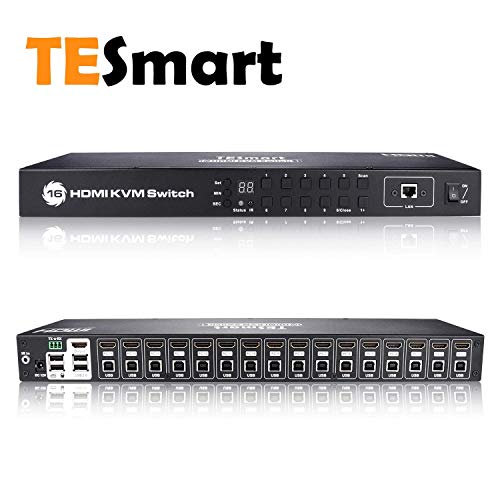
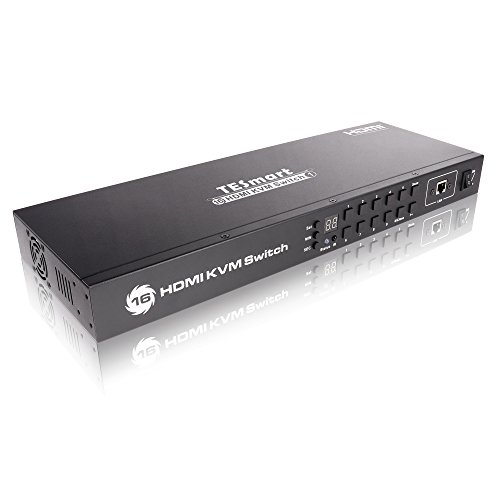
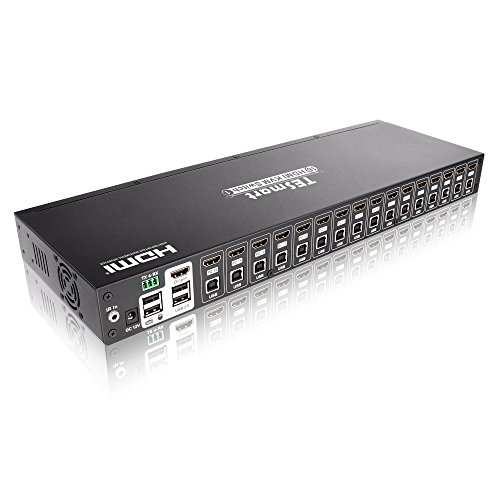
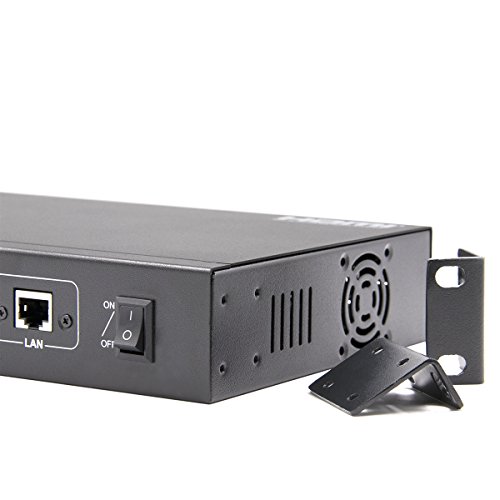
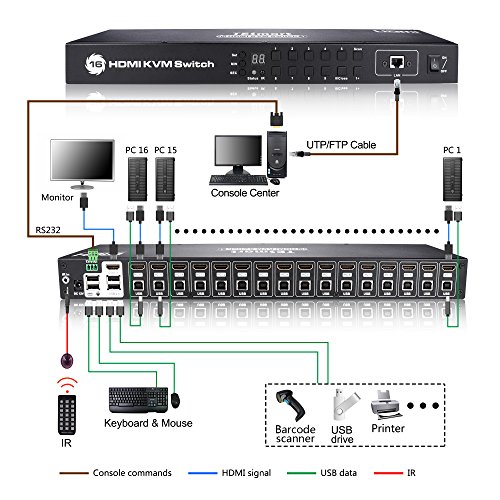


- THE ULTIMATE HDMI SWITCH – Create a powerful visual experience and enjoy the ability to switch between different video sources seamlessly. This HDMI Switch gives you the flexibility of controlling up to 8 HDMI computers from a single USB keyboard, USB mouse, and monitor console.
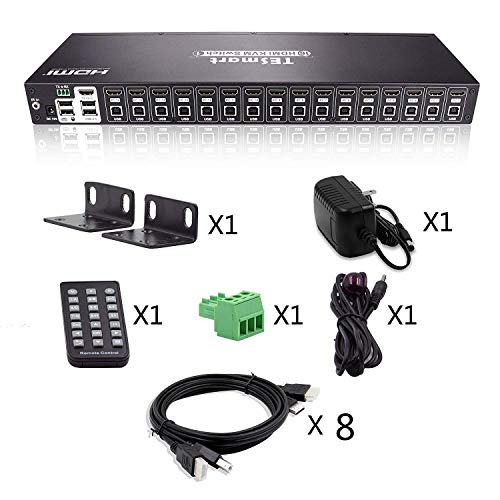
- KVM SWITCH WITH REMOTE CONTROL – This functional 8 port HDMI KVM switch comes with a remote control for your convenience and 4 pcs of dedicated 5ft KVM cables to save you time and money. It also supports button switching and keyboard hot-key switching for easy monitoring.
- OPTIMAL DISPLAY RESOLUTION – Our 8 port HDMI switcher comes with an on-screen display (OSD) functionality to help you access any computer connected to the installation effortlessly. It also offers superior video quality and supports HDTV resolution up to 3840*2160@30Hz.
- CROSS-PLATFORM SUPPORT – This 8 port HDMI switcher supports nearly all systems and provides you with great flexibility in integrating cross-platform computer equipment easily. It’s compatible with Windows, Linux, MacOS9 / OSX, Sun Micro Systems and more.
- SIMPLE PLUG AND PLAY INSTALLATION – This HDMI switch is easy to use and requires no special software. You can add or remove devices connected to the KVM easily without turning off your PC (i.e. hot swap).
-
Information
-
Twitter
-
Pinterest
-
Youtube
-
Facebook
Amber Elizabeth Lewis
Shipped quickly. Well packaged. No complaints.
We bought this KVM switch to help monitor our server rack and are quite pleased with it. This particular rack has servers with Windows Server 2016/2012 and a couple different Linux distros. We haven’t had any issues switching between the different units. I had a spare VGA to HDMI adapter laying around that I needed for one of the older units and it seems to work fine. The auto-switch function is great for us but the pre-programmed timing was a little short. We adjusted it to about 30 seconds and now it’s on a good rotation. I bought the unit because I could change the interval time (I didn’t see other options that could) but the remote control is pretty cool too. We actually use it pretty frequently.
Sajid Shah
Excellent product
I wanted an HDMI/USB KVM that could support a couple of computers, a NAS, a few Raspberry Pi's (and other tiny computers) and a couple of Intel NUC computers. I went for the 16 port model since I would otherwise have a full load. I wanted one that supported CPU switching from the keyboard as well (this uses Scrl-Lock/Scrl-Lock/number (1 thru 16), not requiring me to press a button on the unit, or even using a remote control. This unit works exactly as advertised. I have not had any problems with switching, or with the computer failing to recognize the keyboard and mouse. It will automatically switch to a newly turned on unit so you can monitor the boot sequence. All that said, there are features I haven't tested yet. I have not yet tested using multiple USB devices and switching those using the KVM, but plan to hook a scanner and a printer to it. My monitor is 1920 x 1080, and works great, but I haven't tested any 4K resolution HDMI connections yet. I also haven't tested the LAN port or the RS232, but not sure I'll ever need those features.
Kc Aj Butchek
This is a great KVM switch so far
This is a great KVM switch so far, but I had a hard time finding any documentation on this unit. I wanted to learn more about how to use the lan port but could not find any information on it. Also I had a Moread Gold-Plated HDMI to VGA adapter for one of my vga monitors and that particular adapter did not seem to work for me. So I instead purchased a DVI to HDMI adapter from ugreen and that seem to work. The features on the device are great and it seems to handle resolutions well. it also switches very well, and also it stays put on a specific device when it goes to sleep which is what I want. I can wake machines from the KVM as long as the switch is on the right device.
Nook Luvin Hers Stiff
I tried other options but this one has been the best so far
Monitors my crypto rigs flawlessly. I tried other options but this one has been the best so far. I needed something with adjustable auto-scanning and this did the trick. I had a question on how to turn the beep off and the Seller responded promptly (scroll lock, scroll lock, F11).
Melissa Lynn Gilliland
Great
Great
Eric Jay Sanders
You won’t be disappointed.
Works as advertised. Fast delivery. Worth the money. The max. resolutions I'm working at are 2560x1440 @60Hz.