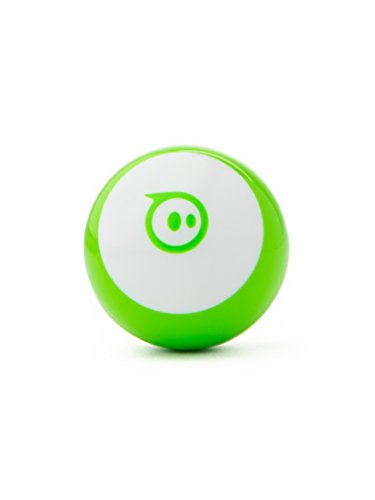

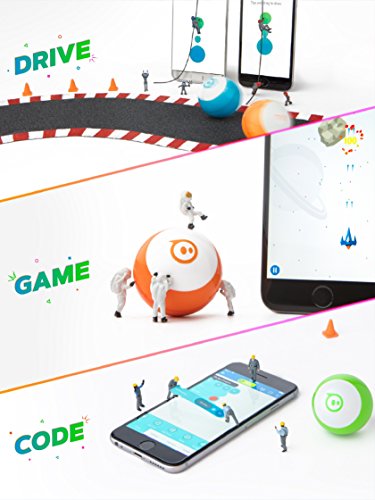
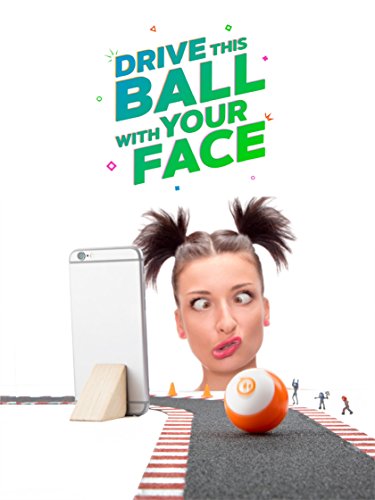


- Drive - Drive Mini several ways with the Sphero Mini app – Joystick, Tilt, Slingshot, or Face Drive.
- Face Drive - Face Drive is a hilarious new feature that uses your facial expressions to drive the ball.
- Gaming - Sphero Mini can be used with the app as a video game controller. Play 3 games with more updates on the way.
- Coding - Download the Sphero Edu app and program your Sphero Mini bot using JavaScript.Product Dimensions (in inches): 5.5 x 2.25 x 2.25
- Interchangeable Shells - Colorful, interchangeable shells allow you to switch one out to suit your mood.
-
Information
-
Twitter
-
Pinterest
-
Youtube
-
Facebook
Lonnie Heath
Birthday Boy was super happy!!
My son who just turned 11 is taking a Robotics class afterschool this year and fell in love with the Sphero Mini they use and asked for his own. He is super thrilled to have his very own and showed me how it works!! I try to keep my kids off the electronics but who are we kidding. Electronics is their world now and having things like this that are more educational helps!!! Cannot wait for him to start trying out with coding.
Karen Henderson
Great for middle school
We have 2 of these for my middle school tech class and the students are really getting a kick out of them. They are making obstacle courses to race them. The minis work well with the Sphero Edu app and my students are enjoying learning the difference between driving and coding. They are pretty small, which is fine, because I don't have much storage space.
Diane McArtor-Stidd
Kids love the miniSphero
On Ly El
Where did you go George? 🤔
Sphero is a name in its own space and time and that’s where you’ll be. In your own a pace and before you know it time went by as fast as it came because you’re trying Sphero all over the place, from indoors and then outside. I should’ve taken a picture because I sent these to the Grandkids in the Mainland and they were having a blast. It’s great to see who can control it better or even get the hang of it. Hello! These are kids! And they were in spot and having fun. We got yelled at once by their MOM, my daughter, for making a mess! Well we were kind of going to clean up afterwards. She’s like, get in here! Clean up this house before you think about going outside to play 😳 we told her we weren’t done but uh 🙄 we were now 🤪 it’s great to see kids minds ages 6, 9 & 10 playing and using their minds and skills to do things to challenge Sphere and themselves instead of stuck on the TV or ???? Thank you for a great experience of having fun with my Grandkids 🤣😂🤣 now, to handle MY daughter 🙇♀️🤞🙃 Lol
Wink Bennett
Works great. We are a little disapointed that it doesn't ...
Works great. We are a little disapointed that it doesn't run all Sphero apps but I knew it might not. There are lots of apps that do work with it. It was very difficult to tell from the product information from the Sphero company. The face control is over-rated but we expected that also. Who wants to control a ball with your face? It is great for programming just like the Sphero. The seller was great and the product arrived in good repair.
Gana Miftari
Entertaining for young and not so young!
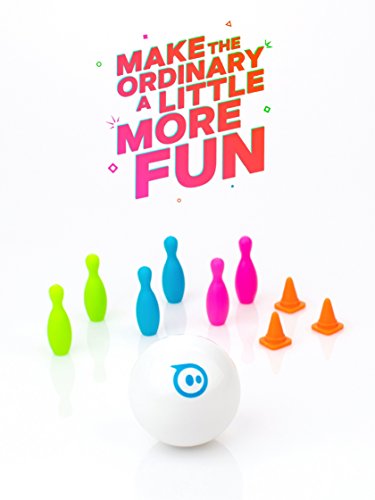
OK, so I have to confess I originally bought one of these for my son and it was just too much fun not to get one for myself as well. The sphero mini mini balls are about the size of a ping-pong ball that you can control with your phone. It is fun to drive it around, race two of them, and crash them into one another or into other objects such as the included bowling pins.
Deepika Gurung
Love this little guy!
I have other Sphero products; however, I was curious about the Mini. I wanted to assess it for classroom use--to bring technology and fun into my high school classroom. So, I purchase the Green Sphere Mini as a test unit to explore its potential. I wasn't disappointed! Set-up was easy and problem free. I knew in advance that I'd need to charge it before trying any of its features. Once it was charged, the fun began. There are two apps that work with this device: 1) "Sphero Play," which allows people to drive the robot, choose drive modes, and play games ; and 2) "Sphero Edu," which allows users to code / program their robot to do unique tasks. Both apps worked with my iPhone X and my HP Chromebook (similar to what my students have). "Sphero Play" works better for me on my mobile phone. For coding / programming, I actually prefer to work the Chromebook because the screen canvas is much larges. Overall, I'm satisfied with my purchase! :)
Gęmmå Śmîth
Awesome motorized, app-controlled
Awesome motorized, app-controlled, robot ball. Works surprisingly well on carpet. My kids have off-brand Android phones and have no problems connecting to and controlling the sphero mini. Great balance between fun and learning. Has an educational app that allows kids to learn how to set command strings to ball, which can later be viewed as code. Great introduction to code and computing concepts.
Jennifer Arellano
So much fun and it has a mode that allows you to ...
DUDE. Get this little thing! So much fun and it has a mode that allows you to play without a phone or app, and my one year old daughter loves chasing it around and catching it, then setting it free and repeating the process. Compatible with Sphero Edu and is good for learning coding. It’s also fun the chase your cat with.
Kathy Mumford
10/10 would recommend!
I am a big fan of Sphero and I can honestly say that I had the most fun with this product. The mini games it provides in the app as well as the portability make this a fantastic toy for pass time. I bring it to my classes and when my professors are inevitably late I bring it out and pass the time.