
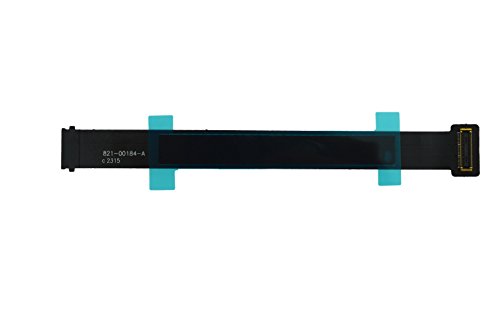
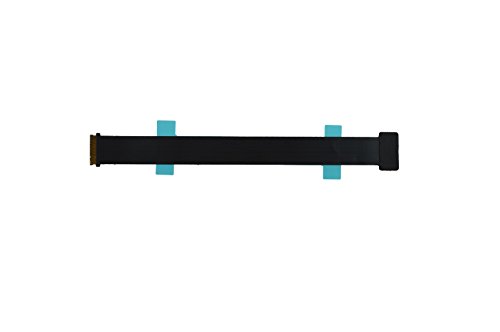
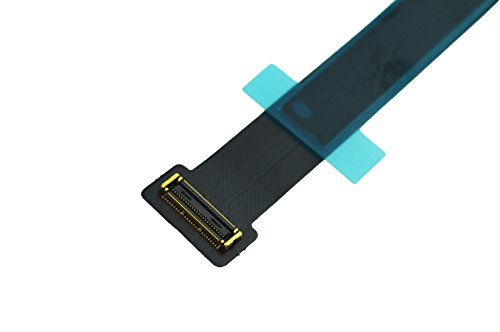
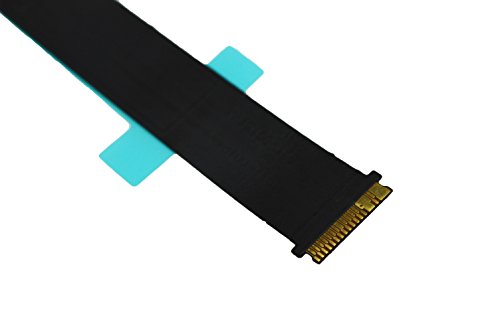

- Brand new , JANRI Brand, 3months warranty
- Compatibility: Macbook Pro 13" A1502 2015 Retina
- Compatible Model No:MF841LL/A* MF839LL/A* MF843LL/A*
- Part Number:821-00184-A
- trackpad flex cable connects the trackpad to the logic board.
-
Information
-
Twitter
-
Pinterest
-
Youtube
-
Facebook
Rebeca Shreve
This worked, other replacement brand did not
This did the trick! trackpad and keyboard were not working intermittently on startup. brought early-2015 MacBook Pro to apple store genius bar, and was told that problem was probably with the trackpad ribbon, and that minimum would be $100 to repair. Just needed the correct pentalobe screwdriver and this ribbon and now problem is resolved for significantly less than $100!!!! (had previously bought another replacement trackpad ribbon from another company that did not work at all when installed)
Gun Hamberg
Works just as intended! A tad bit long, but not a huge issue.
I bought this cable to replace a faulty trackpad cable in my Macbook Pro 2015 13 in model. It's common for this model to have a faulty connection occur between the trackpad and the motherboard which causes the trackpad and keyboard to stop working intermittently and eventually all together. Installation was rather easy, although the cable was a tad bit long compared to the original. Just make sure you put a little kink into this when installing so the excess cable doesn't cause the connection to become loose or anything. Pros: - Seems well built - Fixed my issue, easy to connect. Cons: - A tad too long. If you're buying this cable for the issue that I had, I'd definitely recommend it. It IS just a cable, but I can at least guarantee from my installation that it just works.
Sue Laird
Fixed my onboard trackpad and keyboard issues
I used this product to fix the issue I was having on MBP. I couldn't use my on board keyboard or trackpad, but if I plugged in an external mouse and keyboard, it worked fine. Turns out all I needed was for this ribbon to be replaced. Easy peasy. Worked right away.
Elisabeta Ioana Covrig
Perfect!
Quick and cheap fix to a nasty design defect (or cynical planned obsolescence maneuver...). Very easy, and there are videos for it that are easy to find on You Tube. There are only two things I will add that may be useful. Tip 1. I would have appreciated advice about tools. I used this toolset, which is very complete. The suction cup was helpful to pull the corner of the back up, and there are multiple guitar-pick "spludges" to slide around the seam after the suction cup pulls up the corner. Did Apple make up the word "spludge" to make guitar picks more expensive? https://www.amazon.com/gp/product/B07K2XKH98/ref=oh_aui_detailpage_o00_s00?ie=UTF8&psc=1 Tip 2. When you screw the backplate on, there are two short screws. Use sticky notes to remember where they go if you are over 50!
Eddie De Leon
Easy to install as you just have to remove the ...
Ordered from a different seller previously and got a completely different part (might've been Amazon's fault). This was the correct part and fixed the issue (no keyboard or trackpad input on MBP retina) immediately. Easy to install as you just have to remove the rear panel and two T5 screws for the bracket covering the connector. I'm sure Apple charges $100 for the part and labor to fix this issue.
Maxine Robinson
Macbook pro keyboard & mouse work perfectly now
I got that issue where the keyboard and mouse would stop working at times, I figured out that tapping underneath the chassis would trigger it either way and after some research I found out it was a faulty OEM ribbon cable. Followed the affiliate link from a Youtuber and ordered this item and followed the tutorial to replace it. My computer works perfectly again, no complaints here. I also bought the toolset separately since I didn't have the T4/5 screwdriver (you need two, as the chassis screws are different from the panels securing the ribbon cable). Very pleased with the results.
Alidu Sulemana Frinjei
Was almost ready to purchase a new Macbook, this solved the problem in less than 15 minutes..
Like many folks I spent nearly a year saying unpleasant things to my Macbook. You know the drill, sudden loss of keyboard and track pad without warning. Followed by the the aforementioned unpleasant words, then discovering if you hit it hard enough it would jostle the connection and work for a bit, etc etc. Looked up this known issue ( shame on you Apple ) during one of the short periods when the computer was working uninterrupted and purchased this cable. Took out the screws, unclipped old cable and installed this one and closed it back up. While a bit longer than the original cable, installation was quick and simple and it's been working perfectly for over 5 months now. Highly recommend.
Jody Carney
Worked great to fix intermittent keyboard/trackpad problem, installation took 15 minutes
My early 2015 MacBook Pro suddenly developed the dreaded intermittent keyboard/trackpad availability problem, basically when I opened it the keyboard and track pad did not work and after powering off and on I got an error that no keyboard could be found. It would do this for about 10 restarts over a couple of days, and then start to work fine, then a while later it would happen again. I couldn't find any pattern with it except that it seemed to start happening after closing the lid and re-opening. Reading online I learned that one possible problem was a failing ribbon cable which could be replaced with this part. I got this plus the toolkit with the two screwdrivers and pry bar that I needed (available here on Amazon for $7.99). Installation took literally about 15 minutes, just remove the case screws, separate the two halves of the case, remove two screws holding down the cable, swap the cables, and put it back together. The little pry bar tool is perhaps optional (you could probably use another non-conductive implement such as a plastic pen top or something) but the two screwdrivers are essential. After swapping the cable and powering down and back up it worked fine. It's only been a week so I'm not 100% sure this was the fix but as far as the product goes it is fine. I have seen other reviews that say this cable is longer than the original, I laid them next to each other and they are the same length. It is true that the cable is a little "too long" for the distance it covers, you need to add a small bend to it somewhere, I did it near the edge of the case which seemed the best spot but it was not very hard.
Ginger Bugielski
Works great and fairly easy to install
The keyboard and mouse on my Macbook stopped responding to input, so I researched on online, found that it was this part (for my model Macbook) that likely needed to be replaced. Since it was a reasonable price -- and my Macbook was no longer under warranty -- I tried it, and it works great! It was pretty easy to install too, though you'll likely need to get the special screwdrivers to remove the bottom plate on your Macbook too.
Justin Skaggs
It Works!
I bought this for my daughter who wanted to repair her 2015 Macbook Pro. The Macbook's keyboard and touchpad had no longer worked. I initially bought her a bluetooth keyboard and a bluetooth mouse so she can still use the Macbook, which was still functioning. Well, she got tired of lugging around the keyboard and mouse so she wanted to try repairing it after looking at some Youtube videos. So, I bought her this cable and some tools to open the case. She repaired it within an hour and the keyboard and touchpad were both functioning again. This was back in June and so far, it's still working. It's still too early to tell the longetivity of this part but at this low price, it was pretty low risk.