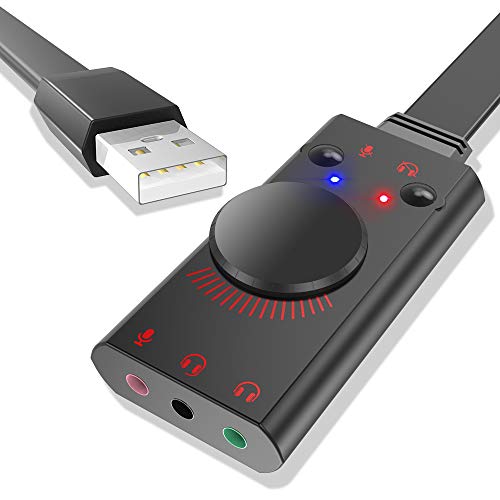
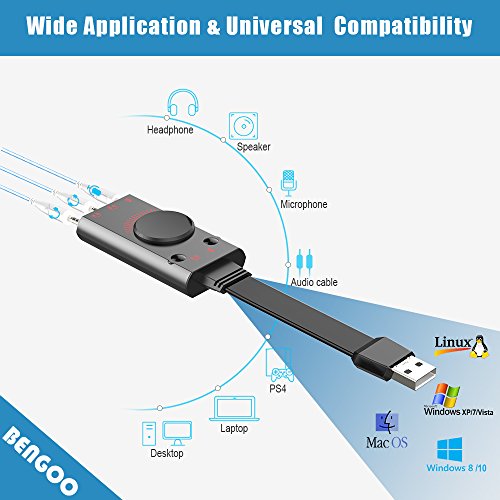

- 【WIDE APPLICATIONS】Designed for 3.5mm jack devices like headphones, headset or microphones that stop working or have issues with output cutting in and out. USB headset adapter is also suitable for sound card in the computer/laptop/desktop that dying or losing connection with motherboard. You can also use mic and headphone together on iMac/Mac Mini devices with our product.
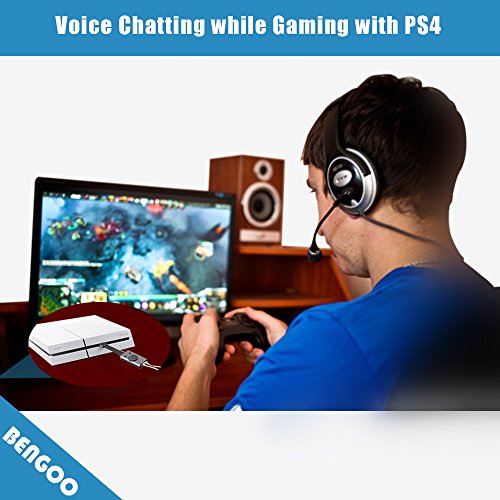
- 【LOUDER PREVIOUS-SOUND】Louder the sound that computer cannot do by itself, create surround sound effect which will bring you fantastic feelings. USB audio adapter supports normal stereo, earphone, headphone, headset or microphone with 3.5mm jack, Raspberry Pi 2/3 Xbox PS4 Surface Tablet Laptop, especially for gaming headsets.
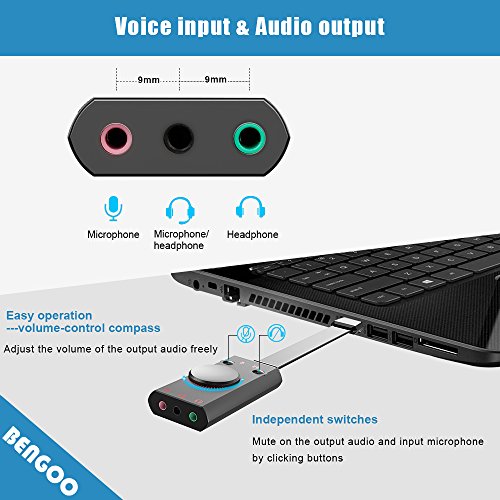
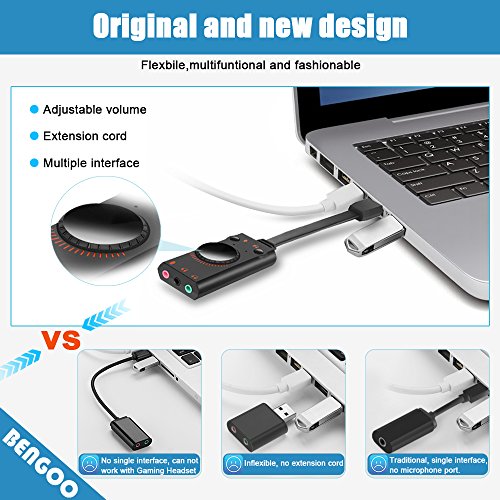
- 【NO DRIVERS】USB sound card is easy to use, no extra drivers is needed. Plug and play for instant audio playback. Microphone/Headphone mute design makes the headset and speaker mode switch freely without unplugging anything from the computer. Output audio sound can be adjusted by the volume adjustment wheel.
- 【Mixer FUNCTION】Mixer Function can adjust the output electronically level. Functional keys including microphone-mute, speaker-mute and volume-up/down roller. The mini LED indicator and surround sound can improve the level of gaming audio. Two headset jacks with one microphone jack can satisfy all your needs for an usb external sound card adapter.
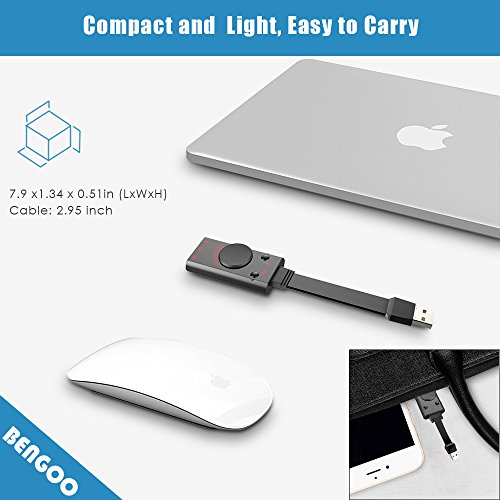
- 【OPERATIING SYSTEM】The External USB 2.0 Sound Card Adapter can work with all major operation systems like Windows 98SE/ ME/ 2000/ XP/ Server 2003/ Vista/Windows 7, Linux, Mac OS, etc. Lightweight and portable size makes it convenient to take everywhere.
-
Information
-
Twitter
-
Pinterest
-
Youtube
-
Facebook
Nicole Young
Nintendo Switch compatible!
Works with my nintendo switch! I have it plugged in to one of the usb 2.0 ports on the front of the dock. Now when I long press the home key it says usb audio instead of headphones. I have it plugged into my mackie cr4 bookshelf monitors. I haven't tried the microphone or headset ports but I imagine they would work since people have been able to use usb headsets (wired or wireless). This eliminates the inconvenience of plugging and unplugging into the headphone port when you transition from portable to docked.
Belan Martinez
Great price for a sound card
I bought this sound card to use with a studio mic but decided to bypass this sound card and use PC sound card. I did use it one time since, so this will be part of a back up plan should the sound card go out in my desk top PC. The time that I’ve used this, it has functioned well. All led lights worked (indicating volume or loudness) and volume control knob functioned as well. It is very basic in setting up and using, plug and play, and allows usage of a mic, headphones and a gaming headset. This sound card plugs into a USB port and there’s not much of a usb cable to it, so if it is used on a PC, like I did, it may have to hang down the side of the pc tower or screen as was the case with my set up. This sound card is really designed to be used with a laptop, but can be used with either. In review, I’m not sorry that I purchased this sound card because when I did use it, it worked well and while I’m not using it presently, I’m sure I’ll use it sometime in the future
Betty Alford
Great device that meets all of my expectations
I have used several usb headset adapters, and this one is the best. Not only can I plug in a normal pc headset (like my sennheiser pc 360), but I can plug in a trrs headset as well. The microphone mute button cuts audio quickly without introducing additional noise on the microphone input. The headset mute button does a slow fade which is just nice. This does not have the annoying feature that some other similar devices have which play the microphone through to the headset no matter what. (I'm not talking about having played through enabled on the operating system, I have dealt with devices that do it in hardware with no way to toggle it) The volume control also works nice and smoothly, without introducing noise to the headphone output. I am using this on mac os sierra. It worked as soon as I plugged it in. It showed up as "USB Audio Device" under both the "Output" and "Input" sections and under the "Sound" system preferences pane. This is what it shows up as under About This Mac => System Report => Hardware => Audio: USB Audio Device: Default Input Device: Yes Default Output Device: Yes Default System Output Device: Yes Input Channels: 1 Manufacturer: C-Media Electronics Inc. Output Channels: 2 Current SampleRate: 44100 Transport: USB This is what it shows up as under About This Mac => System Report Title => Hardware => USB: USB Audio Device: Product ID: 0x0014 Vendor ID: 0x0d8c (C-MEDIA ELECTRONICS INC.) Version: 1.00 Speed: Up to 12 Mb/sec Manufacturer: C-Media Electronics Inc. Location ID: 0x40114000 / 9 Current Available (mA): 500 Current Required (mA): 500 Extra Operating Current (mA): 0 I just got the device today, so hopefully the device lasts a long time.
Seth Wall
Excellent USB Sound Card for voice calls & game coms using any short of headset.
Been using my ASUS Z170I Pro Gaming based rig for gaming for a few years now...supposedly the on-board "SupremeFX" audio chip is noise isolated and "flawless", but in fact, it had horrible hissing & noise coming through to my headphones. This "Bengoo" USB card has a Universal 3.5mm Headset Audio Jack ontop of the regular mic & audio 3.5mm jacks, and that allows me to use my in-ear headsets. If you back the amplification a tad from 100%, the audio quality you receive - even at 100% audio levels on the Window's mixer - is very clear - clearly superior to the on-board Audio my Asus board had and comparable to a SoundBlaster E5 DAC that I had and decided to just stop working after less than two years of ownership. I have the Bengoo plugged into my monitor's USB hub for easy access and I had zero issues setting it up for Discord & Teamspeak. People on the other end like the mic quality. Overall I believe it was a pretty good buy.
Robert Ferguson
Works great with ModMic 5!! Quality build for a great price!
Works great! I use this for my ModMic 5. My on-board Mic-Input had horrible background noise which is surprising because it's Asus's X299 flagship, the Rampage XI Extreme **sigh**. Anyway, this was a perfect solution being that I use an external DAC/amp for the my headphones. I used some double sided adhesive and set the unit right next to my DAC using a USB extension. I love it! Had an integrated mute and volume button. Sounds amazing! As other users have stated the input is only Mono which is fine for a mic but not ok for other audio inputs.
Nerwin De Vera
It works with Google Hangout on my PC Win7 machine
Plugged my mobile ear buds into the unit, and into the PC and launched Google Hangouts. Worked right away. I'm bit hard of hearing and this solution solved that problem. When I go out on a call with the laptop this adapter is brought along and so far it has worked every time. Sound quality is going to depend on the earphones/ear buds that you use.
Christy Marshall
Great sound, works right out of the box
This device has excellent sound. I plugged in my headset (2 miniplugs -- 1 for audio and 1 for mic), Then I plugged the sound card adapter into my laptop and tested it with Skype. It worked immediately with no adjustments to the adapter or for sound devices in the control panel necessary. The sound is great (better than the sound card in the laptop), and the mute buttons and the volume adjustment wheel work fine. The construction is plastic, but it looks well made. I ordered it in preference to the rigid sound card adapters that plug directly into the USB port. I like having the flexible extension to reduce strain on the USB port. I definitely recommend this little gadget.
Carolyn Gillish
... was having issues working with a couple different headsets like the kind that have the microphone for use with ...
My son's Lenovo T420 was having issues working with a couple different headsets like the kind that have the microphone for use with cell phones, so I purchased this interface for him. The unit has three connections - output (3-wire), input/output (4-wire), and input (2-wire). The middle 3.5mm jack was exactly the one he needed. Using Windows, the driver installed automatically and brought the device to life. We tested the unit on Skype and then with his game and both worked perfectly. I would highly recommend this unit if you have an order PC that doesn't support the 4-wire 3.5mm (cell phone) headset or if you are having difficulty with the existing 3.5mm jacks on your PC. I did not have the opportunity to test this on a Mac or I would have included my findings for it also.
Felicia Ellis
Excellent 2 player usb sound card.
Excellent compatibility with windows 10. Capable of using 2 separate headsets and can be captured in both OBS and avermedia rec central. Supports bass boost in the advanced audio properties, and actually works. Supports db boost on the mircrophone. Gets quite loud using 2 blackweb headsets at the same time. Only one issue i encountered. if 1 headset mic is muted using the headset mic mute switch on the headset, both mics will mute. All of the controls are spread across both headsets, so you will need headsets with audio controls built on the headset. The clarity of the microphone inputs are good for chat and amateur YouTube recordings. I recommend using blackweb gaming headphones. They are available at walmart for $50, and are sturdy enough for 2 truck drivers to carry in the truck and use daily.
Sophie Cigleris
Works quite well on Windows 10 x64, separate and combined mic tip/sleeve connections are especially useful.
This item has been quite good so far. Windows 10 x64 needed no drivers to detect and utilize the device. The integrated volume control allows me to find the sweet spot between the OS's volume setting and the output to my headphones so there is no detectable noise. Maximum loudness is quite loud but not uncomfortable, I find myself setting the device and the computer to about 90% of their maximums for a comfortable immersion. I have performed no formal testing, but it seems to provide fairly flat frequency response across my range of hearing. If you like things extremely loud, you may be less pleased than I. Combined with Dolby Atmos (provided by the OS) and decent 50mm headphones, the experience for the price is an excellent value for casual gaming, video, and music. Being able to connect a separate mic or use the newer combined 3-channel tip/sleeve headphone connectors was a primary factor in my purchase. The item is plastic, but doesn't feel like it will break in my laptop bag.