


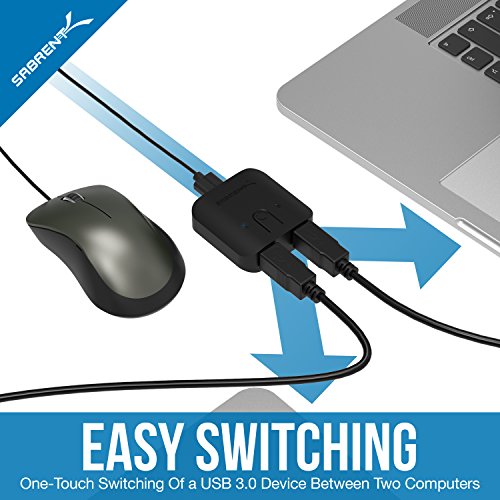
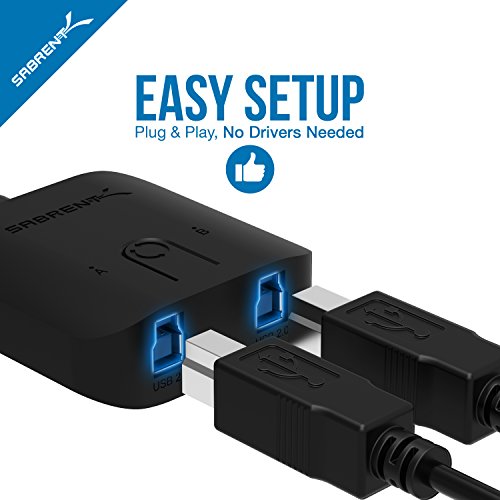


- Plug & Play for Easy Setup and Use (requires no additional drivers)
- Single Button For Swapping Computer Systems
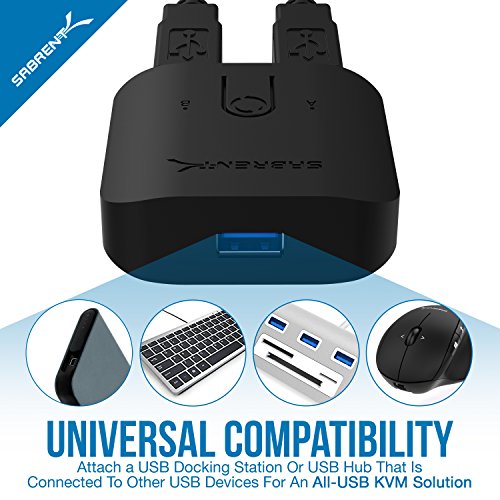
- Hub Compatible for Multiple Peripherals
- LED Indicators to Distinguish Computers
- Data Transfer Speeds Up To 5Gbps
-
Information
-
Twitter
-
Pinterest
-
Youtube
-
Facebook
Aalia Bhat
Does the job!
I have this two USB Sharing Switch device for a Android TV Box and a Win 10 HDMI computer. I have this device plug also plugged into 7 port USB Hub and all works great.
Dean Stone
Works as described. It just switches from one port ...
Works as described. It just switches from one port to the other. I have it set up with a dock that allows me to switch the monitor and other peripherals from desktop pc to to laptop and back.
Jackie Fitch
Perfect KM switch
My desk has my PC gaming rig with two displays, but I use a Mac for work. I have my keyboard, mouse, and USB speakers all plugged into a powered hub. I used this switch to easily switch these devices between my PC and Mac. The switch works flawlessly. It comes with 2 long high quality USB cables that connect to each machine. Build quality is great, button is nice and clicky. My primary display has two video inputs (HDMI and DisplayPort). I have my Mac connected via HDMI and my PC via DisplayPort. I just switch the input in the display menu, then hit the button on this switch. Cheap and easy KVM setup.
Francis Parisien
Works great and included cables!
This is exactly what I was after - simple switch to provide a flip between work and personal laptop without the need for a complete second setup. The only real issue I have is the weight because it's very light and won't hold it's place if the chords get pulled or shifted. I'm using this in tandem with a WavLink universal docking station. Also, just for clarity, it DOES include cables. That was a huge win for me as it wasn't clear in the description. Overall great buy if this is what you're after.
Love Die
Great, cheap, just short of perfect
Honestly, for the price, a reliable USB 3 switch that's so easy to use and doesn't stick out like a sore thumb on your desk is a blessing, so anything beyond that is really nitpicking. What could have made this product perfect is 2 slight design changes: 1. Having all 3 ports on one side, would allow for the 3 cables to be tucked behind a the desk for a much cleaner look. Now, the 2 USB type B are on one side and the single USB type A is on the opposite side so there's really no way to cable-manage it neatly. 2. A bit more weight to the unit - it's so light and small (which is great) that the USB 3 type B cables actually weigh more, and as a result it doesn't really wanna stay in place. Can be resolved with some 3M tape or velcro. I've been looking for a reliable USB switch for a while now, and every one I got broke on me until this one, which also has USB 3 support and a small footprint, for barely any price premium over the trash I've previously owned. Highly recommended.
Saleem Nawaz
Device Switcher
I have the silliest use case for this. I have a pair of wireless headphones that I want to occasionally use rather than my speakers on my computer. I wanted something that I could press a button and it would switch to this device. Something the other reviews don't mention is that it will draw power from the "inactive" side as well. I have it set so my computer is one side and the other side goes nowhere, with my headphones' usb receiver being the shared device. When it's connected, the PC switches over to the headphones. I've used it for a month now, switching every couple of days for my headphones and it does the job pretty well!
Tara Freeman
Working great with my Macs so far
I've only been using this for about a week, but so far, it's been working great with my Macs. I was using a USB 2.0 four-computer switch for years, but now that my computers are all USB 3.0, I wanted to upgrade. I'd like to have a three-computer switch, but this is nice and compact, and the price of about $20 was in the sweet spot for me. As others have noted, it comes with two USB 3.0 cables to connect your computers to it. Also, it is pretty lightweight, so it'll move around unless you secure it somehow. I just used a single piece of double sided tape to stick it down to my USB 3.0 hub (which is what this is connected to), and that seems to be working great. I really (really) like that the lights on the front that indicate which computer is active are not bright. I can easily see which is active, but I don't need to put something over the top of the light to keep myself from being blinded. Switching between computers is very easy with the push of a button. Construction seems really good. I've purchased other Sabrent products. Some have been home runs, and some have been duds. This one seems like a good one. Some reviewers have noted issues with their Windows machines, but I've only used Macs so far, so I can't speak to that. All in all, this was a really nice update for me.
Jake Barnes
Despite the strong warning against using it with an external ...
Despite the strong warning against using it with an external hard drive, this is exactly why I bought it. The most important thing to do is make sure you "safely remove"/"eject"/"unmount" the drive before switching it over. If you do that you will not have a problem.
Sheila Lyn Matela Bueno
No more unplugging and switching USB cables.
The switch does exactly what I need:switch my keyboard, mouse, headphones and such between my Chromebook and my Linux tower.
Nick Smus
Exactly what I needed
I've been a bit skeptical about the product when reading through the reviews stating the lag of switching between computers, and the slight delay when typing. I can tell that at least in my case this product works perfectly with instant switch and no input lag from keyboard or other resource. My setup is comprised of a MacBook Pro and a Lenovo X1, hooked to Samsung CHG90. I use a USB 3 hub that I have my webcam, USB3 flahsdrive, a few other USB 3 devices and my gaming USB2.0 logitech keyboard attached to. Everything works perfectly. Switching between laptops is instantaneous.