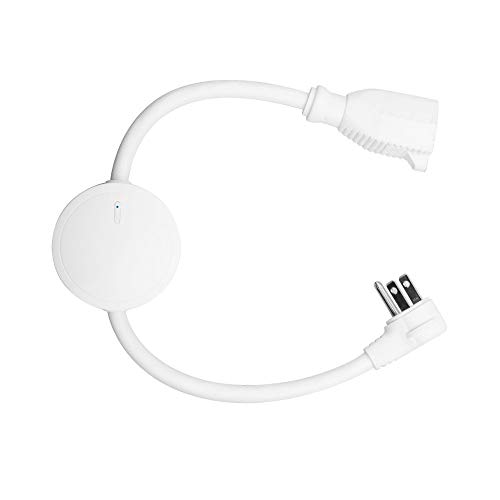
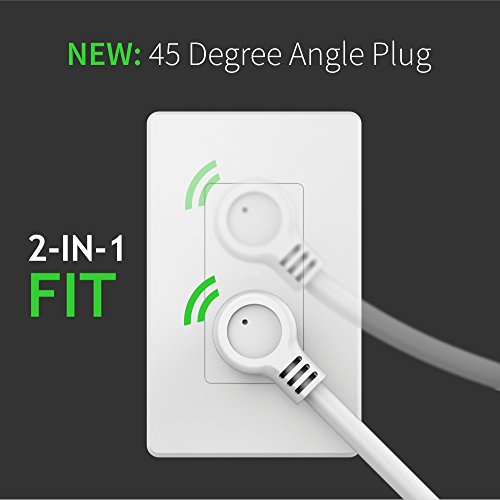
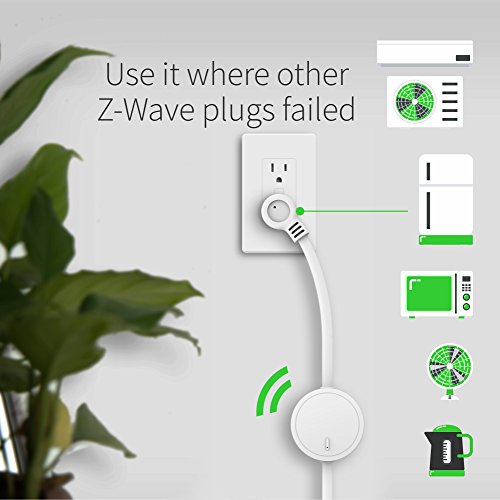
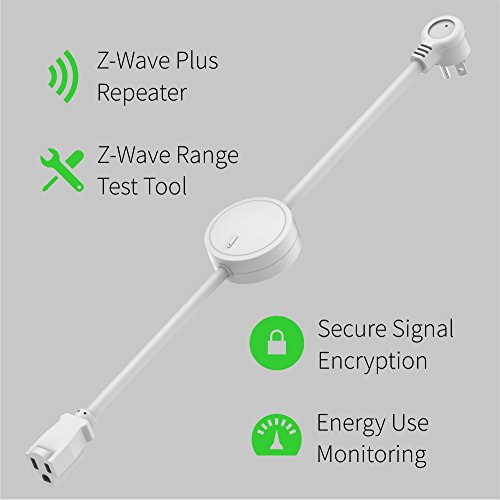
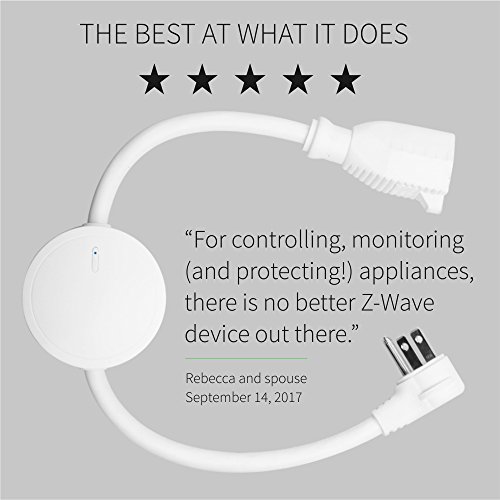

- POWERFUL PLUG: The only Z-Wave Plug that lets you safely control and monitor heavy-duty 110V appliances from your Z-Wave smart home system. Connect your refrigerator, humidifier or dehumidifier, AC unit, fan, sump pump, or a gas clothes dryer to Z-Wave. NEW: 45 degree angled plug so you can fit 2 Smart Switches in a single receptacle!
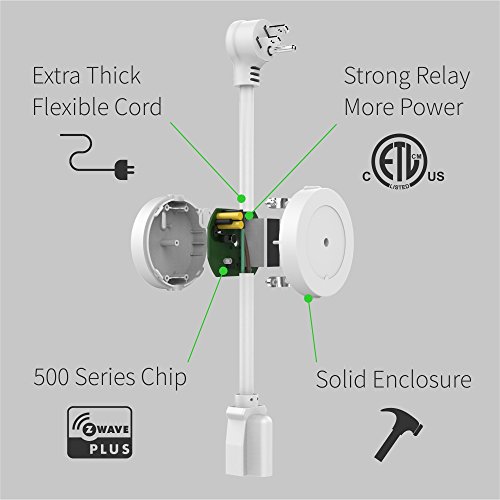
- POWERFUL Z-WAVE: With built-in Z-Wave Plus signal repeater and range test tool, the Power Switch will boost your whole Z-Wave network while keeping it protected with AES signal encryption.
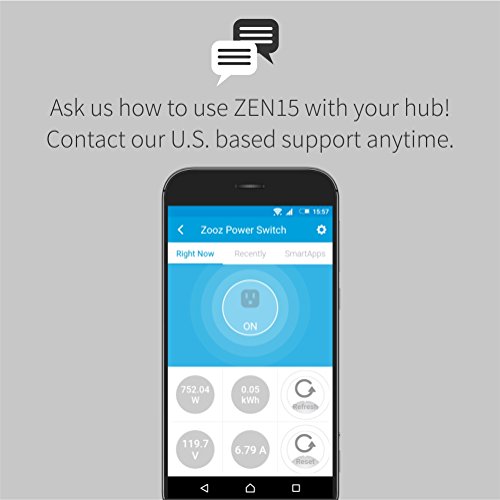
- POWERFUL CONTROL: Monitor energy use of connected appliances in live mode or over time with W, kWh, A, and V reports (your Z-Wave hub needs to support this feature). Quick status reports to the controller and on/off state recovery after power failure.
- POWERFUL HARDWARE: Made from high-quality components that will last, even when it's very cold or very hot (14° - 104°F, indoor use only). ETL certified: complies with North American electrical safety standards. Extra-thick flexible cord is perfect for installations with no immediate access to a receptacle.
- COMPATIBILITY: Use the Power Switch with any certified Z-Wave gateway for simple on/off control (Wink, Z-Wave alarm panels). Advanced settings and energy monitoring available for open systems only, including Vera, SmartThings (custom device handler required, contact seller first), HomeSeer, and Fibaro Home Center Lite.
-
Information
-
Twitter
-
Pinterest
-
Youtube
-
Facebook
Kevin Bailey
Good Corded Zwave Plus Controller
Bought this to go into the mix of my home automation system along with many other z-wave controllers. This particular controller has really good range, which is probably attributed to being a z-wave plus device. I have it in a fairly distant location to control a tiny window a/c unit for our pool bath. The next closest controller sits about 20 feet from it, through an exterior wall, and so far it hasn't skipped a beat. I use this to turn that a/c on and off with a schedule, or keep it off when ambient temperatures just do not require the A/C to run at all (eg. winter). It's corded design also works perfectly well with something like a modern window a/c that has the big bulky GFI plug-end that can not fit a normal direct plug-in module. Overall I'm very pleased with this, and if I find occasion to need any more of this particular style of z-wave controller, I'll buy more.
Anmol Khan
SmartThings Compatible - Works Great!! Tons of monitoring capability
Values Reported: switch energy power checkInterval voltage lastCheckin history current energyTime energyCost energyDuration powerLow powerHigh voltageLow voltageHigh currentLow Options: Name Type debugOutput bool displayCurrent bool displayEnergy bool displayPower bool displayVoltage bool electricityReportingInterval enum energyPrice decimal energyReportingInterval enum ledIndicator enum powerFailureRecovery enum powerPercentageChange enum powerReportingInterval enum powerValueChange enum voltageReportingInterval enum SmartThings? - Use this device handler community.smartthings.com/t/release-zooz-power-switch-zooz-smart-plug/97220?u=krlaframboise
Mian Sohail Farooqi
I use it with homeseer 3, relay, not solid state
Works like a it should. Included on the first try. Reports everything that it should report. In homeseer 3 every settIng has a menu entry you name. No parameter numbers are required to change the behavior. I actually like the better as the aeontech switches. They are a little smaller and just work. Would be cool if they would come out with a dimmer in the same fashion. I use it to switch a POE switch for some cameras that pull about 12 to 22 watts together. So far no issues. I can hear a relay switch when the state is changed so the switch is an actual relay and not a solid state relay. I was expecting to be a solid state version since they claim it can handle bigger loads like motors. A relay most likely will burn the contacts eventually if switched frequently enough. Not a big concern if only switches every so often and not frequently a few times a minute. I like them a lot and will by almost likely buy more for around the house. I plan on out one on the fridge in the kitchen to monitor the on/off cycle to determine when it is time to clean the heat exchanger. One reviewer wrote that it doesn’t detect a tripped circuit. That is true and to understand when you know that the switch needs electricity to report back to the controller. No electricity — no reporting. What the switch can do is reporting the amperage and therefore if a device is on or off like in case with the fridge. A total loss of power can’t be reported. What you can also do is to have the voltage reported and you could track how stable your house hook up is running. In terms of voltage swings Perhaps I try one day to see how low the voltage can drop before the switch stops working / reporting.
Donna Getty
Works great with Smartthings!
This Zwave plug is designed for heavy duty appliances, like refrigerators and AC units! The build quality of the plug certainly reflects it's intended use! The cable is thick and the module in the middle is made of thick quality plastic. If you're using Smartthings like me, I'd highly recommend you download the device handler from The Smartest House's website prior to pairing. Without it you won't have all the energy monitoring features this includes. Unfortunately I can't put a link in my review for you. The energy monitor shows you watts, kWh, voltage and amps. Turns out my toaster oven uses about 1400w at about 12 amps. I really appreciate monitoring my energy usage, which was a big draw for me to this particular Zwave device. But it's heavy duty enough to use most of your bigger appliances with it (up to 1800w!) With Smartthings, this device registers as a power monitoring device, which allows you to set up all kinds of new rules with the smart apps! There are also a ton of configurable option for the plug. Side note, there is an LED light on the plug itself that shows how much energy is being used by changing colors! I've never seen this feature before and I like it! The plug automatically goes in to auto pairing mode when you plug it in, as long as you don't try plugging anything in to it like I did on my first try haha. Just plug in the power switch by itself first and your hub will pick it up in a couple seconds. The cheaper price point of this plug and the fact that it's a Zooz product are two selling points for me. I've purchased several Zooz products because of the price point and it turns out they are one of those newer to the market companies that actually puts out a good quality product! Rare if you ask me.
Pamela Michelle Peavy
Perfect nightlight, portable, no electrician's skills necessay
I have nothing negative to say about this device, It's a home run. Bought this to solve a problem: we had no reception in our garage even with the hub and other devices installed 10ft away on the same level, needed to find a suitable place to install a repeater to bypass a wall which was blocking all the signal. This portable outlet allowed me to easily plug it different areas of the house and with trial by error find a good spot for a permanent outlet to bounce a signal. Extending the range of the signal or bypassing a barrier may get tricky unless you can afford to replace all of your outlets/devices at once. I ended up using this device as a night outlet in the bathroom. The plug itself glows blue when it's on and amber color when off and is enough by itself to serve as a nightlight. Very nice! Additional USB ports are nice for keeping a phone or tablet charged especially if you or someone spends a long time in the bathroom or relaxing in the bathtub. No electrician's skills necessary to install this device, just plug it into old dumb outlet and make it "smart" The outlet can monitor power usage and reports it to smart hub. Can measure the strength of network signal and indicate it with color. A button on the front to control on/off functionality. The portable plug will extend a range of your network by serving as a repeater (most z-wave devices do) Nicely designed and well-made device.
Bonnie Jean Hill
Works well (after some setup work with SmartThings), looks nice
I bought this product to replace a "smart" power strip I was previously using for my media center (including a TV, computer, FireTV, and a couple other devices) because it was difficult to decide which device I wanted to be the "master" device (e.g., just because I had the TV on didn't mean I also needed the FireTV). Enter the ZooZ ZEN20 power strip: now I can control each of my devices individually. I can leave the computer outlet on the most of the time (I do like to have it on so it can retrieve new TV listings and OS updates, but sleeping when possible) and just turn on power to my TV, Fire TV, or other devices as needed. I have SmartThings, which this works with, but you will need to install your own device handler to make it pair. If you want it to work better with SmartThings, you'll also probably want to add a few more device handlers and an additional SmartApp. This is because SmartThings doesn't support multi-channel devices that well, but there is a SmartApp available that will create "virtual switches" for each of the outlets on the power strip for you, so you can use them in SmartThings (and in turn with other integrations like Alexa) as if they were each their own switch. Search the SmartThings Communuty forums for the ZooZ ZEN20 to find at least a couple device handlers that should work. I'm using the "Virtual Device Sync" SmartApp by user erocm1231 as well as his device type, but there are at least a couple other options that should work, and there are instructions in the forum for how to do this. (Not for the faint of heart, by the way, but if you're even slightly technically inclined or can follow instructions, it should be do-able.) The power strip itself works nicely. After some effort getting it to pair (the instruction book was is poorly edited and, among other things, says to "press the power button" to pair--thanks for the reviewer who figured out it was really the CH1 power button and that you may need to press it more than once), it's working well for me. The individual switches respond almost instantly to my commands, and thanks to the virtual devices in SmartThings, I've got this working with Alexa (and HomeKit thanks to HomeBridge via SmartThings--though quite unofficial). The device itself also comes with a long cord (though not a flat plug, by the way, so don't try to plug it in right behind furniture), and the power strip itself is a nice shiny white. It includes 2 USB charging ports (not Z-wave controllable but could free up outlets if you have USB-powered devices) and five outlets (more than the 4 of the closest competitor, the Aeon strip), all of which are individually controllable. My only complaint is that all of the outlets are fairly close together, so if any of your devices have even a power adapter that's even slightly larger than a typical plug (like an Echo or FireTV), you'll probably lose the ability to use the outlet next to it. Having one or two of the outlets more widely spaced to avoid this problem would have been great. Otherwise, no complaints!
Raygena Claywell Green
My new favorite
This zen25 smartplug has become my new favorite..beating out my dual-plug Inovelli. It has 2 functional zwave plugs and a USB-A power port(non-controllable). All have energy monitoring; this was the upgrade over my Inovelli. I have a Vera Edge and inclusion was easy after I moved it closer to the Vera hub to pair... For auto-inclusion on Vera hubs: - Select the Devices tab in your Vera app - Click on the gray "+ Add Device" button - Choose "Generic Z-Wave Device" from the device list, then "Next" and... - Plug the Double Plug in the grounded 120VAC receptacle (near the Vera hub worked for me) - The LEDs will flash; give it a couple of minutes and 4 devices should show up(for me); I named/assigned them as follows... 1. Main - controls both plugs simultaneously 2. Module A - controls side "A" 3. Module B - controls side "B" 4. Unknown - not controllable (USB ??) I think Zooz has a winner in the zen25.
Gabriel Bereta
Works a treat with Aeotec ZStick and Home Assistant
I have several Zooz product in my Zwave network, so this is noty first. I bought 2 of these for window AC units and they work completly as expected. No muss, no fuss, great build quality, and decent price.
Renee Hodge
The Consolidator!
I had the other Zooz plug that I plugged my night stand light in to, then a few months later this comes out! This works perfect for me. It has two USB ports, one 1 amp and the other 2.4 amp. I plug my smartwatch in to the 1 amp and a phone in the 2.4 amp. It charges great, but make sure you charge your bigger devices on the 2.4 amp side or it will take forever. I use Smartthings, pairing was easy. Plug it in and press the only button on this thing 3 times quickly (the same button is used to turn power off and on manually.) That puts it in to pairing mode. I had to email the seller and they sent me a device handler for the plug so I could use the power monitoring options this plug offers. Installing device handlers is extremely easy and I'll post the link below. The USB plugs work continuously and are not controlled by Zwave, so you don't have to worry about turning off charging to your devices. When the plug is off, there is a red LED light surrounding the plug. When it turns on it changes to blue. Note: When it turns on and off, it makes a click. It's not super loud, but you can hear it. If you plug this in to the bottom outlet, it does not interfere with the top outlet. If you plug it in to the top outlet, it will cover the lower outlet. So don't do that. I'm very satisfied with the plug and would definitely buy another one to use anywhere I need to power a USB and need to control an outlet. [...]
Kirsten Figueroa
Robust, easy to operate, superb device