
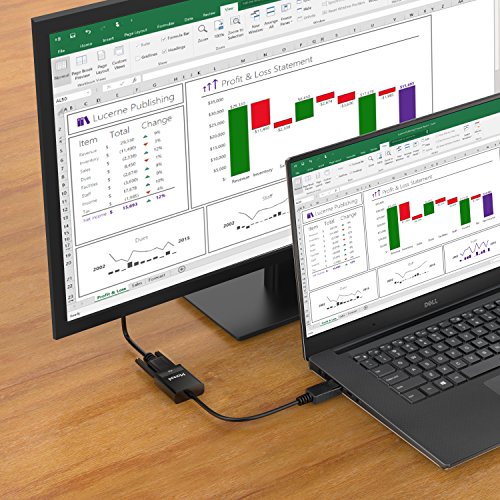

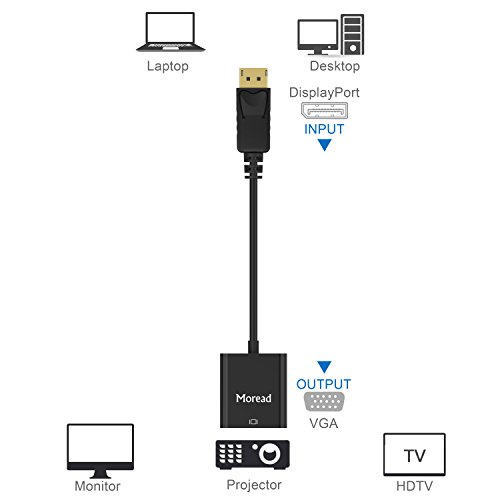

- COMPACT DESIGN - The portable Moread DP to VGA adapter connects a desktop or laptop with DisplayPort (DP, DisplayPort++, DP++) port to a monitor, display, projector, or HDTV with VGA input; Tuck this lightweight gadget into your bag or pocket to make business presentation, or extend your workspace to increase productivity; A VGA cable is required (sold separately)
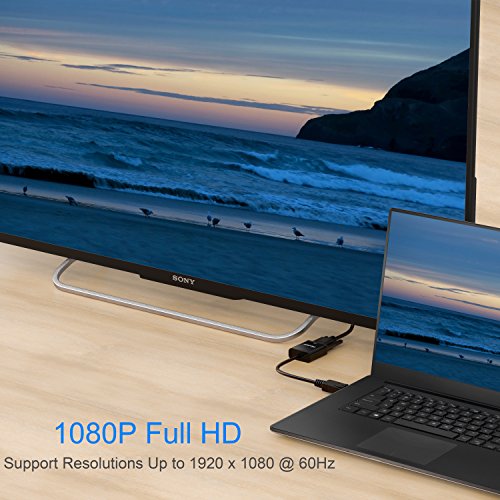
- INCREDIBLE PERFORMANCE - The DisplayPort male to VGA female converter supports video resolutions up to 1920x1080@60Hz (1080p Full HD) / 1920x1200; Gold plated DP connector resists corrosion and abrasion and improves signal transmission performance; Molded strain relief increases cable durability
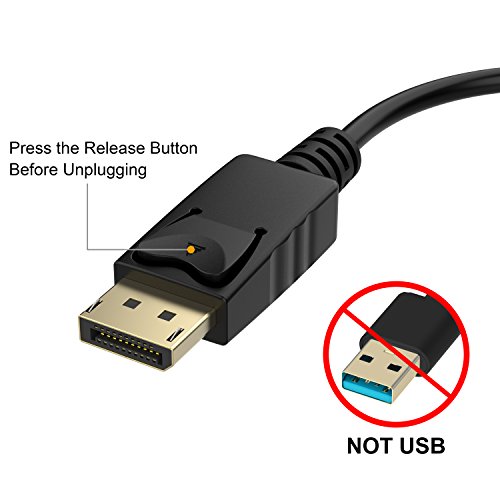
- SUPERIOR STABILITY - DisplayPort locking connector with latches prevents accidental disconnection, and provides a secure connection; Release button on the DisplayPort connector must be pressed before unplugging
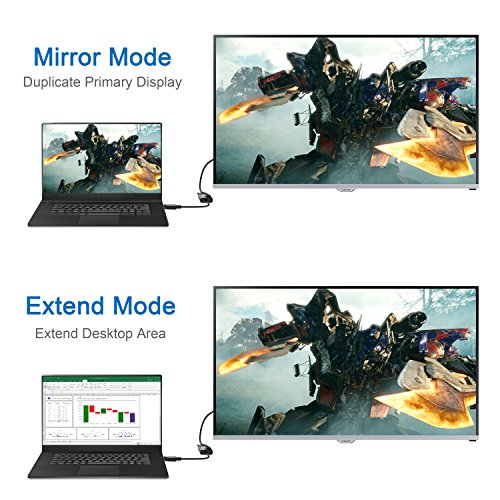
- BROAD COMPATIBILITY - The DP to VGA dongle is compatible with DisplayPort equipped computer, pc, notebook, ultrabook, HP, Lenovo, Dell, ASUS; Configure monitor to Mirror Mode to duplicate primary display for video streaming or gaming; Configure monitor to Extend Mode to expand desktop area
- 1 Year WARRANTY - Exclusive Moread Unconditional 12-month Warranty ensures long-time satisfaction of your purchase; Friendly and easy-to-reach customer service to solve your problems timely
-
Information
-
Twitter
-
Pinterest
-
Youtube
-
Facebook
Steve Smith
Great adapters that took monitors with VGA and a PC that didn't..easily made it all work together!
You have to love computers....especially when nobody can agree on what type of connection system to use between the main unit and the monitor. In this case it was a Dell.... had two DisplayPort connectors, one HDMI, and that is it. So when we use dual monitors--- the systems are never configured right I am left to figure it out. I had been using a VGA cable on one with a VGA to HDMI adapter that came with the system and a USB to VGA for the other. It worked, well, most of the time. The monitors simply only had VGA connections. The biggest issue was the HDMI adapter--- if you bumped it at all or it just felt like it, you either lose signal or the more fun part--- it would reboot the entire system for no reason....and then no video until you reboot again. That leads me to these adapters. I bought the two pack and off I went. Arrived the next day and plugged them in...worked like a charm, except I couldn't see my primary monitor--- and then trying to go back with my old adapters was giving the same result. Gotta love Dell for that one. So I left the adapters installed in the DisplayPort ports and did a hard reboot of the system with the power button---- it sorted itself out. All that I had to do was switch the monitors left and right. Once that was done--- they worked great. I do really like two features--- first is the VGA cable actually can screw into the adapter securely. This is a big deal with the rats nest of wires that are under the desk. The second was also just as much of a big deal---- the DisplayPort plug is locking. For some it may not seem like much, but when everything gets pushed, shoved, crammed into corners, and overall simply abused--- it is reassuring to know they cannot be knocked out or pulled out. Overall-- work as expected and needed. Price was great and the issues listed above were the system I was working with, not the adapters....just providing a bit of background for others that may end up in the same boat at some point or another.
Vanessa Gomez
Work great every time. Great picture quality.
The Moread Displayport (DP) to VGA adapters seem to work great, every time. They're a little more expensive than some of the other low-end DP to VGA adapters, but their functionality and build quality make them well worth the extra money. Using them couldn't be simpler...connect your monitor via VGA cable to the VGA connector on the adapter and then plug the Displayport end into your PC. Your PC will instantly recognize it and will generally set it to the monitor's native resolution. In some cases, you may need to set it yourself manually, but in all cases (at least so far), once you get that right, this adapter displays clean, crystal-clear video to your VGA monitor with none of the weird feedback or "waves" that I've seen with some of the cheaper ones. If your PC has a Displayport and you have a VGA-only monitor at your disposal, this is probably the easiest, best way to add a second display to your setup.
Bhoii Jhonz
Dual Monitor Work Set Up
I had the opportunity to set up for dual monitors at work (someone left and I could appropriate their monitor), which given I do CAD daily, would be invaluable. The only problem was that I had only one VGA port on my laptop/docking station - the other ports are a Display port, USB, etc. Best Buy didn't have a Display Port to VGA adapter, so I hopped on Amazon and voila! And for $8 - much less than the THIRTY DOLLAR adapter for HDMI to VGA that Best Buy had! I got it in a timely fashion, plugged it in - and right now, I'm writing this review having two working monitors side by side. Works like a charm, great price - is there any more to add?
Poe Zarni Kyaw
Plug 'n Play
I use 3 monitors at work and wanted to have a similar setup when I work from home. I have plenty of monitors, all with VGA connectors. I was unable to get my previous work setup (1 VGA connection to the laptop & 1 Lenovo port replicator with video) to work with my current work laptop because the newer laptops no longer come with VGA ports and the Lenovo replicator drivers, while they worked under Windows 10 on the laptop from my previous employer, aren't even recognized by WIn 10 on the HP Elitebook 755 G5 I have now. I have an HP Slimline dock for the Elitebook that has only one VGA port, but does sport 2 Displayport video ports. Solution: bought 2 of the VGA to Displayport adapters. Plugged the monitors into the adapters, the adapters into the Displayport sockets, fired up the rig, and was good to go. No fuss, no muss ...
Muhammad Naseer
Great cord, great value.
I ordered this cord for my son. This is amazing, well made, compact and easily portable. Time was great from when order placed to date recieved, and had smooth process. Recommend the seller and the cord. High quality and durable.
Timothy Johnson
Handy Item for older PC with VGA monitors
Bought a new PC and found there was no VGA out just the newer Display port and HDMI options. Since I have 3 other PCs on a VGA KVM switch I need an adapter that would give me VGA connectivity for my new PC. There were several brands to chose from so I went with the least expensive. It was truly plug and play and my new PC was up and running on the KVM switch in less than 2 minutes. I get resolutions to 1920x1080 and the image quality is excellent. At only $7.99 this is a real bargain. Highly recommended if you need to pair a newer PC to an older VGA display.
Gia Papiashvili
The port works perfectly!!
The port works perfectly!! The screws on the cord are too short to fasten the port to the cord which I think is the cord’s problem. The cord doesn’t come loose from the port even though it’s not fasten tightly with the screws. It’s tucked out of the way from movement or foot action. Other than that, it works fine. The monitor it’s responsible for doesn’t occasionally flicker or blank out or anything of that sort. Like I said, works perfectly. Can’t think of anything else that would be relevant. But If you need to know anything else, send a message. I’ll try to answer it.
Sundar Eesan
Took me forever to find desktop extender
But: now that I've got it, can't imagine doing genealogy without it. Source on one screen, family tree software on the other. Terrific! And it was easy to hook up -- essential since it came with no hint of any way to use it. One can figure it out... but gee, telling me to use the port near the video card would have been nice. (Free advice from a computer guy... this will fit in other ports, but is fastest if used directly into the video card.)
Christopher M Mccard
I buy these A LOT and they are a great value
We go through these like crazy at my school, and as such I'm always looking for a good deal on them. These fit the bill - great value, and they work great - video is crisp and clear and takes advantage of the display port on these computers to allow for dual monitors.
Mian Sohail Farooqi
It works!
my computer only had 1 vga port and a display port, but both my monitors were vga. I tried a vga splitter but it would not extend my screen only mirrored it. Then I purchased a usb vga video card but my computer wouldn't detect the other screen. Then I came across this product and my computer was able to detect the other monitor as well as extend my screens. & it was cheaper than all other methods I tried!