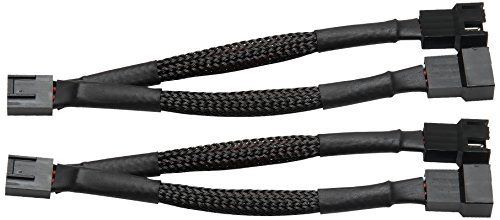


- 2-Pack computer case fan splitter, PWM cable duplicator, sleeved, black.
- PWM Case fan splitter connects 2 PWM case fans to a single motherboard fan header.
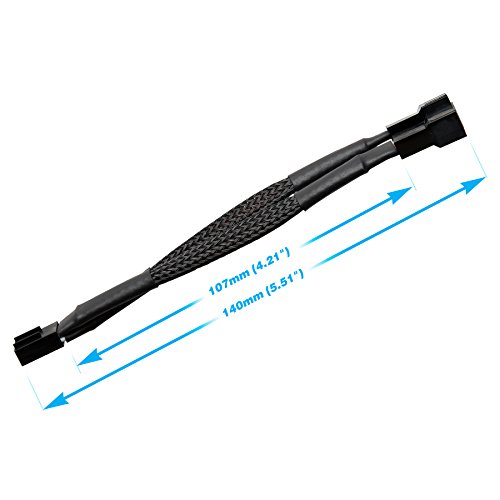
- Case fan splitter Y-cable is 5.5 inch long in total. Comes as 2-Pack.
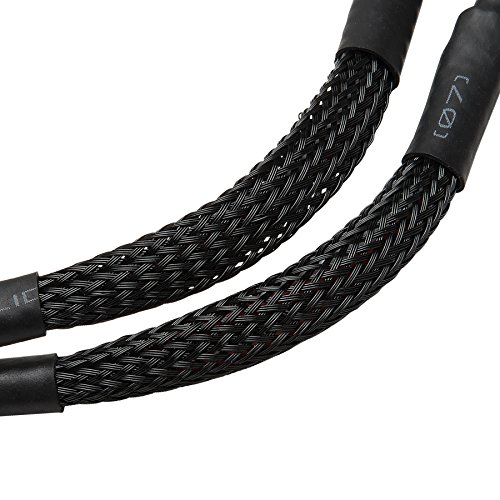
- Strong and durable black sleeved cable, tough and heavy duty.
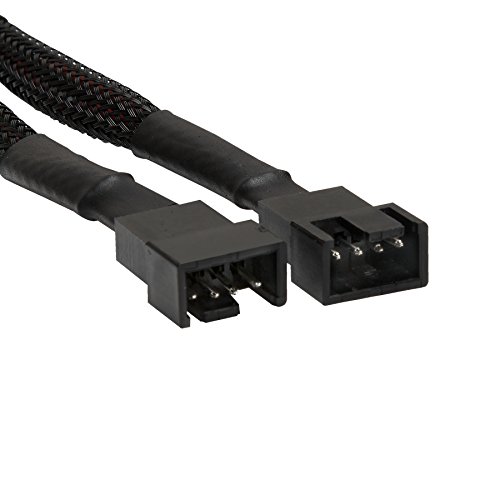
- Compatible with 3 pin Case Fan and 4 pin PWM Case Fan.
-
Information
-
Twitter
-
Pinterest
-
Youtube
-
Facebook
Johnny Gamboa
Does exactly as expected
This item works perfectly. I use it to split my motherboard’s single PWM Fan port into two ports. The fans run at the same speed, as expected. In other words, software on the computer recognizes the two fans as a single fan. If you adjust the “single fan’s speed”, both fans will adjust to match each other. Very useful product. My only issue was that the pins on the connectors are slightly loose, and can be somewhat difficult to align. However, this is a very minor issue that is easy to overcome. I highly recommend this product.
Sarfraz Ali
Another Quality Rosewill Component
As with each of the Rosewill products I have purchased over the years, this case fan PWM cable splitter works just fine. It plugged into my motherboard's single case fan socket and is now providing power and speed control to both my 120 mm variable speed case fans. As a hobbyist, I have built several desktop computers for me and my wife over the years going back to the MS-DOS days. Since I discovered Rosewill products and decided to give them a try, I have found their components to be consistently of good quality and generally among the least expensive alternatives available. I have used Rosewill networking, graphics, and RAM memory components, as well as, miscellaneous doodads like this one. That said, we are not gamers and do not push our machines beyond mainstream SOHO requirements, but, for our needs, I have been very satisfied with Rosewill components over the years.
Laura Harris
It splits a four pin fan output into two. No complaints here.
Does what it claims to do and looks just like the pictures. It splits a pwm fan output from one to two allowing for two four pin fans to be run off one four pin header. Has nice black cable sheathing. In my case I used it to split the four pin cpu fan header in to two outputs so I could add a second fan to the cryorig m9a cooler. Works like a charm.
Christine Keirs
These were perfect for what I was needing
These were perfect for what I was needing. I am a first time PC builder, and as I was finally building I ran into an issue with not having enough PWM fan connectors on my motherboard. I ended up needing to order two of these splitters, and now all my fans run on the same power / speed & at once. I can't stress how simply these were - perfect solution. These were super easy to install and such a life saver. Also, they look great for being such a small piece to the build, very low profile yet if you get up on them they are sleeved and look great. Thanks Rosewill! Would buy again in future builds!
Debbie Hill
Best Fan Splitter Out There
Bought six Corsair LL120 RGB fans to put in my Phanteks Eclipse P400s Tempered Glass case. I didn't even think about not having enough 4-pin PWM fan headers on my motherboard to accommodate all the fan connections. My Gigabyte X470 Aorus Ultra Gaming motherboard only has 3 PWM fan headers, so I bought three splitters to be able to use all the fans. These fan splitters are great. All I had to do was unplug the current connector, plug the new cable in, and then plug the two fan connectors into this cable. Super easy to use. The cable is made of good, solid material, but it is still able to bend so you can hide the cable and have better cable management. Would recommend to anyone who needs more PWM headers.
Adele Semenaviciene
Protect your computer, plug in all available fans.
These (two) cable splitters for chassis fans have a 4-pin connector that goes to your motherboard and the other end has two 3-pin cables to go to the fans. The cable is fairly short, but by rerouting some cables I had no trouble installing it. Except that the cable ends are regulation size (i.e. tiny) and my big hands had a little trouble getting in there. NBD If you use these cables, you are running two fans off of the MB output for a single fan. I was worried that this might overtax my power supply, but based on my research it should be no problem. This is why you should use only two-way splitter cables like these, to keep the current draw low. Don't want to fry the connector on your MB!
Donna Renee Rensel
It Works - 4 pin mobo header; two 3-pin fans (that came with case)
It worked just as described. Often motherboards don't come with enough chassis fan headers - and with an ASUS motherboard I wanted to use the native fan control software (that controls the airflow based on temperature). Board has four headers - case (purchased a while ago) came with 5 (basic) fans - now all are automatically controlled by mobo software. The cable is clearly of high quality and it was easy to install - in fact the connectors are keyed to only connect one way (industry standard). Happy.
Crystal Huey
Does what it says.
Does what it says. But on the controller the realtime speed it all over for obvious reasons with two fans on one channel. Not a big deal and saved me a lot of time on not having to modify a fan to add. What I did to rectify the speed confusion was. One fan was on top I can see it so I cut off the speed sense wire to it so the the motherboard gets accurate speed data on the back fan. Being I can see the top fan will know if there is an issue. Also I was warned about every 10 starts that there was a problem with a system fan. Hit enter to continue to boot. So that is not longer an issue. There are wiring diagrams for 3 and 4 pin fans you can look up if you don't know which is the speed sense wire.
Jacqueline Norris
Works great!
As intended for its purpose, this splitter is well build and will power your case fans through your motherboard and it has all four pins unlike the others that only the main pin has 4 connection and the split wires are only 3. It’s worth it.
Mirza Lipi
Used to Power 2 120mm Fans
I used this splitter to power two 120mm fans in a micro ITX case. It did exactly as intended and functioned as described. I plugged this cable into the fan header on the motherboard and plugged the two 120 mm fans ( https://www.amazon.com/gp/product/B0119T0D4I/ref=oh_aui_detailpage_o07_s00?ie=UTF8&psc=1 ) and they cooled as intended.