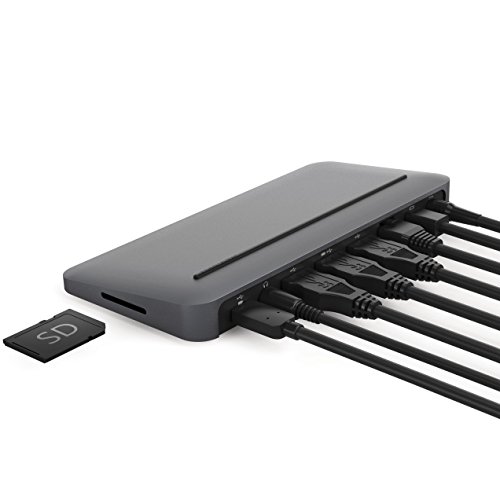

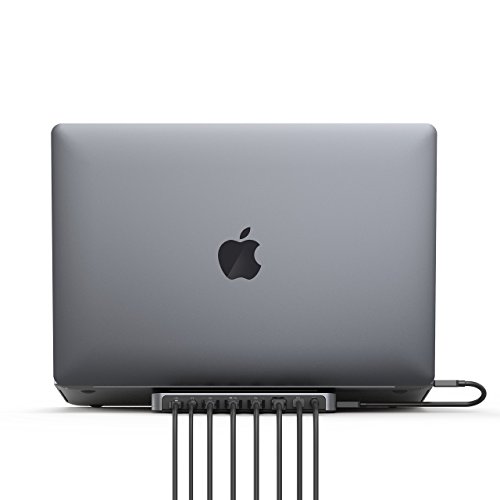

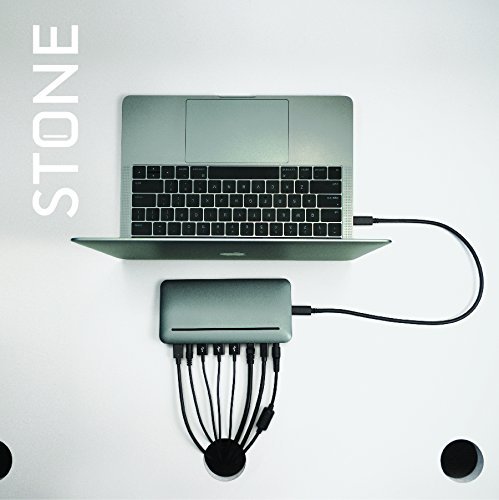


- Stone, in Apple’s Space Gray, is a natural extension of your MacBook, MacBook Pro, or new (2018) MacBook Air.
- Charge your MacBook at a full 87 Watts over USB-C, with enough additional power to charge 4 connected USB devices!
- Connect to 1 external display for a desktop or entertainment center experience
- Stone is compatible with all Apple MacBook laptops with USB-C/Thunderbolt 3 ports, including the 12-inch MacBook, 13 and 15-inch MacBook Pro, and 2018 13-inch MacBook Air
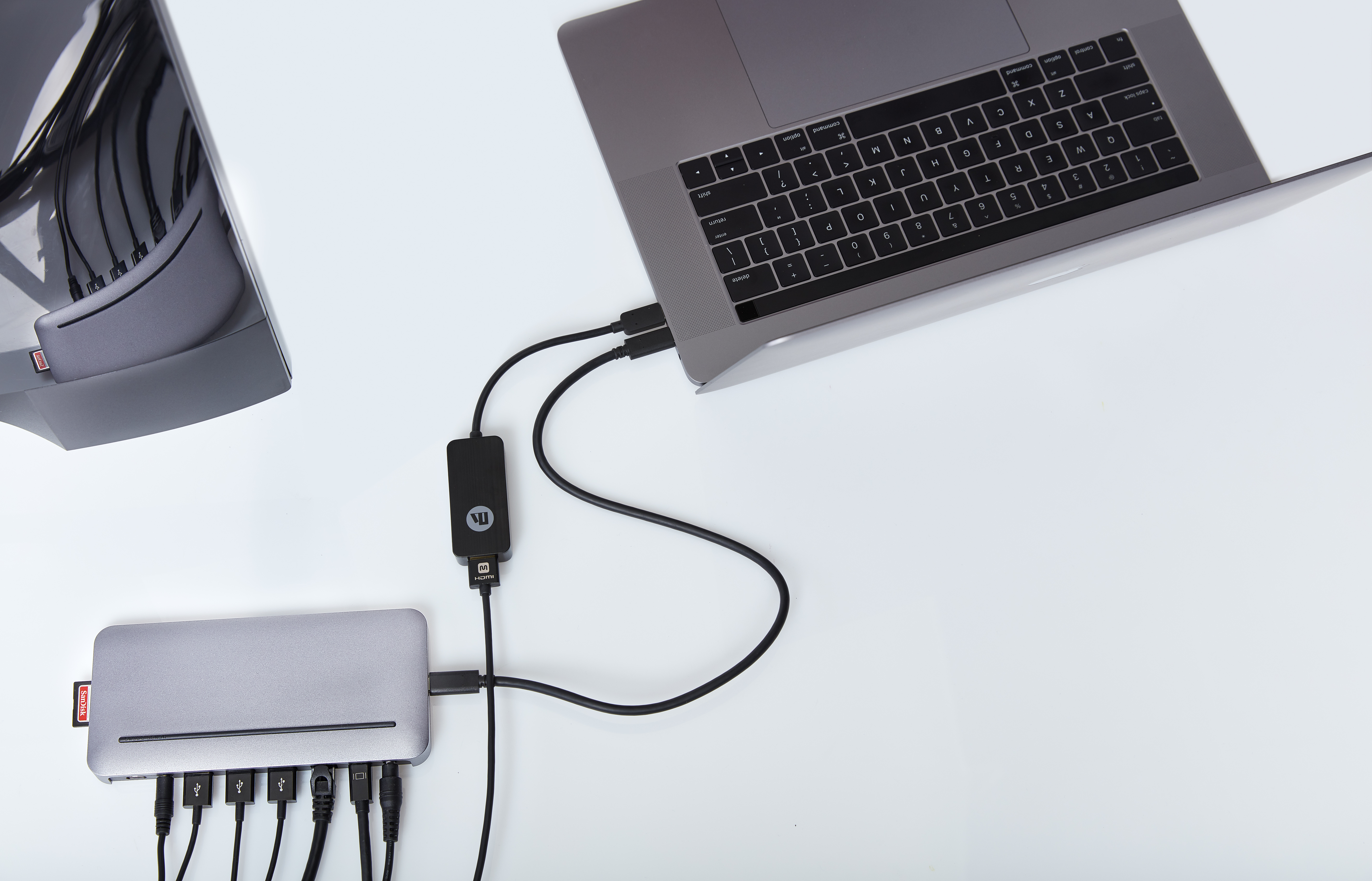
- *PLEASE NOTE: Stone includes Mini DisplayPort and USB-C, which are not compatible with Thunderbolt Displays.* *To add a second external display, add an additional cable plugged directly into your MacBook*
-
Information
-
Twitter
-
Pinterest
-
Youtube
-
Facebook
Cindy Parent
Compressed $270 worth of Apple/Belkin adapters into a single Stone + USB-C to HDMI Adapter.
The Stone is much cleaner and less expensive than multiple adapters if you routinely connect your Mac to lots of external peripherals. At work I need to connect my new 15" MacBook Pro to two monitors, gigabit Ethernet, 2 "old-style" USB-A cables, and an SD card. The Henge Stone (+ separate USB-C to HDMI adapter*) allows me to do this with minimal cabling and adapters. I just hooked it up this morning and I am planning to return the $270 (!) worth of adapters that it replaced to the apple store this week. The Stone replaced: - 1 x Apple 87W Power Supply & USB cable - 2 x Apple USB-C to Digital AV multiport adapters - 1 x Belkin USB-C to Gigabit Ethernet Adapter And on top of that it adds the SD card reader functionality and an extra USB-A plug! *The only catch is that the Stone's USB-C "out" port is not designed to output video, meaning that I cannot plug the Henge USB-C to HDMI adapter (sold separately) for my second monitor into the Stone. Instead I have to connect it directly to my MacBook Pro. Not a big deal, but I did not realize this until I unboxed the Stone so thought I'd mention it here.
Mirella Rahme
Great, when you read the instructions
Great, when you read the instructions. Works perfectly, I mounted it underneath my desk with the ports near the back of the desk, so its invisible. All I do is have 1 cable shown and I can connect the one cable to my Macbook Pro and that connects: Monitor; Keyboard; Mouse and some other stuff. So nice just needing to connect to one cable.
Ashley Renee
Perfect solution for a Apple MacBook + Apple LED Cinema Display 27" with mini display port
The Apple MacBook has a USB-C connector as opposed to a Thunderbolt 3 connector. The Hendge USB-C dock is the perfect solution (in my view) for an Apple MacBook + Apple LED Cinema Display 27" mini display port. I plug the Monitor mini display into the Hendge dock alongside the monitor USB connector. The USB-C then goes from the dock to the single USB-C connector on the Apple MacBook. Note: To get the external display brightness to work via the external Apple keyboard I had to reboot the Apple Macbook.
Stephanie Blair
Excellent product, with a good suite of ports. It can power a MacBook Pro and connected USB peripherals.
I spent a lot of time researching the USB-C dock solutions on the market. I am so glad I found this one! It looks great, it works great, and it has allowed me to simplify the spaghetti of cables on my desk with a single cable into my MacBook Pro (15", 2016). Let me point out a few subtle features of this dock, which distinguish it from many other solutions on the market: 1. It provides 87 W of power. This is unlike some other docks and adapters, which provide only 60 W. 60 W is fine for a MacBook, but it will charge a MacBook Pro more slowly, and if you're driving the machine very hard you can even run out of battery while plugged into a 60 W source. 2. It provides its own power brick. This is unlike cheaper adapters which rely on you to power the dock from the laptop's power. Considering that Apple charges $80 for its own power brick, this is a valuable addition. You are getting a replacement power adapter for your desk, not a device which will tie up your existing brick. 3. It also provides power for two of the connected USB ports, and it will power those ports *even when the laptop is not connected*. What this means is that the dock not only replaces your laptop's power brick, it also replaces two other power bricks you might rely on. For instance, I use one port or charging an iPad Pro and another for charging an iPhone. When I am not at my desk with the laptop, my devices are still charging. 4. It provides both USB-C and USB-A ports (4 in total), and Ethernet, and Mini DisplayPort. This happened to be what I needed, so it was a great combination. From my research, I also get the impression that Mini DisplayPort to DisplayPort connections are more reliable than HDMI, and Mini DisplayPort is what is supported on pre-USB-C Macs, so this strikes me as likely a good fit for others as well. 5. It's attractive -- small and elegant. It does not look like a large metal brick sitting on your desk. Finally, I'd like to say my experience with their support has been very positive. I went a little bit nuts with research on docks, so before buying I sent them a lot of detailed questions querying their degree of compliance with the USB-C spec. This is not an idle concern because cheap, non-compliant equipment can actually damage your computer. I got a very detailed answer in response from one of the lead hardware engineers who designed the product. That's support. After getting the device, I was seeing glitches on my display. Support worked with me to troubleshoot the problem, quickly sent me a new dock, and helped me figure out that, in the end, it was because I was using a faulty Mini DisplayPort to DisplayPort cable, and not because of any problem with the dock. It all now works flawlessly. In short, this is a high quality, well-designed product. It does what it says. And if you look at the details, it does a lot more than many competing offerings (full power the laptop, and to peripherals), and I suspect what it does is actually closer to what many people need.
Lisa Carter
Just one cable, and it's all connected
I had an older Macbook with a vertical dock and was a bit concerned with the upgrade to the USB-C system as I didn't want to lose the ease of use. The Stone works great - one cable, and it's all connected. When time to move from the desk, one cable. This is driving a Dell 34 inch monitor, so video bandwidth is quite adequate. Really pleased with how well this worked!
Stella Manion
Great Dock at a good price. Two minor issues, but not a deal breaker! Recommend it.
Great for the purpose of having USB/Ethernet/USB-C/SD card/Mini-Display/3.5mm audio ports. Make sure you are aware this is only capable of connecting one external display. Perfect for my needs at a justified price. However, I do have two minor re-occuring issues. 1. Will not wake up External Display: After putting my MBP 15-inch (2017) to sleep, the tethered henge dock will not wake up my external display. My connection is through a mini-display port to HDMI. To get my external display to wake up, I have to re-seat the connection every time; and in doing so, my MBP display will flicker for several seconds until the external display is woken up. Then we are all good. 2. Twice now after making or receiving facetime video calls on my Mac, there is no audio. I haven't taken the time to see if its maybe a sound preference in system preferences. Easy fix is to disconnect the dock and audio comes on. This is with no jack inserted in audio jack on dock. Next time I have a call I will try to tweak this setting; I will try to update the review if I get it resolved. Other than that this little dock is great. Runs a little warm but that is normal.
Shelly Chennells
Great and Easy solution
The combination of this dock and the hub is by far the best solution I have found. I use my MB Pro as my desktop computer, and because I also have to be able to work from home, what I take home with me every night. I kept searching for a solution to easily connect all my desktop devices - ethernet network, printer, mouse, keyboard, scanner, monitor. I tried another cheaper solution, that would not always connect and gave me fits. This dock is great. I drop the MB pro in, it connects in a few seconds, and it also provides power. Elegant and effective solution that I am very happy with. While I wish it was cheaper, you get what you pay for.
Shelley Cain
Versatile and Stylish Dock Connects New Computers with Older Devices
I’m really pleased with this dock. It works perfectly with my old 30” Cinema Display using a dual-port DVI adapter that plugs into the mini-DisplayPort connector. I use the USB-C connections for an external Thunderbolt drive as well as several USB-A devices and it provides plenty of power for my MacBook Pro. On top of all that, it matches the new space gray color of the computer perfectly.
Melly Mel
IT JUST WORKS!
I've ordered 2 other dock/hub devices over the last couple of months and sent them all back. One of them had the HDMI crap out in less than a week. The other one overheated with only 1 or 2 things plugged in, and I've learned that heat kills components so back it went. This one just works! Everything I need for my MacBook Pro Touchbar 2017. Built like its name (Stone) it is sturdy, compact and the massive power supply charges my MBP as quickly as the Apple charger. It's priced lower than several other docks (OWC, Kensington, etc) but has everything I need.
Marion Proudley
Initial Review
Just got the dock yesterday. Hooked it up with no problems. Like the Mac, it’s plug-and-play. I attached 3 external USB drives. This freed up 3 USB ports on the Mac which I am using for my iPhone, iPod and iPad. I’m able to connect my headset and use the camera’s SD card. To top it all off, it charges my Mac. One AC plug for all these. So far so good. Will write a follow up in 2 weeks.