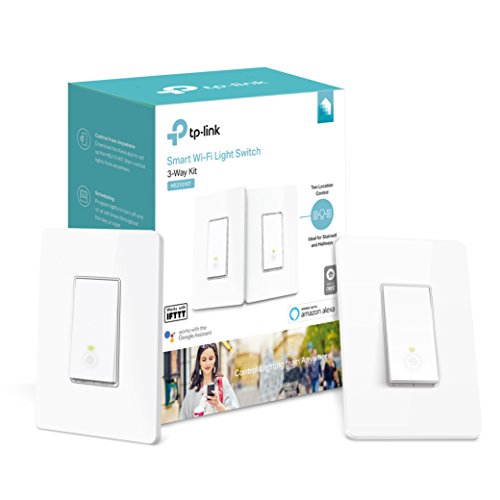

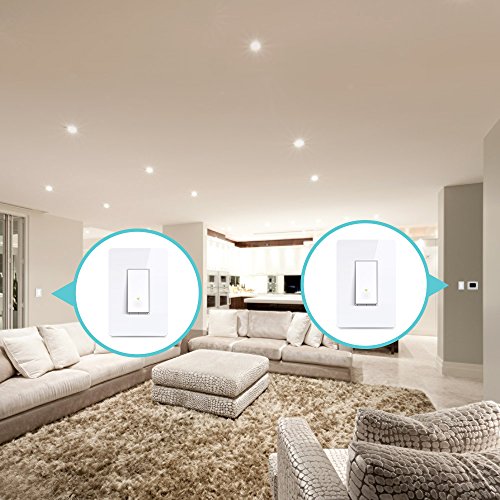


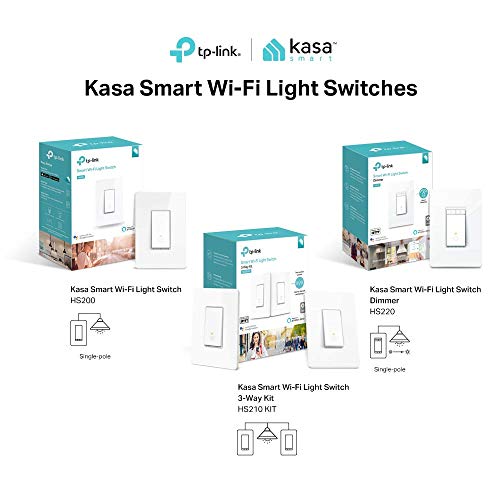

- CONTROL FROM ANYWHERE - Turn electronics on or off from anywhere with your smartphone using the Kasa app (Compatible w/ Android 4.1 or higher, iOS 9.0 or higher )
- VOICE CONTROL - Works with Amazon Alexa, Google Assistant and Microsoft Cortana supported devices for a hands-free experience
- GUIDED INSTALL: No need to understand complex 3-way switch wiring or master vs. auxiliary switch configurations. The Kasa app guides you through easy step-by-step installation
- SCHEDULING - Use Schedules to set your Smart Switch to automatically turn on and off while you're home or away; Operating Temperature: 0 ºC ~ 40 ºC (32°F ~ 104°F)
- NOTE: Requires a neutral wire / works in a single-pole setup only / Requires a secured 2.4 GHz Wi-Fi network connection
-
Information
-
Twitter
-
Pinterest
-
Youtube
-
Facebook
Heather England
For those of you who are like me and have a newer tri-band mesh network
I received the 3-way kit today and installed both switches this evening. The step-by-step instructions provided in the Kasa App were exactly what I needed. I've replaced switches an outlets before, but it was very helpful to have the instructions to make sure you didn't forget anything. You can also watch the installation video from TP-Link on YouTube if you need to. Since both of my install locations where in a 2-gang wall box, I had to go to Home Depot to buy two Leviton Decora 2-Gang Midway 1-Toggle Combination Nylon Wall Plates. The provided wall plates look nicer than the ones I ended up buying, but, unfortunately, I could not use them. Based on some research and reading through the questions and answers posted for this kit, I bought this kit with the purpose of using each switch on a separate 3-way circuit. The installation went smoothly and without issue, no hacks required. The only thing to note is that the setup app assumes you are using both switches on the same 3-way circuit so when it asks you about the connecting the second switch to the WiFi, just keep pressing "Next" until the install is complete. Once the first installation is complete, start the whole setup process again with the second switch. Everything is working exactly as desired and with this kit and the Kasa App Skill enabled via the Alexa App, I can now control two 3-way circuits with voice commands, the Alexa App, and manually via the switch itself. Additionally, the old analog switches on the other side of the circuits work just as before. For those of you who are like me and have a newer tri-band mesh network, I had to change the wireless SSID name as well as the password on my router for the 2.4GHz band so that I can manually connect my phone to the same network as the smart devices. The device with the Kasa app installed has to be connected to the same network as the smart devices and this must be a 2.4 GHz network. My phone supports 5 GHz and will automatically connect to a 5 GHz band, which means without separating the 2.4 GHz network, the phone with the app and the smart devices cannot communicate with each other. Almost all smart-home devices connect via 2.4 GHz so this is not a specifically a TP-Link/Kasa issue. I am very happy with the purchase and will not hesitate to buy the other Kasa TP-Link smart products in the future. Attached is a quick pic of the finished install.
Patricia Best
Absolute game changer but addictive
A different reviewer on here talked about his trial where he discovered that you don't need both switches to complete a 3-way switch. He wired one and got it set up on the app, when it instructed him to set up the second one, he quit the app and restarted it. The switch worked fine! I too had a 3-way switch I wanted to automate and didn't need both switches to be smart. So i figured, worst case scenario, I have my one circuit set up, best case, I have an extra switch for another circuit. Low and behold, his review was correct! I now have my outdoor soffit lights on a switch and another interior light on another switch. I've begun looking around the house in search of circuits that I want to put on these! I'll be buying at least two more packs and I've recommended it to dozens of people. Also, I recently got a Google Mini. This paired up perfectly. So nice to just say "Hey google, turn on the outside lights" and see them pop on. Smart home here I come!
Derek Hall
I Had To Install Both Switches
For the product itself, these are fantastic. I previously installed the single pole and it's been working great, so I jumped on this 3-way version when I saw the price drop recently. My only wish is that it would work natively with Samsung Smartthings (now that I've also jumped into that pool). For now, I'm content with the Kasa app and controlling the lights through Google/Alexa. The main reason I want to write this review is to provide another data point in the "Do you have to install both switches" question. Unfortunately, I DID have to install both switches. My circuit has two 3-way switches with two 4-way switches similar to SJ's review. When I initially just installed one, the actual switch worked fine to toggle the lights on and off, but the switches and the app never knew the state of the lights. I figured this because the light on the switch was always on, which seems to indicate that it always thought the lights were off. More importantly, the app only toggled the lights on/off every other press. Basically, the lights would only respond (turn on or off) when the app thinks it's turning the lights on. If the app thinks it's turning the lights off, nothing happened. Finally, I could only toggle the lights on/off by telling Alexa to turn the lights on. Asked Alexa to turn the lights off did nothing. Anyway, everything is working perfectly now that I'm using them as designed. Just wanted to provide more information for possible buyers.
Missy Childers
I have been really wanting this
It was so nice to see that TP-Link had finally come out with a 3-Way Smart Light Switch. And the best part is that it does not require a master-slave configuration. My older house does not have neutral wires to all switch boxes, some configurations are doubled up in one switch, and some have a 4-way. Thus, I cannot switch all of them to a smart switch. Because the TP-Link 3-Way will replace a regular 3-Way light switch, I am able to install the TP-Link Smart Switch in the box that has the neutral wire and leave the rest of the configuration as it is. Thank you TP-Link for allowing your 3-Way smart switch to work in the same configuration as a regular 3-way. I have installed three sets of TP-Link 3-Way switches and I have one more set on order. The only negative thing about these switches is that the on/off indicator light is dimmer than the HS200. Thus, if you have these next to an HS200, the HS210 is slightly annoyingly dimmer. Thus, I would give it 4 1/2 stars if I could, but that’s not worth knocking it down a whole star given all the other positives.
Darla Davis
A Great Follow-up to the HS200
Absolutely awesome! I have 6 of the single switches, TP-Link Smart Wi-Fi Light Switch, No Hub Required, Single Pole, Requires Neutral Wire, Works with Alexa and Google Assistant (HS200), and absolutely love them. Their only drawback is that they cannot work on a 3-way circuit. I was looking at the various way others have modified them to get them on them to work in this manner only to find out that TP-Link was releasing these! I'm happy to confirm that these work wonderfully and are just like the original HS200's. They're easy to install and setup! One thing I was concerned about when I was going to install them was that I was going to need to replace all of the 3-way switches with the HS210's. This isn't necessary!!! You can replace only one of the 3-way switches with a HS210 and receive all the benefits of a smart house! For example, you can replace one 3-way switch with a HS210 and leave the other switch alone. The Kasa app and Google Home or Alexa will be able to turn the light on and off. The other physical switch will still allow you to do the same. The Kasa app will update too when the old physical switch is toggled! I was amazed at how seamless it was!
Gina Ordiway
It works, and you only need to install one switch.
I am not particularly good at DYI stuff, but this worked the first time, and I am always glad when something actually works! It took me about 30 minutes to install. The best part is that I only needed to install one of these on a circuit. So, I will use the other one on a different circuit. Pros: Instructions on mobile app are clear and easy to follow. Works well with Alexa Cons: The switch only works in one position. It's not a rocker switch. Plus the tactile feeling is odd. It doesn't feel like a switch when you touch it. It's "beefy". It takes up a lot of room. So, it's not easy to push it into the box when finished. I am giving five stars because I intend to buy more!
Sudath de Silva
Using them in 2 locations.
Very happy with my new switches. I have discovered that they can be used with a conventional switch as long as the circuit is wired correctly. I installed one in the master bedroom and one in the kitchen. They work perfectly. The only issue is setting up the app. Once you get WiFi setup done, you have to bail from the app or it wants you to setup the second switch on the same circuit. Couldn't be happier with these. They fit in well with my 5 bulbs, 4 plugs and two single switches. TP Link is definitely the best.
Makenzie Rossman
Great Job TP-Link!!
Finally, a 3-way smart switch by TP-Link!!! I have waited for these for quite some time now and bought a set the first day they became available. This is my 30th TP-Link smart switch/plug and they never disappoint!! The HS210 3-way switch kit was very easy to install using the Kasa app. It walks you through the step by step installation all the way down to reminding you to take a picture of all labeled wires before you disconnect the old switches. Configuration to your Wifi network is a breeze, just like their standard single pole smart switch. Obviously, there are a few more steps involved given it sets up both switches within the same process, one at a time. I have lots of practice using their setup app so it only took 10 mins tops to compete. I installed it in the same switch box together with a single pole TP Link switch and will say that it’s a challenge to get everything to fit. Extra wires along with the large backs on these things make for little room. I didn’t connect the ground wires to save some space, just cut it short and taped it off. My only complaint is that the white circle light on the switch itself is dimmer than the standard switches so if you’re picky like me it doesn’t look uniform, especially if installed next to each other. I’ll be purchasing these sets for the rest of my 3-ways. Definitely happy with the product!! First picture attached is next to a single pole TP-Link and second is next to standard switch (not a smart switch).
Kathy Cole Carrington Thomason
You do NOT need to use both of these switches for a single 3 or 4-way setup.
Hi, I am an electrician and suspected that only one of these two switches would be necessary to make the circuit work properly. My biggest concern was that the app functionality may be lost by only using one of the WiFi 3-way switches. I can assure you that all app functions remain intact. I have split two sets of these TP-Link HS 210 switches and used individually on four completely separate 3- way switching circuits (one of them was actually a 4-way w/four switches controlling a set of lights.) I also have tested and verified full functionality w/ Alexa. To do this setup just replace one of the 3-way switches in the circuit and do the app setup as usual. When prompted to do the setup on the 2nd switch in the circuit just keep pressing done ✅ as if you had followed the instructions. This will complete the setup and allow you to use the app to control your 3 or 4-way circuits just like any other TP-Link devices. Repeat the previous steps with the 2nd switch in the package and BOOM.... you are done. If having matching switches is more important to you than saving hundreds of dollars, please disregard this post. Good luck.
Casey Strunk
Works Great, but there's a couple of things to note
This 3-way wall switch-pair now adds to the several Kasa AC outlet switches that I have. Everything with Kasa installs and works as expected with the Kasa app and with Google Assistant (I'm a Google Assistant person and home. I'm sure everything will work exactly the same for Alexa). My downstairs has 3 switches for 3 separate hallway lights. One of this is the stairs and upstairs hallway. That switch is a 3-way. I wanted to make that set of hall lights "smart." I also have several kitchen lights but only want to make one of them "smart." I was initially looking at 3-way kits and single wall switches. I read some of the comments and learned I could use this kit for both independent purposes and decided to economize a bit. Another factor in my decision was fitting one of the 2 switches in my downstairs wall socket with 2 other manual switches and finding a faceplate to make it all work (I didn't have high hopes for this). While everything installed and works (mostly) as expected, here's some things to take note of. 1) The switches are designed to work as a pair. They'll want to install as a pair. Yet they work as expected indepently controlling different lights. 2) Configuring the Kasa app does not go as you'd expect because of the first point (the switches are designed to work as a pair), so you'll have to configure each switch separately after you've electrically installed both (in other words, electrically install both switches then configure them with the Kasa app); and by the way don't call TP-Link for support for this configuration because they will tell you that "such a configuration will not work")