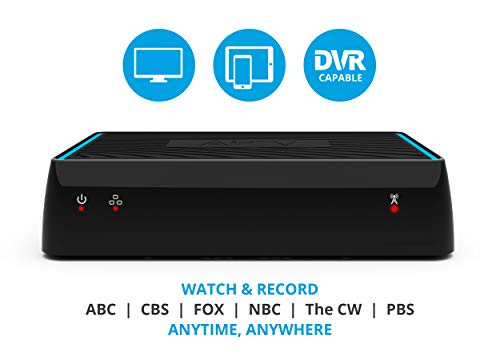
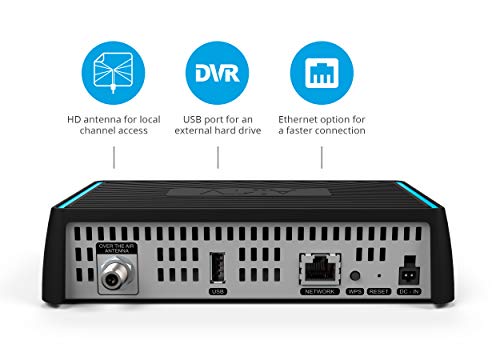


- WHAT YOU’LL NEED ― An HD antenna, a media streaming player such as an AirTV Player, Roku, Fire TV or an Android TV, broadband internet with at least 25mbps (recommended), and an external hard drive for local channel DVR (optional).
- CUT THE CORD ― AirTV connects a single HD antenna (sold separately) with your home WiFi network to seamlessly stream local channels like ABC, CBS, FOX, NBC and more in HD throughout your house via AirTV Player, Roku, Fire TV and Android TV devices.
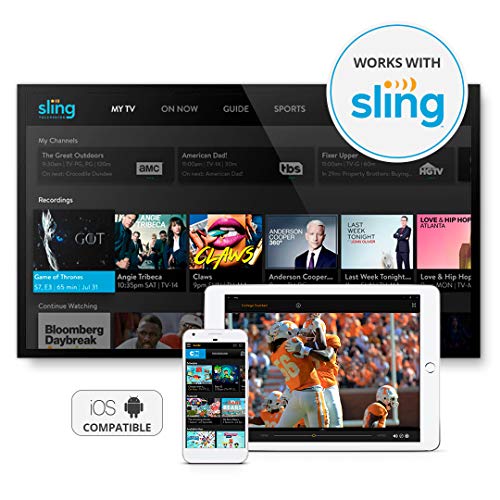
- BUILT FOR SLING TV ― Seamlessly integrate local channels right alongside your favorite Sling channels for all-in-one access. *Sling subscription not required for local channels
- WATCH ON THE GO ― Use the Sling TV app on your iOS or Android device to watch live or recorded content outside of your home.
- RECORD LIVE LOCAL CHANNELS ― Record up to two shows at a time and set single-episode or series recordings, in and outside of the home. When recording you can pause, rewind and fast-forward live TV. *External hard drive needed and sold separately.
-
Information
-
Twitter
-
Pinterest
-
Youtube
-
Facebook
Tyana Smith
Works Great..
Works Great... Very easy to set up thru airtv app or sling TV app... Sling TV gives you channel logos which is very helpful.. Plz note if you going to use thru sling TV app then don't set up thru AirTV app since you can't have two apps set up..
Thomas Kitchens
Just what a cord cutter needs for a DVR
I finally cut the cable cord after wanting to do it for years. I have been dissatisfied with the costs of keeping cable while getting so many channels that I never watched and let's not talk about all the fees added to the bill every month. I installed an antenna in my garage attic space with an amplifier and used the scanner in the TV and received over 70 channels. While this is once again more channels than I will use or want to use, they come over free airways with not additional fees. Total savings of more than $100 per month. There are a few shows that I like that are on too late so I needed a way to record them so I decided to get the AirTV. I installed the AirTV and connected it to my antenna, then created an Sling free account so that I can use this device as a DVR. The instructions were mostly good, but I had some confusion on how to get the free Sling account so I called AirTV support. They were great and told me to setup a free account using Sling/AirTV online. This was successful and once in, I was able to use the scanning tool within the app software. It works great BTW both inside and outside my home. This is fully functional while traveling and I am able to schedule and record anything while on the go. I really appreciate Amazon and AirTV because this is just what I wanted to complete my cord cutting. BTW Sling TV pay version provides additional channels for a fee if needed. I did not go for that part of the deal as I simply do not want to pay for my TV that I don't watch. I have other streaming options that I can use for movies, TV shows, etc. If you need a DVR for over the air (free) TV, you will enjoy this device with the app, either AirTV or Sling. One caution is to get an antenna first, connect it to your TV and scan for channels. If you do not get the channels you want or need, then the AirTV will not provide the service you want. It is not an antenna, and cannot get more channels than you get over the air already at your home. It is not an amplified, nor does it get these stations online. It allows you access to stations that you can receive at your home using your antenna, and makes them available within your home using your private network or while on the go using your antenna at your home providing you have internet service at your home. Enjoy!
Pamela Michelle Peavy
If you have good antenna reception this is a great gadget for remote viewing
I wanted to see my local NFL football team while traveling. I hooked up my outdoor antenna to the AirTV, set up the account, and can now tune in my local stations from anywhere in the country. No need for expensive Game Pass. Caveat: You must have good digital TV reception with an antenna, good WiFi speed in your house, and understanding that you only will see local broadcasts. If you meet these criteria and have a desire to see your local channels away from your TV this is the gadget to get. Also be aware that if you remotely watch with cell data instead of WiFi connection to your phone or tablet you will use up a lot of data quickly. However, even in low WiFi speed areas I could get a stable broadcast.
Anivon Zerimar
Awesome device that I love!
I got this for the sole purpose to watch broadcast tv, specifically news and sports from my home town where I no longer live. While I didn't really need the DVR feature it sure is nice. I added a hard drive and shipped both items to a friend that lives in my prior home town. After pluging the USB hard drive, he connected the splitter to his house antenna and plug it in to power. I had already set up a free sling tv guest accout. This was the only hard part.... finding that link. The Sling TV app supports the DVR feature, the AirTV app currently does not. You have to use one or the other app, I highly recommend the Sling TV app. My friend went through the set up process in the app and connected it to his wifi network. The process was simple, fast and one time. The video quality is really good, much better than I had hoped for - streaming remotely! The free tv guide works well, simple and again FREE. It has two tuners, I consider that to be great, but I would have liked the option to pay more for a "AirTV 4" with 4 tuners. I also would like the option to have more than one remote stream at a time. Perhaps thats something they could put in my dream device "AirTV 4". The DVR functions well, but it was only launched about 4 weeks ago and the features aren't yet prime-time. While the DVR does offer series recording. It's missing features that the competitors offer like, 1) extended recording options. 2) record an extra 50% on all live broadcasts. 3) commerical thumbnail when fast forwarding. 4) Keep only X many of a specific show. 5) Can't pause live broadcasts on Roku (others unknown). Overall this is a great device that after 4 days, I love. I've tested it on Roku, Android, Iphone, but not yet Fire Stick. I have high hopes of AirTV adding features to to DVR in the future and I'd pay for a 4 tuner unit. Lastly AirTV needs to better communicate how to create a free guest sling tv account to use the DVR functionality. Amazon may block it, but is slingtv.com/airtv Or slingtv then com then /airtv
Doris Ramos
Works Great!
Not sure why so many negative remarks, this thing works perfect for me. Long story short, I was sick of paying for NFL Sunday Ticket to see my team play (I'm out of market). Sent a box to my parents house who are in market for the team, and now I can stream any and all local broadcasts they are getting to their OTA HD antenna. Extra bonus is get to watch local news from up there again when I want as well. There is a little lag when you first connect, but that usually clears up after half a minute or so, like sometimes happens with streaming devices. Overall so far, my experience has been great, I highly recommend it. I don't have SlingTV, so I just use the AirTV app instead and had no issues. +++++Update after a month......absolutely no issues, and use the app daily....would highly recommend it! +++++++++
Nabilah Nasir
Easy to set up, easy to use.
I'm a Roku supporter, we have multiple Roku streaming sticks and Roku enabled TV's and Sling TV streaming service used across two households. Seeing how Sling and AirTV are both DISH subsidiaries, I had high hopes they would work well together. I was not disappointed. I connected the AirTV box directly to my home router and my external antenna (which is up in the attic, a RCA Yagi 70 mile directional antenna). The Sling App found the AirTV box, did a scan and found 67 channels, I was told there would only be 54 in my area... Kudos to the antenna and the AirTV tuner sensitivity. I'm 30 miles from the towers with a direct line of sight. Most of the channels came in at 4 out of 5 bars. This was with guessing the antenna alignment. I did not see a need to tweak the alignment and rescan to find if I can improve the signal. I may change my mind if the rain/snow interferes with the signal broadcast. The OTA channels integrated very nicely along with the Sling channels, what I really liked was that the major broadcasters, ABC, NBC, CBS, FOX were all placed at the top of the channel listing. Having the OTA symbol next to the channel name helps in identifying which are OTA and which are Sling provided. I then tried to get the DVR working, but no luck. I tried 3 different external drives and none were recognized. After a bit more reading on the AirTV web site, I found where the minimum required firmware and software versions were listed. The AirTV box firmware was very old, it had not updated even though the Sling App said it was current. It was late, so I was going to do a hard reset in the morning, but overnight it did an auto-update of the firmware and it was now newer than the minimum required version. After plugging in my test 80GB drive, the Sling app found it and formatted it. I now have a whopping 10 hours of recording time :-) I have a 2TB drive on order, so when that arrives I'll plug it in and have hundreds of hours of OTA recording. My wife will be very happy. So if you have troubles with the DVR service, check the firmware and software versions to make sure they meet the minimum requirements. If not, wait a while like I did or do a hard reset on the AirTV box, that should update the firmware. I have only completed a few simple tests with the DVR capabilities. If I start recording a live show, I can then pause it, rewind, fast-forward the show. If I run into any issues, I'll update this review. For streaming, I was able to stream both tuners internally around the house with no noticeable issues. I then streamed the same channel to a local TV and to my cellphone over the cellular network which tested the 1 upstream capability. After about 30 seconds of a kind of jittery playback, the upstream viewing stabilized and worked great. My home upstream connection is limited to 1Mb/s and the AirTV supported that just fine. The local stream was a few seconds ahead of the remote stream, but both were stable. Now we can watch local OTA channels when we're at our vacation place in the mountains. I'm very happy with the AirTV black box + Sling TV running on Roku sticks/TV's. This is a strong contender to allow me to drop my VERY expensive DirecTV service. With this setup, we get over 90% of the channels we currently watch/record on DirecTV at 1/5th the cost... ($1400/year savings if I drop DirecTV) Sure, it doesn't have all the recording options or features of DirecTV, but it's pretty close with the Cloud DVR and now OTA DVR with AirTV. The missing DirecTV channels are not that important and by adding in another of the Sling TV Extra packages for $5/month, I can get most of those as well. Now I would like to see Sling integrate Netflix, Hulu, Amazon prime into their app, so I can have one place to view them all...
Jered Quarles
Nice product, no setup issues
We chord cut at our house about 6 months ago. TV viewing now consists primarily of NetFlix, Sling TV and OTA (over-the-air) channels. Regularly going from NetFlix/Sling to the OTA channels (and back) by changing the TV input selection has been rather obnoxious and time consuming. Then I read about AirTV thru Sling TV. With an added portable hard drive, it seemed to solve my last concerns about chord cutting (ease of channel access and DVR capability for OTA). I found the setup of the AirTV and integration into the Sling TV channel guide including the DVR functionality a breeze. Other reviews mention various problems. Most seem related to OTA channel reception. We live about 5 miles from almost direct sight TV towers in Portland, OR so reception is not an issue. Total setup time including rescanning for OTA channels was about 10 minutes. We use the Cooldesign 35 Miles Range Digital HDTV Antenna (no longer sold at Amazon). I thought I would have a delay concerns with picking up/changing OTA channels in Sling TV having them routed through the AirTV and our Wifi system. But no. Turns out that the delay is about the same as switching channels using direct OTA reception/antenna. The $25 Sling TV credit was a nice bonus. I would judge our chord cutting experience as complete with this product as the cherry on top. LATE EDIT: Recently I have noted that for several mornings now daily local AM news daily recordings are not recording. I will have to troubleshoot to see if the AirTV log-in logged out, is dropping the OTA signal or something else.
Achref Khairi
The last piece for eliminating cable, Aereo-like device
I should mention first that it is unfortunate that consumers even need a device like this. A few years ago Aereo solved this by doing the bulk of the engineering for the consumer in the cloud via tiny antennas and streaming, but that was ruled a copyright violation. So now consumers have to individually setup their own solutions. In my case, I added a cheap ($35) attic antenna, routed the coaxial cable to the AirTV, connected the AirTV to my Ethernet switch, and viola; I now have OTA TV on all my Roku TVs. Certainly I could have added an antenna directly to each TV, but each antenna could cost about $25 each, along with missing channels. Another huge advantage is the ability to watch TV anywhere decent internet is available. So if I'm on vacation and where WiFi is available but not TV, I can watch OTA TV. My only complaint is that DVR does not work with USB thumb drives (yet?). It supposedly works with external hard drives. I understand that USB thumb drives vary in terms of speed and power consumption, so it would be nice if the AirTV engineers could recommend a subset of USB thumb drives that meet the desired specifications.
Fagbohun Kazeem Olawale
Great Marriage of SlingTV and AirTV Black Box
Great way to cut the cord and combine Over The Air TV with a Sling TV package. 59 personal watchable channels for 33 bucks with tax for me. Pros: Picks up all OTA Channels that my TV picked up (94 total). NO MONTHLY OR YEARLY GUIDE FEES! 1/2 the cost of other OTA solutions. The OTA channel guide shows up in the SlingTV guide thus combining the 2 into one. With Sling you have the Cloud DVR ($5 a month), add an external HD to the AirTV black box and record OTA channels to it for 2 separate DVRs combined into one in SlingTV. This device is dual tuner for recording 2 shows at once. Runs cool so you can stick it in a closet somewhere out of site and forget about it. You do not need SlingTV to use this, but you do need a Roku or laptop, or ipad, ect. Integrates with Roku seamlessly, you hit the Sling button on the Roku and you are in. I'm using a wired connection straight into a Gigabit switch, into my gigabit router, into my 100Mbps internet connection. Cons: No built in hard drive for DVR. But if you already have an external USB drive you are set. You can only Sling @ a high of 5 Mbps, which is 720p. There is a 30 second delay before the video smooths out to 720p. Would love to have the 1080p option and not waste all that internet bandwidth I'm paying for. Final Thoughts: I have SlingTV Blue with Cloud DVR, and my OTA channels with external Hard Drive for a total of 59 Channels, (I have a bunch of OTA and SlingTV Channels removed from guide), for a TV setup thats just 33 bucks a month with taxes and fees. You can watch TV and access both DVRs anywhere there is internet. You can use a phone or ipad or laptop ect. Give it a try, I think you'll like this one and the price.
Bobbie Martin
Cut The Cord
I have saved quite a bit of money cutting the cord. I have been with SlingTV for awhile. I had antennas on each TV. But the reception wasn't the same on each TV. I decided to buy the AirTV box and Im glad I did. So now not only do all the TVs get great reception I can also watch local channels on mobile devices. I have Roku and I dont need SlingTV as there is a AirTV app for it and my mobile devices. Note: if you do have SlingTV and want to see channels on SlingTV configure your box through SlingTV app and not AirTV app.