
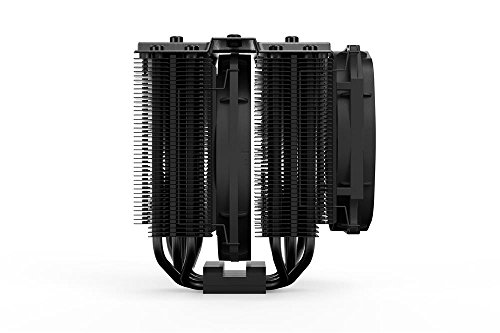
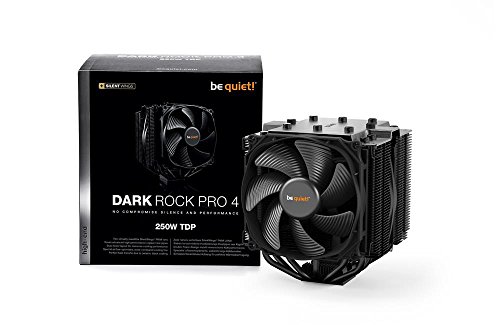
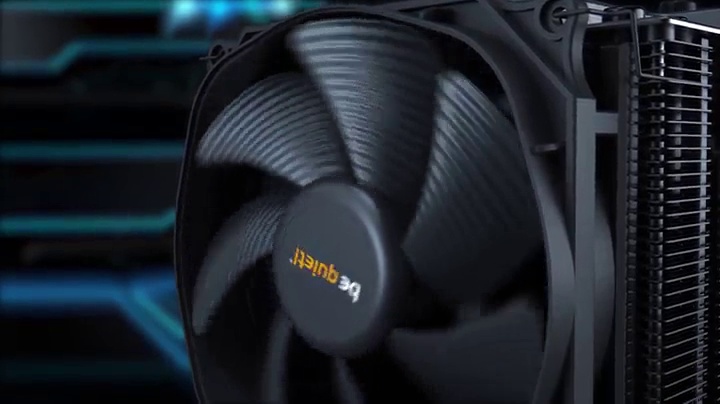

- Two virtually inaudible silent Wings PWM fans
- Funnel-shaped frame of the front fan for high air pressure
- Achieves only 24.3Db(a) at maximum fan speed
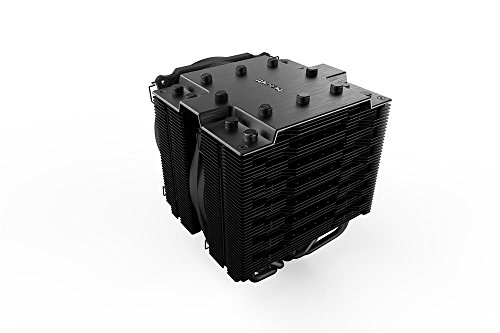
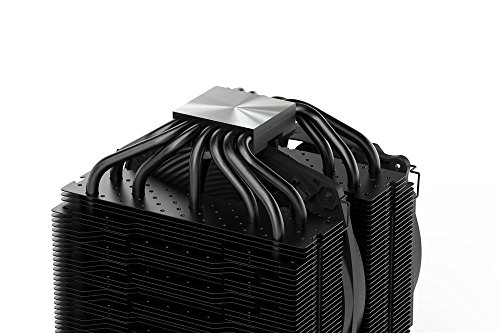
- Seven high-performance copper heat pipes. Overall dimensions without Mounting material (L x w x H): 5.7 x 5.35 x 6.40 inch
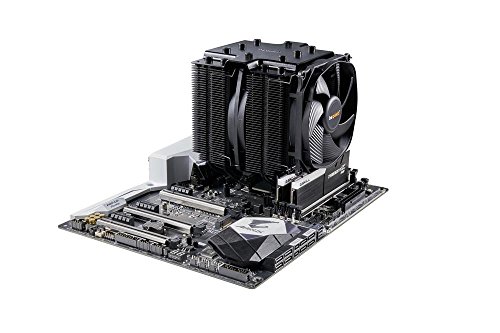
- Airflow-optimized cooling fins; cutouts enhance the RAM compatibility
- Easily installable black Installation Kit can be mounted from above
- Intel: LGA 1150/ 1151/ 1155/ 1156/ 1366/ 2011(-3) square ILM/ 2066
- Amd: AM2(+)/ AM3(+)/ AM4/ FM1/ FM2(+)
-
Information
-
Twitter
-
Pinterest
-
Youtube
-
Facebook
Anna Dove Frankos
Far Exceeded My Very High Expectations!
Got this for a new desktop build. I wanted 2 main things from my CPU cooler, quiet operation and good cooling performance. I have used AIO water cooling for years including the NZXT Kraken x62, Corsair H80i, Swifttech H320 X2, etc. Each time I was generally disappointed by the noise they make. I would not consider them silent, with pump noise being my biggest peeve. Most of these pumps tend to starting making a ticking type noise that can be very annoying. Smaller AIO's need to use higher rpms on the fans for cooling which generally equates to loud fans. So this time around other than the obvious performance of a new gaming rig, keeping the rig silent and still cool was at the top of my priorities. I dont care about RGB, windows, etc. My build is: * i7-9700k with this cooler * MSI MPG Z390M Gaming Edge mATX motherboard * 32GB (2x 16GB) Corsair LPX DDR4 3200 RAM. CMK32GX4M2B3200C16 * 1TB Samsung 970 Evo m.2 NVMe SSD * MSI RTX 2080 Duke GPU * Seasonic 850watt plat PSU SSR-850PX * Fractal Design Mini C (without side window) * 4x Be Quiet SILENTWINGS 3 PWM 120mm fans model BL066 * 2x Be Quiet SILENTWINGS 3 PWM 140mm fans model BL067 I have the i7-9700k running @ 5.0Ghz with max temps hitting ~80c in prime95 testing over a 4 hour period. Idle temps with ambient room temp at about 72f is ~26-29c. Gaming, it depends on the game and I have not tested many for long enough to be sure yet but I would say ranges from mid 40's to mid 60's. So performance wise, this cooler is amazing. Easily handles keeping the CPU cool. Lets talk sound/noise. At full, 100% rpm I heard a noise, this kind of whistle/whine...I moved in to listen more closely...and realized it was my nose/breathing making the noise. That's how quiet this build is, I heard my breathing/nose whistle over the sound of the cooler! At one point the cooler was so quiet I had to check if the fans where even working...of course they were. As to some concerns people may have: * Yes, this cooler is massive. * No, it wasnt all that hard to install. Easier than dealing with an AIO. Hardest part is getting the middle fan latched on * RAM clearance was fine for me, but I got RAM that didn't have absurdly tall and useless heat spreaders on them. Installation wise, I was able to install it myself with relative ease. The included screw driver is perfect. I used grizzly kryonaut thermal paste and spread it conservatively and thin over the CPU. The hardest part of the install is getting the middle fan latched onto the block. I found a pry tool useful for helping to pull the 2 wirey lathes over the notches of the fins. At the end of the day this cooler provides impressive performance, decent aesthetics, and silent operation. Its big, doesnt have RGB for 14 year olds and could have RAM clearance problems for some. If you can deal with the minor concessions and can make it work in your build you wont regret it. I am overall impressed with the build quality of Be Quiet's products overall and will be considering them more and more going forward especially for cooling products. I would highly recommend this cooler
Abdul Rashid
Dark Rock Pro 4 cooling 14 core Intel with no problems at all !!!
If you're like me and scared that a water cooler might leak but worried that an air cooler can't handle a 14 core Intel CPU, let me put your mind at ease. I just built a pc to handle my 4k video editing needs. I knew that would mean lots of cores and lots of GPU power. I decided on the I9-7940x 14 core CPU that has a base of 3.1Ghz and boost of 4.3Ghz. At the time of my purchase it was only $100 more than the Ryzen model with similar cores and speeds. I trust Intel products and have never used AMD so the choice was easy for me. My biggest concern was air cooling 14 cores. I could not find any reviews of anyone cooling a 14 core CPU with this but I took the chance anyways. I did consider the Noctua D15 but according to Noctua it could only handle 165 TDP (a measurement of how much cpu heat it can dissipate) and the Pro 4 can handle 250 TDP so I went with the Pro 4. My first 4k rendering test blew my mind. I rendered a 29min video in 31 min (my old 4 core I5 took 8-9 hours for the same task). I monitored the system temps and fan speeds the entire time and the CPU peaked at a cool 61 degrees (Intel lists a max temp of 104 for this CPU)! Gaming and other more "normal" tasks the temp stays around 45-50 degrees at most and it idles at 31. I could not be more pleased! The cooler is HUGE but it looks AWESOME and it is more than capable to cool my CPU at stock speeds, it is whisper quiet and I don't have to worry about water leaks. I'm not much for overclocking but with this much headroom I could easily bump things up a few notches with room to spare. If you need great cooling and you don't want to worry about water leaks the Dark Rock Pro 4 is probably your best bet. My PC Asus Prime Deluxe X299 Intel 7940x CPU 32GB G.Skill Ripjaws 3200Mhz Ram GPU is currently a EVGA 1050TI that will get upgraded when 2080 GTX prices fall a bit Samsung EVO 970 M.2 1GB drive for programs Samsung EVO 970 M.2 1GB drive for working files WD Blue 3.5 4TB drives (2) for storage
Virginia LaFrieda Osonitsch
Black beast!
Using this beast with an Intel i7-8700k overclocked to 5.0GHz. Sits idle at 33 Celsius. When the fan is set to max speed, it gets to 1600 rpm and max temp is about 60 Celsius while playing PUBG. Quiet as heck! Also still quiet on max speeds, but audible at most. Love the way this thing looks. Install was not bad at all, especially with the be quiet! YouTube install instruction videos on YouTube. Had a Corsair H60 before this. Runs better, and much quieter. No more random fan speed increases and decreases. So glad I got this. Thanks be quiet!
Yasmine Soojhai
Much better than I had hoped for
I have been using the Corsair H80i V2 liquid/radiator unit with 2 120mm fans (push/pull). I have been using it for a couple of years now. I upgraded my processor and had a really hard time removing and reinstalling the Corsair. It is thick and there is not much room to move it around. The CPU temps were not stellar either. I read several reviews about the Dark Rock 4. I looked at the Pro 4, but figured I would have a difficult time installing. It is really large. I settled on the 4 and am pleased with the outcome. It is still pretty big and is a bit hard to get your hands around it to install the fan and plug it in but it is worth the extra effort. The liquid radiator kept the package temp around 35 to 40 Celsius at idle and ran up to 72 max under load. Using the same stress method for the Dark Rock 4, temps were 25 to 27 Celsius at idle and maxed out at 52 under load. I have to say... I am impressed. The package is an i7 6700K (no overclock @ 4.0 / 4.2 turbo)), but this gives me incentive to get it up to 4.5 to 4.6. I am sure this cooler can handle it. Plus, I can add a 120MM fan to the back side to create the same push/pull air flow as the radiator. With its gloss black finish, it also looks pretty ominous as my computer case is windowed. I highly recommend this cooler.
Richie Embry
Best Performing, Safest, Best Looking Cooler for the Money
For $90 this is the cooler to beat all coolers. My System: EVGA X299 Dark Intel I7-7800x Sky Lake CPU EVGA 1000 Ti PSU EVGA 1660 TI GPU WD Black 2 GB M2 EVGA NU Sound Card Fractal Design Meshify S2 Case Arctic MX-4 (2019 model) P method Idle Temperature 28C Max Temp 65C After you watch an AIO destroy a motherboard by leaking, you start to take air coolers much more serious. Why risk adding liquid to your PC when air does just a good job without the risk. That said, if you have to go AIO then I would encourage you to look at BeQuiet SilentLoop 280 or AlphaCool Eisbaer LT. Make sure you buy the Eisbaer LT and not the one with the reservoir if sound is important. That said, as long as air cooling works and is 2/3rds to 1/2 the price, you would be foolish not to buy a Dark Rock Pro 4.
Nadine Dauphin-Simmons
Now includes AM4 mounting bracket for Ryzen processors!
I got this cooler for my Ryzen 5 1600. Even though this CPU comes with a stock cooler, I wanted a cooler that would keep my CPU cool while staying quiet. I've actually been using a Corsair H80i v2 with my CPU, but I decided to change out the case and the cooler. AIOs are too noisy. Anyway, the Dark Rock TF keeps my Ryzen 5 1600 @ 3.75 GHz at a cool 30 C while browsing (drops to 25 C at idle) and maxes out at 61 C running Folding at Home. My whole rig is in an Ncase M1. Is this cooler overkill? Probably, but I like running cool and quiet. Unlike an AIO, this doesn't sound like a vacuum even when running at 100%. As of February 2018, the Dark Rock TF is now shipping with an AM4 bracket (see 1st attached pic). I'm glad they do because I actually sent a request to Be Quiet, and they said they were going to ship a bracket, but it hasn't arrived. This was over 2 weeks ago. Another thing to keep in mind is that you shouldn't be afraid to push down on the fan clips that secure the fans to the heatsink. The instructions weren't clear on how to install these, and I was afraid of breaking something. Attached (see 2nd attached pic) is a picture for reference. Push hard!
Yvonne Beaver
Dark Rock Pro TR4 threadripper ram clearance
My main requirements was air cooler and ram clearance. This worked perfectly. I had purchased my ram before I purchased and air cooling solution so the search began. I did my homework and believed this would work and it did.. There will be no room left after installing so put all your ram sticks in first then mount cooler. Processor is lightly over clocked to 3.8 GHz and idle temps are 33C. So if you need an air cooler with decent ram clearance this is it. Also the ram I used was Corsair Vengeance RGB Pro.
Tara Woods
Dark Rock Pro 4 + Intel i9 9900k = Great Temps
The Dark Rock Pro 4 is a massive cooler and it does a wonderful job cooling intel’s i9 9900k. This cooler is made of very sturdy and quality material. The front fan of the cooler is pre-installed so I just needed to install the middle one myself later on. Installation: I used the youtube video installation guide that Be Quiet had on installing this cooler. The video is very detailed in showing you what you need and how to install it. I was definitely nervous in accidentally messing up, but the video gave me confidence. Installation was easy for someone like me who has NEVER built a pc before. It was all very straight forward, but take your time installing the cooler. Btw, Yes, it does come with a small tube of thermal paste, but I recommend getting your own to ensure quality of the paste. Temps: During idle load, the cpu sits at ~35-38 Celsius. For gaming, it usually depends on what games I play. During a Total War Warhammer 2 benchmark, my cpu temps were at ~39-45 Celsius. During Star Wars Battlefront 2, my cpu temps were at ~ 50-60Celsius. RAM Clearance: I used 4 Corsair Vengeance LPX Ram sticks. I took a couple photos showing how much clearance you have when using my ram but the judgement for other ram is up to you.
Robert Ferguson
Huge, but great cooling potential
Installation: Easiest way is probably to install it with the motherboard out of the case if possible, though the install wasn't too bad while in the case. Mounting the cooler on the CPU was quiet easy - line up the cooler and use the magnetic screw driver provided to first go through the hole at the top plate, then use your hands to magnetically attach the screw to the end of the screw driver. From there, just line up the holes and screw it in. Hardest part for me was to get the fans mounted with the little clips they give you. I also realized that there are 2 different sizes for those clips: 1 set for an additional fan to the left of the cooler if you wanted to add one and one for the middle cooler fan (this is the shorter of the two clip sizes). Also, I have Corsair Pro RGB RAM kit and the height was a little higher than the stock fan position on the cooler (outer fan). I just moved it up to the very top and it will fit, barely. Low profile RAM kits are probably preferred. But as you will see in the thermal testing, I dont think bumping it up a little made much difference to performance. As you can see in one of my pictures, it is easy to bend the fins from using the clips if you are not careful, but also just as easy to bend those back if you wanted. Thermals: (with glass panel on) Using this system on my Ryzen 2700x CPU (undervolted -0.05V) and with Prime95 stress testing for 30+ min max temp was 72C. This out performs the stock Wraith Prism cooler the CPU comes with and is super quiet - to the point that I can sometimes hear my GPU whine a very slight amount when stressing the GPU. CPU sits idle at 30C. Daily use, temps dont exceed 50C, so this is a great cooler comparable to some 240/280 AIOs. I also have PBO enabled, which allows my CPU to hit higher core clocks on a single core or a few cores at a time. My PC hardware: Thermal Paste: Kryonaut Case: Corsair x460 Fans: stock 4x 120mm RGB (3 intake, 1 exhaust) + 1 be quiet 140mm (above CPU as exhaust) Mobo: x470 taichi
Janelle Williams
Yessssss
Bro, Do you want your flaming hot Ryzen to cool off? Did you finally realize your stock cooler was loud and ineffective? Look no further. I would recommend this cooler to anyone with a 3700X or less (can't speak to any more than that). It cools like a dream. It's super quiet. I just love it. Truthfully, I didn't know how quiet a CPU cooler could be. I didn't know how much better it really was than the stock CPU cooler. However, after tweaking some OC settings in the RyzenMaster PBO, I was running pretty hot. This thing made a world of difference. One minor nitpick: mounting the fan on the cooler at the end is pretty tough, if you already have your mobo installed in the case. Ideally, buy this thing first, never even bother with the stock CPU cooler, and rock it out from day 1. Rocking out games on high/ultra settings, even running benchmarks with sub 65C at 100% CPU and overclocked. Beastmode.