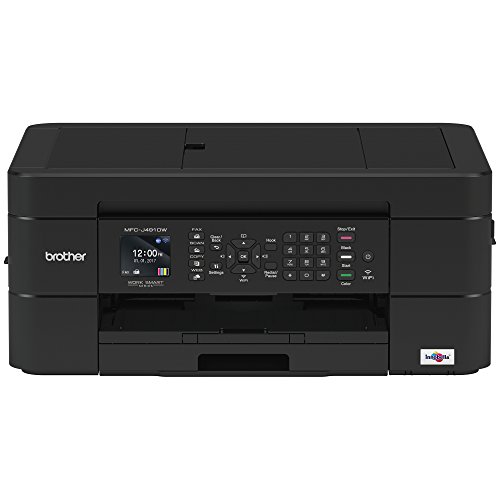

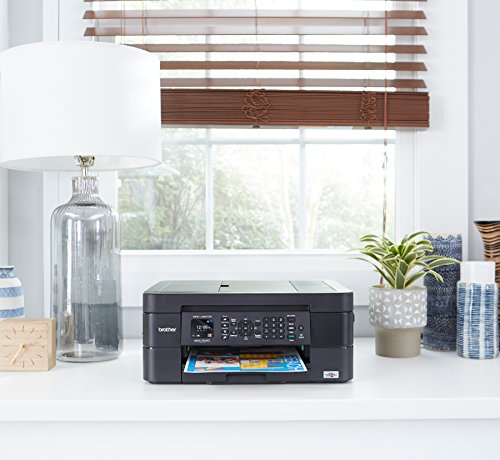

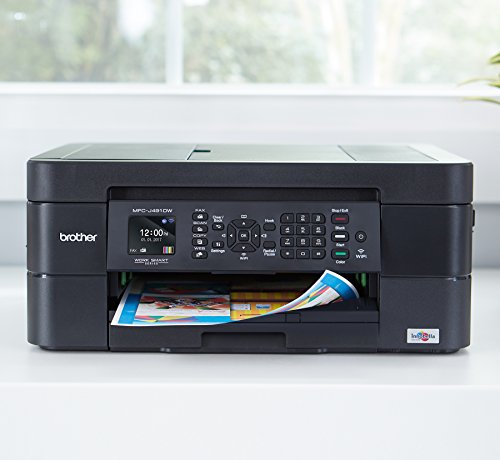


- SIMPLE TO CONNECT: Choose from built-in wireless or connect locally to a single PC or Mac via USB interface. MFCJ491DW offers easy-to-set-up wireless networking
- MOBILE PRINTING: Print wirelessly from mobile devices(1) using AirPrint, Google Cloud Print, Brother iPrint&Scan, Mopria and Wi-Fi Direct
- CLOUD CONNECTIVITY: Scan-to popular Cloud services directly from the printer including Google Drive, Dropbox, Box, OneDrive and more(2)
- VERSATILE PAPER HANDLING: Automatic document feeder and up to 100-sheet capacity paper tray for letter/legal-size paper for flexible printing
- FOR USE WITH BROTHER GENUINE INKS: LC3011BK, LC3011C, LC3011M, LC3011Y, LC3013BK, LC3013C, LC3013M, LC3013Y
- AMAZON DASH REPLENISHMENT ENABLED: Upon activation, Amazon Dash Replenishment measures the ink level and orders more from Amazon when it’s low
-
Information
-
Twitter
-
Pinterest
-
Youtube
-
Facebook
Serrina Randolph
Good Printer so far.
I received it the printer 1/16/19 and so far it's been printing great. I've printed so far using the starter ink and will update my review how long this last for me in pages. I haven't encountered issues with it so far but I also haven't used the wifi, the scanner, and the fax with it yet and instead used only a USB connection. This review is currently only for what I used so far. I will also update as this semester goes on when I use these other features since this is primarily going to be used for college and my desktop will be next to it. Any issues with reliability I will also report and update my review. The printing speeds have been fast. From the other reviews I've read about slow printing speeds, I personally haven't encountered slow printing speeds and it's maybe because I followed another reviewer's recommendation of downloading the drivers from the brothers support site directly. Download the drivers and start the software setup which I did. I didn't hookup the printer when it asks you to until I was finished the following the setup paper guide that came with the printer. I never use the CDs that come with products. Only after I finished, did I hookup the USB connection. I downloaded the extra software by Brother's as well for extra features. After I finished going through the software setup, there was a couple of updates and a firmware update to the printer which I've encountered. Usually when I'm done printing I turn it off. The primarily printing paper I'm using with this printer is the HP Bright White 24 for reference.
Bisma Farooq
Excellent value and excellent printer for the price!
We had been looking for a new printer to replace our Epson all in one that was only a couple of years old and had already failed. After owning multiple $150-350 all in one printers and seeing the reviews on this one I decided to give it a try. What was the worst that could happen for the price? So far it has been absolutely excellent. It prints very well, works well printing from our iPhones and is very easy to use. It used very little ink as well surprisingly. Even if it lasts a year I won’t be disappointed. It’s far better than any printer I’ve owned in a long time. Highly recommend.
Anmol Khan
The best multi use printer I have ever owned
One of the best low cost printers I have ever owned. Easy to use, easy to setup, nice software to download, great options (especially the 2 sided printing). Only thing that would make it perfect would be 2 sided scanning, but for the price it dies everything I could imagine. I can even print from my phone when I am not even at home thanks to the mobile app. Nice plug and play (basically) device. Was up and printing/scanning/copying/faxing in about 15 minutes total. Can control settings from either of or on the little screen on the printer itself. Prints shipping labels with no problem (even without that as a choice of paper)without telling it it is printing on label stock.
Camille C. Campbell
Great printer at an amazing price!
I purchased this printer to replace an old HP I had. Setup was a breeze, and it works with all my computers and mobile devices. I love the scan and email functions it has, plus the ability to link to online cloud storage accounts. All copies are crisp and clear, printing is clear and fast as well. The ink is moderately priced, and seems to last far longer than my HP ink did. As an added bonus, the ability to link this printer to amazon dash replenishment for the ink is amazing. It automatically orders even I'm low, so no more needing to drive out to buy ink. Plus the discount while using dash is a no brainer. Great all in one printer for home or office.
Nini Exarchou
All the features I was looking for
I work from home and needed a printer to be able to get projects done independently (otherwise I was emailing to collegues and asking them to print for me and I would pick it up, talk about inconvenient). I was beyond overwhelmed with all the types of printers to choose from. After finally giving up and just randomly picking one, I chose this Brother printer because I love the brand and it was very affordable. After I received it, I realized that it actually has ALL of the bells and whistles that I wanted and thought that only the $150+ printers had. It can scan-to-email (BEST THING for working-at-home), print wirelessly, print high quality documents semi-quickly, is very efficient on ink use, is quiet, has the multi-page scan tray (though they tend to come out a bit crooked, not a big deal to me), and just seems to be an all around quality piece of equipment. I really didn't want to settle for a basic printer after working in an office where the printers are top of the line and I LOVE my brother printer, it is a smaller version of the huge Sharp commercial ones.
Gladys Faye Odom
Bought on sale, good for the price
I chose this printer based on ink costs- replacements are pretty cheap. Brother is also a reliable brand in general- even if their printers aren't as "pretty" as HP or Cannon. Like most printers, you have to google the drivers to download or it won't work as smoothly as it could. I skipped the bloatware and only downloaded the drivers & updater tool, and it works fine. It's a little slow at printing, but I'm not using it heavily so I don't mind. I set it up in about 15 minutes without issue. Fits nicely next to my PC
Claudio Delgado A Luis
Excellent printer and very compact
My old but useful Cannon printer was starting to have problems and since I wanted a printer that I could hide away in a closet not attached to the laptops in my home with wires I went searching for wireless printers. I don't print often so I didn't need a lot of features that will barely be used, just a reliable printer that works great wirelessly, compact, lightweight and that the replacement cartridges won't be too expensive. That's when I found this one and after reading a lot of great reviews decided to go for it. It performs great, I already have printed more than 500 pages and the quality in both black and white and color prints is amazing. Compared to my old Cannon it's really quiet and fast and that's at normal quality and print settings. I placed it in a pull drawer style platform inside a closet which has concrete walls and it works flawlessly from anywhere at home. Still I haven't replaced the cartridges so I can't comment on that but overall I'm really satisfied. I put some pics on how it looks in the closet it's hidden.
Nicole Vivian
WORST SET UP EVER - BUT AMAZON CAME TO THE RESCUE!!
UPDATE, AS PROMISED: Due to weekend we could not get support from Brother, but we DID from Amazon! Amazon techs actually stuck by us for more than an hour to get the printer up and running the way we needed it to. Solely because of their knowledge and assistance, a one star review became a 5 star. Thank you, Amazon!! We had an HP 6500 connected to a home network. Windows 7 computers. It died. We specifically wanted a printer that we could connect to home network (ethernet to cable modem), and searched for printers that would work. This one popped up. Great idea to get away from overpriced HP ink. BUT! No ethernet connection. Wireless connection might be possible, but instructions are to connect computer to modem via USB cable. Great, except our 1 year old cable modem does not have a USB port. OK, so alternative is to set up manually. Except printer cannot be set up on network before installing ink cartridges, but I don't want to open the ink, in case this does not work for home networking, and I have to return it. Literature all talks about printing from mobile devices, which we never need to do. We want to print from 2 different computers. It is possible this might work, but no way to find out without installing ink; cannot go to "Setup" or "Wifi" or even power off--must install ink FIRST! Tech support only available on weekdays, no Saturdays. Bah. If I solve this problem and it works, I will update.
April Richards
Prints wonderfully!
Great deals on the inks of this! I use often, most of the time for standard paper, but also cardstock. I got it because it is an inkjet, and I have printable fabric to use on it (just haven’t yet). It does not hook up to a computer in a way I am used to, so I would prefer to hook it into the back of my CPU, versus into a front USB I had to fish around it so it wouldn’t be in my way. However, it prints wirelessly too. It isn’t heavy, so you could bring it with you if you needed to.
Jo Anne Alvarez
Saves me a lot of hassle; has lots of features I love
I needed a printer for large volumes of printing, but also wanted to have the ability to scan, copy, print double sided, etc. this was the printer that I selected simply because it offered the most options for what I wanted and the price is extremely reasonable. So far, my absolute favorite feature is the automatic double printing. I’ve saved so much paper simply because it can print double sided without me having to bother with trying to flip the paper over and figure out the right way to feed it in. This has been a life saver lol. Also, you can print directly from your phone without having to save a file to the cloud in order to access it on your computer and then print. That’s a lovely feature. As long as you have WiFi, you can basically print anything without any trouble. I haven’t tried out the scanning or copying just yet, but I’m sure I will as there are a few documents I need to keep copies of. I’ve printed about 150 pages with it so far and have not had any issues. Also, the printer comes with ink (which is great) and I’m still using the same ink cartridges that initially came with the printer, although I did order extras simply because I knew I’d be printing so much. The only downfall I’ve found so far is that it’s a little slow, but that’s to be expected because it’s an inkjet printer. Laser printers print as much quicker speeds, but for the price and features that this device included, I’m completely alright with the printing speed. It gets the job done and it saves me a lot of hassle I’ve experienced with other printers.