
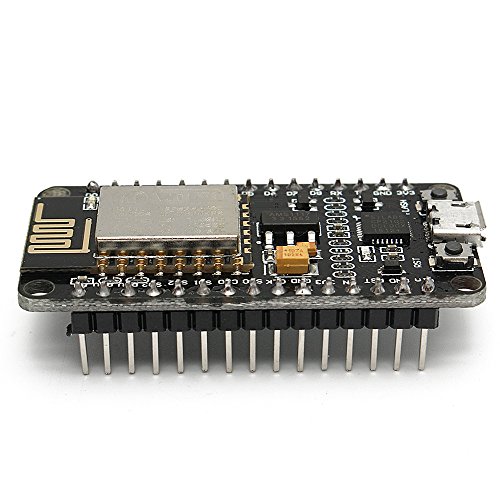

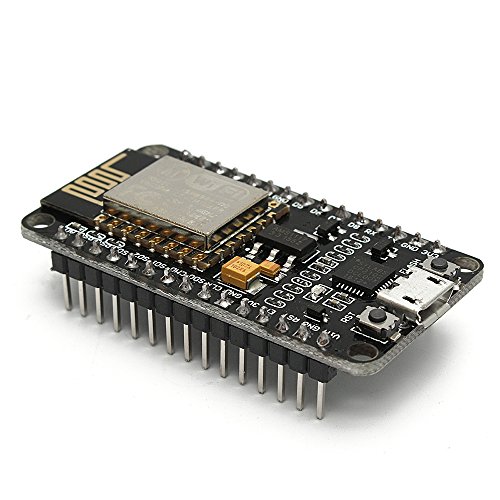


- 3pcs/lot develop ESP8266 module,CP2102 chip, Built-in Micro-USB,with flash and reset switches
- Arduino compatible, works great with the latest Arduino IDE/Mongoose IoT/Micropython
- ESP8266 has IO pin leads directly download without resetting
- Data download access to the website: http://www.nodemcu.com
- Power your developement in the fastest way combinating with NodeMcu Firmware.link: https://github.com/nodemcu/nodemcu-firmware
-
Information
-
Twitter
-
Pinterest
-
Youtube
-
Facebook
Love Die
Has Support in English
There is documentation for this chip that is in English which is a huge plus. They also have code examples on their website for several basic functions which can all be used with the Arduino compiler. I worked with the ESP8266 a couple years ago and all support was in Chinese with not much coding help.
Santos Ferrer Ytzehr
Wasn't sure what to expect
With all the negative reviews, I honestly wasn't sure what to expect. These were cheap enough to take a chance on, so I went ahead with the purchase. Now I'll tell you a bit about my experience SO FAR. First I'll start by saying I purchased NINE of these little boards. That's 3x 3 packs. Yes my project is very ambitious. After reading the reviews here, I expected to get mismatched boards, boards that were not exactly as pictured, etc. I also expected a few dead boards that I'd need to return. I'm happy to report that none of that happened. Every board was 100% identical and as pictured in the photo. I also tested EVERY BOARD as recommended by multiple reviewers. I prefer to use Arduino IDE to program these since I don't know anything about Lua and even less about MicroPython. Before I could even get to using Arduino, I first needed to download and install the CP210x USB to UART drivers so my computer would recognize the boards plugged into USB. I got the drivers from Silicon Labs at this link: https://www.silabs.com/products/development-tools/software/usb-to-uart-bridge-vcp-drivers and the drivers worked perfectly. I'm on a Mac but they have drivers there for Windows and Linux too. I'll get those too since I sometimes use Windows and Linux computers. Once I installed the drivers, I added support for ESP8266 boards in the Arduino IDE and it was pretty simple from there. The test sketch I use is really simple but allowed me to verify the board is working. The program connects to my Wifi. Prints the DHCP IP address in the serial console and then sets up a webserver that sets up a single page. On that page is a button that allows me to turn on/off the builtin LED on this board. I used my iPad or computer to pull up the webpage for each board and toggle the GPIO pin for the LED on and off. This lets me know the board is working. I do plan to test EVERY pin on every board in the future so you may see some updates to this post. So far though, I'm very happy with these boards, if not a bit amazed that I have 9 little webservers that are 50% smaller than a 9v battery. Really awesome.
Desirae Beck
No issues at all.
I really have no complaints here. I had some issues with my code initially but I'm pretty sure that was more me than this device. Once that got sorted, I've had this running outside for probably a couple months now without any issues.
Jean Tang
Module works good, Flash firmware is easy, but don't interrupt it whe...
Module works good, Flash firmware is easy, but don't interrupt it when flash,otherwise it will easily get damage.
Michael Lynch
Work on PS4 PRO
Working great in my PS4 PRO H?ck. Thanks
Oksana Mcs
Amazing board for the price
There is so much you can do with these. Grab platformio and get to work. Best libraries to check out are ESPAsyncWebServer, ESPAsyncWifiManager, Neopixel, ESPAlexa... unbelievable flexibility and power for the price of a pint. Standalone web connected IoT apps which draw very low power.
Nusrat Suchi
Be sure to install the driver USB driver on your computer!
These devices are a lot of fun to work with. It took me a bit to remember that when using the Arduino IDE that I needed to have installed the USB driver manually installed on the computer. This is true for both my Windows and macOS computers. Search using your favorite search service for "NodeMCU Amica Installation - ESP8266 Based Development Board" and that should get you to the page with installation instructions and a link to download the USB drivers. Again, these little boards are a lot of fun and very useful. Have fun!
Bobby Degina
Good
All good
Jessica Schoenfelder
Works great. Reliable. Rock solid
Has worked well. No issues. Has been running non-stop for weeks without a single issue with 3 units. I recently tried a less expensive set of units, Lolin with CH340 UART. Have had lots of trouble with those. Interrupts from a motion sensor at erratic times not matching sensor. Same program running on this device with same wiring to save sensors works flawlessly. This device is also MUCH smaller than the Lolin version of this board.
Ziggy Elizabeth
These are 6 dollar microcontrollers and they work fine.
I bought a feather HUZZAH from Adafruit for my first foray into micropython but now I'm messing with higher voltages and IGBTs so I thought I should get a couple cheap boards in case I let out the magic smoke. These work just fine. The pinout is different from Adafruit, google the NodeMCU pinout. I requested a datasheet from the vendor and got no reply. So you're on your own. It cannot drive a lot of current, so keep that in mind. Even a few LEDs will overdraw the pins on this board. So far I can't justify the extra cost of an Adafruit board, except to support their development of micropython. So I'll pay full price for production board but definitely experiment on these.