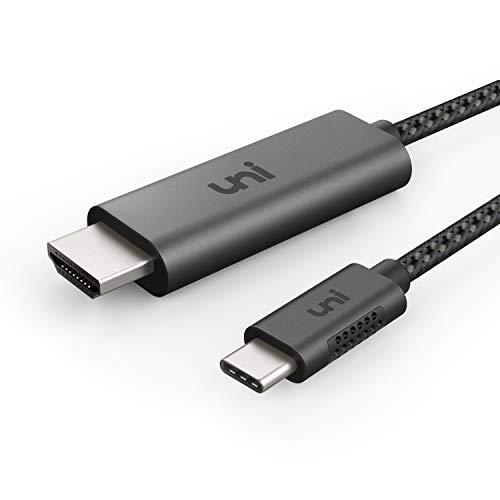




- 【3ft or 6ft】3ft/0.9m cable for less clutter, frustration-free, compact design, and better suitable for travel. For clean and tidy workspace, we recommend 3ft, the short model. If you are not sure, please choose 6ft/1.8m for more flexibility.
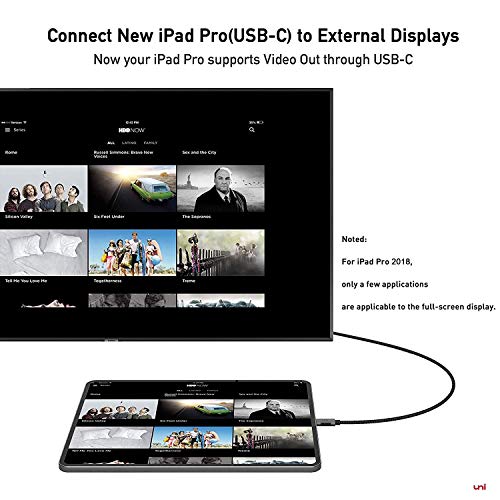
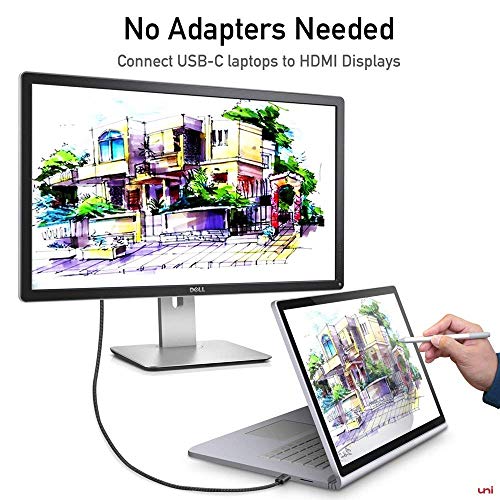
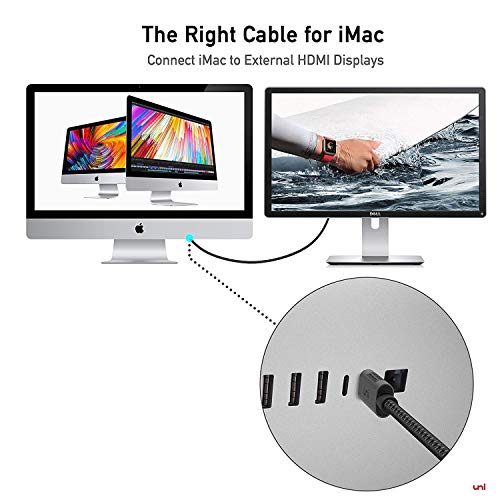
- 【Plug & Play】Plug-and-play, no adapter or driver/software required. Perfect solution for your USB-C MacBook Pro / MacBook, iMac, Surface Book 2, Pixelbook, Galaxy Book, and Chromebook, drive one HDMI monitors/displays, up to 4K@60Hz resolution. Compatible with HDMI-enabled TVs/Monitors/Projectors for both video and audio transfer (*Note:For iPad Pro 2018, video resolution up to 2560 x 1440 @60Hz due to the iPad Pro 2018 uses the DisplayPort protocol to support connections to USB-C displays).
- 【Streaming from Smartphones】Stream sports events, watch movies, gaming, and show photos/albums directly from your phone (Samsung Galaxy S8/S9/S8 Plus/S9 Plus/Note 8, HTC U11) and never miss the game-winning touchdown or your favorite TV episodes. Direct cable connection from your smartphone to TV (stable signal transfer), no more worry on bad wifi casting issues. Noted: For iPad Pro 2018, only a few applications are applicable to the full-screen display.
- 【Wide Compatibility】Compatible with 2018/2017/2016 MacBook Pro, iPad Pro 2018, 2017/2016/2015 MacBook, MacMini 2018, Surface Book 2, Pixelbook, Galaxy Book, Samsung Galaxy S10/S9/S8/S8 Plus/S9 Plus/Note 8/Note 9, Dell XPS 15/XPS 13, Chromebook, Intel NUC, Pixel Slate, and many others (see detailed product description section below) ---Kindly Reminder: For devices with USB 3.1 Gen 1, and Samsung Galaxy S9/S8, it may take longer time to sync, please be patient and give it more time.
- 【uniAccessories: Dedicated USB-C accessories Brand】We strive for thoughtful design, reliable quality, frustration-free package, and easy-to-reach customer service. We focus on USB-C accessories, bring better alternatives for you in the USB-C accessories space: USB-C hub, various adapters and cables. Please reach out for any questions to our support team: support@uniaccessories.io
-
Information
-
Twitter
-
Pinterest
-
Youtube
-
Facebook
Amy Czerw
Finally - a reliable, high quality cord for my USB-C port that works on any rez HDMI!
I've been having major issues getting a usb-c -> hdmi cable that works reliably. GET THIS CORD!!! No more plugging and unplugging to get a signal. Works on my both of my 4k monitors and a BenQ 1080p no problem.
Rob Sinclair
It just works -- and quite well.
Connected my 2019 iMac (Retina 4K, 21.5 inch) to HP 2159m monitor, and the monitor immediately activated. Because this uses the HDMI connector, I was surprised when my music starting playing through the built-in HP speakers rather than the ones I connected through the headphone jack on my iMac. An easy fix: under System Preferences/Sound just select the desired output for sound.
Mian Sohail Farooqi
Displays 2560x1080 for Mac OS X!
I bought this cable to drive my 21:9 2560x1080 Ultra-wide LG Monitor to my 2018 13" MacBook Pro. Couldn't be happier with the results. Highly recommend.
Brenda Joiner
4k @ 60Hz on Dell P2715Q, extra steps required
This cable supports 4k @ 60Hz perfectly. I picked this cable over others for the braided wire. However, if you've got a Dell P2715Q, you might be better off with a USB-C to DisplayPort adapter. Dell's initial versions of this monitor only support HDMI 1.4, and therefore a maximum frame rate of 30Hz. The newer ones (purchased after Feb 2016) support HDMI 2.0 and 4k @ 60Hz, but you've got to first enable a special setting. I was able to do this successfully, and since I'm using the DP port on the monitor to connect a different machine, I'm thankful to be able to leverage both ports at 60Hz without having to swap the cable out or use a special adapter. But, just be aware that this requires an additional step to configure. You can enable HDMI 2.0 in your P2415Q or P2715Q flat panel displays purchased after February 2016 using the following steps: Unplug all video cables from the display. (Leave only the power connected to the display.) Unplugging from your computer is insufficient; you must unplug the HDMI cable from the back of the monitor! Power on the display. Select the HDMI (MHL) input option. (A floating dialogue box will appear.) Press and hold the button associated with the Green check mark for 6 to 8 seconds. A dialogue box appear that states HDMI 1.4 Enable/Disable Select the option to Disable HDMI 1.4 support and press the button next to the green check mark to confirm the selection. Re-connect the video cables to the display
Cristy Ranae Culler
Great Quality & Exactly What I Was Looking For!
Just got it in the mail today (03/10/18), would have received it yesterday but was delayed due to inclement weather. As other reviewers have stated, the quality seems to be excellent. It is of metal construction on both ends for the HDMI and USB Type C. The cable seems to be of great quality as well. I was looking for a way for my grandma and I to watch stuff together since she doesn't have internet. After searching around for a while, I stumbled upon this and from the reviews I read, it seemed like it would do the trick. After using it to watch several different shows from Unsolved Mysteries to Beavis & Butthead, it worked excellently! I used this cable with my Samsung Galaxy Note8 connected to an old Emerson LCD TV. I played my content through the VLC media player on Android but it also worked with other media players I tried as well like KMPlayer and MX Player.
Kayla Regimbald
Does the job on the MBP
I pair this with my 207 MacBook Pro 15. I primarily use it with a 28” Samsung 4K monitor at the office, but have also shown video on a 65” Sony 4K TV with no issues. The only hiccup could be for users with very slim displays and mounts where the HDMI port faces directly toward the wall as it protrudes almost 2x as far (see photo) and could arguably add undesired tension on the port. However, when connecting to a downward-facing or side facing port that’s harder to reach, the extra surface is advantageous for reaching the connection easier. Solid build and materials. Got it after liking the SD/Micro SD USB-C reader from the same company. Highly Recommended
John Doyle
This cable works on mac mini 2018
Was skeptical as mac mini 2018 HDMI port with a LG TV can only do 4K at max 50 Hz, not sure if it is actually 50 Hz as there is a flicker.. Tried some of Apple accessories on thunderbolt specifically USB-C Digital AV Multiport Adapter, it can only support 30 Hz. Connected this cable and I get 4K at 60 Hz. Have attached an image showing the graphics configuration. Great product, well built and recommended.
JUlz QuiNonez
External Display for 2017 iMac
I’ve been struggling to find the proper equipment for an extended display for my 2017 iMac for about a year now. Finally was told by Apple (after several calls to support) that the newer iMac’s don’t support Target Display Mode with other Mac’s (was trying to use my MacBook as an external display). So I broke down and bought a new monitor but I still was nervous that a simpl USB-C to HDMI cable would just make it all work... Well, it did. Connected my iMac to a Samsung monitor with this chord (which was cheaper than in any store I looked at) turned the monitor on and voila! Extended display. Picture quality is excellent, moving between both monitors is seamless. I’m happy!
Pam Scott Hill
Reasonably priced cord, and just what I needed
I was irritated visiting all the big-box electronic stores looking for a cord like this. Most of them had USB-C to HDMI adapters, but few had USB-C to HDMI cords. In every case, the items offered in stores were at least double the price of this cord and used cheaper materials. I just started using this cord two days ago, so I'm not ready to review durability just yet. However, the materials used for this cord are excellent. I'm using this to connect an iMac to an additional monitor that won't move around, so I wasn't particularly worried about having a nylon-braided cord. However, it is a nice touch. I only have two negatives to report so far: - The HDMI end is very long – nearly two inches. It would be great if this was shortened by 0.5-1 inch so the cord doesn't have to stick straight back as far. - The HDMI end gets quite warm. Hopefully this doesn't lead to long-term issues with the cord or my monitor. Overall, I'm happy with the cord, especially considering the price paid.
Jody Fick
It is what I really need
Works with my new 15inch MacBook Pro 2017, connected to Dell P2415Q monitor, support 4K60Hz. The cable length is long enough to move around. Both USB-C end and HDMI end are made of aluminium material, looks and feels good quality. The black and grey braided nylon cable part is pretty solid, seems like it's going to last for a long time. The black rubber part on the USB-C end is a new design, easily stands out among other products. Unlike other loose USB-C connector, it fits just right into the USB-C port on my MacBook Pro. Works great so far.