
- CPU: Intel i5-3317U, Dual Core, Quad Thread; Base Frequency: 1.7GHz, Max. Turbo Frequency: 2.6GHz, 3MB Smart Cache
- 8GB DDR3L RAM, 128GB mSATA SSD(Solid State Disk), Fanless, Full Metal Case
- Graphics: Intel HD Graphics 4000: Base Frequency: 350 MHz; Max Dynamic Frequency: 1.05 GHz
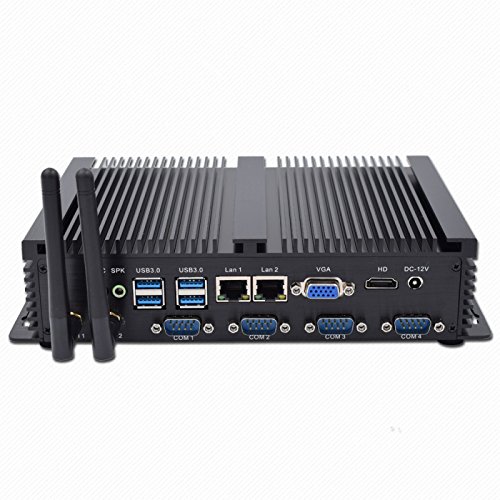
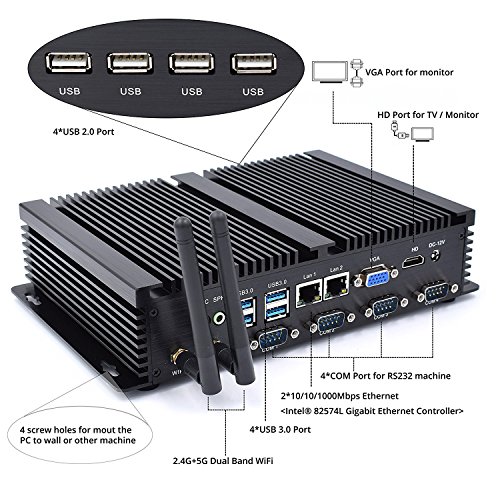
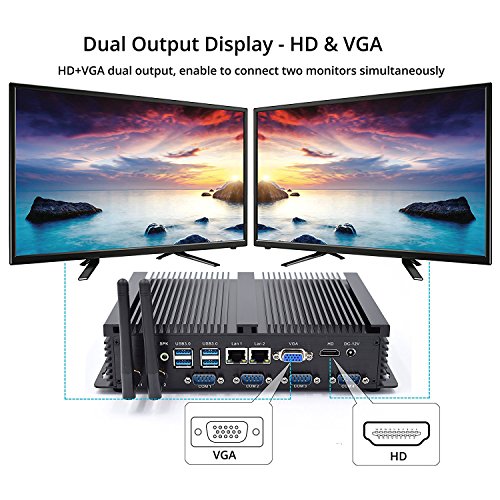
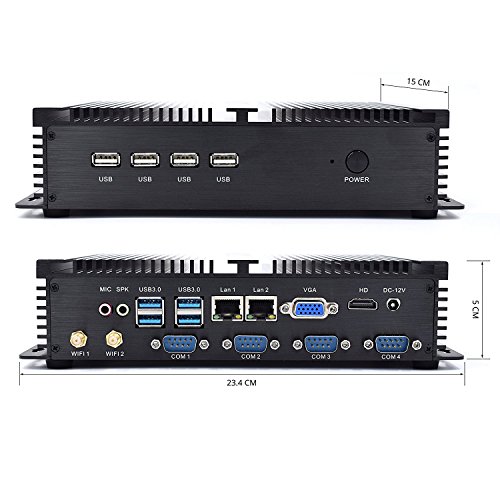
- 2*NICs Intel 82574L Gigabyte LAN Port, 4*COM RS232, HDMI, VGA, 4*USB 3.0, 4*USB2.0
- What in Box: Mini PC, Power Adapter, Power Cable with US plug, HDMI Cable, WiFi Antennas, Screws, Power and Data Cables for SATA drive.
-
Information
-
Twitter
-
Pinterest
-
Youtube
-
Facebook
Wanda Cantero
Great little unit
Does what we need it to for a low price
Jessie Ann
Fast little industrial PC
Great little PC lack of a proper Windows License tag or recovery\drivers CD makes me nervous so if you get one image the disk just in case... Everything else works great.
Arani Saha
Nice little PC
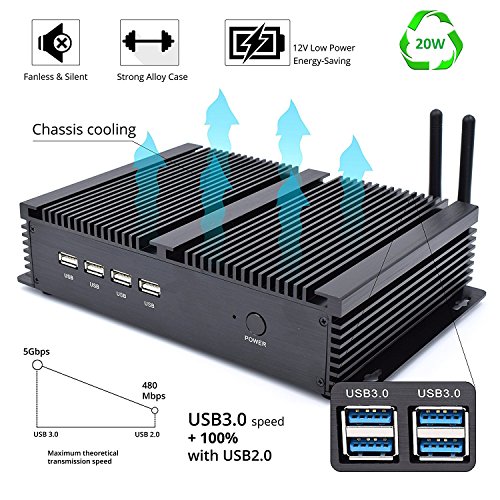
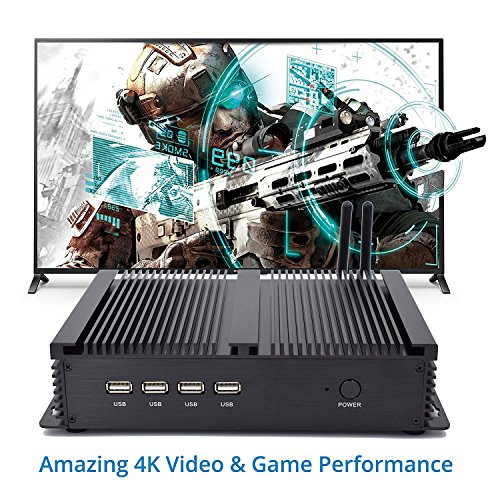
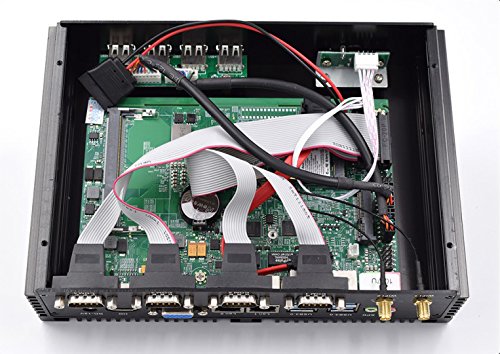
I got the model with 8 GB of RAM, a 128 GB SSD, and a Dual Core i5 CPU. It has a 1.8 GHz clock speed (instead of the 1.7 GHz advertised - BONUS!), with a maximum turbo boost of 2.6 GHz. THE GOOD: There is so much to like about this little guy, it's hard to know where to start. I guess I'll start with the speed, it's got some pep to it. I have other tiny PCs that are... OK. In the interest of making them cheap and low power, they have a Celeron or Atom CPU, 4 GB of RAM, and 64 GB SSDs in them. For the uses I put them to, they are fine, but they are slow to start up and they feel like 15-year old machines when setting them up - quite sluggish by today's standards. Not so with this thing! Out of the box, its boot time (pressing the power button to ready to use) was under 19 seconds. Office applications (word processing, spreadsheets, etc.) run fast, web browsing and media playback are smooth. The next thing I like is the passive cooling. This is, as advertised, a fanless computer. In fact, the factory configuration has no moving parts at all, so it's dead silent - literally no sound from it at all. This makes it ideal for use as a media center PC. The fact that it draws no air through it with a fan also makes it a great computer to put in industrial settings where dust can cause real problems for computers. Other tiny PCs I have makes this boast, but being in a smooth plastic case, they tends to overheat and shut down in self preservation, which is really annoying. This Kingdel computer is awesome as a fanless PC because of its rather unique, and very efficient case design. Instead of flat plastic (which I grant does look nice), it has an aluminum case with fins across the top and the 2 smaller sides. The CPU (at the very least) is attached to the inside of this, making the case a large heat sink that passively cools the computer by radiating heat to the air around it. Unlike the ineffective design of my other fanless PCs, this works extremely well - my home stereo gets hotter to the touch than this computer does. I ran a stress test on it for over 12 hours , yet the temperature of the warmest point on the case only reached 95 degrees Fahrenheit. My test environment had an ambient temperature of about 74-75 degrees. The computer does have a rather industrial look because of the heat sink case, but I don't find it unattractive by any means. It reminds me of a car stereo amplifier, like you'd see mounted in your trunk with the sub-woofer. The next thing I like about this is connectivity. This computer has the port count of computers costing way more and of far bigger physical size. The rear of the unit has 2 HDMI outputs (it's able to send a 4k signal), 4 USB 3.0 ports, dual WiFi antenna jacks (which appears to support both 2.4 GHz and 5 GHz), 2 Ethernet jacks, 4 RS232 COM ports (still quite common in industrial settings) and the 12-volt power input. The front panel has 4 USB 2.0 ports and the power button / LED. I haven't looked to see if it has Blutooth or not. The computer comes with the cables and mounting screws to add an additional hard drive or SSD for storage. It has space inside for a laptop drive of either type. The documentation says it supports drives up to 2 TB. Access to install another drive is via 4 screws on the bottom of the PC (you do have to break a manufacture date label to get to one of them). It also came with a decent HDMI cable - I'd estimate 6 feet long and flat. It supports 4k and Ethernet. Lastly, is power usage. I put a Watt meter inline with the power supply, and while running the stress test, it was using under 20 Watts. In fairness, I tested the PC in its out-of-the-box configuration, with no added drives, internal or external. The power supply is rated for a maximum of 60 Watts, so adding an internal drive and loading the USB ports with bus-powered devices shouldn't be a problem. THE BAD: There really isn't a lot to say here. The power supply is external - it looks identical to many laptop power supplies. I don't find this particularly bad, but some people might. I see it as a good thing from the perspective that it helps the PC run cooler. Having a degree and background in electronics, I know that power supplies generate heat, so this design helps reduce heat inside the computer. I do wish that the distribution of the USB ports was different. It would be nice to have a couple of USB 3.0 ports on the front and a couple of USB 2.0 ports in the back, instead of each clumped together on one side or the other, but the thing is so small that it's really not hard to reach them either way. This is a very minor inconvenience. The computer came with a "Kingdel" user already set up, without a password, and a customized set of icons already on the desktop. I don't like this for a number of reasons. I don't like Windows 10's default settings that send Microsoft WAY more information than is any of their business. I don't like not having a password securing the computer. It means that I don't know what else is loaded that I don't want / need. This is all fixable since I am an IT professional, but it's annoying. I also dislike that it doesn't come with a way to make media to completely wipe and reinstall Windows and required drivers. I suspect that all the drivers needed are standard drivers that come in Windows, judging by the list of hardware I've looked at (Intel networking and video, etc.), but I don't know that for sure. I'm going to take an image of the hard drive before I move on to testing with other OSes. I recommend that this be done as a backup in any case so you can reinstall Windows if (when) the SSD dies - all things electronic eventually do. This is not a "gaming" computer. Oh, sure, it'll play Minecraft and other games that don't need lots of "umph", but don't expect to play any serious, high-end games on it. This is intended to be used as a controller for industrial machinery, a media center computer to watch Netflix, Amazon Prime, Hulu, etc. on, an office PC, that sort of thing. It would be great for a point-of-sale system in a store / shop. You won't be producing professional sound, editing a feature film, or hosting a multi-player Minecraft server with it (you'd be shocked at how much computing power that needs!). In terms that non-tech people can understand, this is the Honda of computers. It's economical, runs well, and does a good job for many things, but it's no Ferrari. BOTTOM LINE: If you need a physically small, quiet computer for Office, Industrial, or Media playback use, this is a great machine that I highly recommend as an IT professional.
Raluca Luiza
Amazing computer
Seller is great. Computer is amazing. Basically zero noise. Lots of USB. Best for set up a home entertainment center.
Bradley Rollinson
Great home theater PC
Very happy with my purchase after using it for a few weeks. I wanted a silent, low power system that could be left on without using a lot of energy but also had the grunt to run downloaded content. I also will be using it as part of my home office to give presentations. I'll be showing potential clients video and photos and need to be able to quickly jump between content. The standard windows video programs cause jerky payback even though the CPU is only at 30% load with no other windows or programs running. This is a common problem with Microsoft video players. Kingdel sets up the unit from the factory and preinstalled CG video player. This player does a great job of doing smooth playback of 1080 material while the at the same time the computer is sharing files over uTorrent. The unit does not run very warm. When compared to the other AV devices it's the cooler of the group. Even my DVD player runs warmer than it does. I guess it would run warmer if it was running at higher loads but playing video and sharing content is all I want it to do. I am very happy with my choice.