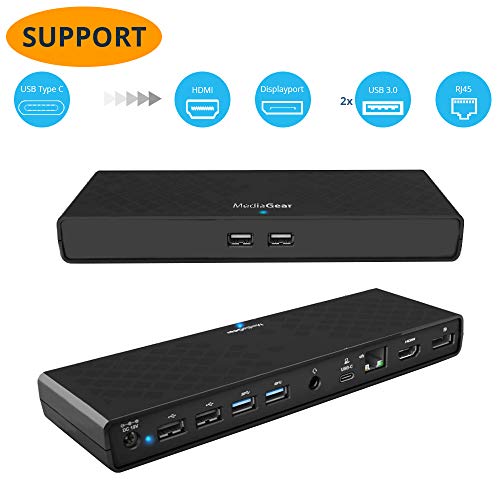
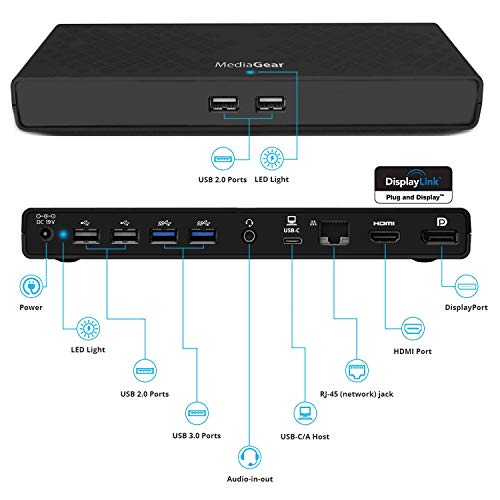
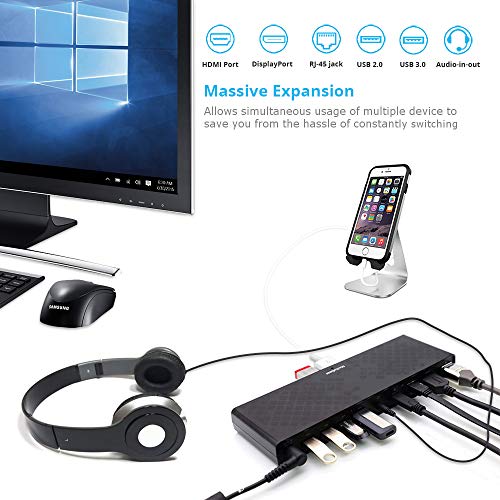

- ⚡ FEATURE RICH USB HUB: This USB C multi functional PC hub provides fast and reliable charging through USB 3.0 / 2.0 ports, connects to multiple devices simultaneously, features an audio jack that is compatible with a wide variety of devices including headphones with and without mic, IOS, and Android smartphone along with secure Gigabit Ethernet line port. These functions are completely plug and play. *Dual monitor video Display REQUIRES INSTALLATION of latest DisplayLink driver to work.
- ⚡ Dual Video Output & HD RESOLUTION: This dual display USB C docking station offers an HDMI port and a display port allowing you to connect up to two additional monitors at a time. When outputting video to a single monitor, USB docking stating can output videos in 2560x1440@50Hz to provide unmatched video quality and up to 2048x1152@60Hz when outputting display to two monitors. (Note: REQUIRES installation of DISPLAYLINK DRIVER to function. NOT COMPATIBLE for gaming laptop use)
- ⚡ GIGABIT ETHERNET & 6 USB PORTS: MediaGear USB Hub with Ethernet docking station offers 2 x USB 2.0, 2 x USB 3.0 and 2 x fast-charging USB ports providing you with a USB Type C Port allowing you to simultaneously connect up to 7 devices while ensuring seamless performance. The added Gigabit Ethernet Port supports high connections speeds of 10/100/1000Mbps while ensuring a reliable connection.
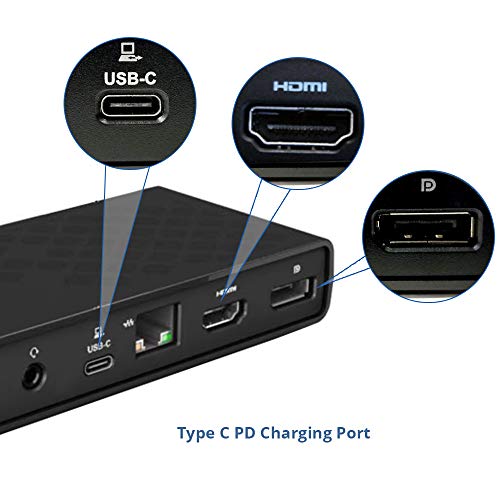
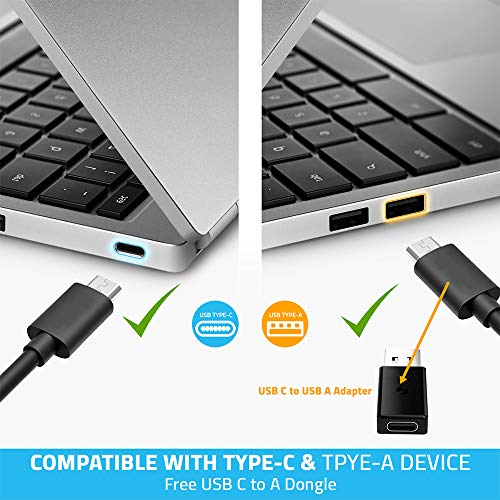
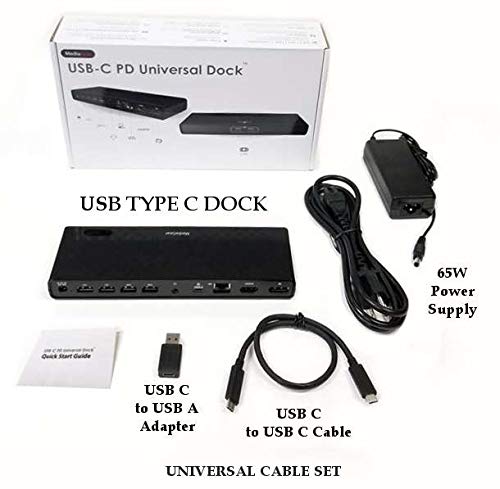
- ⚡ UNIVERSAL COMPATIBILITY: Our USB C Dock comes with a USB C to C Cable & USB C to A adapter making it perfect for all kinds devices including Windows Laptops, Windows 10 / 8 / Vista, Mac OS, and accessories - mouse, keyboards, controllers, printers, external GPU and more! We use a built in Certified USB 3.0 GPU DisplayLink chip-set that ensures seamless operation. (NOTE: Power Delivery: Supports up to 45W USB-C PD laptops. PD charging NOT Supported via USB A Adapter)
- ⚡ 100% RISK-FREE PURCHASE: At MediaGear, we’re determined to provide our customers with high-quality products that offer unrivaled performance while being durable enough to provide you with lasting. We’re confident that you’ll love our sleek and stylish universal docking station which is why we offer a 30 Day 100% Customer Satisfaction Warranty so that you can order today knowing your investment is risk-free.
-
Information
-
Twitter
-
Pinterest
-
Youtube
-
Facebook
Aadi Ch
Easy to use and surprisingly (to me) backward compatible
Used with a USB-C only Samsung Galaxy book (Win 10) purchased for work. Easy. Plugged everything into the dock, plugged the tablet in, everything was detected and worked with very little work on my part. Even charges the tablet. This replaced a Dell E-series dock I had forever but I found I still need to use my Dell Latitude E7440 (personal computer) at this desk, so I plugged in the USB-C adapter that comes with this dock (no USB-C ports on my Dell). Again, everything worked with very little effort on my part. The Dell is not charged through the dock, but since I didn't think it'd even display video, I consider this a win.
Lakeshia Davis
Met all my expectations
I needed a universal docking station to be able to switch between my work laptop and my personal laptop. Given that my personal laptop only has a type C connector and my work laptop only has USB-A, I knew I would have a challenge finding something for both. However this dock was perfect. Not only does it have displayport and HDMI, but it also has multiple usb 3.0 ports to still act as a charger. I would recommend this product to anyone who needs a docking station. I plugged everything in and it immediately started working.
Alanna Medlock
Works with Lenovo YOGA C930
This docking station came well packaged and the dock feels sturdy. I bought a new Lenovo Yoga C930 recently and run two monitors. I needed a docking station to get both up and running. I did a ton of research to find a dock that would work with my laptop and promised myself that when I found it, I'd make sure to put the review out so that others would have an easier time. The monitors are nothing special and mismatched...one is old enough that it only has a DVI output on it. This dock has everything most will need. I run a bluetooth keyboard, yoga mouse, logitech webcam, external hard drive, and speakers as well as the screens and this dock has ports for all with room to spare. The instructions were easy enough (REALLY small print though so have your glasses handy). Out of the box, I had everything up and running with the exception of the older monitor. I connected it originally with an HDMI cable and HDMI to DVI adaptor...no joy. I don't know if it was an active adaptor or not as I had it in a drawer. One trip to the store for a Display port to DVI cable and everything was up and running. During the process of troubleshooting the second monitor, I did update all the drivers so not sure if that was instrumental in having the new cable work but everything has been running smoothly for a week now with zero issue.
Brenda Joiner
Gets the job done
Prior to purchasing this, I'd been looking for a destkop dock for my laptop, but as you have figured out by now, most of the bigger companies are charging near the $200 mark, which I wasn't interested in. Sure, I could swing it, but is that high of a price really necessary? This unit says "no". It's well made, everything works flawlessly, and it's small enough to tuck away. On top of that, the interactions that I've had with customer service have been top notch. Do yourself a favor, purchase this unit and use the extra hundred plus bucks you saved to by a portable back up hard drive!
Erika Miller
Really Happy
This is the first USB-C docking station I have ever bought and I have to say I'm pretty happy with it. It's nice and compact and feels well built. Nice balance of weight keeps it flat on my desk even with all the wires coming out of the back, comes with a USB-C to USB-A adapter which is a huge plus. Worked flawlessly with my USB-C laptops out of the box, with one exception that 60 watts of power is too low for my Dell XPS. That being said I have yet to find a USB-C that my XPS likes, it wants 130 watts which is not available and probably not possible. With older laptops like my HP Envy, which is now 7 years old, it worked with the USB-C to USB-A adapter and after installing DisplayLink on Windows 10 and also worked on another laptop running Windows 8 (also after installing DisplayLink). I was able to share the desktop across the two monitors attached to the docking station and and the laptops screen. I would like to see more USB 3.0 ports and on the front for flash drives. Also remember to get a dlink to HDMI adapter if your monitor doesn't support d-link.
Umair Abbasi
Awesome dock!
If you are looking for the Jesus of docks, look no further snd buy this one. I bought this primarily because I was growing weary of disconnecting a rat's nest of cables from my laptops every time I need to switch machines, which is often. This dock has let me be so much more productive as I added a second monitor. Holy cow what a difference. To this dock I have two 32" monitors, mouse, scanner, phone charger, and an ancient 1986 IBM keyboard that will outlast us all. Out of the dock is one single cable that plugs into my laptop. Somehow this dock delivers signal from all this stuff, displays two monitors of data without a hitch, and yet manages to charge my laptops too. I am so glad I bough this. I was hesitant at first since the price was so much lower than others of similar capability, that I thought something was up. Well, there wasn't. It's simply an amazing dock at an equally amazing price. You plug everything in and it just works.
Melissa Woolsey
LENOVO YOGA C930 USERS: THIS IS WHAT YOU’RE LOOKING FOR!!
Lenovo, normally a fabulous company, dropped the ball – big time – on the Yoga C930. Despite misinformation from the sales team, there is simply no Lenovo-branded dock that supports a remote display, port expansion and power pass through for the Yoga C930. Tech support can’t even be bothered to try to help. Huh??? Left to my own devices, I bought and returned four different products. Not a single one provided all the basic docking requirements. Fortunately, other Yoga C930 owners were thoughtful enough to tag their reviews of this MediaGear dock. THANK YOU to each and everyone of you!! This dock connected with minimal effort and appears to be working flawlessly!!! Set up was fast and simple with one caveat. It’s critical to go to the Displaylink Website (URL is included in the Quick Start Guide), download the most recent drivers, install them and then restart your system. Oh, and not only does this dock work – it’s less than half the price of the Lenovo docks that didn’t work!!
Ricardo DA Figueiredo
GREAT DEAL FOR USB C DOCK WITH POWER DELIVERY!!!!!
Best deal for your money on a Type C Dock on Amazon. I wanted a newer type C dock because I had bought a Lenovo Yoga 910 and it has both a type C port and older USB- A port. At first , it was hard to believe this is a newest version of their type C docks at less than $100. Most other type C docks with all the extra ports were running $150…and $165-$200 for the Dell and HP docks. But since its Amazon, I knew if it didn’t live up to the hype I can return it asap. Well, I got the product and immediately connected all my keyboard and mouse and keypad and a card readers all without a glitch. Both my monitors worked immediately as well. There’s more. Here is the best part. It turns out this dock has the newer monitor connectors specs for better screens resolutions. The dock handles both the HDMI and latest hi end DP (DisplayPort) monitors. Some low cost docks have the older VGA or DVI that is used on older monitors. I had one! I had DVI monitor but found a great deal on newer DP monitor (on BestBuy refurbished) and now I upgraded to a DP for my 2nd monitor from the dock savings. They also gave me a USB C to USB A to connect to an older notebook that only uses only USB-A connector to connect the dock. Pretty cool features for such a fine price. BTW, this dock also has USB 3 ports and I now charge my iPhone through any of the not used blue color USB port while I am working on workstuff. Pretty cool setup!!
Paul Hopp
Rear facing connections
After reviewing many similar products I chose this one because it had all the input and output connections facing the rear of the product for a cleaner look on my desktop. I've connected 2 Dell 22" monitors, one with a Dataport to Dataport cable and one with an HDMI to DVI (both purchased separately). A word of caution: I tried a standard HDMI to Dataport cable but couldn't get it to work. MediaGear Support was exceptionally helpful on the phone and confirmed the cable wouldn't work.
Janit Davies
Good one!
Great price. Very well designed. Easy setup. Works great. Only have had it a few days, so can't speak to durability. Also I don't have a 4K monitor, so can't speak to that. As someone else noted, it could use a longer cable. Other than that, don't hesitate. Almost surprising how good this is for the price.