


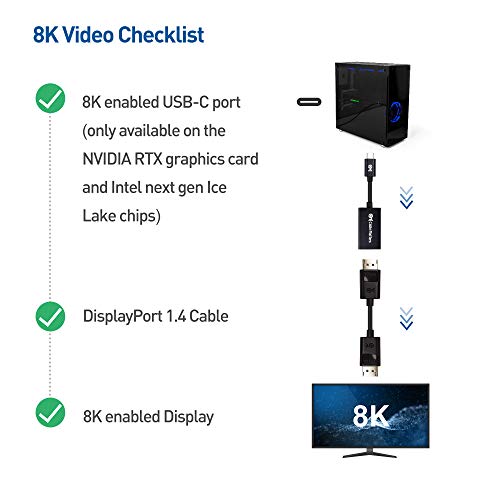
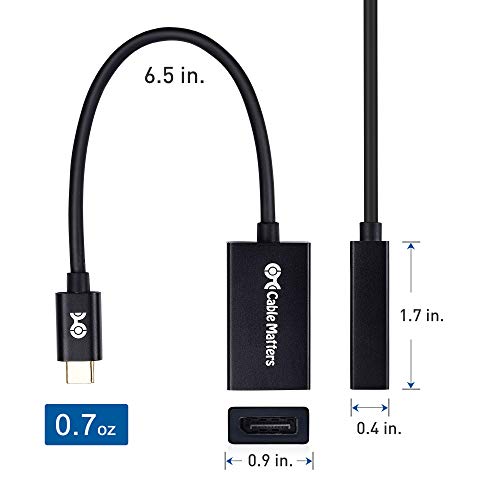
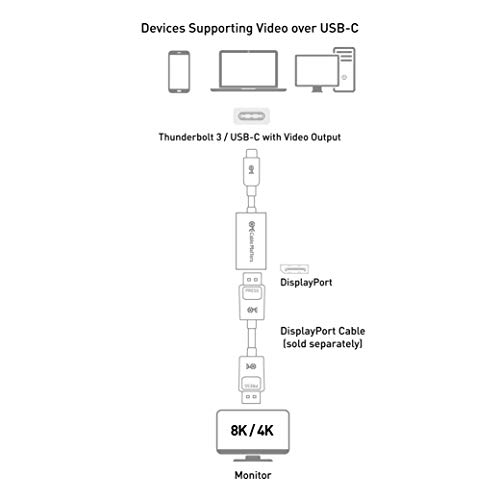
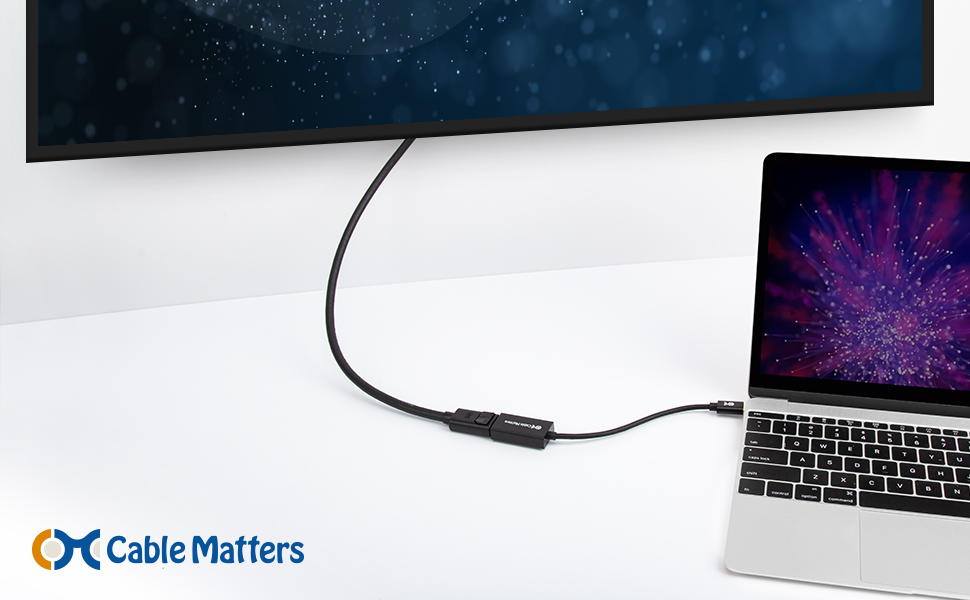

- USB-C TO DISPLAYPORT ADAPTER in aluminum housing connects a computer or smartphone with a USB Type-C or Thunderbolt 3 port to a monitor with DisplayPort input; USB C DisplayPort adapter requires DisplayPort Alternate Mode support to view video over USB-C. Enjoy all of the DisplayPort 1.4 features this DisplayPort to USBC adapter can offer
- 8K HDR Display Port to USB C adapter supports up to 7680 x 4320 with this USB C to DP adapter and compatible equipment; USB C to DisplayPort cable adapter is backwards compatible with 4K and 1080p resolution. USBC to Display Port adapter supports Multi-Stream (MST) for daisy chaining multiple monitors; USB C to Display Port adapter also supports precision audio for a full range of audio types, including SACD, DVD-Audio, DTS-HD Master Audio, and Dolby TrueHD.
- RUGGED METAL HOUSING on this lightweight DisplayPort to USB C adapter protects the adapter for frequent use and traveling; Superior construction of the USBC to DisplayPort adapter combines a sturdy metal housing, strain relief on the cable tail and gold-plated connectors. USBC to DP adapter is compatible with new MacBook, MacBook Air, MacBook Pro, iMac, iMac Pro, iPad Pro with Thunderbolt 3 port.
- DELL COMPANION Thunderbolt 3 to DisplayPort adapter connects to monitors in the conference room or classroom; USB Type C to DisplayPort adapter is compatible with popular Dell models with Thunderbolt 3 ports including the Dell XPS 12 9250, 13 9350/9360/9365, 15 9550/9560, Latitude 5480/5580/7275/7280/7370/7480/7520/7720/E5570, Precision 3520/15 3510/5510/M7510, 17 M7710, Alienware 13/15/17
- USB TYPE C TO DISPLAYPORT adapter is compatible with HP Elite X2 1012 G1/G2, Z1 Workstation G3, Spectre 13.3/x360, EliteBook 1040 G4/X360 G2/X 360 1020 G2/Folio G1, ZBook 17 /15 /Studio, Envy 27 All-in-One, Lenovo Legion Y720, IdeaPad Y900, Miix 720, ThinkPad P 50/70, T 470/470S/570, X270, X1 Carbon, X1 Yoga, Yoga 370/900/910, MSI Phantom Pro, Samsung Galaxy S10/S10+/S10e, Galaxy S9/S9+, Galaxy S8/S8+, Galaxy Note 9/Note 8. DeX mode for Samsung phones requires the latest Android 9 Pie (One UI)
-
Information
-
Twitter
-
Pinterest
-
Youtube
-
Facebook
Parminder Brar
Adapter is compatible with Oculus Rift S
I bought this cable as an adapter for Oculus Rift S display port to Type C display port 1.4. It worked perfectly!!! Seems very well built, though it gets a little hot while playing, but I think this is normal (having a metal casing makes better heat dissipation).
Yvonne Campbell
Works on MSI GS75 Stealth for OCulus rift S
this was a 50/50 shot if this would work for my Oculus Rift S. I'm glad it did. you're gonna need to update the video driver software directly from nivida site and the lightning port, but that's about it. they should really have just made the Oculus have HDMI so it would work on more laptops in the first place.
Christine Jay Taaca Damasco
An Easy to Use USB-C to DisplayPort Adapter
This is an easy to use USB-C to DisplayPort adapter. I just plugged the USB-C end into the USB-C port (no need to worry about the correct orientation like the old USB standard) on my Dell laptop and plugged my DisplayPort cable into it and into my Dell 2560x1440 dpi display. I initially had some issues with getting the adapter to work, but not because of the adapter, but because of the DisplayPort cable I was using with the adapter. (I wasn't connecting the DisplayPort cable in securely enough for my monitor to register.) Once I jiggled some things, my monitor registered and I was able to use my monitor in it's full resolution glory. The materials of the adapter feel sturdy, but fairly standard: it's in a plastic housing and cable sleeving, but the USB-C tip and DisplayPort adapter pieces are sturdy. There isn't fancy features and materials like a weaved fabric sleeve or gold-plated tip though. I bought this adapter because my monitor couldn't support 2560x1440 dpi over HDMI, so I had to go through the USB-C Thunderbolt 3 compatible port. Most adapters at this price point only support 4k, but this supports up to 8k for under $20, which I think is a good deal and a good future proofed option. I'll continue to use the adapter as long as I have my new laptop and will use it when I update my monitor to a 4k monitor as well. I probably won't ever go past 60hz, because I don't play games competitively, but I'm glad I have the option of 120hz refresh at 4k as well.
Artika Lata
Works with Linux Kernel v5+
There is no noticeable lag or graphical artifacts on Linux with this adapter. I'm very pleased. Currently I am running with 3 monitors: two external (HDMI and DP) 1080p monitors at 60 Hz and the built-in laptop monitor. Unfortunately, I do not have a 4k or 8k monitor to test with. Details: I have this adapter working on a Dell Latitude 7480 with Ubuntu 18.04 LTS, but I had to manually update the kernel to 5.1.16. Currently Ubuntu 19.04 (Disco Dingo) uses a 5.0 series kernel, so I recommend that Ubuntu users, who want to use a stock install, try that release. The adapter also seemed to work on kernel 4.20+, but my machine froze when changing the display setup in Gnome. YMMV The adapter body is made of aluminum and does get warm. In other words it is not a passive adapter.
Eun Hee Lee
Handles USB-C VirtualLink to DP1.4 Connections Well
Bought these to connect the USB-C VirtualLink port on a RTX 2080 Ti to one of the DP 1.4 cables the UP3218K requires. Works well, no complaints.
Amy Elston
Works as intended
I bought one of these to use an Oculus Rift S on the USB-C port of my 2080Ti. I was already using the existing three display ports to run three monitors in Nvidia surround. It works great. The Oculus setup picked it up no problem.
Preethii Kuumaar Patnaaik
Does what it is supposed to do.
Seller responded fast got this shipped to my house 72hrs from ordering. I bought this because my gfx card has 3 of the DP ports being used by monitors and I wanted to seamlessly use my new VR headset, and the gfx card has an additional USB-C port. rated for 8K 60hz haven't been able to fully test it but, it looks great for second Gen Oculus headset. You can purchase this one, very few will be disappointed.
Dunja Gagulić
Works better than expected!
Extremely high quality cable with snug ends and outstanding picture quality. If you want a Thunderbolt to DPI converter look no further. Got this for my HP Spectre 360 to a LG curved extra large monitor and it worked perfectly on the initial connection with no need for any adjustments.
Balsam Bachoua
Works with Valve Index
Can confirm this is compatible with Valve Index (used default 90 Hz, 100% resolution settings) on Asus Zephyrus GX502 laptop which has DisplayPort 1.4 capable Type-C port connected directly to the RTX 2070. Theoretically, this should work with any VR system/computer that has a DP 1.4 capable Type-C port directly connected to the GPU (not the integrated graphics on the CPU). I could verify DP 1.4 from the laptop manufactures website, but I had to guess about the direct connection to the graphics card. The casing does get hot so I might put some mini heatsinks on it.
Leoj Flores Vidal
Works fine with Valve Index
I have a 2080ti with a Virtual link port unfortunately I currently had all my DisplayPorts in use so I took a chance on trying this adapter and surprisingly it works fine I even cranked up the scaling and refresh rate to see if it would artifact and didn't notice any one thing to note if you do not use the Nvidia High Definition Drivers you might not get audio when using this