
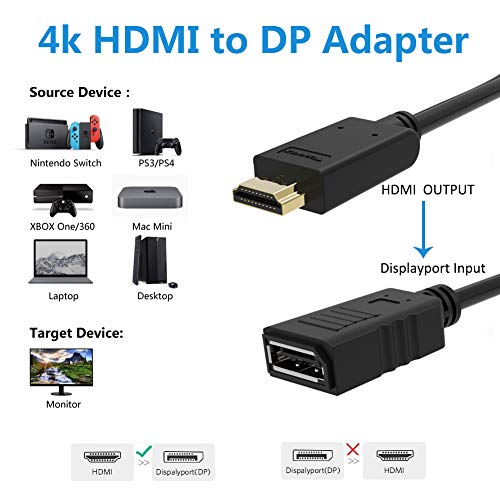
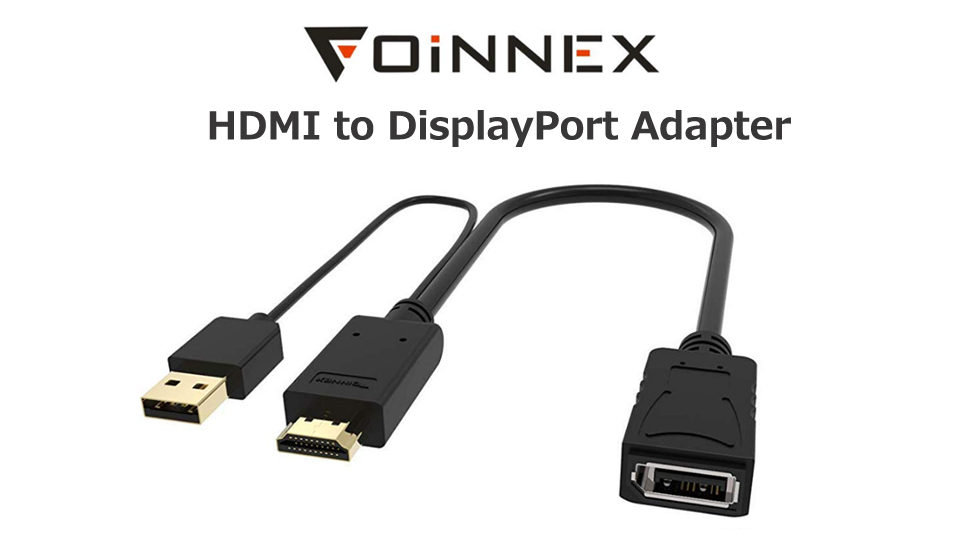

- 【HDMI to DisplayPort Adapter】HDMI to DisplayPort Converter transmits high-definition video and audio signal from your HDMI devices to a displayPort monitor for video streaming or gaming .Connect and configure your monitor for an extended desktop or mirrored displays.
- 【Wide Compability】Active HDMI to DP Adapter lets you connect an HDMI enabled video source,such as laptop, PC, desktop, Nintendo Switch, XBOX One, XBOX 360, PS4 Pro, video game console, MacBook Pro 2015, Mac Mini, Blu-ray player to a dp monitor. A DP cable is not included.
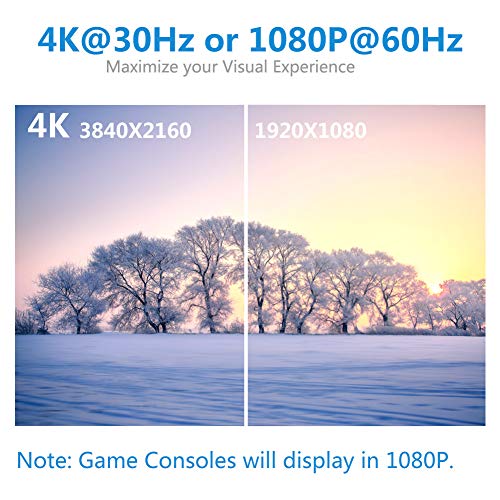
- 【Support 4k@30Hz】Supports resolutions of UHD 4K (3840x2160)@30Hz,1080p (1920x1080)@60Hz,delivering crystal clear images to your digital life.*GAME CONSOLES with native 4K@60Hz (such as XBOX One S) will display in 1080p.
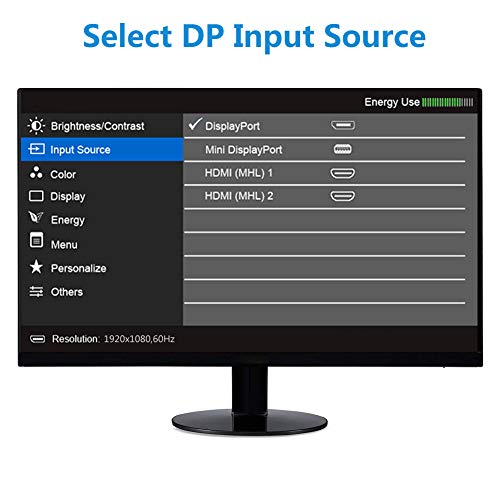
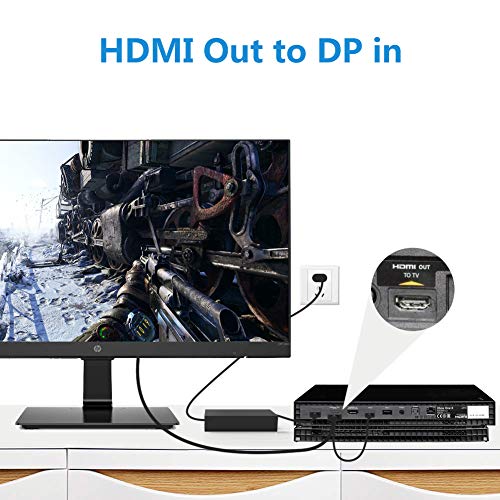
- 【Warm Tips】 1. This hdmi displayport adapter is Not bidirectional. For a DP to HDMI product, please refer to ASIN: B01GYJYIS0 or B01GHU134I. 2. Please select DP input source in monitor. 3. Please connects “HDMI Out” to “DP In” ports if your devices have two target interfaces.
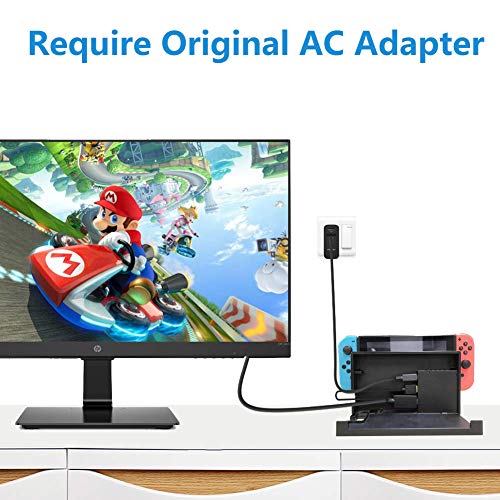
- 【Connection Notes】1. Game Consoles are Not Compatible with gaming monitors like Asus Rog Swift PG278Q, Acer XB270HU, Acer XB281HK, AOC G2460PG, Curved Monitor, Apple Cinema Display. 2. Not support VR Headset like Oculus Rift S. 3. Ninitendo Switch requires original AC Adapter to supply power. 4. Not support 16:10 ratio,such as 2560x1600. If you have any problem, welcome to contact us at service@foinnex.com.
-
Information
-
Twitter
-
Pinterest
-
Youtube
-
Facebook
Cho Pyone
Did the trick adding external monitor to laptop
I'm a largely a competent tech person but had no idea of cabling limitations when mixing connection types in a simple laptop to external monitor setup. Who knew that HDMI (out) to DP (in) was different than DP to HDMI? Had to spend an extra $25 for the proper active cable. This one worked fine for the (non-gaming) setup. USB connection for power also wasn't required for this setup. Tip: Better to avoid mixing connection whenever you can.
Youcef Aid
perfect
I wanted to add a third monitor to my desktop computer. My computer had 2 DisplayPort ports and 1 HDMI. I had 3 DisplayPort monitors. I used this adapter to connect my DisplayPort output cable to the HDMI female. I did not need to connect the additional USB. System works perfect!!!!
Lisa Laws Peaks
Works perfectly, including sound
I'm using a large computer monitor as a 'TV' by coupling it with a sound bar. The monitor has only 3 ports, 1 VGA, 1 HDMI and 1 DisplayPort. I had my PC connected via the VGA, and I had my Roku connected via HDMI. However, the DisplayPort was being 'wasted' since my BluRay player couldn't connect into DisplayPort. This adapter saved the day. It worked perfectly, just plug and play. Sound works too! I was skeptical whether the sound would work, since I only have the sound-out from the monitor going to the sound bar, but it worked flawlessly. I didn't need to use the USB cable.
Fagbohun Kazeem Olawale
AWESOME! Works perfectly with Nvidia GTX-970 and LG 32" 4k/60HZ monitors through IOGear GCS1942 KVM
I recently upgraded to a pair of LG 32" 4K monitors, which has HDMI and DP inputs, and a IOGear GCS1942 DisplayPort KVM. My previous setup was a pair of 27" WQHD monitors with DVI-D inputs, and used an IOGear GCS1642 KVM which is a dual-view KVM. Long story short, this adapter saved the day. I have a GTX-970 which has a single DisplayPort and HDMI output. I bought this adapter and plugged it in and I have instant 4k resolutions at 60HZ, no blurry issues, no screen tearing, or other issues. This runs through my GCS1942 KVM with zero issues. I'd buy this again, and I'd recommend this to anyone.
Maj Jackson
This actually works and solves a frustrating issue
So I had a computer monitor with the Display port input ( HP S231d) which was given. prob was I only have devices that output HDMI. dont do what I did and buy passive or active cable that convert Display port to HDMI. You need this gadget to go HDMI out to display port in. One niggle or preference and that is that I had to by an HDMI f-f connector so I could mount this gadget on the monitor end and not on the device end. This device is design to reside near the device (HDMI end) and not the monitor (the display port end) so if this is your use case dont forget the additional format converters. But this work great... for getting extra life out of a decent but older monitor.
Nwobodo Emeka Stanley
Perfect solution for 24" Apple LED Cinema display (with separate adapter)
Used an adapter (https://www.amazon.com/gp/product/B014DV2RGG/ref=ppx_yo_dt_b_asin_title_o01_s00?ie=UTF8&psc=1) to convert the mini displayport connector on my 24" LED Cinema display so it would attach to this device's displayport connector. Then attached the HDMI connector to a Mac Mini with another, identical monitor already connected to its single Thunderbolt port. Now I've got two monitors working perfectly on the Mini (my preferred method of working with a computer -- at least when three monitors is not an option).
Merouane Mimou Maskri
It worked!
I was having issues connecting 2 external monitors (Lenovo and HP) to my older Panasonic Toughbook docking station. The only way to do it is use VGA for one and Display port for the other. My docking station does not have display port, only HDMi and one VGA port, so I bought this. HDMI to Display Port and Display Port to HDMI are NOT the same. Thanks to all of the sellers of both products who made that very clear. Unfortunately, HDMI to Display cost $33, where Display to HDMI is $7, but it works, so it was worth it. Picture quality is good, no fuziness or flickering like others have reported. I did not need the USB power cable. I recommend it.
Cyndi Wayward
No Idea Why It's Needed, But It Solved The Problem
I wanted to run three Dell U2312HM monitors from an ASUS GT710 (2GB). Up to that point, the ASUS graphics card only saw two of the monitors, despite being rated to run three. After looking around I saw mention of some people needing one of these adapters. Wasn't pleased at the extra cost, but tried this adapter thinking the powered pin from the USB connector would be the missing link. Much to my surprise, when I connected this adapter the screen lit up immediately before I connected the USB port. I've plugged it in anyway. Now the graphics card sees all three monitors and all respond to settings. This is one extended view, by the way. So - while I still have not seen a definitive explanation for why this adapter is required in an HDMI out/DP in application - in my case this is working perfectly from
Zaini Asma
Works for HDMI output to Displayport monitor
One of my dell monitors is Displayport or VGA and with a multi-monitor setup, I wanted to run everything on digital signals. This works great - tested with a Macbook Pro (touchbar / thunderbolt 3 ports) and Dell XPS 15 (with thunderbolt dock). In both cases I used thunderbolt to hdmi adapters > this hdmi to displayport adapter, and had another gaming monitor connected as well. All in all even with a convoluted setup it worked perfectly.
Rosey Paul
Whew a Lifesaver!
For me while I absolutely love it, working from home has meant purchasing a lot of tech so that I can be comfortable and efficient doing my job. I'm not the techiess person in the world. I bought a Dell 24" monitor and didn't realize that it had a display port (never heard of it before) and was not compatible with the HDMI port on my laptop. Best Buy, Staples, etc. all had the display port adapter that plugs into the laptop port but not the adapter that has the display port for the monitor while the other end is the HDMI cord. Amazon was the only place I found it. With Prime I ordered it on a Friday and it was delivered on Monday at 8 am in time for me to start wotk. It was pricey and I probably could have just replaced the monitor with one that had a HDMI connection but I fell in love with the 4K one I already had. All in all I feel I had a happy ending.