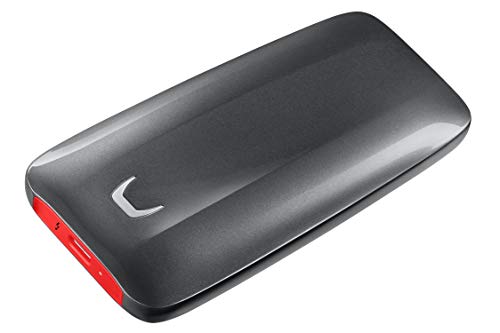

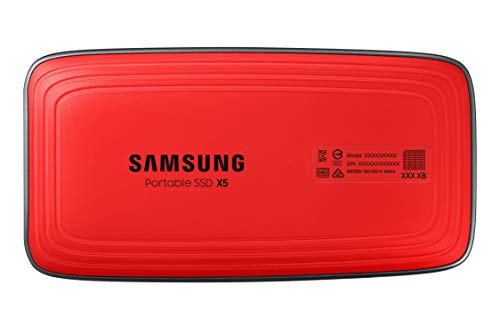
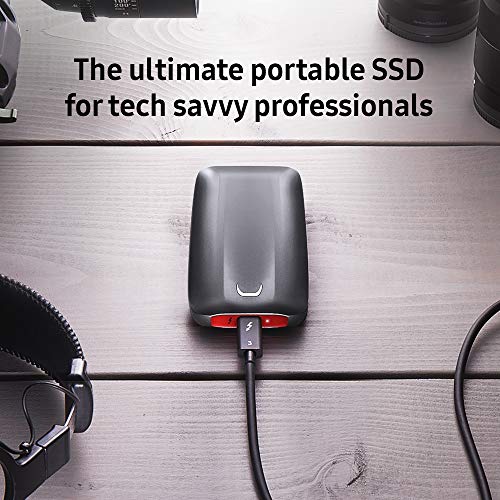
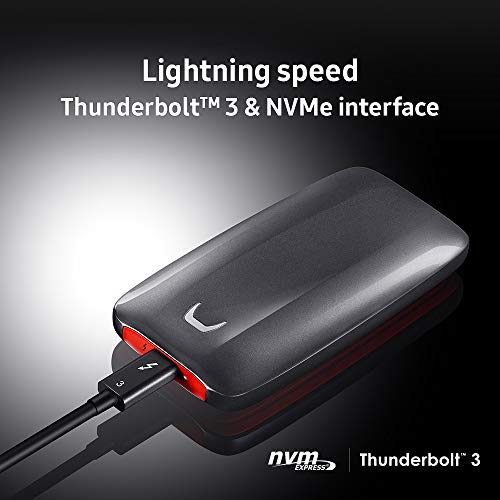

- First-ever NVMe-based portable SSD from Samsung featuring Thunderbolt 3 technology
- Sequential read and write performance levels of up to 2,800MB/s and 2,300MB/s respectively
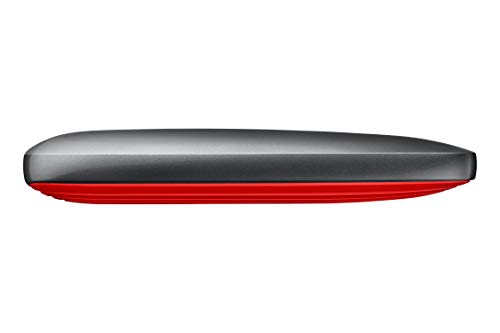
- Features a full metal body with glossy top and non-slip bottom mat
- Shock-resistant internal frame make X5 withstands drops of up to 2 meters
- Ensure to have the latest firmware/bios installed for the device and the computer
-
Information
-
Twitter
-
Pinterest
-
Youtube
-
Facebook
Raptor Cat
Some setup, but it’s blazing fast
Had to update the thunderbolt drivers for it to work. Before that, windows would make a sound when i plugged it in, but nothing showed up even in device manager. After updating it, everything worked amazingly. Speeds do not lie. It’s fast!! I got the 1tb one and it’s more than twice the speed (in terms of seconds to transfer data) of my Sandisk extreme portable external ssd. Plan on using the x5 as additional storage for my mac mini. Speed was important so I could run multiple virtual machines from it. Expensive, but already $200 cheaper than when it came out not even 6 months ago so possible waiting could drive prices down further.
Juna Lin
Speed...speed...speed
This is fast...using as boot / startup disk for 2017 iMac 27"...easy to setup ie disk utility...install Mojave...boom! Logic Pro X and Final Cut Pro run with "Thunderbolt 3" speed ! Great investment for high end users...
Marcena C Caple
INSANELY FAST!!!
I'm not kidding...I'd cloned my daughters 2017 MacBook Pro (MBP) in about 35 seconds...then when I migrated her to a new 2018 MBP from this X5...it was 34 seconds and it was fully configured. UN-STINKING BELIEVABLE!!! If you need the ultimate in speed, and if you have the money...look no further. I'd actually ordered the OWC version before this X5....and the the OWC comes with a cable that is permanently attached...and it was VERY "touchy" (it would disconnect if bumped). Where this Samsung comes with a nice quality ThunderBolt 3 cable...ready to rock.
Peter Patino
Best External SSD with sleek design, high speeds
Had been using the SSD for about 3 weeks, and experience was superb. To start of with, the design, the hard disk looks really sleek (sleekness achieved due to SSD type being NVMe which is much smaller than regular 2.5MM disk, attached an image of NVMe SSD on top of iPhone X for size) which is good as it can easily fit in pocket if needed. The color with the Black and Red looks really nice and well designed and found few F1 cars that partly resemble the X5 model(minus all the branding) Now getting back to usage, on the first run, the Speedtest shows write Speeds of 1891Mbps and Read Speeds of 2243Mbps, which is amazing but guess if the processor is newer, higher speeds can possibly be achieved as well. When the SSD was connected to Mac, there was an option to install Software which in turn can be used to set Password Protection with AES 256bit encryption, but even after multiple tries, application doesnt detect the hard disk as connected even when connected, which is disappointing, but it may depend on the older Mac I use, so others may be able to install it, and it should possibly install on Windows(but sadly dont have Win PC with TBT3) Getting to the actual usage, copied files totaling 24gb, and copy took less than 2 minutes(1:47 precise), which is over 8 times faster compared to other HDs that I had used previously. Also had few video clips added to the X5 and then used iMovie to join all clips and export back to X5 which took about 5 minutes and 32 seconds to complete. When I ran the same clips from internal SSD and export back to Mac, it took over 15 minutes to finish the export. So for any photographers, this is going to be great addition, as long as the processor can handle the work. Also, even at such high read/write speeds during the export, the SSD stayed cool, never heated up. Tested copying of a file that is about 10GB and it took under a minute to copy, which is amazing. Also tested copying songs about 11GB size, and it was done under a minute, and when the same files were copied to a Type C USB, it took about 5 minutes, and copying the same to a regular USB 3 took over 15 minutes. So its easy to understand that nothing can beat the speed. Also, didn't realize that the Surface Book 2 only has Type C port, not TBT3. But most new Windows laptops now include TBT3 port so may have to upgrade laptop soon. Pros: 1. Great transfer speeds 2. Sturdy 3. Doesnt heat up 4. Great design/look Cons: 1. Limited PCs with TBT3 port 2. Short cable
Emily Young
Unbelievably fast!!
I totally agree what other reviewer said about that you MUST have THUNDERBOLT 3 connecter! I bought the 2018 Mac Mini and hooked it up and read instantly!! Did the speed test and it was FASTER than the. SSD in my new Mac!! Will buy again!! The USB-C connecter and Thunderbolt 3 FIT the same but you MUST have Thunderbolt 3!!
Sminer Codef
They've gone to plaid!
After spending a few weeks with the Samsung X5, I can wholeheartedly say that this drive is amazing- it is the lamborghini of portable drives. My workflow involves backing up a lot of data at a secondary facility that we do not have network access into. Moving data back and forth (large batches of scans from a micro-CT) was painful, even with a decent usb 3 drive. Being able to utilize PCI speeds you get through thunderbolt saves me a good chunk of time every day. Overall thoughts on the device Form factor: It is about the size of a portable 2.5” hard drive. It’s likely only as big as it is to help with heat dissipation to prevent throttling- this baby gets nice and toasty when it’s been running at full speed for a bit. It has a nice premium look to it, the smooth silver casing offset by the red rubber bottom looks nice. Speed: The one part anyone cares about if you are spending big money on a drive. I can safely say that this drive is worth the price of admission. Granted, it doesn’t hit the theoretical speeds it is labeled with hitting (honestly, nothing ever hits the advertised speeds in my experience) but it comes a lot closer than I would have expected. In my day to day usage, I’ve found it to consistently perform close to the speeds achieved through benchmarking (photo attached). Negatives: Biggest negative here is that it is only compatible with thunderbolt 3 ports. That means either a relatively new laptop or a desktop with a PCI thunderbolt card added on. Not being backwards compatible with USB really pushes this drive into a niche market, given its price point. Overall- I really enjoy this drive, and it has had a measurable impact on my day to day. If you need to move a lot of data back and forth on the regular using hardware, or expandable storage for your laptop that functions as fast as your NVME, this is the drive for you.
Neena KN
iMac slow? This drive supercharges your computer.
So you want your iMac to go from Yugo speed to Corvette? Then move your OS to this device and run with the wind. What a difference it made in startup and normal operation. I formatted the drive for the iMac, copied the OS to this drive, and then booted up on it. I have used the installed drive since. Now I do not play games or do anything else that may severely tax the system. For the casual user, this is the cat’s meow! It is disappointing that Apple sells such a slow product like the iMac I just bought. Although this drive is a couple hundred bucks, it has been worth the investment. If I wanted slow, I would buy a Windows computer. Don’t walk, run and get this now and enjoy the speed of an SSD.
Victor W Black
First impression is .. super fast
Will store on this device recently taken phots to be edited with Lightroom. Connected to a MacBook Pro 2016, the experience is remarkably upgraded vs the Samsung T5 2TB external SSD drive. Impact on how photos are rendered on the screen is measurable vs a 200MBps external SATA drive, proving the storage solution was the bottleneck in my previous configuration. TBD what could happen with a faster graphic card. The device looks nice, compact and doesn't seem to heat despite extensive usage.
Mamakanneh Momoh Karsie
Beep beep! Move out of the way USB-3, TB-3 is here!
Super fast! Upgraded from a Samsung T5 and couldn't be happier. Setting this up as a Mac boot drive requires one to actually read Apples instructions for formatting as a GUID partition. In other words, the option is there; you just have to know how to get to it! It's somewhat pricey but beats having to crack open your iMac to get a faster boot drive. 1/26 Update - Still going strong! For comparison purposes I went back to the T5 as my boot drive and the difference was shocking. Everything is faster with the X5 from photo/video editing to just general system responsiveness. Reusing my T5 as a Time Machine drive. Apple should be embarrassed for the prices they charge on their SSD upgrades compared to this option.
Krystal Mincher
Super Speed Portable SSD
First, this Portable SSD is only support Thunderbolt 3. Your computer must support Thunderbolt 3 (not just USB Type-C), otherwise, this SSD will not works. From the outlook, that is only one USB-Type C and one LED light. Hence, the power is supply by Thunderbolt interface. It is made by metal, you will feel warm when you use it. It has AES 256 Bit hardware encryption according its website (but, I never tested it.). I put into my lab PC to replace older HDD portable Hard disk. 1) this portable disk is much faster than my older hard disk. I can around 1xx MB/s to 3xx MB/s (most of tiem, it is around 1xx MB/s. But, it will jump to 2xxMB/s time to time) speed when I copy files between disk. I think, that is some limitation in my PC. I did some research from Internet, some people is able to get almost 2GB/s speed. It is warm when I let it run overnight. It is a little bit heavy compare to USB disk, but, much light and smaller than HDD portable disk. The capacity and data throughput is much better than my USB disk. The only drawback I can say. It is only support Thunderbolt 3, not USB (even it is using USB-Type C connector). I need to find the PC which has "real Thunderbolt 3" interface to use it. (but, this is the reason has such high speed.) and it is expensive. Overall, this is a good product if you are looking for high performance SSD. If you are using MacBook, this SSD can expend your high speed storage space without changing laptop. I will recommend this product.