
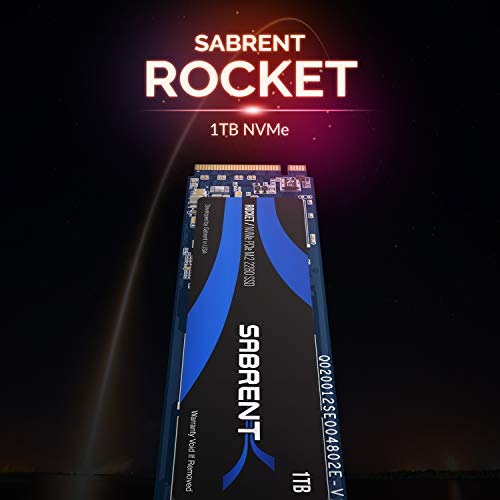


- M. 2 PCIe Gen3 x 4 interface.
- Pcie 3. 1 compliant/ NVMe 1. 3 compliant.
- Power MANAGEMENT support for apst/ aspm/ L1. 2.
- Supports smart and Trim commands. Supports onfi 2. 3, onfi 3. 0, onfi 3. 2 and onfi 4. 0 interface.
- Advanced wear leveling, bad block management, and over-provision.
-
Information
-
Twitter
-
Pinterest
-
Youtube
-
Facebook
Tasha Trix Keyzel
Samsung performance for half the price?
I mean seriously, 3250 MBps writes? Phison e12 controller, TLC drive with toshiba based NAND. This is a legit top tier drive, it is not inferior to a samsung drive in any way.. This thing has better 4k Q8T8 and Q32T1 benchmarks than 1tb 970 evo plus drives I have seen. This drive is a fantastic option for literally anyone. $130 ($115 with coupon code) for 1tb, as compared to $250 for the 1tb 970 evo/plus. There really is nothing to think about here, this is the superior purchase. Also just to add, this has the nicest packaging I have seen for any drive come in. It's not really a big deal obviously, but I thought it was worth noting. I was definitely surprised by it.
Lauren Gilliam
Why pay more?
I bought this drive even though it did not show in the support list for my new motherboard and I am very pleased that I did. I searched through some of the listed drives that where in the support list and then compared the specs between those and this one. So if anyone is looking at this for a Gigabyte Aorus Elite B450 then I can tell you it works fine. The only issue I have so far is to find out why this motherboard will only let the drive run at 1800 read and 900 write speeds but the seller Store4PC has given me a lead on where to start with that issue. Now for anyone having issues with Windows installation then please take advantage of the time I spent on this which turned out to be no fault of this M.2 SSD. I tried every fix I could find in the forum post about Windows not installing and after 8 plus hours found that the reason was as simple as the Installation USB I have for Windows 10 is missing the boot manager. After all those hours I had given up and decided to see if I could make my old Windows 8.1 Pro work with a Ryzen build and instantly the drive was usable as a boot drive. Anyone having trouble with this then take note: drive doesn't show in Bios as boot device, before going through CSM boot support and disk part commands load the Windows installer and when you get to the options menu of chose which drive you want to install to the drive should be listed. If its not then do the disk part commands to change the format and if it is but shows "Windows can not be installed on this device" you are missing the boot manager.
Fiona Mullins
Amazing performance and Value for your money
I recently build/gift myself a new rig, it's not the highest end but definitely have really good punch (i7 8700K, Kraken X52 water cooling, EVGA G3 850W PSU, Gigabyte Gaming X MB and RTX 2080 Gaming OC). My first choice for the SSD was a Samsung NVMe 512 GB 970 Pro that runs me down around $170 then I came across this Sabrent drive with amazing specs and double the space and for $200! So I bought it and ran benchmarks on both drives, my results were amazing in either of them with the Sabrent being faster overall and in more tests, so clear winner for me Sabrent as fast or even slightly faster and double the capacity for better price, I have returned my Samsung drive and planning on getting another one of this to test how fast they can go in Raid 0. Great NVMe that hopefully will prove reliable over time.
Emma Tosi
Ok, Initial Thoughts ... WOW ... And they continue ...
So a couple things, I bought this to upgrade my m.2 SSD (Samsung OEM) 512GB that was in my Razer 2017 14". As someone else noted, BUYER BEWARE because this is a 4k byte size allocation versus the standard 512 byte setup. That means you CANNOT DIRECTLY CLONE THE DRIVE UNLESS IT IS A 4K DRIVE AS WELL. I saw that post and should have read it more closely but of course, I 'knew' better ... yeah would have saved me like 48 hours of headaches. So does that mean you cannot move your stuff over? Nope it just means it takes a bit more work. I had to image my existing drive to an external drive (USB), create a bootable Windows PE disc with the imaging software, install the new drive, boot into Windows PE and then restore the image from the image file. If you do that, it will work flawlessly (though it will take QUITE awhile). Speed tests so far are phenomenal. Arbitrarily it is loading into Windows faster. DEFINITELY loads into Division 2 faster. Transferring of files seems snappier and encoding definitely is probably 2x faster. Overall VERY happy with my purchase, but like I said ... this takes a bit of work. Now we all will eventually have to upgrade to this style anyway so I guess I have future proofed myself at this point. Toodles everyone
Delores Brunson
A True NVMe Solid State Drive for VERY Affordable pricing!
For people looking for a reliable NVMe without breaking the bank, this is the drive to consider. The transfer speeds are amazing and deliver the true NVMe speeds you want without overspending your budget. Installation of the drive was a breeze using the on-board NVMe slot for my PC. This drive is a size 2280 (Longest in length drive) and is keyed "M" to take full advantage of the PCIe x4 speeds. This drive is running with an Asus x370-PRIME motherboard for Ryzen. It's been over a month since installation, and things have never run smoother. The startup times of Windows and my Virtual Machines are amazing. Other disk intensive applications for photo editing and video editing have also been improved using this drive. I upgraded from a 256GB Samsung 860Pro to the 512GB Sabrent. I considered the Samsung drives, but couldn't bring myself to spend 2x-3x the price of this one. Manufacturers have greatly improved reliability and performance of Solid State Drives that it was worth trying this out. It's important to make sure your motherboard can truly support this drive before purchasing. As I write this review, the Sabrent 512GB Rocket NVMe drive utilizes the newest PCIe and M.2 standards available.
Yvonne Campbell
It's fast ... but hot. Overall great deal
EDIT: While my original review was 4 stars, I felt it necessary to bump it up to 5 stars after receiving and installing a heat sink. Before installing the heat sink, my Rocket drive would reach temperatures in excess of 78 C during benchmarks. After I installed a $7 heat sink, the temps now max out in the mid-to high 50s! What a huge difference. And, it no longer seems to be throttling (see third photo). So, I'll leave my original review in place, but keep in mind that adding a heat sink will relieve most of these issues. _____________________________________________________________________________________________ ORIGINAL REVIEW: If you feel the need for digital speed and you're on a budget, this will do the trick, but with some caveats. PROS: -Very affordable -Can reach very fast speeds -Comes with five-year warranty -Good customer support CONS: -Gets very hot and throttles -Packaging is very light; drive only, no screws or manuals SUMMARY: While it does seem to hold up to spec on its speeds occasionally, it's very inconsistent. While running sequential read/write tests, my drive hit temperatures of near 80C. The problem with the high temps (other than longevity) is that it seems to begin throttling, which reduces the transfer rate. If you take a look at the attached image, the drive hit 78C during testing. That is way too hot. Consequently, the sequential write speed was only 628MB/s, but should've been near 2K. As far as real-world performance, however, it seems to work OK, and I haven't noticed any freezes while using it with some Steam games I have on the drive. I've really wanted to like this drive. I think Sabrent is a good company, and their tech support tried to help me understand why I was having so many issues with speed and temperatures, so they deserve some credit for that. And, the throttling/overheating issues can be helped somewhat with a heat sink. But, don't remove the sticker ... at least that's what Sabrent told me. As for packaging ... Sabrent, you need to step up your game! There are no manuals, stickers, warranty cards or even screws in the box. There is a five-year warranty, but how would anyone know? BTW: Go to their website to register the drive, and the warranty information is there. As for value, it is really hard to beat the price ($79 in early 2019) for a 512GB 3x4 NVMe drive. The throttling issues are not too noticeable while using applications/games. I mean, even if it throttles down to 1,000MB/s sequential speeds, it's still faster than a SATA SSD. And finally, while the high temperatures are a concern, I feel confident in granting four stars since I have a five-year warranty, which is probably the longest warranty I've ever had for a storage device.
Bronson Kittler
Pro speed for a rediculous price!
I can't express how pleased I am with the speed of this NVME. Crystal Disk was spot on with the rated speeds. My computer boots in 2 seconds! I was a little skeptical not being able to find much info on this drive, but I did find out it is based on Toshiba's BiCS 3d TLC NAND. They are the innovators so I was good with that. The price to performance is definitely worth it. 512gb nvme that performs at 3500/3000 and is only 99 BUCKS! I'll take that! The only irritation I had was I could not Clone to this drive for the life of me. I tried Macrium, Acronis, and Casper. Casper cloned it, but would not boot into Win 10. I finally gave up and just installed windows 10 fresh. After that it booted instantly and updated rediculously fast. My WIFI was my bottleneck. I am no pro, but I've built a bunch of PC's for myself and friends for gaming. I've used a lot of different ssd's from samsung, silicon power, zheino, pny, adata, intel, and now sabrent. It gets addicting. To be honest, once you get into NVME speeds it is hard to notice a difference from 1500 to 3500 anyway. SATA ssd is way better than platter, and NVME is better than that. This is cheap for now and competes with the best. If it lasts it's the deal of the century.
Misty Boss
A word of warning!!!
After many, many, MANY hours of trial & error I found that when doing a fresh Win 10 install (via usb) you must choose the uefi version of the install media. Unfortunately cloning my old SSD to the M.2 was impossible due to the 512/4K sector thing. But now that I got that all ironed out everything seems to be going good, so as long as nothing else goes wrong I’ll give it 5 stars. Otherwise I’ll update with what went wrong
Toni Sandell
SOOOO Fast and definitely possible to use as a boot drive.
This is the first time using a NVME SSD. I upgraded one of my machines to a fast i7 and the new board could handle NVME SSDs, so I thought I would try out a PCIe based SSD. For the price, it was no big gamble. Physical installation is very simple. Just like installing a memory DIMM, except you have a screw to hold it down. I wanted to use this as the boot drive and I was a bit worried since another reviewer here said you couldn't use it to boot from. Again, it was cheap enough that I gambled my money and time. Initially, I thought I might not be able to install the OS to it, because the WIndows Installer gave an error saying WIndows couldn't be installed there. Googling around a bit, I found that I had to go into the BIOS and make some settings for it to work. Try again and the installer happily went about its business and loads up Windows. However, while the OS was loaded onto the drives, it wasn't bootable. It took a bit of research, and I can't say I know exactly what I did to fix it, but after a few more trips into BIOS I was able to get the settings right so that the installation was bootable. So this SSD can certainly be used as a boot drive for Windows - and I assume any other OS you choose. It might take a bit of research to do it, but it is certainly possible. The first time it booted I was left with my jaw on the ground. I have never seen an OS load this fast! From power off it's about 2 seconds to do a full load of WIndows 10 Pro. Truthfully, most of that is getting the machine through BIOS to start loading the real OS. I tested it a few times because I couldn't believe how fast this was. It is just unbelievably fast! I haven't done any speed tests on it, but the user experience of booting and loading programs is amazing. I am not looking forward to have to go back use my SATA SSD machines anymore. I have only used this few days now and it's not my primary machine, so I can't say how well it will hold up. I am a little concerned because the difference between a great SSD and a horrible one is the "firmware" the SSD manufacturer has written for the flash controller. This is based on TLC flash which is actually more reliable than what most SSDs now use, QLC (quad level cells) and i specifically searched for a TLC based SSD, which is not easy to find in a NVME SSD. Sabrent isn't a big name in SSDs so I am a bit concerned about how well the drive will hold up over time. It's a gamble, but for the price, it seemed like a good one. For now though, I am in love with how fast this awesome, little drive is!
Donna Getty
Hits Advertised Speeds! An Insane Value! Wow!
As you can see in the image I provided, it easily hits the rated speeds to my amazement. The value of the Sabrent Rocket is quite substantial and I couldn't be happier with my purchase. If you were on the fence, don't be, it delivers on all of the claims. Considering the large price difference of the other M.2 NVME drives on the market, you can't go wrong if your intention is to use this as your Operating System drive and the same would hold true with the larger Rocket sizes available for uses that require a larger storage volume. This is easily the best purchase I've made in quite some time for my rig!