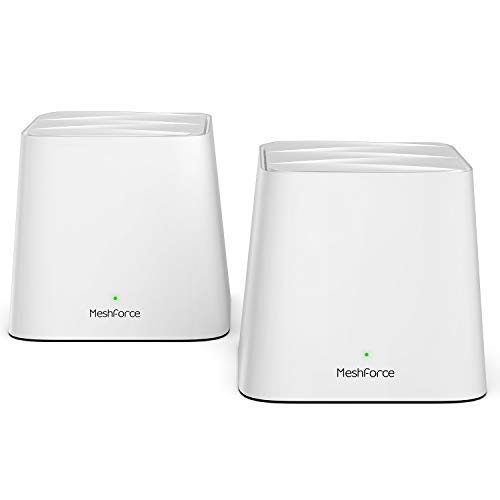



- The Next Generation WiFi: MeshForce M1 comes for the future of WiFi, it’s time to replace your wireless router and extenders, and build a true WiFi system for your home. The flawless and flexible AC1200 dual band WiFi connectivity supports up 60 devices, it is a hub to connect your smart devices from PC, mobile, TV, to IP camera.
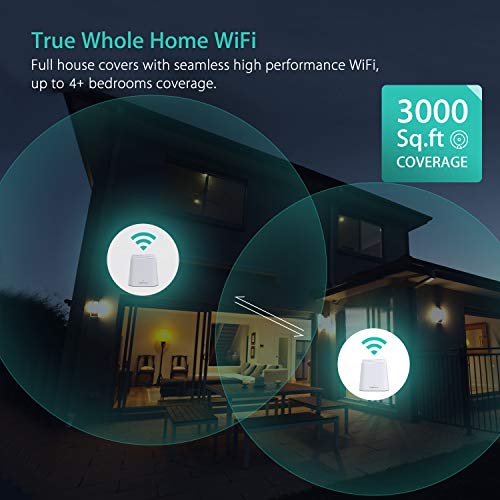
- Eliminate Buffering and Deadzones: Covers more than 4500 square feet from garage to backyard, seamless single WiFi name for entire home, high performance WiFi network covers 5+ bedrooms. Flexible deployment allows up to 6 points wherever you need WiFi. No matter apartment, house or office zone, MeshForce M1 is ready.
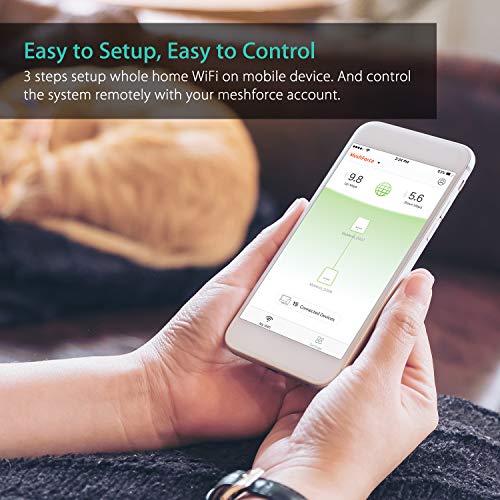
- One Home, One WiFi, One App: Find a quickest path to get everything done, build a whole home WiFi system is easy. Download ‘My Mesh’ App on your iOS or Android device, set up main mesh point, plug the others and they will join the system automatically.
- Safe Connection to Your Smart Home: Your data and WiFi access are well protected under WPA/WPA2 PSK Mixed security – industry level password encryption. Welcome your visitors and friends with guest network in isolated WiFi zone, safeguards your privacy and smart home access in pocket.
- 7x24 Customer Support: You don’t need to be a pro because we are here. 7x24 online customer support, ask us anything at any time. Backed by 30 days money-back guarantee and 12 months limited warranty.
-
Information
-
Twitter
-
Pinterest
-
Youtube
-
Facebook
Hurraam Khan
Excellent Router in an amazingly small size!
Waji Faizy
Easiest Mesh WiFi System Setup ever and EXCELLENT COVERAGE!!
Jennifer Krupa-Hawk
Pleasantly pleased with MeshForce
Beck Connor
Huge improvement over my old routers!
I needed to replace my aging Apple Time Capsule and AirPort Extreme extender. One of the biggest complaints with our older routers was dead zones. The other issue we have is the sheer number of devices we have added over the years. As tech has gotten better I’ve added cameras, smart plugs, wifi controller lights, streaming services, our kid has gotten older and has more wifi controlled things and our poor routers couldn’t keep up! This mesh system has great speeds and being able to spot one right where we needed it has been a life saver. My wife’s office has gone from barely having wifi at all to having excellent speeds. No problems streaming things now. It was super easy to set up and the device management features are so far above anything we had before! Now I can give connected devices custom names, set up timed schedules, blacklist devices, etc. all from the iPhone app. The units themselves have a smaller footprint than our old routers and just generally blend in better, which the wife likes.
Keith Wages
Setup Was Quick and Painless
Harsh Mishra
The Meshforce is AMAZING!!!
My husband and I were experiencing problems with our old router not maintaining a connection or able to handle the number of connected devices. We were looking for a replacement that would fit our family's needs. My husband works for a phone company and educated me on how routers worked and we should get a mesh setup since we have so many devices that are connected to the internet at the same time. During our search, we came across the Meshforce Whole Home WiFi System and took the plunge and purchased it. I am SO HAPPY we went with the Meshforce so many reasons! 1. It was SUPER easy to set up. My husband is the internet guru, but when I received the box from Amazon, I couldn't wait for him to get home to set it up, so I did it! The instructions were very clear and I did it in less than 20 min. I could have set it up in less than 10 minutes if my children weren't running wildly throughout the house as I was doing it. 2. To connect your devices with the WiFi Name and Password you have chosen and they connect with no issue. You may also, plug it into a device if it has the LAN connection available. 3. Our connected internet speed has increased since we have installed the Mech force. 4. Parental controls at your fingertips! You can see all connected devices connected to your Mesh Force. With that being said, you have full control of being able to turn on or off one or more devices to the internet. Comes in handy, if your children get a bit crazy, in trouble, or they have exceeded their internet time, you can turn their devices off with a few taps. 5. You can also set up a guest network for when guest come over and you really don't want to give them your main login info. 6. We have not had any issues with maintaining internet connection with 10 connected devices, PC, DirectTV, iPad, iPhone, printer, Nintendo Switch, Nintendo DS, Thermostat, Roku, and Samsung cell phone, at once. Before with our old router, it would go in and out leaving us in the middle of a Netflix video and then we would have to restart everything. The Meshforce has been amazing and it has kept everyone connected and happy! 7. Small and can be easily concealed if needed. To set it up, I downloaded the app on my iPhone through the app store. Then I unplugged our old router and plugged up the first mesh point into the modem and wall outlet. It doesn't matter which mesh you get out of the box that will be the first one because when you go to connect it to your phone it will see it as the first one on your home WiFi when you follow the super easy instructions. When you get the mesh connected to your phone it will automatically detect what kind of connection you have and you will set up your WiFi name and password. To set up the remaining two mesh points, you find two other locations in your home and plug them up one at a time. The phone app will automatically see that mesh point and will you will set it up as the previous one, enter the info from the mesh point as instructed and it's set up.
Willye Taylor
Easy To Setup, Solid Mesh WiFi Option
Dan Morrison
GREAT REPLACEMENT FOR MY HOME WIFI
Jackie Quick
It's an awesome way to fix wifi issues and add range in 10 minutes!
Frankie Keller
Fast speeds, great coverage