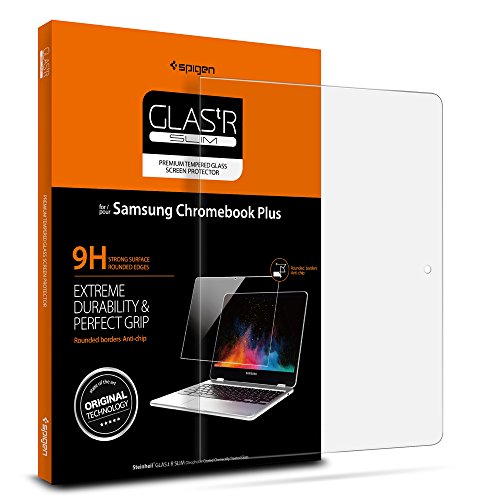
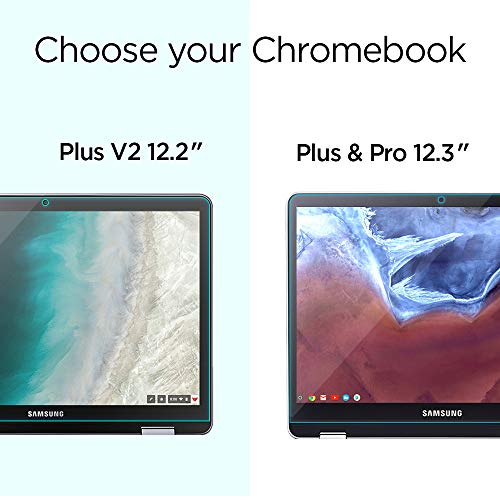
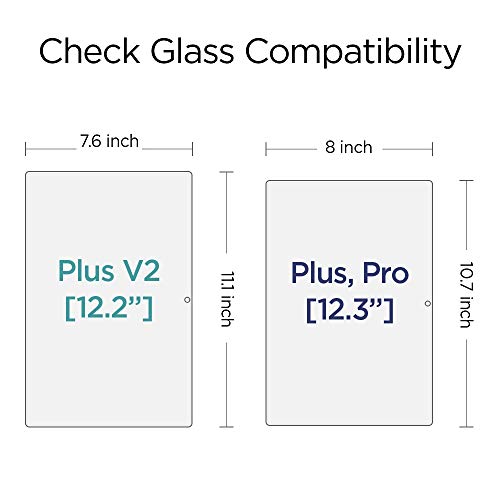

- Screen Protector for ONLY Samsung Chromebook Plus V2 [12.2 inch] 2018 Released Model Tempered glass
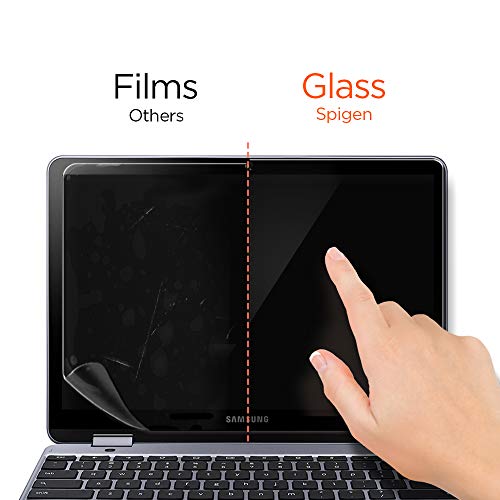
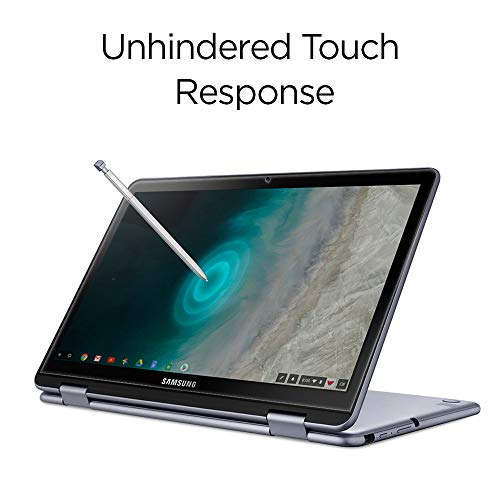
- [Tempered Glass] Protects and maintains touchscreen sensitivity and responsiveness
- Extreme clarity preserves the original screen brightness
- Oleophobic coating prevents oils and fingerprints
- ** Compatible ONLY with Samsung Chromebook Plus V2 12.2 inch [2018 released]
-
Information
-
Twitter
-
Pinterest
-
Youtube
-
Facebook
Pauline Rayno
Fit as advertised
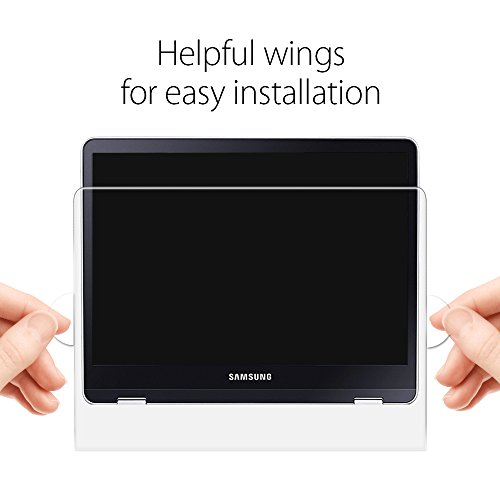
I have used Spigen products before for smaller devices like phones. The hardest part about putting these screen protectors on any devices for me had been the dusts. It can be very difficult to see these tiny little speck of dust. I normally wear a headlamp shining the light on the screen. At the right angle, I can see the dusts better. Anyhow, this particular screen protector came with attachment on the side so you can hold on for proper alignment. This setup is pretty good. I normally tape one side of the protector to the screen first to help maintain alignment. I used the holder thing to hold the opposite side up then remove the sticky layer. While holding it up, I used the dust removal tape to remove whatever I can see. Then, I started to lower the screen protector starting from the side I taped. I did well with product. It looks good without any bubbles or obvious dusts. I normally have no issue with alignment or bubbles with the method I described. I have missed a few speck of dusts in the past and it annoyed the heck out of me. Oh well, can't see everything everytime!
Jonathan Birdman Martin
Easy to apply, bubbles disappear and okay to do it wrong one time
It was super easy to install and bubbles were easy to push out. Tiny microbubbles formed after pressing firmly on one larger one I couldn't squeeze out (at least not without worrying about pressing too hard), but these have now disappeared as well. It fits very snugly so I recommend lining up the side with about 1mm space and 1mm space at the top. For me, this places it equidistant from all edges and perfectly centered on the webcam. The first time I tried putting it on I only looked at the top edge and webcam and ended up putting it on a little crooked, which caused it to push against the rim of the screen. Removing and reapplying wasn't a big deal at all. Just be sure to have very clean hands! Soap & water and air-dry so you don't get towel fuzz on your hands.
Sheila Lyn Matela Bueno
Work's Great! Love It!
Fits on my Samsung Chromebook Plus screen just perfect, however I did do a mistake and please be careful to not do what I did. I was trying to put the screen protector on perfectly (I some times get a little OCD) and I kept removing the protector (It also says to not remove it too much or the sticky side will not work) and now my bottom right corner won't lose the air bubble and I have a very small crack (Crack is from me trying to lift the protector off the screen about 4 to 5 times to line it perfect). And also another thing when you are applying this protector to your screen make sure the screen is perfectly clean (meaning no hair or other residue) I own a cat and that was the worst mistake to try and put it on in the kitchen where she goes. If you have a room that non of your animals are aloud in I suggest to move to that room while cleaning the screen and putting the protector on. This screen protector is the best one I chose and I would recommend this protector to anyone. Don't let my mistakes scare you haha. But this is a nice fit and works good for protecting your screen.
Steve Morrin
Spigen does it again
I picked this up for my Chromebook Plus V2 and am glad I did. The glass itself has great clarity (being glass and all) and did not interfere with the S PEN or touch input. The installation itself was fine, and I didn't encounter any issues with applying the glass or using the included cleaning items. The only thing about this that would have made it better besides being a 2-pack would have been to include another alcohol wipe and a squeegee to press the air bubbles out. Those are minor gripes though, and thankfully I had a left over squeegee from another device that I was able to use. Using the bathroom steam method (research or use at your own risk) I was able to get a dust-free installation. It does exactly what it is supposed to do at a great price, I highly recommend it.
Teresa Venegas
A real honest review for a real great product. Just follow the instructions and you'll be just as pleased.
Utterly and completely fantastic. Extremely high-quality product For bargain-bin prices. With all the necessary items to assure a proper application included in the packaging, as well as the high quality of the packaging self, reassures you before application that you're in good hands with this particular product. I followed the instructions to the T and application was a breeze after some light cleaning I can't even tell it's on and my screen is no longer fingerprint magnet. In plain words, this is a great product people. I always check reviews out and wonder if they're legitimate, this is a legitimate ad I didn't get anything free I just wanted to write about a product that actually lives up to what it says it does, which today not that many companies try to adhere even to their own words. After this simple 10-minute application process and another 10 minutes of light cleaning and bubble pushing I was left with feeling like I had purchased nothing because it was so clean on the device it actually looks like it's just the device's screen itself. Give it six stars if I could. Love companies like this
Valinte Jesza
Spigen Screen Protector for the Samsung Chromebook is an Excellent Product
The Spigen Screen Protector for the Samsung Chromebook is an excellent product---- Some especially noticeable positive qualities are the following: 1— The protector’s tempered glass is sturdy and substantial ---- Compared to other screen protector purchased over the years from other companies for other products, I’ve never seen a protector with such durable qualities. 2— The protector has an excellent fit for both the screen footprint and the small camera hole at the top of the screen. 3— The Chromebook touchscreen sensitivity & responsiveness both continue to perform very well with the protector in place. 4—The protector looks cool when the application is completed. Here are two improvement recommendations: 1—Please redesign the User Manual to a larger size, and with black font. I had to use a magnifying glass to read the current 2.5 by 4.5 inch English part of the instruction panel. 2—Add an explanation of when and how to use the Microfiber Cloth and the Dust Remover sticker ---- For example, should one pull the protector up and use the dust remover for a small dust spec? I wasn’t sure if pulling up the screen would damage the protector’s subsequent adhesion to the Chromebook screen Thank you for a great product
Andrew Webster
Get one. Now.
I've bought Spigen glass screen protectors for my family's phones and kindles and they have been awesome. This is the biggest one I've put on a screen to date and it was just as easy as the smaller ones. The protector comes in a super sturdy slim box so there is no way it could break unless maybe a cannonball fell on it. The instructions are simple. All that's needed is to peel off the protective backing and drop it in place. Sooooo much better than the flimsy screen protectors of yesteryear that would always bubble up after attracting a ton of dust in a millisecond. This protector has actually minimized fingerprints and glare on the Chromebook which is a lovely bonus. :) Get one. Now.
Keriann Pepper
Excellent choice for the Chromebook Plus/Pro - Here's how I installed it...
Jessica Turnage
Flawless fit for Chromebook Pro!
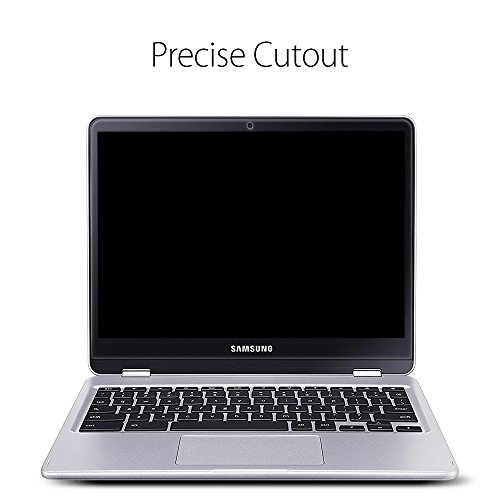
This screen protector was a perfect fit for my Samsung Chromebook Pro!! It covers the entire glass area of the screen and even has a small cut out for the webcam. I followed all instructions, turned off all the fans in my room, made sure there wasn't a speck of dust on the screen.. the large plastic wings on the side made alignment super simple!! As soon as I had everything lined up, I dropped it on and it literally installed itself I didnt even have to push out any air bubbles it was flawless!! Couldnt be happier with this protector. You would never notice that it's even on during use.. and the screen still closes completely shut. Awesome product!
Renn Belladonna
Excellent in Every Way
Two preliminary comments: 1- If you're looking for a description of this item on Spigen's own website you're not going to find one. Spigen told me "This screen protector is an Amazon.com exclusive – we do not sell it on our Spigen.com website." 2- If you examine the packaging carefully you'll see that this is actually a Steinheil screen protector. At one time Steinheil was its own company, but now apparently belongs to Spigen. Steinheil had a reputation for excellent tempered glass screen protectors. (I had one on my old HTC phone.) With that out of the way, here's everything you need to know about this screen protector: * It's crystal clear; once applied you'll never know it's there.The edges are rounded to match the screen of the Chromebook. * It fits the Samsung Chromebook Pro (and therefore also the Plus) perfectly, leaving a tiny portion of the screen around the edges uncovered - perhaps 1 or 2 millimeters. * Very easy to apply. But then, I never seem to have a problem applying screen protectors. Just a few tiny air bubbles that were easily pushed out. The 'secret' to success is to take your time to carefully align the screen protector. Go s-l-o-w-l-y and make small adjustments until it's just right, then gently let it drop onto the surface of the screen. Start with the opening for the webcam. * It does not interfere with your ability to close the Chromebook, not at all. * It transmits pressure from your finger and the included stylus perfectly - as if there was no screen protector. * It feels just like the surface of the screen; you can't tell that there's anything there. In short, this screen protector is excellent in every way.